
PixMira AI - Free AI Photo Editor & Image Generator

What is PixMira AI
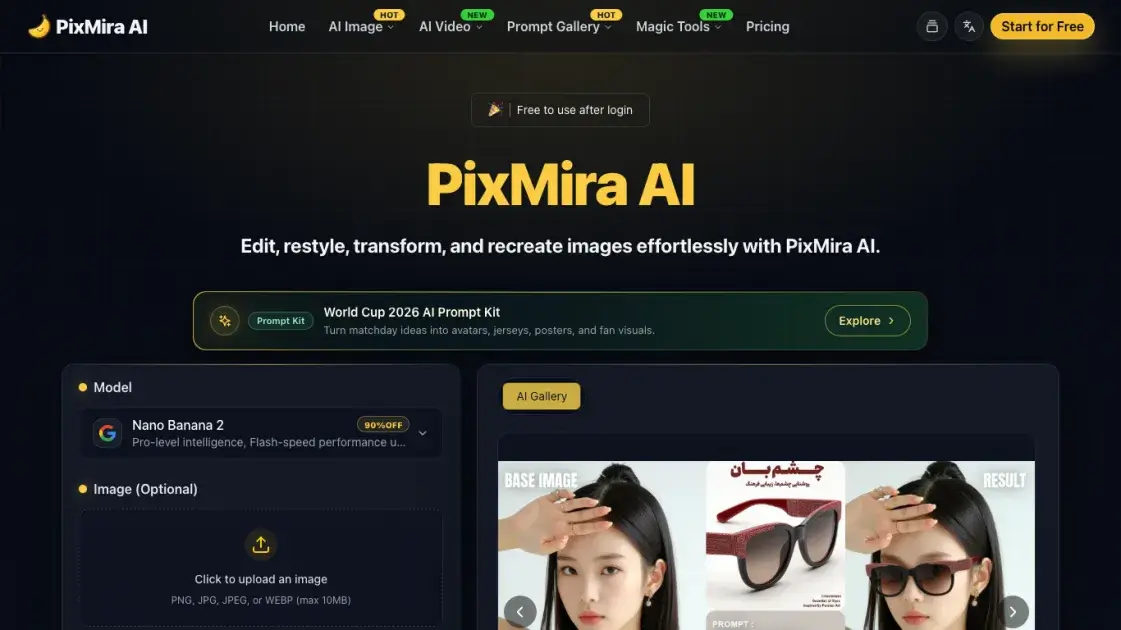
PixMira AI, formerly known as Banana AI, is a free AI photo editor and image generator that transforms images using text prompts. The platform supports multiple AI models including Nano Banana 2, GPT Image 2, and Seedream 4.5, enabling users to edit, restyle, and recreate photos with professional-quality results in seconds. PixMira AI offers a comprehensive suite of tools for background removal, image upscaling, object removal, style conversion, and various other photo editing tasks through simple text-based instructions.
How does PixMira AI work
PixMira AI uses advanced AI models to process images through text-based instructions. Users upload a photo and provide text prompts describing desired changes. The AI analyzes the image content, applies the requested modifications while preserving subject identity and natural lighting, and generates the edited result. Multiple AI models are available for different capabilities, with processing times of 1-2 seconds for most operations.
Benefits of PixMira AI
PixMira AI delivers fast, high-quality photo editing with results in 1-2 seconds. The platform offers a free tier allowing users to try basic features without commitment. Multiple AI models provide flexibility for different creative needs, while the user-friendly interface makes advanced photo editing accessible to beginners and professionals alike. The identity consistency feature ensures recognizable results across multiple edits, and batch editing capabilities streamline workflows for content creators.
Pros and Cons of PixMira AI
Pros
- Free tier available for basic features
- Multiple AI models for different needs
- Fast processing in 1-2 seconds
- User-friendly interface for beginners
- Identity consistency across edits
Cons
- Limited free credits (5 per day)
- Pro features require paid subscription
- No mobile app currently available
- Some advanced features limited to paid plans
Core Features of PixMira AI
AI Image Generation
PixMira AI generates high-quality images from text prompts using multiple AI models. Users can choose from Nano Banana 2, GPT Image 2, and Seedream 4.5 models, each offering different capabilities and quality levels for various creative needs.
Photo Editing Suite
The platform provides comprehensive photo editing tools including background removal, image upscaling, object removal, and style conversion. Each tool uses AI to deliver professional results without requiring design expertise.
Style Conversion
PixMira AI transforms photos into various artistic styles including anime, Pixar-like, watercolor, and cyberpunk effects. The AI maintains subject identity consistency while applying different visual treatments.
Background Replacement
Users can replace photo backgrounds with text prompts while preserving natural lighting and edge details. The AI automatically matches lighting and refines edges for realistic composite images.
Batch Editing
The platform supports editing multiple photos simultaneously, applying consistent changes across a series of images. This feature is particularly useful for content creators and businesses needing uniform visual styles.
Identity Consistency
PixMira AI maintains consistent facial features and subject identity across multiple edits and style changes. This ensures recognizable results even after applying different visual treatments or changing backgrounds.
Use Cases of PixMira AI
- Content Creators: Generate consistent visual content for social media and marketing materials
- E-commerce Sellers: Create professional product photos with AI-enhanced quality and consistent branding
- Designers: Rapidly prototype visual concepts and explore different artistic styles
- Photographers: Enhance and transform photos with AI-powered editing tools
- Marketers: Create visually appealing promotional materials without professional design skills
FAQs of PixMira AI
What is PixMira AI?
PixMira AI is a free AI photo editor and image generator that transforms images using text prompts. It supports multiple AI models and offers various photo editing tools for both beginners and professionals.
How does PixMira AI work?
Users upload a photo and provide text prompts describing desired changes. The AI analyzes the image content, applies the requested modifications while preserving subject identity, and generates the edited result in 1-2 seconds.
What AI models does PixMira AI support?
PixMira AI supports multiple AI models including Nano Banana 2, GPT Image 2, and Seedream 4.5. Each model offers different capabilities for various creative needs and quality requirements.
Is PixMira AI free to use?
PixMira AI offers a free tier with 5 daily credits for basic features. For advanced capabilities and higher usage limits, users can subscribe to Pro or Business plans.
What photo editing features does PixMira AI offer?
PixMira AI provides background removal, image upscaling, object removal, style conversion, batch editing, and identity consistency features. The platform supports various artistic styles including anime, watercolor, and cyberpunk effects.
How fast is PixMira AI?
Most PixMira AI operations complete in 1-2 seconds, with high-quality results delivered quickly. The platform is designed for efficiency without compromising output quality.
Can I use PixMira AI for commercial purposes?
Yes, PixMira AI can be used for commercial purposes including content creation, e-commerce product photos, and marketing materials. The platform maintains consistency across multiple edits for professional use.
How to use PixMira AI
- Visit the PixMira AI website and create an account. The platform offers a free tier with basic features for new users.
- Upload your photo to the editing interface. PixMira AI supports common image formats and provides a simple drag-and-drop upload process.
- Enter text prompts describing desired changes. Be specific about the edits you want, such as "remove the background" or "convert to anime style."
- Select an AI model based on your needs. Different models offer varying capabilities for different creative requirements.
- Click generate and wait for results. Most operations complete in 1-2 seconds with high-quality output.
- Download or share your edited image. PixMira AI maintains quality across multiple edits and supports batch processing for efficiency.
PixMira AI Website Traffic Analysis
Latest traffic information
- Monthly Visits30.78K
- Bounce Rate30.67%
- Pages Per Visit5.26
- Visit Duration00:04:53
- Global Rank668.24K
- Country/Region Ranking188.72K
Top Keywords
| Keyword | Traffic | Volume | Cost Per Click |
|---|---|---|---|
| из вертикального фото сделать горизонтальное онлайн | 340 | -- | -- |
| 3d camera control | 300 | 190 | $1.98 |
| gpt image 2 бесплатно | 220 | 130 | -- |
| pixmira ai | 180 | 240 | -- |
| ai 2photo in aone paper piece | 170 | 170 | -- |
Top Regions
| Region | Percentage |
|---|---|
| United States | 94.61% |
| Russia | 4.01% |
| Ukraine | 0.66% |
| Algeria | 0.49% |
| India | 0.17% |
PixMira AI Alternatives
Browser workspace for AI image generation, reference photo editing, and short video drafts, aimed at creators, marketers, and product teams.
AI co-director that turns an idea or script into shot-by-shot storyboard panels for indie filmmakers, with real film shot references and PDF board export.
A browser collection of 13 free creative editors for photos, vector art, PDFs, documents, video, audio, and CAD, opening without an account or install.

Browser studio for AI video, image and music generation with Grok Imagine, Kling and GPT Image models. Free daily credits, no sign-up required.
Mareel is an all-in-one AI video and image generation workspace giving creators, marketers, and ecommerce teams 40+ leading models and one shared credit balance.
Kinovi is a REST API that runs published video, image, and audio AI models from one endpoint. Send a model ID to createTask, poll recordInfo, and pay per use from one shared credit balance.
An online AI photo editor that removes image backgrounds, erases people, objects and text, and upscales photos 4x. Preview every photo free before paying per image.
Coralflavor offers uncensored AI chats without safety filters, plus burn-mode retention, web search, image generation, and an OpenAI-compatible API for U.S. adults.
SpriteGen is an AI sprite creator that turns character descriptions into transparent pixel-art sprite sheets, ready to drop into your game engine.
Pet to Art is a free AI pet portrait generator that turns one clear pet photo into custom digital artwork across 170+ styles, canvas ratios, and 2K downloads.
MixVio runs 21 video, image and audio models in one browser workspace, plus 11 creator tools, with exact credit cost shown before every generation.
Meta Image: browser AI studio powered by Muse Image. Edit photos with prompts, remove backgrounds, restore old photos, generate new images.