
Meta Image: Edit & Generate Photos with Muse Image

What is Meta Image
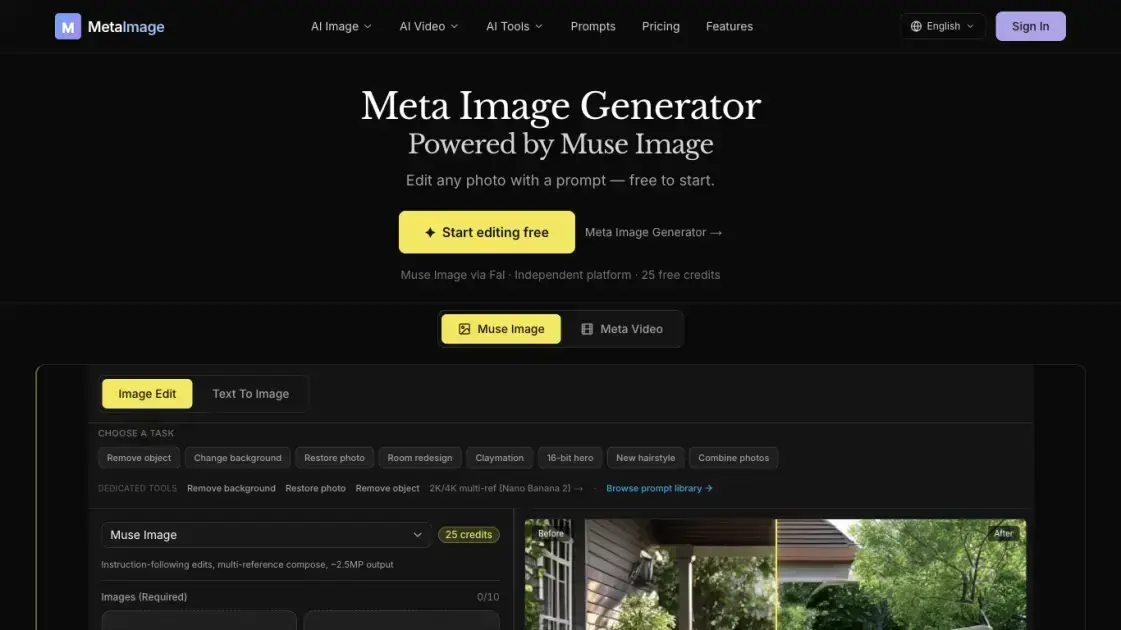
Meta Image is an independent browser-based AI studio that runs Muse Image, Meta's instruction-following image model, without requiring a Meta account. It turns natural-language prompts into photo edits: users upload one or more images, describe the change in plain English, and receive results around 2.5 megapixels with aspect-ratio control. Beyond single edits, the platform supports multi-photo composition with up to ten references, multi-turn refinement that builds on previous generations, and text-to-image creation. Dedicated tools cover background removal, old-photo restoration, object removal, and image enhancement. New accounts receive 25 free credits with no credit card, and failed generations are automatically refunded on paid plans. The studio is not affiliated with Meta Platforms, serving Muse Image capabilities directly in the browser with generation history and full download access.
How does Meta Image work
Meta Image runs Muse Image, Meta's instruction-following model, through an independent browser studio rather than Meta's own app. The model performs editing on the server side and can use internal reasoning on Fal, which is not configurable by users. Every generation consumes credits: costs depend on the model and resolution, with 1K as the default and higher resolutions scaling the price. Failed jobs refund their credits automatically; the image is then returned for download. New accounts start with 25 free credits, and paid plans charge per monthly allowance or one-time credit packs that never expire.
Benefits of Meta Image
Meta Image stands apart from Meta's official AI app by removing the account barrier: anyone with a browser can edit, compose, and download without a Meta login or regional restrictions. The platform adds what the official app lacks, including generation history, downloads, and a multi-model studio. Natural-language editing keeps the subject intact while removing objects or swapping backgrounds, and multi-photo composition merges up to ten references into one coherent scene. Multi-turn refinement preserves quality across consecutive edits instead of resetting the image. Free credits with no credit card lower the entry barrier, failed generations are refunded on paid plans, and credits never expire.
Pros and Cons of Meta Image
Pros
- No Meta account or credit card required
- Natural-language editing with multi-reference compose
- Multi-turn refinement preserves quality across edits
- Failed generations are refunded automatically
- Credits never expire on paid plans
Cons
- Limited to ~2.5MP fixed output resolution
- Background removal is not a transparent PNG cutout
- In-app Instagram and WhatsApp workflows are absent
- Free credits are capped at 25 per account
Core Features of Meta Image
Natural-language photo editing
Upload a photo and describe what to change in plain English. Remove objects, swap backgrounds, or restore old pictures while keeping the subject, pose, and scene intact.
Multi-photo composition
Combine people, products, and scenes from separate photos into one coherent output. Edit mode accepts up to ten reference images, each assigned a role such as subject, background, or product.
Multi-turn refinement
Each generation becomes the input for the next. Continue editing carries quality across turns, and Refine appends quality instructions, so complex results never require starting over.
Text-to-image generation
Generate new scenes from scratch with prompts. Muse Image is the default model, supporting portraits, product shots, social graphics, and other visual assets directly in the browser.
Dedicated image tools
Specialized generators cover background removal, old-photo restoration, object removal, and image enhancement. Each runs one photo per generation and works on JPG, PNG, or WEBP files.
Fixed high-resolution output
Generations are delivered at roughly 2.5 megapixels with aspect-ratio control. Editing keeps the subject and lighting consistent while the resolution stays predictable for web and print use.
Use Cases of Meta Image
- E-commerce sellers prepare white-background listing heroes for marketplaces like Amazon, Etsy, and Shopify.
- Marketers create lifestyle product ads, in-context scenes, and sale posters with legible headlines.
- Social teams produce Instagram stories, YouTube thumbnails, and Twitter/X post graphics.
- Professionals generate studio portraits and corporate team photos for LinkedIn and About pages.
- Families restore old scanned photos with scratches, fading, or dust while keeping the original pose and scene.
- Real estate agents build curb-appeal exterior heroes for property listings.
- Creators remove unwanted objects and refine images across multiple turns without starting over.
FAQs of Meta Image
What is Meta Image and who is it for?
Meta Image is an independent browser-based AI studio that serves Muse Image, Meta's instruction-following image model. It is for anyone who wants to edit photos, generate images, or compose multi-photo scenes without signing into a Meta account. E-commerce sellers, marketers, social media teams, and personal users all fit its workflow.
Do I need a Meta account to use it?
No. Meta Image runs in any browser and requires only its own account. A Meta login is not needed for uploading, editing, or downloading. The platform is independent and not affiliated with Meta Platforms, though Content Seal and in-app Instagram and WhatsApp workflows exist only in Meta's official apps.
How do I start using the generator?
Sign up to receive 25 free credits with no credit card. Open the generator, choose Image Edit when changing a photo or Text To Image for a new scene, keep Muse Image selected as the default model, upload reference images, and hit Create to generate and download the result.
How do credits work and what do images cost?
Credits are charged when generation starts. Costs depend on the model and resolution, with 1K as the default. Muse Image edits are estimated at 25 credits per image, while GPT Image 2 costs 18 and Nano Banana models range from 22 to 32 credits. Failed generations are refunded, and paid credits never expire.
How does Meta Image compare with the Meta AI app?
Meta Image requires no Meta account, supports browser upload and editing, and offers generation history, downloads, and a multi-model studio that the official app does not. The official app instead includes in-app Instagram and WhatsApp workflows. Both run Muse Image, and the output is around 2.5 megapixels with aspect-ratio control.
Can I edit with natural language and combine several photos?
Yes. You upload one or more photos and describe what to change in plain English. For composition, Edit mode accepts up to ten reference images, each playing a named role such as subject, background, or product, and merges them into one coherent scene.
Is there support or a refund policy?
Yes. The site offers support tickets and contact options, plus published privacy, terms, acceptable-use, and refund policies. Paid plans refund failed generations automatically, and credits never expire, which lowers the risk of trying the service.
How to use Meta Image
Create an account and get free credits. Sign up with no credit card, receive 25 free credits, and start generating immediately in the browser.
Open the generator and pick an edit mode. Choose Image Edit when a photo needs changes, or Text To Image when creating a new scene from scratch.
Keep Muse Image as the active model. It is the default and works best for editing, multi-photo compose, and complex instructions.
Upload reference images. Add one photo for a simple edit, or up to ten for multi-reference composition where each image plays a named role.
Generate, then refine across turns. Hit Create, review the result, and use Continue editing or Refine to build on it without starting over.
Download the final output. Save the finished image locally, or reuse it as the input for the next generation when further edits are needed.
Meta Image Alternatives
Create and edit images with Image 2.5 by GPT. Sunburst for precision, Flare for speed, up to 4K, 6 quality modes, and transparent PNG/WebP output.
Generate and edit AI images with Nano Banana Pro. Blend up to 14 images, render crisp text, and create 4K visuals online with studio controls.
Remove image backgrounds, video watermarks, burned-in subtitles and video backgrounds with Rmark AI. Upload a file, preview, then download a clean copy.

OmniEnhancer is an AI image enhancer and photo editor that improves photo quality, clarity, color, and resolution online, with free daily credits.
SeiSei AI is a free, no-sign-up AI image generator turning text prompts into AI illustrations and realistic photos with no watermark, 5 free images daily.
Makiverse is a free online AI manga and comic generator that turns text prompts into complete manga, comics, and GIFs with consistent characters and styles.
TranslateImage AI translates images to 70+ languages while preserving font, layout, and style. Free online AI image translator for photos and manga.
Generate AI images for portraits, product visuals, social posts, and creative edits using Nano Banana Pro and GPT Image 2 models.
AI Clothes Changer is an online tool that replaces the clothing in a person photo using either a reference image or a text description.
AI Gazou offers free AI-powered image upscaling to enhance photos, product images, and illustrations. Upscale 2x or 4x with natural detail preservation.
PixMira AI is a free AI photo editor and image generator. Use text prompts for precise edits, style changes, and high-quality results in seconds.
AI Gazou removes image backgrounds for free using AI. Upload photos, products, or logos to get transparent PNGs with clean edges and customizable margins.