
Craft Apps: Free Online Photo, PDF, Design & Audio Editors

What is Craft Apps
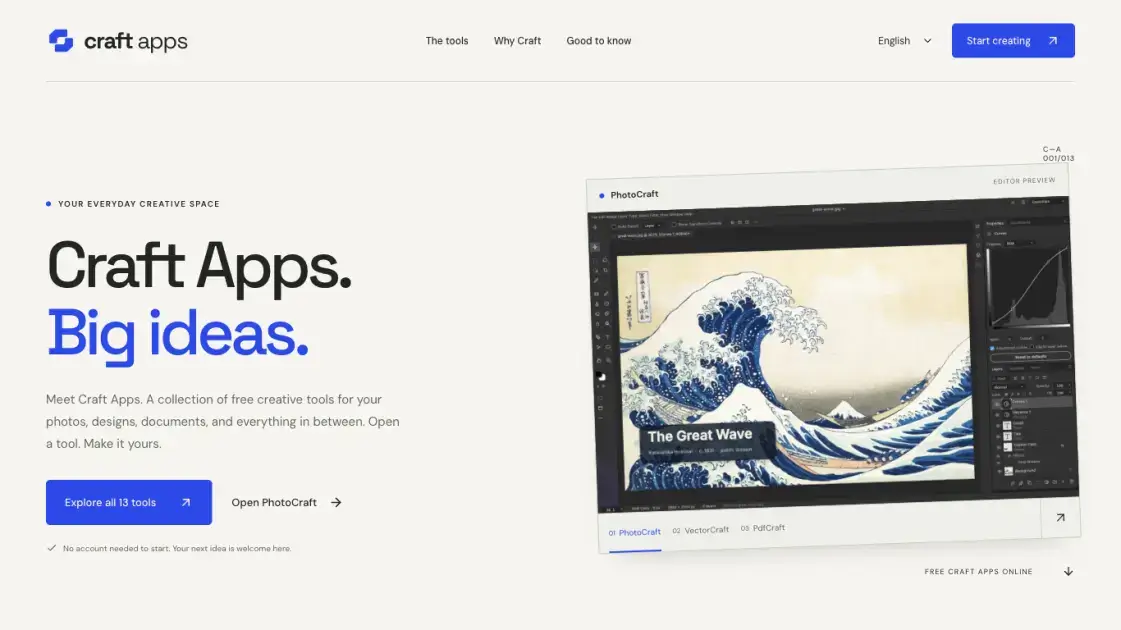
Craft Apps gathers thirteen open-source creative editors into a single browser collection, spanning photo work, vector drawing, page layout, interface design, documents, spreadsheets, presentations, video, motion, audio and CAD. Every tool launches from the same library page, runs inside a desktop browser, and requires no installation before a first edit. It suits someone who needs one working canvas for a single file or a short project rather than a complete production suite. Because each editor reads the chosen file on the device, ordinary editing never passes through an application server, but a finished result has to be exported before the tab closes.
How does Craft Apps work
Each editor is a self-contained web build pinned to a version number such as PhotoCraft 0.9.0 or PdfCraft 0.8.0, and the host publishes a dated task record beside it. Opening a tool downloads the editor into the browser, so the very first visit takes longer than later ones, while the file being worked on is read on the device and stays out of an application server. Saving normally produces a download or writes into browser storage, and that storage carries no cloud backup, meaning cleared site data can remove unsaved projects. Where external services are involved, data can leave the machine, so the host advises checking an individual tool before opening sensitive material.
Benefits of Craft Apps
A first edit costs nothing beyond a page load, because every editor sits behind a free start page with no account gate or subscription prompt. One address covers a photo touch-up, a rotated PDF, a vector icon, a spreadsheet formula and an audio passage, so a small mixed workload no longer means installing several separate programs. Composing a graphic beside a document is a matter of switching tabs rather than exporting between applications. Assessment is also unusually frank for hosted software: each product page states the pinned version, the exact task that was tested, and the date, then names the inputs and effects that were never covered. Working inside the browser keeps the original file on the device, and the only real obligation is exporting before the tab closes.
Pros and Cons of Craft Apps
Pros
- Thirteen editors reachable from one free start page
- No account or installation before a first edit
- Files are read locally rather than uploaded
- PhotoCraft, PdfCraft and GridCraft publish dated task checks
- Covers photo, document, audio and CAD work in one place
Cons
- Editors are early releases with uneven format support
- PhotoCraft has no web autosave or crash recovery
- Browser storage is not a cloud backup
- Editor interface text is currently English only
- Several format claims carry no dated check
Core Features of Craft Apps
Thirteen workspaces behind one start page
PhotoCraft, VectorCraft, PdfCraft, LightCraft, DesignCraft, FigCraft, WordCraft, DeckCraft, GridCraft, FilmCraft, EffectCraft, SoundCraft and CADCraft are filed under Images & design, Documents, Video & audio, and Engineering. Any of them opens from the shared library without an account prompt or a search detour.
Layered image editing in PhotoCraft
The photo workspace accepts PSD, PNG and JPG, loads them through the browser picker, and returns results through Quick Export. A dated record for version 0.9.0 saved an edited 320 × 200 PNG, reopened the download, and confirmed the black brush stroke survived the round trip.
PDF page handling in PdfCraft
Pages can be reorganised, rotated and written to a fresh document. The published check on version 0.8.0 turned the first page of a two-page file 90° clockwise, then verified both the page count and the rotation with an output parser.
Word processing, slides and spreadsheets
WordCraft handles DOCX writing, DeckCraft arranges PPTX slides, and GridCraft evaluates formulas in XLSX cells. GridCraft 0.7.0 returned 30 for =SUM(10,20) in A1, while workbook import and export were explicitly left unverified in that run.
Vector, layout, interface and photo-development canvases
VectorCraft builds artwork from deliberate paths and shapes in SVG, DesignCraft treats a page as one composition, and FigCraft covers screens plus visual systems. LightCraft sits with them for RAW and JPG development work.
Video, motion, sound and engineering drawings
FilmCraft arranges clips along a timeline, EffectCraft works on the detail between frames, SoundCraft carries an audio project, and CADCraft holds geometric engineering sketches. None of these four pages carries a datestamped task record yet, so their file support rests on the upstream project's scope.
Use Cases of Craft Apps
- Photographers working on a single image: adjust a PNG or JPG in PhotoCraft, or develop RAW and JPG files in LightCraft, without licensing a desktop suite.
- Designers drafting an icon or a small illustration: build scalable shapes and paths in VectorCraft and export SVG artwork.
- Administrators tidying a shared handout: rotate and reorder the pages of a short PDF in PdfCraft so the reading order makes sense.
- Writers and presenters shaping a document: compose a short DOCX brief in WordCraft or turn a few points into slides in DeckCraft.
- Interface designers starting a product: sketch screens and visual systems in FigCraft before native import and export dialogs are connected.
FAQs of Craft Apps
Does using Craft Apps require an account?
No. The basic editors open and run without signing in, and only features that connect to outside services would carry their own terms.
Is there a paid tier for the editors?
None is offered at present. Should paid AI or cloud features arrive later, the site states that pricing would appear before use.
What happens to a file opened in an editor?
It is read on the device and never uploaded to the application server during ordinary editing, so saving means downloading a result or leaving it in browser storage.
Can the tools be used on a phone?
Every workspace can be opened on a phone, but the recommended setup is a current desktop browser with a keyboard and pointer, and mobile support differs by editor and file size.
How much does a first visit cost in time?
The browser downloads the chosen editor when it is opened, so the initial load runs longer than subsequent visits, especially for the larger workspaces.
Has each supported format been verified?
Not by the host. A format name describes the project's area of work, and only a task record with a date on that page counts as checked in this build.
Is Craft Apps the official ArtCraft website?
No. It is an independently run collection hosting the open-source ArtCraft editors, and each tool page links back to the original repository.
How to use Craft Apps
- Open https://craftapps.me/apps and filter the library by Images & design, Documents, Video & audio, or Engineering.
- Pick the matching editor, then press Open on its card to reach the workspace page.
- Read the scope note and any dated check on that page, which names the version and the single task that was verified.
- Launch the editor itself from the workspace page and open a copy of the file through the browser picker.
- Keep the original file untouched on the machine while the first small edit is attempted.
- Export the result as a download before closing the tab, since no web autosave or crash recovery is offered.
Craft Apps Alternatives
An online AI photo editor that removes image backgrounds, erases people, objects and text, and upscales photos 4x. Preview every photo free before paying per image.
Meta Image: browser AI studio powered by Muse Image. Edit photos with prompts, remove backgrounds, restore old photos, generate new images.
ImagineMyHouse is an AI home design tool that turns room photos into photorealistic interior, exterior, and landscape redesigns while preserving the original space geometry.
OmniEnhancer is an AI image enhancer and photo editor that improves photo quality, clarity, color, and resolution online, with free daily credits.
TranslateImage AI translates images to 70+ languages while preserving font, layout, and style. Free online AI image translator for photos and manga.
AI Clothes Changer is an online tool that replaces the clothing in a person photo using either a reference image or a text description.
AI Gazou offers free AI-powered image upscaling to enhance photos, product images, and illustrations. Upscale 2x or 4x with natural detail preservation.

PixMira AI is a free AI photo editor and image generator. Use text prompts for precise edits, style changes, and high-quality results in seconds.
AI Gazou removes image backgrounds for free using AI. Upload photos, products, or logos to get transparent PNGs with clean edges and customizable margins.
AI Image Text Editor lets users replace, remove, translate, and redact text inside finished images while preserving the original font, background, and layout.
Free AI hairstyle changer: upload a portrait and preview bobs, bangs, waves, pixie cuts, and buzz cuts while keeping your face, clothing, and lighting natural.
Swap outfits in photos with AI clothes changer. Upload a person photo, add garments or describe a look, and get realistic virtual try-on in minutes. Free credits available.