
AI Image Text Editor
AI Image Text Editor - Replace, Remove & Translate Text in Images

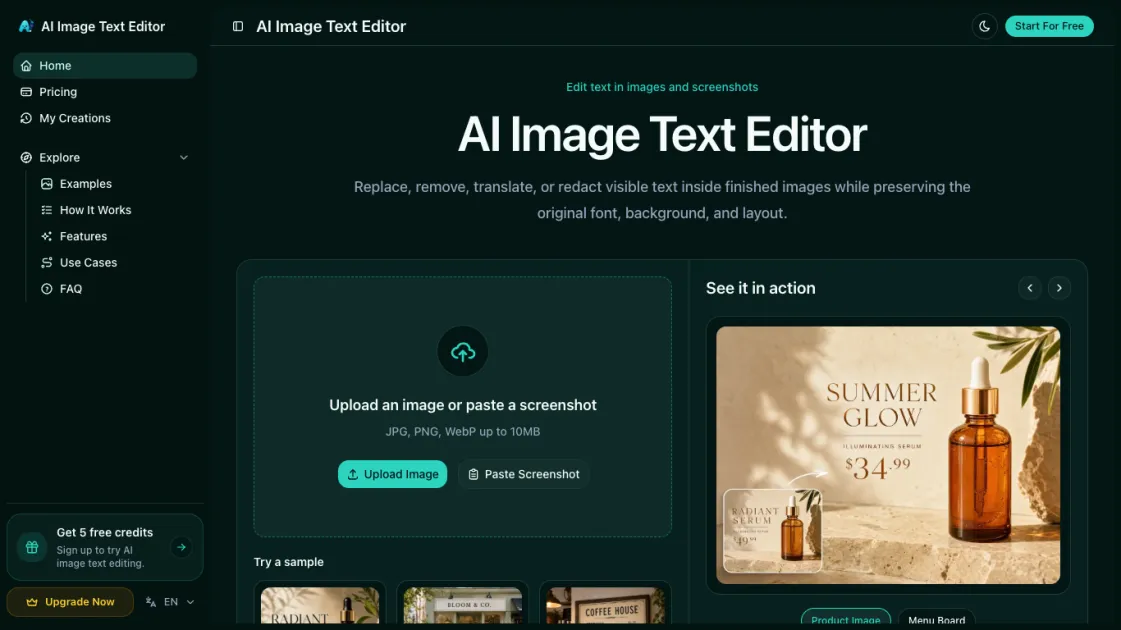
What is AI Image Text Editor
AI Image Text Editor is an AI-powered online tool that lets you replace, remove, translate, and redact text inside finished images without needing the original source files. Simply upload a photo or screenshot, select the text you want to change, and type your replacement — the AI detects every character, rebuilds the background seamlessly, and matches the original font style, size, and color so the edit is invisible. Whether you need to fix a typo on a product listing, localize marketing banners into another language, remove watermarks, or blackout sensitive information, the whole process takes just a few clicks right in your browser, with no design skills or software installation required.
How does AI Image Text Editor work
AI Image Text Editor works in four straightforward steps. First, you upload a photo, screenshot, or paste an image directly into the browser — no software installation needed. The AI then scans the image and automatically detects all visible text along with its position, font, size, and color. Next, you click on the text you want to change and type your replacement, deletion, or select a target language for translation. Finally, the AI rebuilds the background behind the edited area and renders the new text in the original style, producing a seamless result that you can preview and download in seconds.
Benefits of AI Image Text Editor
AI Image Text Editor eliminates the back-and-forth with designers by letting anyone fix or update text in images directly. Ecommerce sellers can correct product descriptions or pricing without reshooting photos, and marketers can localize campaign assets into new languages without redesigning from scratch. The AI preserves the original font, color, and layout, so every edit looks native to the image rather than pasted on. Sensitive information can be redacted in seconds before sharing documents publicly, and batch processing lets teams update dozens of images at once. Since it runs entirely in the browser, there is no software to install and no learning curve — just upload, edit, and download.
Pros and Cons of AI Image Text Editor
Pros
- No design skills or software required
- Edits are visually undetectable
- Supports multiple languages for translation
- Freemium with 5 free trial credits
- Runs entirely in the browser
Cons
- Email-only customer support
- Credit-based pricing may be limiting for heavy users
- Requires internet connection to use
- Text-heavy or complex layouts may produce imperfect results
Core Features of AI Image Text Editor
Replace Text in Images
Upload any image, select the text you want to change, and type a replacement. The AI reconstructs the background and matches the original font style and color.
Remove Text from Images
Select unwanted text — watermarks, dates, labels — and delete it entirely. The tool repairs the background behind the removed text, leaving a clean, unmarked image.
Translate Text in Images
Pick a target language and the AI translates all detected text in-place, preserving the original typography and layout so the result looks native.
Edit Screenshot Text
Modify text in screenshots, mockups, or UI captures without reloading the original app. Fix labels, update placeholders, or correct copy for presentations and documentation.
Redact Sensitive Information
Black out or blur confidential text in images — phone numbers, addresses, IDs — to protect privacy before sharing documents or screenshots publicly.
Batch Processing
Upload multiple images and apply the same text edits across all of them at once, saving time when updating product listings, marketing assets, or localized content at scale.
AI Background Reconstruction
After text is replaced or removed, the AI intelligently fills in the background using surrounding pixels, ensuring edits are invisible even on complex textures, gradients, or photographs.
No Design Skills Required
The entire workflow runs in your browser with a simple click-and-type interface. Upload, select text, type your edit, and download — no Photoshop or graphic design experience needed.
Use Cases of AI Image Text Editor
- Product listing images: Correct typos, update pricing, or fix descriptions on ecommerce photos without reshooting.
- Marketing banners: Localize campaign graphics into new languages while preserving the original design and typography.
- Screenshots and mockups: Edit placeholder text, fix labels, or update UI copy for presentations and documentation.
- Social media graphics: Adjust captions, remove outdated dates, or replace text on shareable images before posting.
- Shared documents: Redact phone numbers, addresses, or IDs in images before sending them to clients or publishing online.
FAQs of AI Image Text Editor
How does AI Image Text Editor work?
You upload an image, the AI automatically detects all visible text and its positions, you select the text you want to change and type your replacement or deletion, and the tool regenerates the background and renders the new text in the original style before you download the result.
What types of images can I edit?
Any image with visible text works — product photos, screenshots, social media graphics, marketing banners, presentations, receipts, and scanned documents. Supported formats include PNG, JPG, and WebP.
Will the edited text match the original font and style?
Yes. The AI analyzes the original text's font, size, color, and spacing, then renders your replacement in the same style so the edit is visually seamless and undetectable.
Is there a free trial?
Yes. New users receive 5 free trial credits to test all features — text replacement, removal, translation, and redaction — before committing to a paid plan.
How many images can I process per month?
It depends on your plan. The free trial gives 5 credits, the Hobby plan includes 200 credits, Basic offers 500, Pro provides 2,000, and the Max plan includes 4,000 credits per month.
Can I translate text in images to other languages?
Yes. Select the target language and the AI translates all detected text in-place while preserving the original layout, font style, and visual design of the image.
Do I need to install any software?
No. AI Image Text Editor runs entirely in your web browser. There is nothing to download or install — just open the site, upload an image, and start editing.
How to use AI Image Text Editor
- Upload or paste an image: Open the site and drag a photo, screenshot, or graphic into the editor, or paste one from your clipboard.
- Select the text to edit: Click on any detected text block in the image — the AI highlights it and shows its current font and style.
- Make your change: Type a replacement, press delete to remove the text entirely, or choose a target language to translate it.
- Preview and download: Review the AI-generated result, and if it looks seamless, download the edited image in your preferred format.
AI Image Text Editor Alternatives
Browser workspace for AI image generation, reference photo editing, and short video drafts, aimed at creators, marketers, and product teams.
A browser collection of 13 free creative editors for photos, vector art, PDFs, documents, video, audio, and CAD, opening without an account or install.

AI design studio for architects and designers: turn sketches, model views, and room photos into rendering concepts, material studies, and staged interiors.
Translate raw manga, manhwa, manhua and webtoons into 50+ languages with AI, keeping artwork, speech bubbles and panel layout intact across full chapters.
An online AI photo editor that removes image backgrounds, erases people, objects and text, and upscales photos 4x. Preview every photo free before paying per image.
Upload one selfie to preview 120+ cuts, colors and bangs rendered on your own face in about 20 seconds, then take the reference sheet to your barber.
Pet to Art is a free AI pet portrait generator that turns one clear pet photo into custom digital artwork across 170+ styles, canvas ratios, and 2K downloads.
Translate Now is a browser-based AI voice translator for real-time speech translation, live transcription, and replayable bilingual audio transcripts.
Meta Image: browser AI studio powered by Muse Image. Edit photos with prompts, remove backgrounds, restore old photos, generate new images.
OpenSubs is a free in-browser AI subtitle generator that transcribes speech with Whisper, translates into 20 languages and burns captions into video.
Create and edit images with Image 2.5 by GPT. Sunburst for precision, Flare for speed, up to 4K, 6 quality modes, and transparent PNG/WebP output.
Free unlimited image to prompt generator. Upload any image and get a detailed, accurate AI prompt for Midjourney, Stable Diffusion, FLUX and more in seconds.