
GetRender: AI Architectural Rendering & Design Studio

What is GetRender
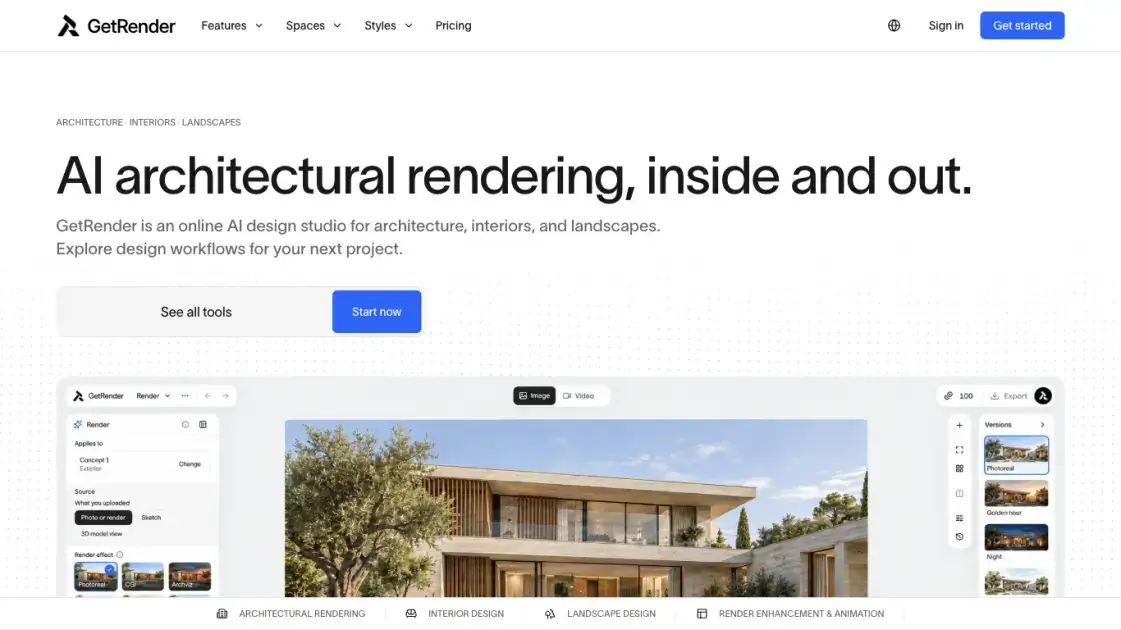
GetRender turns sketches, model screenshots, room photos, and written briefs into visual concepts for buildings, interiors, and outdoor spaces, all inside one browser workspace. Architects, interior designers, landscape designers, construction professionals, and real estate agents use it to explore form, finish, and atmosphere before committing to a detailed scheme. One workspace keeps the uploaded source image, the plain-language instruction, and the generated variations side by side, so each result can be judged against the original. The output remains conceptual imagery: proportions and geometry can shift, and dimensions, structural checks, and building compliance stay with the project's professional review process.
How does GetRender work
Every task starts from a source visual: an exported model view, a photograph, a hand sketch, or a sketch-to-render input, paired with a short written instruction that names the surfaces to change and the elements to keep. The system reads that image and text together and generates one or more rendered variants, with finish and lighting choices such as daylight, golden hour, or blue hour applied to the same camera position. Results open next to the untouched upload, so the roof outline, window rhythm, terrace, and viewpoint can be checked before the appearance itself is judged. When a variant drifts on structure, the source image is adjusted and the request reissued instead of continuing with an inaccurate image.
Benefits of GetRender
Direction studies that once needed days of test renders become a matter of minutes, because a model screenshot plus a sentence replaces scene setup in a render engine. Plain-language instructions remove the dependence on specialist rendering controls, so material and lighting options can be compared by whoever owns the design decision rather than only by a visualization specialist. Because the source image, the instruction, and every variant stay in one workspace, reviewers can attribute differences to a specific change and settle questions about finishes before millwork drawings or construction pricing lock in. The same account also covers interiors, landscapes, staging, and short motion clips, so a studio avoids stitching together separate subscriptions for each space type.
Pros and Cons of GetRender
Pros
- One studio covers buildings, rooms, outdoor spaces, and presentation clips
- Model screenshots render without building a separate 3D scene
- Material and lighting changes described in plain language
- Side-by-side comparison with the untouched source image
- Watermark-free HD output and permanent storage on paid plans
Cons
- Geometry, openings, and proportions can shift between variants
- No native SketchUp, Revit, or BIM file input, only exported images
- Not a substitute for measured drawings or compliance review
- Credits are monthly and unused ones do not roll over
- Several interior, landscape, and presentation workflows are marked coming soon
Core Features of GetRender
Sketch-to-render
An architectural sketch becomes a visual direction for form, materials, and light, giving early pencil or massing studies a presentable image before any 3D scene is built.
Model-view rendering
A single exported PNG or JPG of a building view is rendered with realistic textures, shadows, reflections, and glass contrast, keeping the camera and structure of the source.
Interior redesign and virtual staging
Room photos turn into furnished or restyled interiors, and empty properties can be staged with digital furniture to show buyers and tenants how a space could be used.
Landscape and garden concepts
Outdoor workflows explore planting character, paths, courtyards, and the relationship between a building envelope and its site from a reference image.
Render enhancement and image-to-video
Existing renders can be refined for material detail, lighting, and clarity, or turned into short motion studies such as a slow camera push-in for presentations.
Variation and comparison controls
Each generation can test several directions at once, with finish and light options such as timber against concrete, or daylight, golden hour, and blue hour, alongside the untouched original.
Use Cases of GetRender
- Residential and facade designers: compare timber, concrete, and other finishes across the whole facade while the design is still negotiable.
- Architects leading client reviews: show a rendered view beside a plain model so proposed materials and lighting are easier to discuss.
- Design-build teams: convert a loose wish list into a visual brief that clients and consultants can argue about concretely.
- Real estate and leasing managers: stage vacant living rooms and bedrooms so buyers and tenants read a use for each space.
- Landscape designers: relate planting, paths, and terraces to the building envelope using site photos and drone shots.
FAQs of GetRender
Does GetRender edit a CAD or BIM file directly?
No. It receives an exported PNG or JPG image of the view rather than editable SKP, RVT, or BIM files, and the original stays in the design application.
Is the output accurate enough for construction documents?
No. Generated imagery is conceptual, so surfaces, openings, proportions, and edges may drift from the source. Dimension checks, structural review, and compliance belong to the project's existing documentation workflow.
How are credits consumed?
All tools draw on one balance per account: a standard 1K image costs five credits, 2K costs seven, and 4K costs ten, with every image in a batch billed. Failed or timed-out generations are refunded automatically.
Do unused credits carry over to the next month?
No. Plan allowances expire at the end of each billing month, and the free starter credits granted at signup last thirty days from the date they are issued.
Can renders be used in client work?
Paid plans produce HD, watermark-free images suitable for presentations, proposals, and marketing, provided the user holds the rights to the source material. Conceptual imagery should be labeled as AI-assisted where it could otherwise mislead.
Are uploaded drawings used to train models?
Projects are not used to train the vendor's own models or shown in marketing without permission. Inputs are processed by the AI provider behind the selected tool, and the privacy policy describes how those providers handle data.
Is there a free way to try it?
Free starter credits are granted on signup with a thirty-day expiry, and the pricing page lists paid plans alongside them. The workspace shows the credit total required before a generation runs.
How to use GetRender
- Export one clean building view or pick a room photo, showing full roof edges, visible openings, and the ground connection, with software panels cropped away.
- Upload the image to the workspace and describe the change in plain language, naming the materials and the elements that must stay put.
- Choose a lighting setting and start with a single requested change, so the difference from the original stays easy to attribute.
- Generate the study, then compare the result against the source on roof line, window count, and camera before assessing finish and light.
- Save or download the variation you want, or revise the instruction and regenerate when the geometry has moved.
GetRender Alternatives
Upload one selfie to preview 120+ cuts, colors and bangs rendered on your own face in about 20 seconds, then take the reference sheet to your barber.
Pet to Art is a free AI pet portrait generator that turns one clear pet photo into custom digital artwork across 170+ styles, canvas ratios, and 2K downloads.

Create and edit images with Image 2.5 by GPT. Sunburst for precision, Flare for speed, up to 4K, 6 quality modes, and transparent PNG/WebP output.
Free unlimited image to prompt generator. Upload any image and get a detailed, accurate AI prompt for Midjourney, Stable Diffusion, FLUX and more in seconds.
ImagineMyHouse is an AI home design tool that turns room photos into photorealistic interior, exterior, and landscape redesigns while preserving the original space geometry.
Turn JPG, PNG, and WebP images into editable PowerPoint slides. Upload up to 10 images, set the order, and let AI rebuild each image as a real slide.
AI Clothes Changer is an online tool that replaces the clothing in a person photo using either a reference image or a text description.
AI Gazou removes image backgrounds for free using AI. Upload photos, products, or logos to get transparent PNGs with clean edges and customizable margins.
Turn product photos into clean line drawings, numbered assembly steps, and IFU panels for manuals, inserts, and support pages. Export PNG or SVG.
AI Image Text Editor lets users replace, remove, translate, and redact text inside finished images while preserving the original font, background, and layout.
Imgfree provides free unlimited AI image generation with GPT-Image, Midjourney, and video creation tools for creators and marketers.
Swap outfits in photos with AI clothes changer. Upload a person photo, add garments or describe a look, and get realistic virtual try-on in minutes. Free credits available.