
Imgfree: Free AI Image & Video Generator with Multiple Models

What is Imgfree
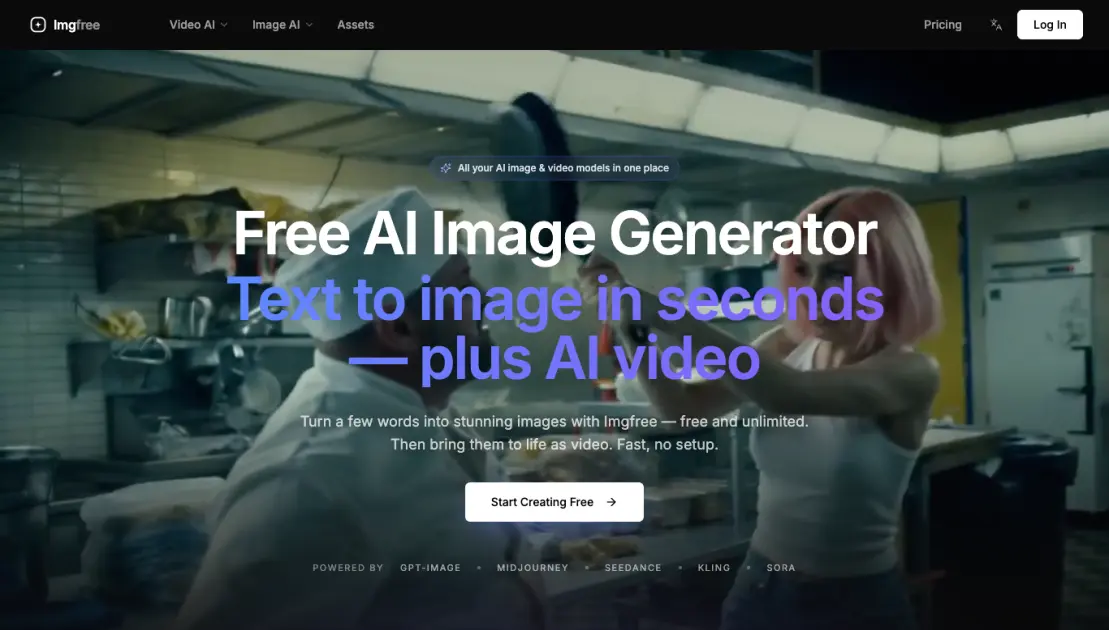
Imgfree is a free AI image and video generation platform that packs serious creative firepower into a simple, browser-based tool. With over 300 templates and 15+ AI models, including GPT-Image, Midjourney, Seedance, Kling, and Sora, Imgfree lets creators turn text prompts into high-quality visuals without switching between multiple subscriptions or apps. The platform supports text to image, image to image, text to video, and image to video workflows, covering everything from quick social media graphics to cinematic video clips. Whether used for concept art, marketing assets, or content production, Imgfree handles the heavy lifting while keeping the interface fast and approachable. Trusted by 120,000+ users worldwide with a 4.9-star average rating, it combines accessibility with the kind of model variety that typically demands separate paid tools for each. Free unlimited generations make it practical for daily creative work.
How does Imgfree work
Users enter a text description or upload a source image to start a generation. They then pick one of 15+ AI models including GPT-Image, Midjourney, Seedance, Kling, and Sora, and choose a mode: text-to-image, image-to-image, text-to-video, or image-to-video. The platform processes the request through the selected model and returns the generated image or video. Users can also browse 300+ templates and effects to apply before generating. The service runs on a credit system, with free daily generations available alongside paid subscription plans for higher usage.
Benefits of Imgfree
Imgfree removes the usual barriers to AI content creation by offering free and unlimited image generation with no upfront costs. The platform consolidates over 15 AI models, including GPT-Image, Midjourney, Seedance, Kling, and Sora, under a single interface, so users no longer need to juggle multiple subscriptions. Both images and videos can be generated from text prompts or existing images, with 300+ templates and effects speeding up production. The free tier gives creators a practical entry point to experiment before moving to a paid plan, and commercial use licensing is available on Standard and Pro tiers.
Pros and Cons of Imgfree
Pros
- Free unlimited image generation
- 15+ AI models including GPT-Image and Midjourney
- Combines image and video generation in one platform
- 300+ templates and effects available
- Strong user satisfaction with 4.9★ rating
Cons
- Credit system limits premium feature usage
- Low parallel task limit on cheapest plan
- Commercial license requires Standard plan or higher
- Video generation restricted by monthly credit cap
Core Features of Imgfree
Text to Image
Generate images from text prompts using multiple AI models. Supports GPT-Image, Midjourney, and other leading models. Free unlimited generation available across all tiers.
Image to Image
Transform existing images with AI-powered modifications. Adjust style, enhance details, or completely reimagine an image while preserving the core composition and structure.
Text to Video
Convert text descriptions into video clips. The platform supports models like Sora, Seedance, and Kling to produce cinematic or dynamic sequences from simple prompts.
Image to Video
Animate still images into short video sequences. Useful for creating social media content, product showcases, or dynamic visual effects from a single frame.
300+ Templates and Effects
Access a library of over 300 pre-built templates and effects. These cover common use cases like product photography, social media graphics, and artistic styles.
15+ AI Models
Support for more than 15 AI models including GPT-Image, Midjourney, Seedance, Kling, and Sora. Users can compare outputs across models to find the best fit for each project.
Parallel Task Processing
Generate multiple images or videos simultaneously. The number of parallel tasks scales with plan tier, ranging from 2 to 8 concurrent operations.
Commercial Use License
Standard and Pro plans include commercial usage rights for generated content. Suitable for marketing campaigns, product listings, and professional design work.
Use Cases of Imgfree
- Content Creators: Generate blog post visuals, social thumbnails, and video clips from text prompts, eliminating the need for stock subscriptions.
- SNS Influencers: Produce scroll-stopping images and short videos for Instagram, TikTok, and YouTube without hiring a designer.
- Brand Marketers: Create campaign visuals and product mockups at scale using GPT-Image or Midjourney models in a single interface.
- UGC Ad Makers: Turn ad concepts into ready-to-publish images and videos within minutes, speeding up the creative testing cycle.
- Small Business Owners: Design professional marketing materials, from social posts to promotional videos, with zero design experience required.
FAQs of Imgfree
What is Imgfree?
Imgfree is a free AI image and video generation platform that brings together multiple AI models under a single interface. Users can generate images from text prompts, transform existing images using image-to-image workflows, and create videos from both text and image inputs. The platform supports over 15 AI models including GPT-Image and Midjourney, and offers more than 300 templates and effects. With 120,000+ users worldwide, it serves designers, creative directors, and social media managers who need fast, high-quality visual content without managing multiple separate subscriptions.
Which AI models can I use?
Imgfree provides access to 15+ AI models, covering both image generation and video generation. The lineup includes GPT-Image, Midjourney, Seedance, Kling, Sora, and others. This range lets users compare outputs across models and pick the style or quality that fits each project. The models are updated over time, and users can switch between them freely without switching platforms or managing separate accounts. Having multiple models in one place removes the need to juggle subscriptions to individual services.
Can I generate video from an image?
Yes, Imgfree supports image-to-video generation. Users can upload a static image and convert it into a video clip using text prompts to guide motion and style. The platform also supports text-to-video generation, where a one-line prompt produces a cinematic clip. These video capabilities are designed for content creators who need quick turnaround for social media posts, short-form video content, and visual storytelling without requiring specialized video editing skills.
What aspect ratios and resolutions are supported?
Imgfree supports multiple aspect ratios and output resolutions across its different AI models. Common aspect ratios like square (1:1), portrait (4:5, 9:16), and landscape (16:9, 3:2) are available, though exact options depend on the selected model. The free tier delivers standard resolution outputs, while paid plans unlock higher-resolution generations. Users can select their preferred format before generating, making it suitable for different use cases such as social media posts, banners, presentations, and video content.
Can I use the results commercially?
Commercial use of generated content is permitted on the Standard and Pro plans. These plans include a commercial use license, allowing users to incorporate generated images and videos into products, marketing materials, social media content, and other commercial projects. The Lite plan does not include a commercial license. Users who need commercial rights should choose a Standard plan or above to ensure compliance with the platform's licensing terms.
How does the free tier work with paid plans?
Imgfree offers unlimited free generations on all tiers, including the free tier. The free tier lets users generate images and videos at a standard pace with basic parallel task limits. Paid plans (Lite at $12/month, Standard at $30/month, Pro at $90/month) add monthly credit pools for faster generation, higher resolution outputs, more parallel tasks, and additional features like commercial use licenses. Credits are consumed per generation, with a single image costing roughly 30 credits and a video costing 60 credits, giving users flexibility to choose a plan that matches their volume needs.
How to use Imgfree
- Sign up for a free account on Imgfree using email or social login. Registration unlocks all generation tools and unlimited basic generations at no cost.
- Select a creation mode from the main dashboard. The platform offers four modes: Text to Image, Image to Image, Text to Video, and Image to Video.
- Enter a descriptive prompt in the text input field on the creation page. Detailed prompts produce more accurate results that match the intended visual concept.
- Adjust generation parameters including aspect ratio, style intensity, and output resolution. The platform supports multiple sizes for different platforms and use cases.
- Pick an AI model from the model selector dropdown. Imgfree provides over 15 models such as GPT-Image, Midjourney, Seedance, Kling, and Sora for varied outputs.
- Click the generate button to start AI processing. Results appear within seconds and can be previewed, downloaded, or reused as source material.
- Browse the template library with over 300 preset styles and effects. Templates speed up the workflow for common formats like social media posts and banners.
- Use generated images as input for video creation tools. The Image to Video mode transforms static visuals into short cinematic clips for social content.
Imgfree Website Traffic Analysis
Latest traffic information
- Monthly Visits1.14K
- Bounce Rate34.98%
- Pages Per Visit1.06
- Visit Duration00:00:00
- Global Rank13.8M
- Country/Region Ranking1.18M
Top Keywords
| Keyword | Traffic | Volume | Cost Per Click |
|---|---|---|---|
| imgfree | 110 | 320 | -- |
| imgfree.co | 10 | 30 | -- |
| ahegao | -- | 114.43K | $1.5 |
| ahegao online | -- | 1.46K | -- |
| imagefree | -- | 610 | $1.61 |
Top Regions
| Region | Percentage |
|---|---|
| India | 100% |
Imgfree Alternatives
Browser workspace for AI image generation, reference photo editing, and short video drafts, aimed at creators, marketers, and product teams.
JuJuBit turns a photo into a custom 3D-printed figurine: choose a style, preview the AI-generated model, and receive a hand-refined painted collectible.
AI design studio for architects and designers: turn sketches, model views, and room photos into rendering concepts, material studies, and staged interiors.
Browser studio for AI video, image and music generation with Grok Imagine, Kling and GPT Image models. Free daily credits, no sign-up required.
Mareel is an all-in-one AI video and image generation workspace giving creators, marketers, and ecommerce teams 40+ leading models and one shared credit balance.
SpriteGen is an AI sprite creator that turns character descriptions into transparent pixel-art sprite sheets, ready to drop into your game engine.
Upload one selfie to preview 120+ cuts, colors and bangs rendered on your own face in about 20 seconds, then take the reference sheet to your barber.
Pet to Art is a free AI pet portrait generator that turns one clear pet photo into custom digital artwork across 170+ styles, canvas ratios, and 2K downloads.

MixVio runs 21 video, image and audio models in one browser workspace, plus 11 creator tools, with exact credit cost shown before every generation.
Create and edit images with Image 2.5 by GPT. Sunburst for precision, Flare for speed, up to 4K, 6 quality modes, and transparent PNG/WebP output.
Generate and edit AI images with Nano Banana Pro. Blend up to 14 images, render crisp text, and create 4K visuals online with studio controls.
Browse curated AI image and video prompts with real results and creator attribution, copy-ready for GPT Image, Nano Banana, Midjourney, and more.