
Mareel: AI Video & Image Generator With 40+ Models

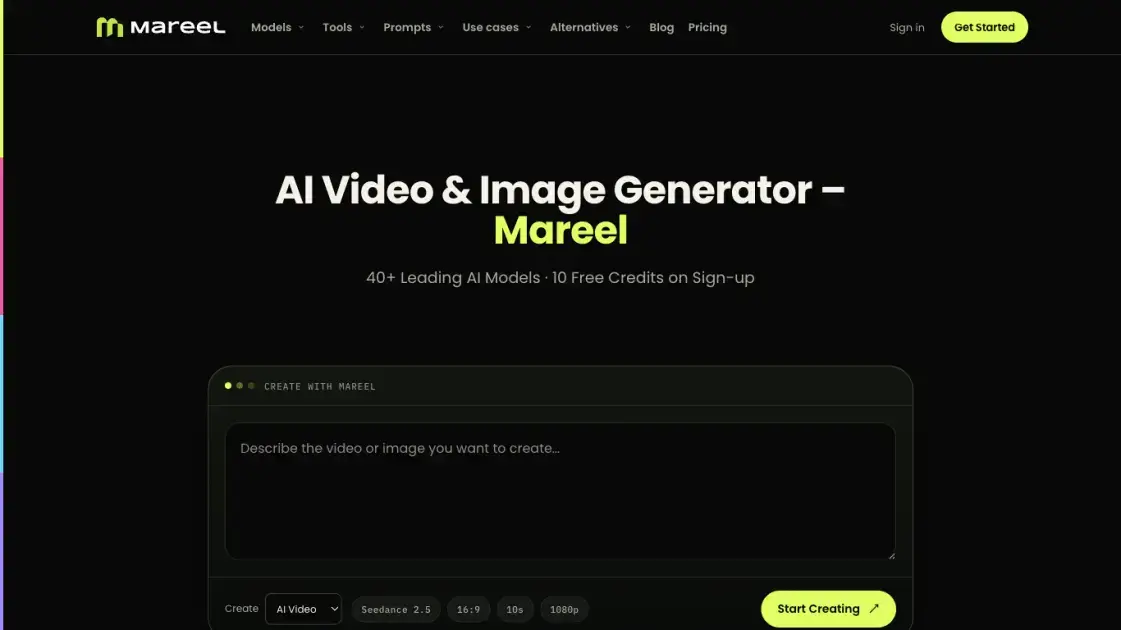
What is Mareel
Mareel is an all-in-one AI video and image generation workspace that consolidates 40+ leading models behind a single account, one credit balance, and one interface. Instead of subscribing to each new model separately, users reach ByteDance, Kuaishou, Google, MiniMax, OpenAI, and other providers from the same place. It targets creators, marketers, ecommerce teams, agencies, studios, and product teams that need campaign videos, social content, product imagery, and ad variations without a traditional shoot. The model directory covers 46 models across video and image, and a one-time 10-credit grant lets a new account evaluate generations before paying.
How does Mareel work
Every generation is handled server-side in a browser-based workspace, so nothing depends on the user's machine. Video runs are queued and processed by a separate worker: the page reports progress and an estimated wait based on how long recent runs of the same kind took, and a queued video keeps running if the tab closes or the browser restarts. Image and voiceover jobs return inside the request and are never queued. Two videos run concurrently per account by default, with further jobs waiting rather than failing. Credits are reserved before a run starts and the amount is displayed first; a successful generation settles at the reserved figure, while a failed or cancelled run settles at zero and returns the full reservation.
Benefits of Mareel
The practical case for Mareel is consolidation. New video and image models arrive constantly, and keeping up usually means another subscription and another set of credits to manage. Mareel places those models in one workspace with a shared balance, so a single prompt can be tried against several engines and the strongest result kept without paying twice for access. Costs are shown before submission and failed runs return their reserved credits, which lowers the risk of experimenting. Reusable templates shorten the path from product image to campaign-ready asset, and browser-based generation removes hardware requirements.
Pros and Cons of Mareel
Pros
- 40+ video and image models from one account
- Single shared credit balance across supported models
- Failed and cancelled runs return reserved credits
- Cost displayed before submission
- Runs in the browser with no installation
- Queued video survives closing the tab
- Templates and prompt libraries skip prompt writing
- Model directory documents settings per model
Cons
- Credits expire monthly and do not roll over
- One-time free grant does not cover video
- Only two concurrent video generations by default
- Interface limited to English, Spanish, and Portuguese
- Ongoing use requires a paid plan
Core Features of Mareel
AI Video Generator
Text briefs and reference images both feed video generation. Settings span 480p through 4K, clips of roughly 4 to 15 seconds with longer runs on some models, and ratios including 16:9, 9:16, 1:1, 4:3, 3:4, and 21:9. Supported models add native dialogue, ambience, sound effects, or music, and audio can be switched off where the model allows.
AI Image Generator
Image models such as Nano Banana 2, Seedream 5.0 Pro, GPT Image 2, Qwen Image 3.0, and Midjourney produce and edit stills. Outputs run from 1K to 4K with multiple ratios and quality tiers.
Ad Studio
Five workflows sit in the same workspace: Mareel Ad Director, Ad Remix, Product Link to Ad, Product Presenter, and AI Product Photography. They turn one idea into ad-ready videos and images across channels and formats.
Avatar and Voiceover
Avatar video generates a talking photo from a single portrait, alongside character swap, motion transfer, and standalone voiceover.
Model Comparison and Templates
The model directory documents every enabled model's resolutions, durations, ratios, reference limit, and audio support. Prebuilt templates and prompt libraries start from a working scene, so the product image can be swapped without writing a prompt.
Use Cases of Mareel
- Creators: generate vertical talking-head reviews, unboxings, and shorts from a single product image.
- Marketers: produce campaign videos, launches, and branded content without a shoot.
- Ecommerce teams: turn product stills into motion and build campaign imagery and backgrounds.
- Agencies and studios: test one idea across multiple models and hand clients the strongest variation.
- Ad teams: build UGC, product, and social ads across channels and aspect ratios.
- Product teams: explore concept art before committing to full production.
FAQs of Mareel
What is Mareel?
Mareel is an AI video and image generation platform that brings 40+ leading models into one workspace for turning text and reference images into videos, stills, and ad creatives.
Do I need to install anything?
No. Mareel runs in the browser and every generation happens server-side.
How much does a generation cost?
Cost depends on model, resolution, and duration. Most video models charge by duration with the total rounded up to a whole credit; some charge a flat rate. The figure appears before submission.
Is Mareel free to use?
New accounts get a one-time 10-credit grant valid for 10 years, enough for a few image generations but not video. There is no ongoing free plan.
What happens if a generation fails?
Credits are reserved up front, so a failed or cancelled run settles at zero and the full reservation is returned.
Which models can I generate with?
The directory lists every enabled model with its resolution, duration, ratios, reference-image limit, and audio support, spanning Seedance 2.5, Kling 3.0, and Veo 3.1 for video.
How to use Mareel
- Open the relevant generator and review options; credentials are only required for uploads and generation.
- Describe the video or image in the prompt field, or upload reference images.
- Choose a model, then set resolution, duration, aspect ratio, reference images, and audio options to match what it supports.
- Check the credit cost shown before submitting, since it varies by model, resolution, and duration.
- Generate the result, compare models or variations for the same idea, and download the version to keep.
- Track queued jobs from the library, which retains outputs whether or not the browser stays open.
Mareel Alternatives
Turns two separate portraits into a 15-second vertical rap duet video on an orange stage with a shared microphone and the original soundtrack. Free 480P preview available.
Kinovi is a REST API that runs published video, image, and audio AI models from one endpoint. Send a model ID to createTask, poll recordInfo, and pay per use from one shared credit balance.
An AI cartoon video generator that turns a script or prompt into an animated video with the same character in every scene, AI voiceover and soundtrack, and commercial rights included.
Gemini Omni is an online AI video generator and editor that turns a text prompt or reference image into a video, then refines each shot through conversational edits while keeping characters and the scene consistent.
Kling 4.0 turns text, images, and up to 15 Omni Reference assets into cinematic AI video, with 30-second multi-shot scenes, 10 keyframes, and 4K HDR.
Gemini Omni is a chat-based multimodal AI video generator and editor. It combines text, images, video, and audio to create cinematic clips with native audio.
Kling 4.0 turns text prompts and reference images into cinematic AI video, with native audio, flexible model options and a credit-based HTTP API for developers.
SongScene turns any MP3, Suno, or Spotify track into an AI music video with beat-synced cuts and auto lyric captions, exporting 9:16, 16:9, or 1:1 clips.
Pet to Art is a free AI pet portrait generator that turns one clear pet photo into custom digital artwork across 170+ styles, canvas ratios, and 2K downloads.

MixVio runs 21 video, image and audio models in one browser workspace, plus 11 creator tools, with exact credit cost shown before every generation.
PodcastorAI turns PDFs, URLs, notes, and audio into studio-quality video podcasts with AI hosts, voices, and scripts for YouTube, Spotify, and TikTok.
Create AI videos from text, images, or references with native sound. Reeldo AI brings Seedance, Kling, Veo, and MiniMax H3 into one studio.