
Kling 4.0 AI Video Generator: Omni Reference, Up to 30s

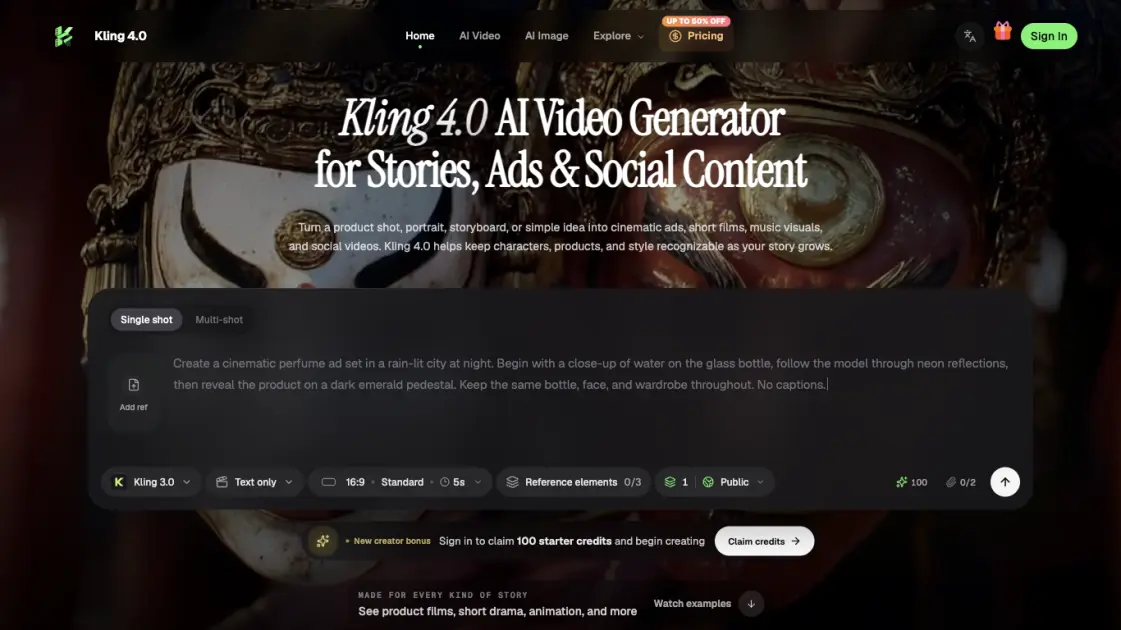
What is Kling 4.0
Kling 4.0 is an AI video generator that turns a written prompt, a product photo, a character sheet, or a storyboard into cinematic footage for ads, short drama, animation, and social content. Its Omni Reference system accepts up to 15 images, videos, voice clips, and subject elements in one generation, so faces, products, and locations stay recognizable from shot to shot. A single run produces clips up to 30 seconds, and extensions carry a sequence toward two minutes. Creators place up to 10 keyframes to fix the important visual beats, then direct camera movement, dialogue, and pacing in the prompt. Output reaches 720p, 1080p, and 4K with 10-bit HDR, while two-channel audio includes improved lip synchronization. A faster Kling 4.0 Flash option supports frequent, lower-cost drafts.
How does Kling 4.0 work
Kling 4.0 reads the brief and a set of references before it renders. The prompt describes the subject, action, camera movement, dialogue, and scene changes, while Omni Reference carries identity from the supplied images, clips, and voice samples. Keyframes mark the moments the story must hit, so the model fills in motion between them and keeps the action in viewing order. The generator then produces a clip of up to 30 seconds at the chosen aspect ratio and resolution. Reviewers check motion, sound, and expressions, then adjust the prompt or make a focused edit and generate again.
Benefits of Kling 4.0
Kling 4.0 keeps character, product, and location identity stable across shots, which matters when a story spans several scenes. Runs of up to 30 seconds reduce the number of separate generations, and extensions can stretch a sequence toward two minutes. Up to 15 reference assets and 10 keyframes give directors clear control over continuity and pacing, while 4K HDR output and improved lip synchronization support commercial delivery. The workspace also switches between other video and image models, and free daily credits let creators test ideas before paying. A faster Flash option covers high-volume drafts.
Pros and Cons of Kling 4.0
Pros
- Up to 30-second single generations
- Accepts up to 15 reference assets
- 4K output with 10-bit HDR
- Multilingual speech and lip sync
- Free daily starter credits
Cons
- Cost varies by model and settings
- One-time credit packs expire in 365 days
- Results still need review before publishing
- Detailed prompts take practice
- Premium pricing is not shown upfront
Core Features of Kling 4.0
Omni Reference for Consistent Subjects
Omni Reference combines up to 15 images, videos, voice references, and subject elements in one direction, keeping characters, products, settings, and movement recognizable across connected shots.
Text, Image, and Keyframe Inputs
Generation can start from a plain prompt, a single image, first and last frames, or up to 10 keyframes that define the visual turning points of a story.
30-Second Shots with Extensions
A single generation runs 3 to 30 seconds, and multiple video extensions let a sequence reach about two minutes so stories build scene by scene.
High-Resolution HDR Output
Creators choose 21:9, 16:9, 1:1, 9:16, or automatic framing, with 720p, 1080p, and 4K output; the 1080p and 4K modes support 10-bit HDR.
Multilingual Speech and On-Screen Text
Kling 4.0 supports multilingual speech, accents, and dialects, plus readable text, logos, and emojis, with two-channel stereo and improved lip synchronization.
Focused Video Editing
Video editing works with up to five clips, including one main video, so users adjust expressions, body motion, camera position, backgrounds, or style while preserving the rest of the scene.
Kling 4.0 Flash
A faster model option supports text-to-video, image-to-video, and Omni Reference, producing 3-to-20-second clips at 720p in 8-bit SDR for frequent creation.
Use Cases of Kling 4.0
- Product campaigns: Combine product views with character or motion references for launch films, fashion spots, and visually consistent ads.
- Short drama: Turn a dramatic frame into a fuller scene with expressive faces, dialogue, and deliberate pacing.
- UGC and social content: Build presenter-led product stories and vertical videos with clear speech and a recognizable subject.
- Animation and stylized worlds: Explore clay, felt, glitch, and 3D cyber aesthetics while keeping the scene's visual language coherent.
- Game trailers and action: Use motion and camera references to guide fast movement, tracking shots, and cinematic reveals.
FAQs of Kling 4.0
What can Kling 4.0 create?
Kling 4.0 creates videos from text, images, first and last frames, keyframes, and mixed references. Use it for ads, short drama, animation, social clips, game trailers, and other visual stories.
How long can a Kling 4.0 video be?
A single generation runs from 3 to 30 seconds. With multiple video extensions, a complete sequence can reach up to two minutes, so a story can be built scene by scene.
How does Omni Reference work?
Omni Reference combines images, videos, voice references, and subject elements, with up to 15 reference assets in total. Images preserve character and product identity, while video references guide action, performance, pacing, and camera movement.
How many keyframes can I use?
Kling 4.0 supports up to 10 keyframe images, giving control over important character states, scene changes, and narrative beats within a single generation.
What picture and sound options does Kling 4.0 support?
Creators choose 21:9, 16:9, 1:1, 9:16, or automatic framing, with 720p, 1080p, and 4K output. The 1080p and 4K modes support 10-bit HDR, and audio includes two-channel stereo with improved lip synchronization.
Can I change part of a generated video?
Yes. Video editing can work with up to five clips, including one main video, adjusting expressions, body motion, camera position, movement, backgrounds, or style while preserving the rest of the scene.
What is Kling 4.0 Flash?
Kling 4.0 Flash is a faster option for frequent creation. It supports text-to-video, image-to-video, and Omni Reference, with 3-to-20-second clips at 720p in 8-bit SDR.
How to use Kling 4.0
- Choose the moment: Decide what the viewer should feel or understand, such as a product reveal, a character decision, a transformation, or a surprising visual beat.
- Anchor the essentials: Add the people, product, location, or movement references that must stay consistent, and leave out references that do not help the scene.
- Set the story beats: Describe the action in viewing order, then use first and last frames or up to 10 keyframes to place the visual turning points.
- Choose a model and settings: Pick a video model that suits the input, then review the aspect ratio, resolution, and duration before generating the clip.
- Generate and review: Play the result and check motion, sound, expressions, and details, then adjust the prompt or make a focused edit for another pass.
Kling 4.0 Alternatives

Turns two separate portraits into a 15-second vertical rap duet video on an orange stage with a shared microphone and the original soundtrack. Free 480P preview available.
Mareel is an all-in-one AI video and image generation workspace giving creators, marketers, and ecommerce teams 40+ leading models and one shared credit balance.
Kinovi is a REST API that runs published video, image, and audio AI models from one endpoint. Send a model ID to createTask, poll recordInfo, and pay per use from one shared credit balance.
An AI cartoon video generator that turns a script or prompt into an animated video with the same character in every scene, AI voiceover and soundtrack, and commercial rights included.
Gemini Omni is an online AI video generator and editor that turns a text prompt or reference image into a video, then refines each shot through conversational edits while keeping characters and the scene consistent.
Gemini Omni is a chat-based multimodal AI video generator and editor. It combines text, images, video, and audio to create cinematic clips with native audio.
Kling 4.0 turns text prompts and reference images into cinematic AI video, with native audio, flexible model options and a credit-based HTTP API for developers.
SongScene turns any MP3, Suno, or Spotify track into an AI music video with beat-synced cuts and auto lyric captions, exporting 9:16, 16:9, or 1:1 clips.
MixVio runs 21 video, image and audio models in one browser workspace, plus 11 creator tools, with exact credit cost shown before every generation.
PodcastorAI turns PDFs, URLs, notes, and audio into studio-quality video podcasts with AI hosts, voices, and scripts for YouTube, Spotify, and TikTok.
Create AI videos from text, images, or references with native sound. Reeldo AI brings Seedance, Kling, Veo, and MiniMax H3 into one studio.
FramePack AI generates long-form videos from text or images with fixed context length, solving the forgetting-drifting dilemma for creators and researchers.