
Gemini Omni: AI Video Generator and Editor for Text to Video

What is Gemini Omni
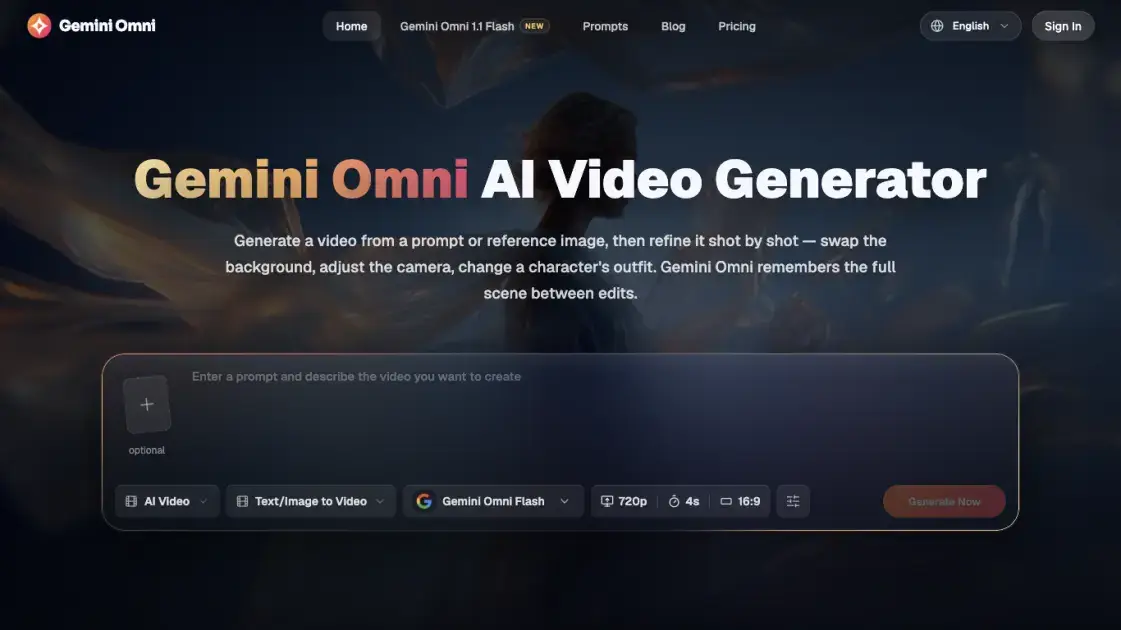
Gemini Omni is an online AI video generator and editor built on Google DeepMind's Gemini Omni model, also called Omni Flash. It turns a text prompt or reference image into a video, then lets users refine that video shot by shot through conversational instructions, swapping a background, adjusting the camera, or changing a character's outfit without regenerating the whole clip. The platform keeps characters and the full scene consistent between edits, and supports text, image, video, and audio input in one system. It targets creators, marketers, and teams who need video drafts without a camera, crew, or production timeline, and it works without a Google AI subscription.
How does Gemini Omni work
Gemini Omni treats text, images, video, and audio as input within one unified model rather than separate tools. It reads all supplied references together and generates a video that reflects each of them, so a character photo, a background image, and a style reference can be combined in a single pass. The model also simulates physical interactions, so objects roll, splash, and settle instead of merely appearing to move. Because the scene stays loaded between requests, follow-up instructions apply edits such as a background swap or camera shift while the rest of the footage remains unchanged, avoiding a full regeneration.
Benefits of Gemini Omni
Gemini Omni suits teams and creators who need video but lack a camera, crew, or editing timeline. Because the model keeps the full scene between edits, a generated clip can be refined shot by shot instead of restarted when something is wrong. Character likeness carries across scenes, so recurring people stay recognizable. The free credit allowance lets users test prompts and settings before paying, and watermarked-free exports on paid plans make finished videos ready for ads, product pages, and social channels.
Pros and Cons of Gemini Omni
Pros
- Edits keep the scene intact
- Consistent characters across scenes
- Combines multiple references at once
- Free credits without a Google AI plan
- Commercial license on paid plans
- Exports without watermark
Cons
- Credits are consumed per generation
- Free allowance is limited
- Free credits need 7-day check-ins
- Advanced settings add complexity
- Newest features tie to newer models
Core Features of Gemini Omni
Native Multimodal Input
Combines a character photo, background image, style reference, and text prompt in one generation, producing a single video that matches every reference provided.
Conversational Video Editing
Applies requested changes such as swapping a background, replacing an object, or shifting the camera angle while keeping the rest of the scene intact.
Physics and World Simulation
Models how objects interact, so marbles roll along a track, liquids splash and settle, and gravity pulls fabric down for scenes that behave realistically.
Sketch-to-Video Generation
Turns a rough sketch, wireframe, or hand-drawn storyboard into a fully rendered video without requiring polished artwork to start.
AI Avatar Generation
Creates a digital version of a person from a single uploaded photo, able to speak, move, and act in described scenes with consistent likeness.
Text/Image to Video Modes
Provides dedicated generation modes alongside settings for aspect ratio, resolution, and duration up to 4K, plus a 360p draft mode for faster iteration.
Use Cases of Gemini Omni
- Marketing teams: test video ad concepts, product angles, and hooks before full production.
- E-commerce sellers: turn a product photo into a short video with motion, lighting, and context.
- Social media creators: produce content for TikTok, Instagram Reels, and YouTube Shorts without a camera.
- Educators: build videos showing physics demonstrations, historical scenes, or step-by-step processes.
- Filmmakers and editors: refine an existing clip by replacing the background, object, or style.
- Teams doing multilingual video: generate videos with natural lip-sync and localized delivery.
FAQs of Gemini Omni
What is Gemini Omni?
Gemini Omni is Google DeepMind's video generation model, announced at Google I/O 2026 as the successor to Veo, that accepts text, images, video, and audio and produces video output.
Is Gemini Omni free to use?
Signing in grants 30 credits, enough for one full video, and each 7-day check-in round adds 30 more, with no visible watermark and no country restriction.
Does Gemini Omni require a Google AI subscription?
No. In the Gemini app the model needs a Google AI plan, but here it can be used as a Gemini video generator without one.
What is Gemini Omni 1.1 Flash?
It is the latest version of Omni Flash, released August 2026, adding 40-second scene extension, first and last frame control, 360p draft mode, and 4K output.
How is Gemini Omni different from Veo 3.1?
Gemini Omni is a unified model handling text, image, and video that adds conversational editing, character consistency, and multi-reference input Veo does not support.
How is Gemini Omni different from Sora or Runway?
Sora and Runway require starting over when a result is wrong, while Gemini Omni applies follow-up instructions and keeps the scene loaded instead of regenerating from scratch.
Can Gemini Omni edit an existing video?
Yes. Uploading a clip and describing the change lets Gemini Omni replace backgrounds, swap objects, or shift style while keeping unmentioned parts.
Can users put their own face in a video?
Yes. Uploading a portrait photo as a reference generates video with that face, and the likeness carries across different scenes and actions.
Can Gemini Omni videos be used commercially?
Yes. Paid plans include a commercial use license, and generated videos are ready for ads, product pages, and social media content.
How to use Gemini Omni
- Write a prompt or upload a reference — describe the scene, or add a photo, sketch, or existing clip as a starting point; use multiple references to combine a character with a location.
- Pick settings and generate — choose the aspect ratio, resolution, and duration for where the video will be used, then hit Generate Now.
- Edit or regenerate — describe what to change and generate again; Gemini Omni keeps the scene intact and updates only what was asked.
- Download the result — once the video is ready, download it for use.
Gemini Omni Alternatives

Turns two separate portraits into a 15-second vertical rap duet video on an orange stage with a shared microphone and the original soundtrack. Free 480P preview available.
Katto turns long videos and podcasts into scored, captioned 9:16 clips. It ranks clips by viral potential and exports them to 7 platforms from one place.
Mareel is an all-in-one AI video and image generation workspace giving creators, marketers, and ecommerce teams 40+ leading models and one shared credit balance.
Kinovi is a REST API that runs published video, image, and audio AI models from one endpoint. Send a model ID to createTask, poll recordInfo, and pay per use from one shared credit balance.
An AI cartoon video generator that turns a script or prompt into an animated video with the same character in every scene, AI voiceover and soundtrack, and commercial rights included.
Kling 4.0 turns text, images, and up to 15 Omni Reference assets into cinematic AI video, with 30-second multi-shot scenes, 10 keyframes, and 4K HDR.
Gemini Omni is a chat-based multimodal AI video generator and editor. It combines text, images, video, and audio to create cinematic clips with native audio.
Kling 4.0 turns text prompts and reference images into cinematic AI video, with native audio, flexible model options and a credit-based HTTP API for developers.
SongScene turns any MP3, Suno, or Spotify track into an AI music video with beat-synced cuts and auto lyric captions, exporting 9:16, 16:9, or 1:1 clips.
MixVio runs 21 video, image and audio models in one browser workspace, plus 11 creator tools, with exact credit cost shown before every generation.
PodcastorAI turns PDFs, URLs, notes, and audio into studio-quality video podcasts with AI hosts, voices, and scripts for YouTube, Spotify, and TikTok.
Create AI videos from text, images, or references with native sound. Reeldo AI brings Seedance, Kling, Veo, and MiniMax H3 into one studio.