
ToonBee AI: Cartoon Video Generator With Consistent Characters
| Added on: | Oct 7, 2026 |
| Monthly Visits: | 184 |
| Social & Email: | -- |

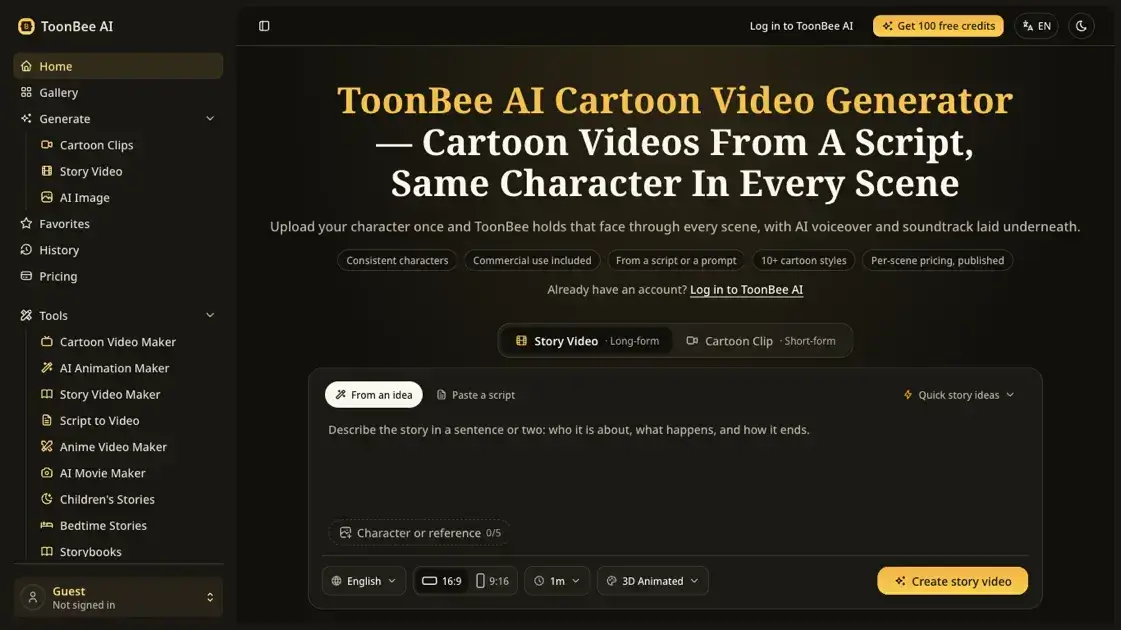
What is ToonBee AI
ToonBee AI is an AI cartoon video generator that turns a script or prompt into an animated cartoon video, writing the scene breakdown, animating each shot and adding an AI voiceover and soundtrack. It solves character drift: most AI video tools treat every prompt as new, so the protagonist changes face at each cut. ToonBee anchors a reference image of a character and holds that face across every scene. It suits teachers, small businesses, marketers and storytellers who need a cartoon video without learning animation.
How does ToonBee AI work
ToonBee anchors a character with a reference image instead of prompt repetition. A general-purpose video model invents a fresh face on every prompt because it was never shown the previous scene; pinning a reference conditions each render on it. The script or topic is first split into an editable scene plan, then a chosen style applies across the whole video. Scenes render in parallel rather than queued, and a scene that still drifts can be regenerated against the same reference without losing the rest.
Benefits of ToonBee AI
ToonBee serves people who need a cartoon video rather than an animation career: teachers animating a lesson, marketers and small businesses producing explainers or promos, and creators running episodic content. Character locking removes the reroll-per-scene work that eats a budget, and editing the scene breakdown keeps the story under control. Per-scene pricing lets a project be estimated before it starts, and commercial rights on every plan remove separate licensing.
Pros and Cons of ToonBee AI
Pros
- Same character across every scene
- Editable scene breakdown before rendering
- Per-scene cost shown up front
- Failed renders refund credits
- Commercial rights on every plan
- No install or local GPU needed
Cons
- Base models cap at 30 seconds per clip
- No frame-exact art direction
- Not for broadcast or feature projects
- Wrong tool when real footage is required
Core Features of ToonBee AI
Consistent character locking
A reference image anchors the same face and proportions across every scene, so a ten-scene story holds one look.
Script and topic to scenes
A finished script or short prompt becomes a scene breakdown that can be edited before rendering.
Per-scene credit pricing
Each scene shows its cost before it renders, so a single video cannot quietly consume the whole balance.
Style applied across the video
Classic 2D, modern flat, 3D, comic book and storybook styles are set for the whole video rather than per shot.
Voiceover and soundtrack
Models render native audio in the same pass as the picture, so narration and music arrive with the scenes.
Commercial rights
Every plan and credit package includes commercial use, with no per-project licence or attribution requirement.
Use Cases of ToonBee AI
- Teachers: turning a lesson or training module into an animated explainer.
- Marketers and small businesses: landing-page explainers and vertical promos composed for 9:16.
- Creators and storytellers: episodic content with a recurring cast that must look consistent week after week.
- Faith and community groups: retelling scripture or a parable in scenes that could not be filmed.
- Nonprofits and advocacy campaigns: explaining a complicated cause without a production budget.
FAQs of ToonBee AI
Is ToonBee AI free?
Yes, free to try. New accounts get enough credits to generate a character and render a short scene.
Can the cartoon videos be used commercially?
Yes, on every plan and credit package, for client work, monetised channels, paid ads and courses.
How much does one cartoon video cost?
A five-second scene costs 65 to 200 credits depending on model and size; a five-scene video runs 325 to 1,000. Each scene shows its cost before rendering.
Does the same character carry across scenes?
A reference image anchors every scene, so the same face and proportions carry through. A scene that still drifts can be regenerated against the same reference.
What AI models does ToonBee use?
It is built on frontier video models such as Kling, Seedance, MiniMax and Wan, fine-tuned around the scenes users make.
How long can a cartoon video be?
Base models render 4 to 30 seconds per clip; ToonBee 1.0, the platform's own video agent, renders any length.
Is there an app to download?
No. ToonBee runs in the browser, with no animation software or local GPU required.
How to use ToonBee AI
- Write a story, paste a script or give a topic; ToonBee splits it into a scene breakdown that can be edited before any frame renders.
- Upload a reference image of your character, or generate one and pin it, so the same face and proportions carry through every scene.
- Pick a cartoon style such as classic 2D, modern flat, 3D, comic book or storybook; the style applies to the whole video.
- Check the credit cost shown for each scene, render, then download the HD file, which includes commercial use.
ToonBee AI Website Traffic Analysis
Latest traffic information
- Monthly Visits184
- Bounce Rate46.35%
- Pages Per Visit1.01
- Visit Duration00:00:00
- Global Rank--
- Country/Region Ranking--
Top Keywords
| Keyword | Traffic | Volume | Cost Per Click |
|---|---|---|---|
| toonbee ai apk premium | 100 | -- | -- |
| toonbee | -- | 19.83K | $0.99 |
| toonbee ai | -- | 5.29K | $1.31 |
| toon bee | -- | 3.68K | $1.26 |
| toonbee review | -- | 1.44K | -- |
Top Regions
| Region | Percentage |
|---|---|
| United States | 64.21% |
| Brazil | 20.26% |
| Mexico | 10.07% |
| Canada | 5.45% |
ToonBee AI Alternatives

Turns two separate portraits into a 15-second vertical rap duet video on an orange stage with a shared microphone and the original soundtrack. Free 480P preview available.
Mareel is an all-in-one AI video and image generation workspace giving creators, marketers, and ecommerce teams 40+ leading models and one shared credit balance.
Kinovi is a REST API that runs published video, image, and audio AI models from one endpoint. Send a model ID to createTask, poll recordInfo, and pay per use from one shared credit balance.
Gemini Omni is an online AI video generator and editor that turns a text prompt or reference image into a video, then refines each shot through conversational edits while keeping characters and the scene consistent.
Kling 4.0 turns text, images, and up to 15 Omni Reference assets into cinematic AI video, with 30-second multi-shot scenes, 10 keyframes, and 4K HDR.
Gemini Omni is a chat-based multimodal AI video generator and editor. It combines text, images, video, and audio to create cinematic clips with native audio.
Kling 4.0 turns text prompts and reference images into cinematic AI video, with native audio, flexible model options and a credit-based HTTP API for developers.
SongScene turns any MP3, Suno, or Spotify track into an AI music video with beat-synced cuts and auto lyric captions, exporting 9:16, 16:9, or 1:1 clips.
MixVio runs 21 video, image and audio models in one browser workspace, plus 11 creator tools, with exact credit cost shown before every generation.
PodcastorAI turns PDFs, URLs, notes, and audio into studio-quality video podcasts with AI hosts, voices, and scripts for YouTube, Spotify, and TikTok.
Create AI videos from text, images, or references with native sound. Reeldo AI brings Seedance, Kling, Veo, and MiniMax H3 into one studio.
FramePack AI generates long-form videos from text or images with fixed context length, solving the forgetting-drifting dilemma for creators and researchers.