
Kinovi: AI Video, Image & Audio Model API

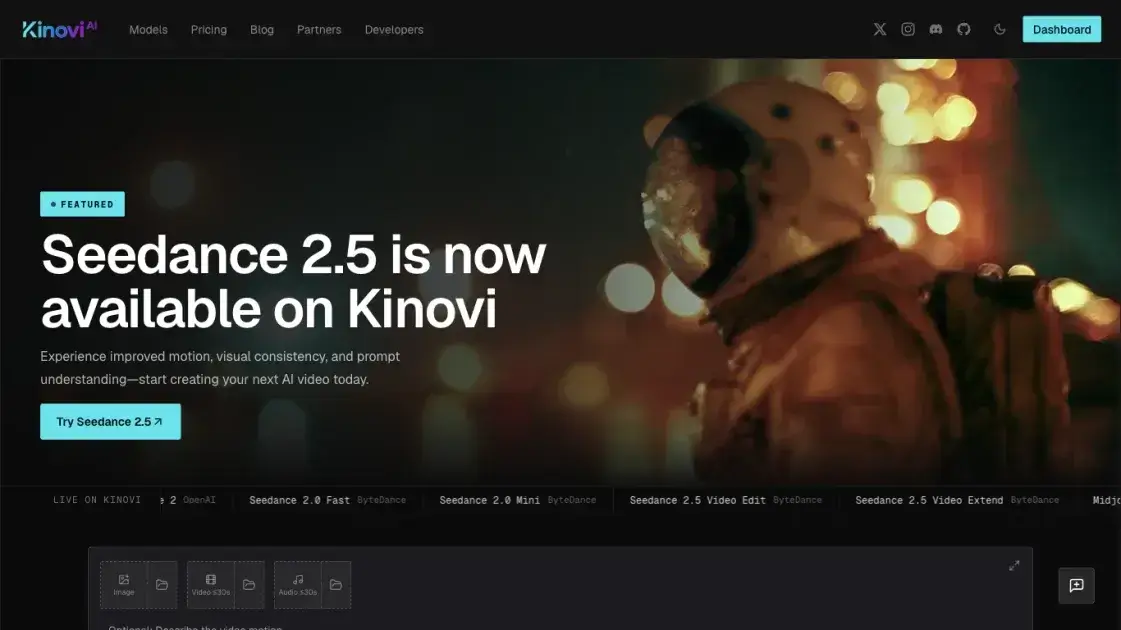
What is Kinovi
Kinovi is a public REST API that runs published video, image, and audio models behind a single endpoint. Instead of integrating each provider separately, developers send a public model id with that model's inputs and receive results through one shared task lifecycle. It serves creators and developers who want to compare models and per-unit rates before spending, then automate production jobs. An optional browser Studio runs the same models without code on the same balance. The catalog spans providers including ByteDance, Alibaba, OpenAI, Google Gemini, Midjourney, Suno, MiniMax, and NanoBanana.
How does Kinovi work
Kinovi splits a generation request into two calls. POST /api/v1/jobs/createTask carries a public model id and a model-specific inputs object, and returns a taskId immediately while credits are reserved. Price is computed at submit, so a low balance rejects the request with a 402 before anything is charged. The client polls GET /api/v1/jobs/recordInfo?taskId=… until status is success or fail; image models usually finish within a minute, while video tasks take longer. A successful task reports creditsUsed and an output array of asset URLs; a failed one refunds the credits and returns an error object. If callBackUrl was supplied, Kinovi also sends one POST at terminal status.
Benefits of Kinovi
Kinovi is worth considering when a project needs more than one generation model behind a predictable integration. The published catalog makes each model id, its inputs, and its unit rate visible up front, so a route is chosen on documented facts. Because video, image, and audio models share one endpoint, a single task lifecycle replaces one SDK per provider. Cost control is built in: price is fixed at submit, failed tasks are refunded, and creditsUsed reports what each task cost. Credits never expire and there is no subscription, and Studio lets a team prototype in the browser before moving the same model to the API.
Pros and Cons of Kinovi
Pros
- One REST endpoint for video, image, and audio models
- Public model IDs with published unit rates
- Price fixed at submit and refunded in full on failure
creditsUsedper task for cost auditing- Credits do not expire and require no subscription
- Same balance across Studio and API
- Optional webhook instead of polling
Cons
- Result files are kept for 30 days only
- Concurrency is capped per account and tier is assigned by Kinovi, not purchased
- Credit purchases are final and non-refundable
- Some models block outputs resembling a real, identifiable person
- Access requires an API key and, for some routes, knowledge of model-specific inputs
Core Features of Kinovi
One endpoint for three modalities
createTask and recordInfo serve video, image, and audio models alike; only the model id and its inputs change.
Published model catalog
The directory lists model IDs, availability, supported inputs, and unit prices across 31+ models from 9 providers.
Per-model inputs and validation
Each model declares its inputs — prompt, reference media, duration, resolution, or output count — and validates them before submit, with an optional autoFix.
Reference asset uploads
Reference media can be passed as public URLs or uploaded to Kinovi storage, which returns a URL for the request.
Task polling and webhooks
Status moves through waiting, generating, and a terminal success or fail; an optional callBackUrl posts the result.
Optional Studio
Studio runs the same model routes in the browser without code, drawing on one credit balance.
Use Cases of Kinovi
- Video creators: text-to-video, image-to-video, video edit, or video extend clips at a chosen duration and resolution tier.
- Image designers: generate or edit images from prompts and reference images at 1K through 4K output depending on the model.
- Audio producers: music, samples, sounds, or remixes through Suno-backed audio models.
- Application developers: wire generation into a product through one REST endpoint with stable model IDs.
- Automation and agency teams: batch-repeat production jobs and audit spend through
creditsUsedper task. - Prototyping users: test a model in the browser Studio before committing to an API integration.
- Teams evaluating models: compare variants and unit prices across providers before choosing a route.
FAQs of Kinovi
What is Kinovi?
Kinovi is a REST API that runs published video, image, and audio models. A request sends a public model id to createTask; polling recordInfo returns the output and the credits used.
How does the API work?
Every model shares two endpoints: createTask submits a job and returns a taskId, and recordInfo reports its status until success or failure.
Can Kinovi be used without coding?
Yes. Studio runs the same models in the browser on the same account and balance.
Which models are available?
ByteDance, Alibaba, OpenAI, Google Gemini, Midjourney, Suno, MiniMax, and NanoBanana models appear in the directory with public IDs and rates.
How is pricing charged?
Cost is computed from the chosen settings and reserved at submit, then reconciled through creditsUsed; failed tasks are refunded.
Do credits expire?
No. Credits are one-time packages, not a subscription, and they stay in the balance until used.
Can generated content be used commercially?
Commercial use is subject to the Kinovi Terms and any restrictions that apply to the selected model or provider.
How to use Kinovi
- Create an account at kinovi.ai with email or Google sign-in.
- Pick a model and note its public id, such as
seedance2-5orgpt-image-2. - Create an API key under Account → API keys and send it as
Authorization: Bearer <key>on every request. - Buy a one-time credit package, or use the starter grant new accounts may receive by region.
- POST
modelplusinputs(prompt and any reference URLs, duration, resolution, or size the model supports) tohttps://kinovi.ai/api/v1/jobs/createTask. - Poll
GET /api/v1/jobs/recordInfo?taskId=…untilstatusissuccess, then downloadoutput[].url. - Pass
callBackUrlto receive the finished result as a webhook instead of polling. - Skip the code path by running the same model in Kinovi Studio on the same balance.
Kinovi Website Traffic Analysis
Latest traffic information
- Monthly Visits99.89K
- Bounce Rate34.95%
- Pages Per Visit4.98
- Visit Duration00:06:51
- Global Rank303.09K
- Country/Region Ranking184.56K
Top Keywords
| Keyword | Traffic | Volume | Cost Per Click |
|---|---|---|---|
| kinovi ai | 1.93K | 1.86K | $0.17 |
| kinovi | 720 | 1.52K | $0.16 |
| high res image from 3 second low res video | 150 | -- | -- |
| cinebai | 100 | 74.29K | -- |
| kinovi, i | 90 | 90 | -- |
Top Regions
| Region | Percentage |
|---|---|
| United Kingdom | 40.04% |
| United States | 36.48% |
| Germany | 5.87% |
| India | 2.28% |
| Brazil | 1.49% |
Kinovi Alternatives

Turns two separate portraits into a 15-second vertical rap duet video on an orange stage with a shared microphone and the original soundtrack. Free 480P preview available.
Mareel is an all-in-one AI video and image generation workspace giving creators, marketers, and ecommerce teams 40+ leading models and one shared credit balance.
An AI cartoon video generator that turns a script or prompt into an animated video with the same character in every scene, AI voiceover and soundtrack, and commercial rights included.
Gemini Omni is an online AI video generator and editor that turns a text prompt or reference image into a video, then refines each shot through conversational edits while keeping characters and the scene consistent.
Kling 4.0 turns text, images, and up to 15 Omni Reference assets into cinematic AI video, with 30-second multi-shot scenes, 10 keyframes, and 4K HDR.
Gemini Omni is a chat-based multimodal AI video generator and editor. It combines text, images, video, and audio to create cinematic clips with native audio.
Kling 4.0 turns text prompts and reference images into cinematic AI video, with native audio, flexible model options and a credit-based HTTP API for developers.
Coralflavor offers uncensored AI chats without safety filters, plus burn-mode retention, web search, image generation, and an OpenAI-compatible API for U.S. adults.
SongScene turns any MP3, Suno, or Spotify track into an AI music video with beat-synced cuts and auto lyric captions, exporting 9:16, 16:9, or 1:1 clips.
SpriteGen is an AI sprite creator that turns character descriptions into transparent pixel-art sprite sheets, ready to drop into your game engine.
MixVio runs 21 video, image and audio models in one browser workspace, plus 11 creator tools, with exact credit cost shown before every generation.
PodcastorAI turns PDFs, URLs, notes, and audio into studio-quality video podcasts with AI hosts, voices, and scripts for YouTube, Spotify, and TikTok.