
Coralflavor: Private Uncensored AI Chat Without Guardrails

What is Coralflavor
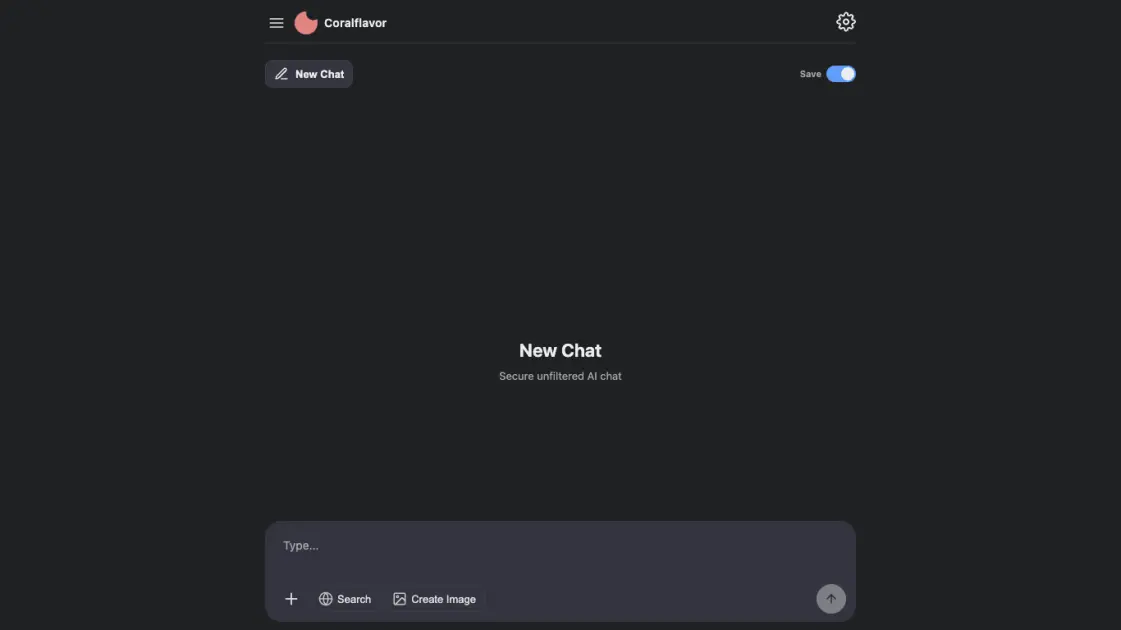
Coralflavor is a U.S.-only, 18-plus AI chat site built around one simple premise: no safety filters, no guardrails, no rejected prompts. The web app opens straight into a chat box where users can send prompts, attach images or PDFs (Pro), trigger web-search grounding, and generate uncensored images. Two retention modes shape how conversations are kept: Save stores chats in a personal history, while Burn discards them after roughly two hours of inactivity. Behind the product sits an OpenAI-compatible API at https://coralflavor.com/v1 with per-token pricing and optional search grounding. The site pairs the chat tool with an active blog on uncensored AI, free expression, and privacy, plus a Discord community for users.
How does Coralflavor work
Under the hood, Coralflavor fronts a third-party large-model gateway (routed through an API aggregator such as OpenRouter) so that user prompts and context reach the model without platform-level refusal layers. When a user submits a prompt, the app passes it to that gateway, optionally appends live web-search results when the search toggle is on, and streams the raw model output back to the chat UI. Uploaded files are OCR'd locally on the server so their text can be folded into the prompt. In Burn mode, the transcript is held in memory just long enough to produce the response and then purged after about two hours; in Save mode it lands in a Firebase store. The same model can also be reached through the public https://coralflavor.com/v1 endpoint, where requests are metered per token and billed against pre-purchased API credits.
Benefits of Coralflavor
Coralflavor's biggest appeal is freedom: prompts go through without being refused, toned down, or rewritten by safety layers, which suits users testing edge-case outputs, studying refusal behavior, or doing creative work that mainstream assistants block. Burn mode plus no-IP storage lowers the footprint of sensitive sessions, and Save mode gives users who want continuity a full history. The OpenAI-compatible API means developers can drop Coralflavor into existing OpenAI SDK code without rewriting clients, and search grounding adds recency to responses without leaving the chat. The main trade-off is that responses can still be wrong, the service is U.S.-only and 18+, and Pro-tier features such as file attachments and image generation sit behind a paid wall.
Pros and Cons of Coralflavor
Pros
- No safety filters or refusal logic
- Burn mode discards chats after ~2 hours
- OpenAI-compatible API with streaming
- Web search grounding in-chat
- Referral system gives free credits
- No IP logging by design
Cons
- U.S. users only, 18+
- File attachments and image generation are Pro-only
- Outputs can still be wrong or unsafe
- Saved chats are stored without encryption
Core Features of Coralflavor
Uncensored chat
The core of the product is a chat interface with no safety alignment, filters, or guardrails, so prompts are answered as written.
Burn-mode retention
Chats can run in Save mode, which stores them in a personal history, or Burn mode, which deletes them after about two hours.
Web search grounding
A search toggle pulls live web results into responses, with grounding billed per request on the API.
Image generation
Pro and Pro+ subscribers can create uncensored images in-chat, with Pro+ also allowing a previous image to anchor character consistency.
File text extraction
Pro users attach images or PDFs, which are processed for OCR only; extracted text then enters the prompt.
OpenAI-compatible API
The developer endpoint accepts standard chat-completion calls with streaming support, web-search flags, and per-token billing.
Referral credits
Both the referrer and a newly signed-up referred user receive ten free chat credits.
Use Cases of Coralflavor
- Red-teamers: stress-testing refusal behavior and jailbreak robustness across uncensored models.
- Writers and roleplayers: producing fiction, dialogue, or character work that mainstream assistants block.
- Researchers: studying model responses on edge topics without guardrail interference.
- Developers: shipping products that need an OpenAI-compatible uncensored endpoint with search grounding.
- Privacy-conscious users: running sensitive sessions in Burn mode so transcripts vanish quickly.
FAQs of Coralflavor
Does Coralflavor have safety filters?
No. The site explicitly ships without safety filters or guardrails, and it will not reject prompts. A narrow automated filter may still apply to illegal child sexual content, which is a hard limit under the terms of service.
Is Coralflavor free?
New accounts get a small amount of free chat credits, and referrals add ten more for both parties. Beyond that, unlimited chats, file attachments, and image generation require the Pro subscription; the API is billed per token with prepaid credits.
Are my chats stored?
Only if you switch a conversation to Save mode. Burn mode is the default-safe option: chats are kept in memory briefly and typically purged after about two hours of inactivity, and IP addresses are not permanently recorded.
Can I use Coralflavor's API with OpenAI SDK code?
Yes. The endpoint at https://coralflavor.com/v1 is OpenAI-compatible, so you can point the official openai Python client at Coralflavor's base URL with your API key and use the same chat-completions calls, including streaming and web-search flags.
Who can use Coralflavor?
The service is restricted to users located in the United States who are at least 18 years old. The terms explicitly confirm this eligibility requirement before signing in.
What is Pro+?
Pro+ sits above Pro and raises the monthly quota of uncensored images that can be generated in a chat. It also lets the same thread reuse a previously generated image as a reference, which keeps characters visually consistent across generations.
How to use Coralflavor
- Visit https://coralflavor.com/ and sign in with Google to create an account.
- Pick a chat history mode in Settings: Save keeps chats, Burn discards them.
- Type a prompt into the chat box, attach a file (Pro) if needed, and hit Send.
- Toggle Search before sending when the answer should pull live web results.
- Use Create Image on Pro or Pro+ to generate uncensored images in the thread.
- From Settings, copy your referral link so both of you earn ten free credits.
- For programmatic access, open the API Dashboard, buy credits, and copy the OpenAI-compatible key.
Coralflavor Website Traffic Analysis
Latest traffic information
- Monthly Visits34.99K
- Bounce Rate42.52%
- Pages Per Visit1.78
- Visit Duration00:00:15
- Global Rank891.91K
- Country/Region Ranking113.8K
Top Keywords
| Keyword | Traffic | Volume | Cost Per Click |
|---|---|---|---|
| unfiltered ai | 980 | 19.12K | $0.68 |
| coralflavor | 330 | 500 | -- |
| chad ai bot no filter | 230 | 240 | -- |
| unfiltered unlimited ai chat | 150 | 490 | -- |
| coral flavor ai nsfw images | 110 | 160 | -- |
Top Regions
| Region | Percentage |
|---|---|
| United States | 37.51% |
| United Kingdom | 24.35% |
| India | 12.81% |
| Pakistan | 8.54% |
| Canada | 5.86% |
Coralflavor Alternatives
SpriteGen is an AI sprite creator that turns character descriptions into transparent pixel-art sprite sheets, ready to drop into your game engine.
Meta Image: browser AI studio powered by Muse Image. Edit photos with prompts, remove backgrounds, restore old photos, generate new images.
AIdorable is a virtual baby AI companion app. Adopt, name, and care for a tiny AI baby in daily moments, as it grows, learns to speak, and remembers you.

Create and edit images with Image 2.5 by GPT. Sunburst for precision, Flare for speed, up to 4K, 6 quality modes, and transparent PNG/WebP output.
Generate and edit AI images with Nano Banana Pro. Blend up to 14 images, render crisp text, and create 4K visuals online with studio controls.
Run private OSINT searches for email addresses, usernames, and images across public sources, then review cited matches and evidence-grounded AI summaries.
Zens AI delivers account-aware AI customer support, turning user feedback into product work for SaaS teams via Codex, Linear, Slack, and GitHub.
SeiSei AI is a free, no-sign-up AI image generator turning text prompts into AI illustrations and realistic photos with no watermark, 5 free images daily.
Makiverse is a free online AI manga and comic generator that turns text prompts into complete manga, comics, and GIFs with consistent characters and styles.
Turn your website into a searchable knowledge base. Knowster answers visitors from your content in any language. One-line setup, no coding, free plan.
Generate AI images for portraits, product visuals, social posts, and creative edits using Nano Banana Pro and GPT Image 2 models.
Track how AI search engines and chatbots see your brand. Monitor visibility, competitor mentions, and recommendations across AI platforms.