
AI Scientific Figure
AI Scientific Figure: Scientific Figures from Text or Sketch

What is AI Scientific Figure
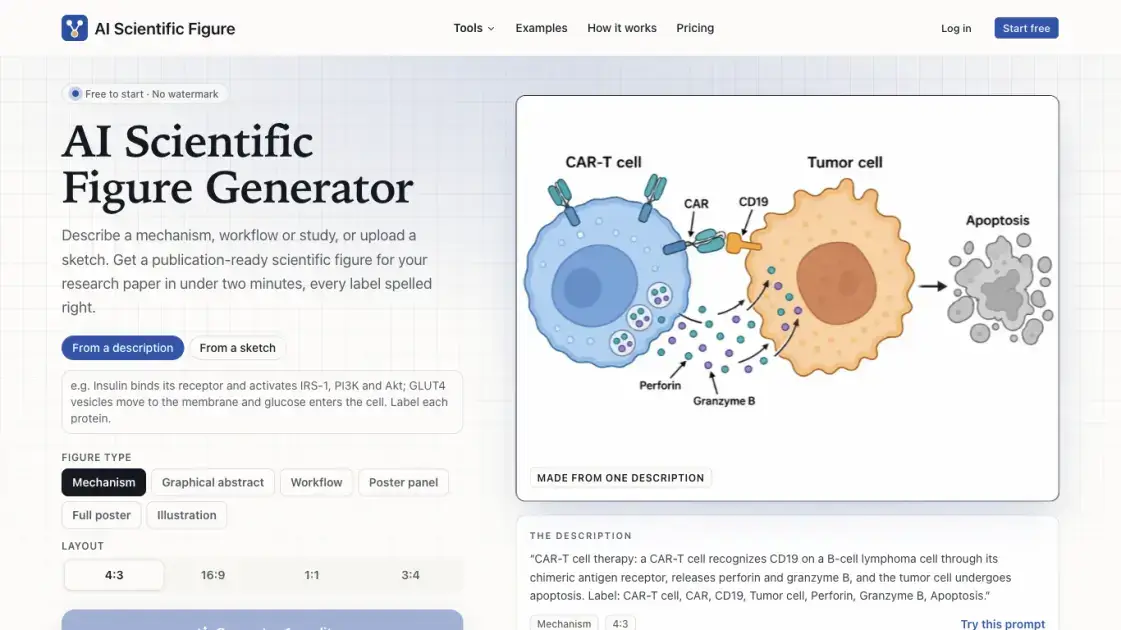
AI Scientific Figure converts a mechanism description, a paper abstract or a notebook sketch into a labelled figure for a research manuscript. Researchers who would otherwise spend an afternoon arranging shapes in a vector editor get a first diagram in under two minutes, rendered as a 2K PNG on a white background. The generator spells every requested label correctly, keeps cell types visually distinct and draws arrows that match the verbs in the description. Output is sized for journal pages, posters and slides, with no watermark.
How does AI Scientific Figure work
Behind the scenes the service runs GPT Image 2.5, with Nano Banana 2.1 as a fallback, and wraps the submitted text in instructions about journal layout, colourblind-safe palettes and print-size lettering. Entities and their relationships are pulled out of the description rather than whole sentences, so each named structure becomes a shape and each verb an arrow. A chosen figure type and aspect ratio fix the canvas, while a reference image, when present, anchors the arrangement. The result is rasterised as a white-background PNG; a wording change triggers a fresh render rather than an in-place edit.
Benefits of AI Scientific Figure
Time is the clearest gain: a first draft that takes an afternoon in a vector editor appears in under two minutes from a single brief. Because the generator writes out the requested terms in a clean sans-serif face, misspelt labels stop being a reason to redraw a figure by hand. The 2K PNG prints at 300 DPI across a double-column page and carries no watermark, so it can be dropped into a manuscript or slide without resizing. Credit packs never expire, a failed generation returns its credit, and unpublished material is never used to train models.
Pros and Cons of AI Scientific Figure
Pros
- Publication-ready 2K PNG, 300 DPI, no watermark
- Six figure types and four aspect ratios
- Correct labels, panel letters and colourblind-safe legends
- Sketch-guided layout and abstract-based graphical abstracts
- Non-expiring credit packs and automatic refunds on failed renders
Cons
- No editable SVG export
- No plotting of measured experimental data
- Some journals reject AI images as graphical abstracts
- Free allowance limited to three sign-up credits
- Credit packs or a subscription needed after free figures
Core Features of AI Scientific Figure
Description, abstract or sketch input
A mechanism, workflow or study can be typed in, an abstract can be pasted, or a photo of a hand-drawn pathway can be uploaded; the layout follows the sketch when one is supplied.
Six figure types and four aspect ratios
Mechanism, graphical abstract, workflow, poster panel, full poster and illustration are available in 4:3, 16:9, 1:1 or 3:4.
Journal-sized 2K PNG output
Each render arrives as 2352 x 1760 pixels at 4:3, 2720 x 1536 at 16:9, 2048 x 2048 at 1:1 or 1760 x 2352 at 3:4, at 300 DPI across a 183 mm double-column width with no watermark.
Labels, panels and legends
Short sans-serif labels, panel letters, colourblind-safe legends, verb-driven arrows and labelled axes with units are composed from the entities named in the description.
Graphical abstract extraction
Choosing this type turns a pasted abstract into one wide left-to-right panel that separates cause, mechanism and outcome; changing a single line redraws it.
Private inputs and retained rights
Descriptions, uploads and renders stay private to the account, are never used for model training, and remain owned by the researcher for papers, teaching or commercial work.
Use Cases of AI Scientific Figure
- Cell biologists: diagram a signalling pathway or an autophagy sequence with every stage labelled.
- Clinical researchers: lay out randomised trial screening, allocation and follow-up as a workflow figure.
- Authors preparing a submission: build a graphical abstract that separates cause, mechanism and outcome from a short abstract.
- Conference presenters: produce a methods panel or a full poster figure at a journal-sized resolution.
- Students and grant writers: illustrate thesis chapters, lectures and proposals without rebuilding icons by hand.
FAQs of AI Scientific Figure
Is there a free option?
New accounts receive three credits, which draw full-resolution figures without a watermark; further work requires a credit pack or a subscription.
Can these figures go into a journal submission?
Policies vary: Elsevier and ACS decline AI images for graphical abstracts or table-of-contents graphics, whereas Wiley, MDPI, Taylor & Francis and PLOS accept them with disclosure in the caption or methods.
Who holds the rights to a generated figure?
Ownership stays with the account holder, covering papers, posters, teaching material and commercial use, with no rights claimed by the service.
What happens to uploaded unpublished material?
Descriptions, references and renders stay private and out of training data; reference uploads are removed after three days and figures after thirty unless a subscription is active.
Can a finished diagram be adjusted afterwards?
Editing a phrase and regenerating moves or renames parts, and the white-background PNG can be cropped or annotated in PowerPoint, Illustrator, Inkscape or Affinity; vector SVG export is still unavailable.
Does it chart real measurements?
Chart panels are illustrative drawings, so measured data belongs in GraphPad Prism, R, Python or Excel and can be placed beside the schematic.
How to use AI Scientific Figure
- Write the cells, molecules or steps to show, state what acts on what and list the labels, or paste an abstract instead.
- Choose the diagram category and a canvas proportion that matches the journal page, poster or slide.
- Attach a notebook sketch, whiteboard photo or older diagram if the arrangement should be preserved.
- Generate and download the 2K PNG, which is ready in under two minutes.
- Amend one line of the brief and redraw when a label or arrow needs moving.
AI Scientific Figure Alternatives
Browser-based AI image generation with text-to-image, image-to-image, watermark removal and HD upscaling across Nano Banana, GPT Image and Seedream models.
Browser workspace for AI image generation, reference photo editing, and short video drafts, aimed at creators, marketers, and product teams.
AI co-director that turns an idea or script into shot-by-shot storyboard panels for indie filmmakers, with real film shot references and PDF board export.
AI design studio for architects and designers: turn sketches, model views, and room photos into rendering concepts, material studies, and staged interiors.
Kinovi is a REST API that runs published video, image, and audio AI models from one endpoint. Send a model ID to createTask, poll recordInfo, and pay per use from one shared credit balance.
Coralflavor offers uncensored AI chats without safety filters, plus burn-mode retention, web search, image generation, and an OpenAI-compatible API for U.S. adults.
SpriteGen is an AI sprite creator that turns character descriptions into transparent pixel-art sprite sheets, ready to drop into your game engine.
Upload one selfie to preview 120+ cuts, colors and bangs rendered on your own face in about 20 seconds, then take the reference sheet to your barber.
Pet to Art is a free AI pet portrait generator that turns one clear pet photo into custom digital artwork across 170+ styles, canvas ratios, and 2K downloads.

Meta Image: browser AI studio powered by Muse Image. Edit photos with prompts, remove backgrounds, restore old photos, generate new images.
Create and edit images with Image 2.5 by GPT. Sunburst for precision, Flare for speed, up to 4K, 6 quality modes, and transparent PNG/WebP output.
Generate and edit AI images with Nano Banana Pro. Blend up to 14 images, render crisp text, and create 4K visuals online with studio controls.