
Story2Board — AI Storyboard Generator for Film Shot Plans

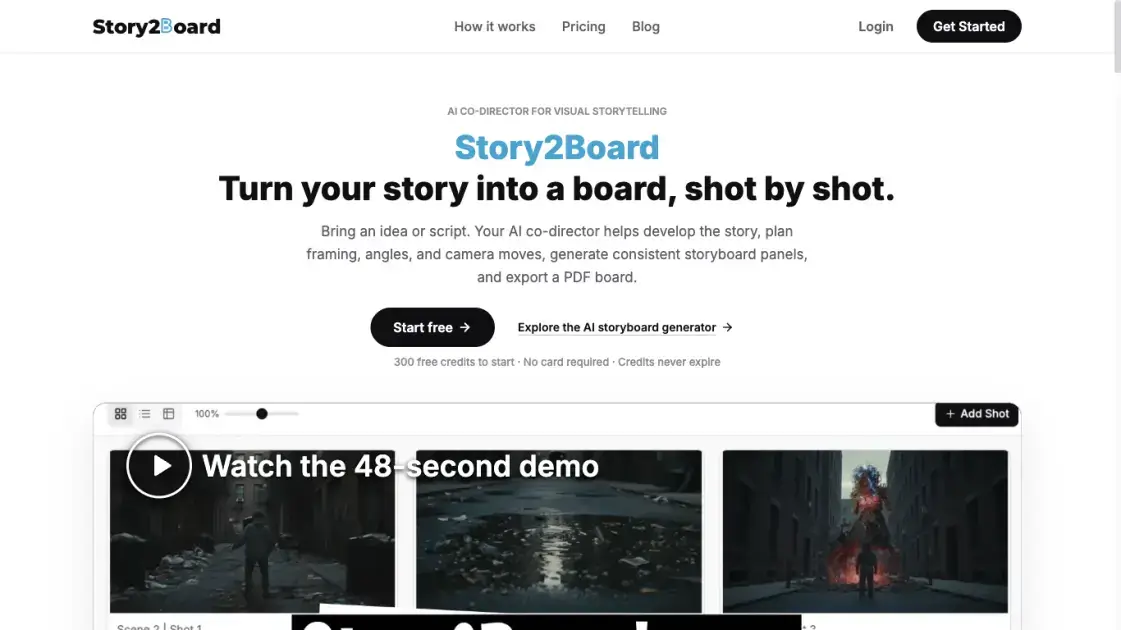
What is Story2Board
Story2Board is an AI co-director for film pre-production that converts a written idea into a shot-by-shot storyboard. Rather than returning a single picture, it plans framing, camera angle and movement for each shot and then draws the panel inside one connected project. It is aimed at newcomers and independent filmmakers who know the story they want but lack the vocabulary of shot design. Finished work leaves the workspace as a PDF board carrying panels alongside production notes, so a team can shoot from it.
How does Story2Board work
Work starts when a project is opened and an idea, brief or uploaded script is handed to the co-director, which can help shape the story before any shot is planned. Visual anchors are then recorded — characters, props, locations, art style and tone — so later frames inherit a shared reference. As each shot is discussed, the co-director proposes shot size, angle, movement and composition, searches the film reference library for comparable scenes, and explains the tradeoffs while the director picks a direction. The approved choice becomes structured scene and shot data, and the panel is drawn from it with the selected image model. Revisions loop back into the same record, so a single frame can be redrawn without disturbing its neighbours, and the finished sequence is compiled into a PDF board.
Benefits of Story2Board
The appeal is continuity: script, cast, scenes and board live in one workspace, so a decision made in conversation survives into the frame instead of being re-described with every request. Filmmakers without a storyboarding background get shot language explained in plain terms, while the reference library grounds suggestions in real cinema instead of abstract advice. Credit packs replace subscriptions, unused balance keeps indefinitely, and exports are currently watermark-free. The director keeps creative control, since the co-director proposes and explains options but acts on approved decisions.
Pros and Cons of Story2Board
Pros
- Script, cast, scenes and board share one workspace
- Characters and locations stay consistent across panels
- Film references explained rather than silently applied
- Single-panel edits without rebuilding the project
- Credits never expire and no subscription is required
Cons
- Image generation draws on paid credits after the free allowance
- Free tier limited to the Nano Banana model
- Watermark-free exports subject to change
- PDF is the only documented storyboard export format
- Commercial use depends on third-party model terms
Core Features of Story2Board
Conversational co-director
The co-director handles script rewrites, cast additions and panel generation inside one chat, and the board refreshes as the conversation develops. It also flags parts of the project that no longer line up after an edit and offers a fix.
Consistency layer
Characters, locations and props are stored as reusable structured records with descriptions and approved reference images. A Project Vision entry holds the world view, art style, emotional tone and director intent, and later shots can read those anchors as they are designed.
Film Reference Library
A searchable index of more than 270,000 real film shots can be queried by mood, shot type or director style. Suggested references arrive with an explanation of why each one fits the shot being planned.
Single-panel revision
Any panel can be regenerated from a new instruction, a reference image, a different model or another aspect ratio while the rest of the board stays untouched. There is no need to rebuild the project to change one frame.
PDF board export
The export packs a synopsis and the full script at the front, then devotes a page to every shot with its panel, action, dialogue, camera movement, shot size, angle, duration and narrative purpose. Producing that PDF consumes no credits.
Model and credit control
Panels are generated with Nano Banana, Nano Banana 2 or Nano Banana Pro, and the price of a run is shown before it starts. Credits are purchased in packs and are paid out at roughly one cent per credit.
Use Cases of Story2Board
- Independent filmmakers: build a full pre-production board for a short or festival submission without hiring a storyboard artist.
- Music video directors: lay out performance beats and rhythm-driven wide shots as one coherent sequence rather than scattered frames.
- Advertising and branded content teams: turn a brief into a client-ready sequence quickly when timelines are short, including vertical cuts for social platforms.
- Animation and eLearning producers: plan key frames, transitions and lesson visuals before committing production time.
- Founders, students and pitch teams: visualise an idea that cannot be shot yet and hand the PDF to whoever needs convincing.
FAQs of Story2Board
Does Story2Board require filmmaking experience?
No background in shot design is assumed. Scenes can be described in ordinary language, and the co-director translates the request into framing, angle and composition suggestions while explaining the reasoning.
How much can be tried without paying?
A new account receives 300 credits at no cost and no card is requested. Those credits do not expire, though the free allowance restricts generation to the Nano Banana model.
Will the same face appear in every panel?
Yes, provided the character is set up as a project asset with a description and approved reference images. The co-director reads those records while designing each new shot.
What can be uploaded as source material?
A scene summary typed in chat, a brief, or a complete script pasted as text. PDF, Word and plain text files are also accepted as uploads.
Which image models are available?
Nano Banana for free accounts, with Nano Banana 2 and Nano Banana Pro unlocked by purchased credits. Cost per run is displayed before execution.
Can one frame be changed later?
Yes. A redraw can be driven by an alternative reference, another model, a new aspect ratio or a revised instruction, and neighbouring shots keep their approved state.
Is the produced board usable in paid client work?
Generated material may be used commercially, but the user is responsible for complying with applicable law, third-party rights and any terms attached to the underlying models.
How to use Story2Board
- Sign up for a free account, which arrives with starter credits and needs no payment card.
- Create a project and describe the scene in plain language, or upload a PDF, Word or text script and brief.
- Record the visual anchors for the project, naming the characters, props and locations that must stay fixed.
- Review the shot suggestions with their film references, accept a direction and let the panel render.
- Ask for changes on individual panels, swapping the instruction, reference image, model or aspect ratio as needed.
- Export the assembled board as a PDF for the production team.
Story2Board Alternatives

Kinovi is a REST API that runs published video, image, and audio AI models from one endpoint. Send a model ID to createTask, poll recordInfo, and pay per use from one shared credit balance.
Coralflavor offers uncensored AI chats without safety filters, plus burn-mode retention, web search, image generation, and an OpenAI-compatible API for U.S. adults.
SpriteGen is an AI sprite creator that turns character descriptions into transparent pixel-art sprite sheets, ready to drop into your game engine.
Meta Image: browser AI studio powered by Muse Image. Edit photos with prompts, remove backgrounds, restore old photos, generate new images.
Create and edit images with Image 2.5 by GPT. Sunburst for precision, Flare for speed, up to 4K, 6 quality modes, and transparent PNG/WebP output.
Generate and edit AI images with Nano Banana Pro. Blend up to 14 images, render crisp text, and create 4K visuals online with studio controls.
SeiSei AI is a free, no-sign-up AI image generator turning text prompts into AI illustrations and realistic photos with no watermark, 5 free images daily.
Makiverse is a free online AI manga and comic generator that turns text prompts into complete manga, comics, and GIFs with consistent characters and styles.
Generate AI images for portraits, product visuals, social posts, and creative edits using Nano Banana Pro and GPT Image 2 models.
PixMira AI is a free AI photo editor and image generator. Use text prompts for precise edits, style changes, and high-quality results in seconds.
Convert scripts, blog posts, and prompts into professional AI videos with avatars, voiceovers, and subtitles for YouTube, TikTok, and Instagram.
Turn product photos into clean line drawings, numbered assembly steps, and IFU panels for manuals, inserts, and support pages. Export PNG or SVG.