
Makiverse - Free AI Manga & Comic Generator for Creators

What is Makiverse
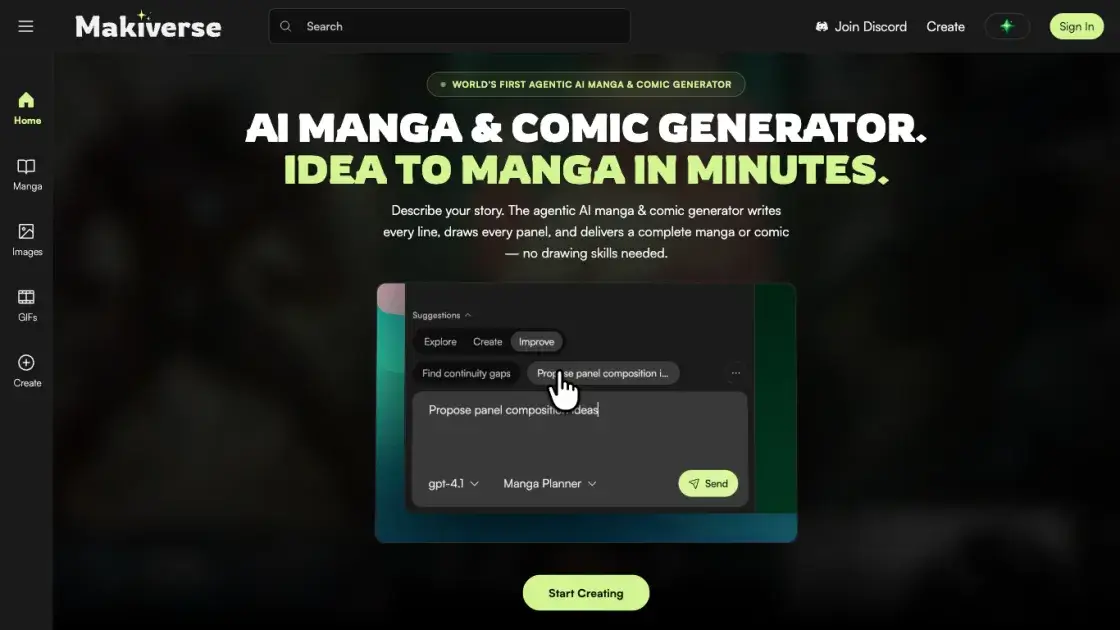
Makiverse is a free AI manga and comic generator that transforms text prompts into complete manga, comics, AI images, and GIFs with consistent characters and styles. Users can describe their story in a single paragraph and watch as the agentic AI writes every line and draws every panel, delivering a finished manga or comic without requiring any drawing skills. The platform supports multiple art styles including Manga, Epic Fantasy, Cyberpunk, and Noirpulse, allowing creators to choose the perfect visual aesthetic for their narrative. Characters and key items can be built once and reused across scenes, ensuring perfect consistency from chapter to chapter. The intuitive interface makes it easy to create publish-ready content in minutes, with one-click publishing to the public feed for global sharing.
How does Makiverse work
Makiverse works by having users describe their characters, world, and story in a single paragraph prompt. The agentic AI then writes every line of dialogue and draws every panel to create a complete manga or comic. Characters and key items are saved in a library for perfect consistency across all scenes, and users can select from multiple art styles including Manga, Epic Fantasy, Cyberpunk, and Noirpulse. The AI generates styled panels and produces publish-ready pages shared instantly with one click, creating complete manga and comics in minutes without drawing skills.
Benefits of Makiverse
Makiverse removes the main barrier to comic creation: it needs no drawing skills, since an AI agent writes the lines and draws every panel from a text prompt. Characters and key items, built once, keep the same appearance across scenes and chapters, which keeps stories coherent over many pages. Creators can switch between art styles such as Manga, Epic Fantasy, Cyberpunk, and Noirpulse. The tool outputs manga, comics, images, and GIFs, producing publish-ready pages in minutes with one-click publishing to a public feed. Makiverse is free to start; heavier use relies on paid Emeralds purchased through the store.
Pros and Cons of Makiverse
Pros
- No drawing skills needed to create manga or comics.
- Characters and items stay consistent across every scene.
- Multiple art styles including manga, cyberpunk, and fantasy.
- Free to start generating manga online.
- Publish-ready pages produced from a single prompt.
Cons
- Advanced usage requires purchasing Emeralds or a subscription.
- Web-based only, with no offline desktop app mentioned.
- Young product with less community content than established platforms.
Core Features of Makiverse
Agentic AI Generation
The platform uses agentic AI to write every line of dialogue and draw every panel from a single text prompt, creating complete manga and comics without requiring drawing skills.
Character & Item Consistency
Build characters and key items once, then reuse them across any scene with perfect consistency. Characters maintain their exact appearance chapter after chapter.
Multiple Art Styles
Choose from Manga, Epic Fantasy, Cyberpunk, and Noirpulse art styles. Each style captures different moods while keeping your world exactly as you built it.
Create Multiple Formats
Generate manga, comics, AI images, and animated GIFs from the same prompt. The platform supports both static and animated content creation.
One-Click Publishing
Publish your completed manga or comic to the public feed instantly. Your creation goes live for the world to read within minutes of completion.
Use Cases of Makiverse
- Beginner creators and aspiring comic artists: People without drawing skills can turn simple text prompts into complete manga pages instead of spending years learning to draw.
- Writers: Novelists and scriptwriters can visualize scenes and characters without commissioning illustrations, checking how a story might look before finalizing it.
- Hobbyists: Fans can make fan manga or webcomics for personal enjoyment, keeping beloved characters consistent across chapters with reusable character profiles.
- Social content creators: Creators can quickly produce manga-style images and GIFs for posts on social media, generating several visuals from a single prompt.
- Educators: Teachers turn lessons into visual comic strips, presenting events or concepts as short manga students find easier to follow.
FAQs of Makiverse
What is Makiverse, and who is it for?
Makiverse is a free online AI manga and comic generator that turns text prompts into complete manga, comics, and GIFs. It is aimed at creators, hobbyists, and storytellers who want to produce manga without learning to draw or writing scripts manually. The entire workflow runs in the browser at https://makiverse.com/, from prompting to publishing.
How does a text prompt become a complete manga?
Makiverse uses an agentic AI flow: the user describes characters, world, and story in plain text, with one paragraph being enough, and the system then writes every line of dialogue and draws every panel automatically. The create page at https://makiverse.com/create supports prompts up to 5,000 characters, with Characters, Items, and Tags options to steer generation. The output is a publish-ready manga or comic delivered in minutes, with no manual paneling required.
How does Makiverse keep characters and items consistent across scenes?
Characters and key items are built once and then dropped into any scene, where they look exactly the same chapter after chapter. The create page offers dedicated Characters, Items, and Tags options for consistent generation. Example assets listed on the site include the protagonist Kaito, the rival Yuki, and the antagonist Orin, along with items such as a katana, trench coat, and city rooftop.
Which art styles does Makiverse support?
Users can choose from several built-in styles, including Manga, Epic Fantasy, Cyberpunk, and Noirpulse. The selected style changes the visual look of the panels, while the world and characters remain exactly as built. This allows a single story to move from noir shadows to cyber neon, or from ink-heavy manga to vivid fantasy color, without rebuilding the underlying content.
What is the pricing model for Makiverse?
Makiverse is free to start, with a store page at https://makiverse.com/store offering Emeralds, the in-app currency. One-time packs range from $0.99 for 600 Emeralds to $99.99 for 90,000 Emeralds. Monthly subscriptions cost $9.99, $14.99, or $29.99 and include 16,000, 18,000, and 36,000 Emeralds per month respectively. Heavier or advanced usage therefore depends on purchasing Emeralds packs or a subscription.
Can users publish and share their manga with the community?
Yes. A one-click publish sends the finished manga live on Makiverse for the world to read. The site maintains an explore feed of AI-generated manga, images, and GIFs created by the community. Creators can also connect through community channels such as Discord and Reddit, where works and feedback are shared.
Do users need drawing skills to use Makiverse?
No. The site states explicitly that no drawing skills are needed, because the agentic generator writes every line and draws every panel. Users only describe their characters, world, and story, and the tool handles scripting, artwork, and panel layout. This makes the platform approachable for writers and storytellers without any artistic training.
How to use Makiverse
- Describe your characters, world, and story in a single prompt. One paragraph is enough; prompts accept up to 5,000 characters, so an outline of the plot and setting fits comfortably.
- Build the main characters and key items once, using the Characters, Items, and Tags options. These stay consistent across scenes, so a character looks identical in every panel and chapter.
- Pick an art style that fits the story, such as Manga, Epic Fantasy, Cyberpunk, or Noirpulse. The look changes, but the built characters and items remain the same.
- Press AI Generate and let the agent write every line of dialogue and draw every panel, turning the prompt into a complete manga or comic without any drawing skills.
- Publish the finished manga with one click. It goes live on the Makiverse community feed, where other readers can browse and read it alongside fresh AI-generated work.
Makiverse Website Traffic Analysis
Latest traffic information
- Monthly Visits28.67K
- Bounce Rate47.54%
- Pages Per Visit4.22
- Visit Duration00:02:18
- Global Rank781.6K
- Country/Region Ranking188.79K
Top Keywords
| Keyword | Traffic | Volume | Cost Per Click |
|---|---|---|---|
| makiverse | 820 | 760 | -- |
| pixai | 230 | 245.78K | $0.49 |
| i want a business card advertising my web toon | 210 | 650 | -- |
| ai manga maker | 70 | 480 | $2.4 |
| manga generator | 10 | 1.09K | -- |
Top Regions
| Region | Percentage |
|---|---|
| United States | 88.91% |
| Philippines | 6.46% |
| Canada | 4.63% |
Makiverse Alternatives
AI co-director that turns an idea or script into shot-by-shot storyboard panels for indie filmmakers, with real film shot references and PDF board export.
JuJuBit turns a photo into a custom 3D-printed figurine: choose a style, preview the AI-generated model, and receive a hand-refined painted collectible.
Translate raw manga, manhwa, manhua and webtoons into 50+ languages with AI, keeping artwork, speech bubbles and panel layout intact across full chapters.
Kinovi is a REST API that runs published video, image, and audio AI models from one endpoint. Send a model ID to createTask, poll recordInfo, and pay per use from one shared credit balance.
Coralflavor offers uncensored AI chats without safety filters, plus burn-mode retention, web search, image generation, and an OpenAI-compatible API for U.S. adults.
SpriteGen is an AI sprite creator that turns character descriptions into transparent pixel-art sprite sheets, ready to drop into your game engine.
Pet to Art is a free AI pet portrait generator that turns one clear pet photo into custom digital artwork across 170+ styles, canvas ratios, and 2K downloads.

Meta Image: browser AI studio powered by Muse Image. Edit photos with prompts, remove backgrounds, restore old photos, generate new images.
Create and edit images with Image 2.5 by GPT. Sunburst for precision, Flare for speed, up to 4K, 6 quality modes, and transparent PNG/WebP output.
Generate and edit AI images with Nano Banana Pro. Blend up to 14 images, render crisp text, and create 4K visuals online with studio controls.
SeiSei AI is a free, no-sign-up AI image generator turning text prompts into AI illustrations and realistic photos with no watermark, 5 free images daily.
TranslateImage AI translates images to 70+ languages while preserving font, layout, and style. Free online AI image translator for photos and manga.