
Pikvee AI Image Generator with Nano Banana Pro and GPT Image 2

What is Pikvee
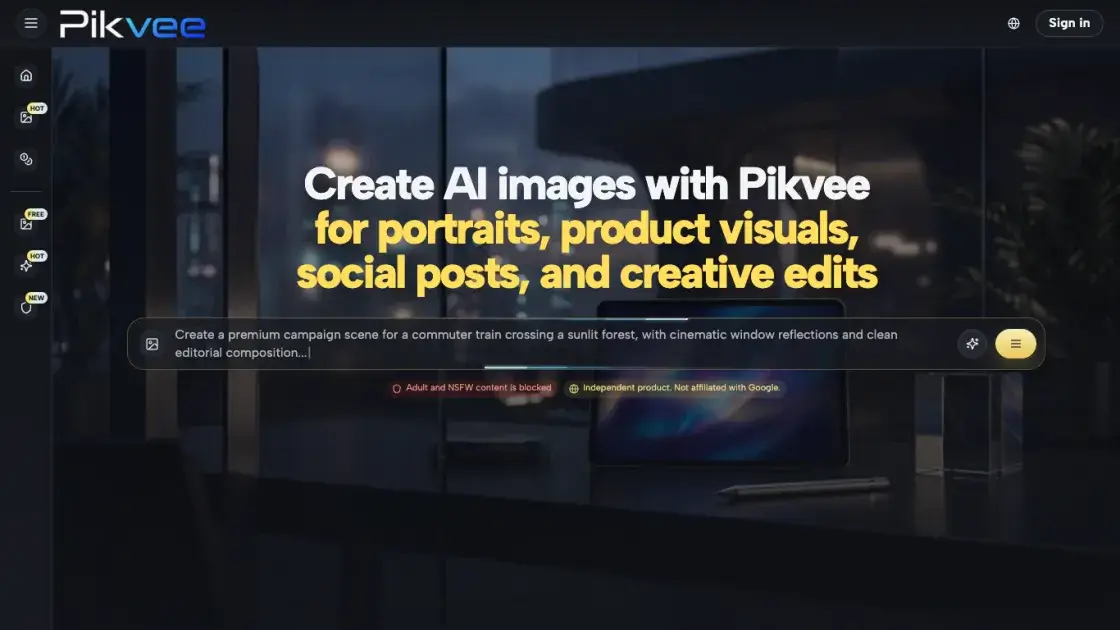
Pikvee is an AI image generator designed for teams that need polished visuals without the overhead of traditional production cycles. The platform supports multiple advanced models, including Nano Banana Pro and GPT Image 2, allowing users to generate images from text prompts or reference photos. It targets marketing teams, creators, agencies, and small businesses that require consistent, review-ready output for campaigns, product storytelling, and social content. The tool emphasizes fast iteration, style consistency across projects, and output that holds up in stakeholder review.
How does Pikvee work
Pikvee works by translating text prompts or reference images into visual output using advanced AI models. Users describe their desired visual direction, and the platform processes this through models like Nano Banana Pro and GPT Image 2 to generate multiple draft options. The system supports iterative refinement, where users can adjust tone, styling, and composition between generations without starting over. Reference images can be used to guide composition and subject identity, giving users more control than pure text-to-image generation. The platform queues requests through a generation pipeline, with priority queue access available on paid plans, and outputs images at resolutions suitable for professional use.
Benefits of Pikvee
Pikvee reduces the time between concepting and final visuals by combining fast generation with iterative refinement. Teams can move from rough prompts to review-ready images in fewer steps, which shortens campaign timelines and lowers production costs. The multi-model approach means users are not locked into a single visual style, and style reuse across projects helps maintain brand consistency without starting from zero each time. The platform is accessible to non-designers while producing output that meets professional standards, making it practical for marketing teams, agencies, and small businesses that need to scale visual production without expanding their creative team.
Pros and Cons of Pikvee
Pros
- Multi-model support including Nano Banana Pro and GPT Image 2
- Fast generation with iterative refinement between drafts
- Style direction reuse across projects for brand consistency
- Reference photo support for guided composition
- Watermark-free downloads on all paid plans
Cons
- Free tier limited to 10 credits with no priority queue
- No social media integrations or direct publishing
- Adult and NSFW content is blocked
- Pricing credits deplete quickly on high-volume use
Core Features of Pikvee
Multi-Model Image Generation
Pikvee provides access to several AI models, including Nano Banana Pro and GPT Image 2, letting users choose the best fit for their visual style and quality requirements.
Prompt-Led Creation
Users describe their visual direction in plain language, and the platform generates multiple draft options quickly, enabling fast exploration of different creative directions.
Style Direction Reuse
Aesthetic cues, lighting intent, and visual tone can be carried across new projects without re-explaining every detail, maintaining consistency across campaigns and batches.
Reference Photo Editing
For more control over composition and subject identity, users can start with a source image and guide the generation process with prompts rather than building from scratch.
Iterative Refinement
Tone, styling, and output direction can be adjusted between iterations without rebuilding the entire job, shortening the feedback-to-final-visual cycle.
Export-Ready Output
Generated images are suitable for landing pages, ad creatives, product imagery, decks, and campaign concepts, reducing friction between generation and deployment.
Use Cases of Pikvee
- Marketing teams: Generate launch visuals, paid social assets, and landing-page imagery quickly enough to support rapid A/B testing cycles.
- Social media creators: Build varied image sets for content calendars without relying on the same repeated visual treatment.
- Ecommerce operators: Upgrade product presentation and merchandising imagery without requiring a full photoshoot for every campaign change.
- Design agencies: Use the platform for concept exploration, early art direction, and faster client-facing visual proposals.
- Small businesses: Create brand-ready visuals without building a large internal creative pipeline on day one.
FAQs of Pikvee
What kind of work is Pikvee best suited for?
Pikvee fits teams that need polished image output for campaigns, product storytelling, editorial concepts, or fast visual exploration. It works well for marketing, social content, ecommerce, and agency workflows.
Can it handle both new image creation and guided edits?
Yes. Users can generate images from text prompts or start with a reference photo for more control over composition and subject identity, then refine the output through iterations.
Why would a team use this instead of a single-model tool?
Pikvee provides access to multiple AI models including Nano Banana Pro and GPT Image 2, so teams are not limited to one visual style. This flexibility supports different creative briefs within the same platform.
Is the output intended for business-facing work?
The platform is designed to produce output suitable for landing pages, ads, product imagery, decks, and campaign concepts. Images are available in watermark-free download format.
What pricing plans are available?
Pikvee offers a free tier with 10 credits, plus Starter, Pro, and Max plans with increasing credit allocations. Yearly billing provides the lowest per-month cost, and one-time payment options are also available.
How fast is the image generation?
Generation speed is a key focus of the platform. Users can move from initial request to review-ready options quickly, which supports active campaign cycles and fast iteration.
Are there content restrictions?
Yes. Adult and NSFW content is blocked on the platform.
How to use Pikvee
- Sign up for a free account at pikvee.com to get started with 10 credits and access to all available models.
- Write a detailed visual description in the prompt box, specifying the subject, style, lighting, and composition you need.
- Optionally upload a reference photo if you want more control over composition or subject identity.
- Generate your first batch of images and review the draft options returned by the platform.
- Refine the direction by adjusting your prompt, style settings, or model selection across subsequent iterations.
- Download the approved images in watermark-free format for use in campaigns, decks, or product listings.
Pikvee Website Traffic Analysis
Latest traffic information
- Monthly Visits1.02K
- Bounce Rate32.93%
- Pages Per Visit1.08
- Visit Duration00:00:00
- Global Rank14.35M
- Country/Region Ranking1.29M
Top Keywords
| Keyword | Traffic | Volume | Cost Per Click |
|---|---|---|---|
| gemini 作成写真 星のマーク | 10 | 420 | -- |
| give me 80's photo prompt for chatgpt generator | -- | 310 | -- |
| new gpt image genb | -- | 220 | -- |
Pikvee Alternatives
Browser workspace for AI image generation, reference photo editing, and short video drafts, aimed at creators, marketers, and product teams.
AI co-director that turns an idea or script into shot-by-shot storyboard panels for indie filmmakers, with real film shot references and PDF board export.
JuJuBit turns a photo into a custom 3D-printed figurine: choose a style, preview the AI-generated model, and receive a hand-refined painted collectible.
Browser studio for AI video, image and music generation with Grok Imagine, Kling and GPT Image models. Free daily credits, no sign-up required.
Mareel is an all-in-one AI video and image generation workspace giving creators, marketers, and ecommerce teams 40+ leading models and one shared credit balance.
Kinovi is a REST API that runs published video, image, and audio AI models from one endpoint. Send a model ID to createTask, poll recordInfo, and pay per use from one shared credit balance.
Coralflavor offers uncensored AI chats without safety filters, plus burn-mode retention, web search, image generation, and an OpenAI-compatible API for U.S. adults.
SpriteGen is an AI sprite creator that turns character descriptions into transparent pixel-art sprite sheets, ready to drop into your game engine.
Pet to Art is a free AI pet portrait generator that turns one clear pet photo into custom digital artwork across 170+ styles, canvas ratios, and 2K downloads.

MixVio runs 21 video, image and audio models in one browser workspace, plus 11 creator tools, with exact credit cost shown before every generation.
Meta Image: browser AI studio powered by Muse Image. Edit photos with prompts, remove backgrounds, restore old photos, generate new images.
Create and edit images with Image 2.5 by GPT. Sunburst for precision, Flare for speed, up to 4K, 6 quality modes, and transparent PNG/WebP output.