
Miso One AI Voice Generator for Expressive Dialogue Audio

What is Miso One AI
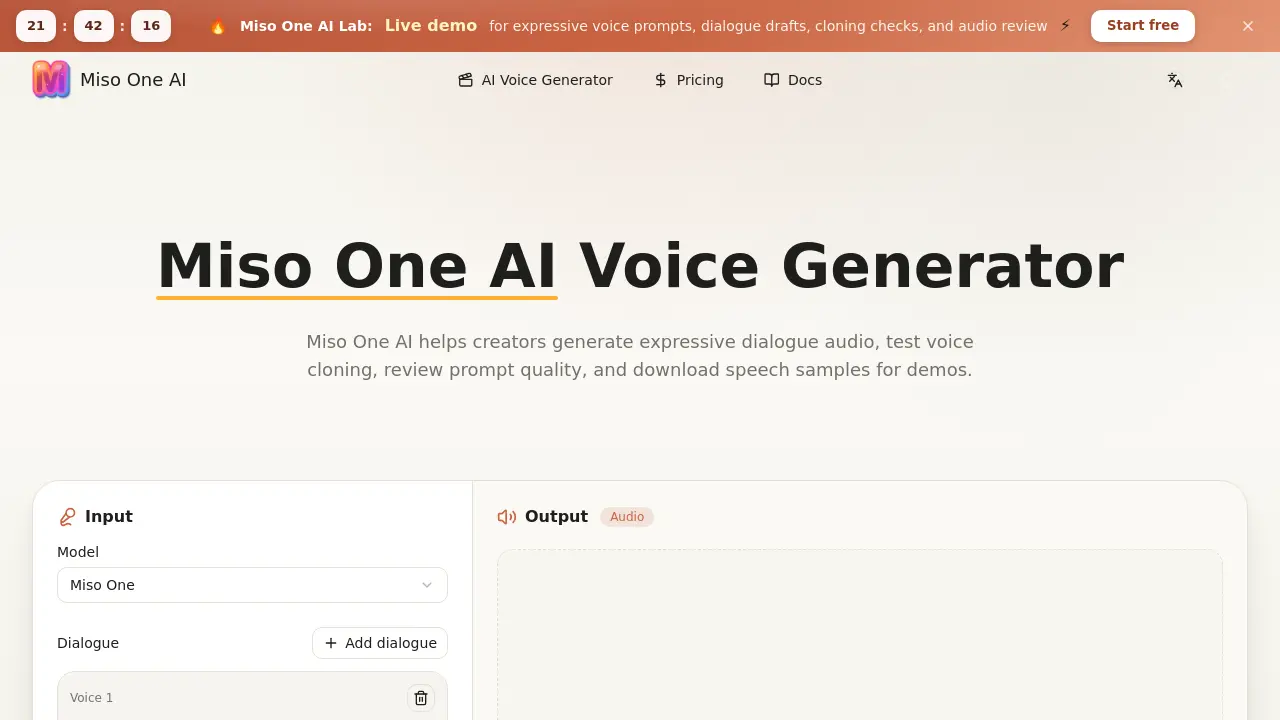
Miso One AI is a browser‑based voice workspace that converts written dialogue into expressive speech samples for rapid prototyping and review. Users write a prompt, select voice, language, and stability settings, then generate audio that can be streamed, compared, and downloaded directly from the interface. The platform supports consent‑based voice cloning checks, transcript alignment, and credit‑aware generation, allowing teams to evaluate timing, emotion, and pacing before committing to a production voice stack. Integrated prompt comparison and note‑taking tools keep feedback organized, while downloadable audio records simplify sharing with stakeholders. Designed for creators, developers, educators, and support teams, Miso One AI streamlines the iteration cycle of narration, support scripts, game lines, and voice‑agent prototypes, ensuring clearer decision‑making and faster demo delivery.
How does Miso One AI work
Miso One AI operates as a browser‑based voice workspace that converts written dialogue into expressive speech. Users input a text prompt, select parameters such as voice, language, and stability, then the platform’s generative model creates paced audio, optionally incorporating short reference clips for consent‑based cloning checks. The output is streamed for immediate playback, allowing teams to evaluate timing, emotion, and turn‑taking before integration. All prompts, transcripts, and audio files are stored within the same interface, supporting side‑by‑side comparison, credit‑aware generation, and downloadable samples for documentation or demo purposes.
Benefits of Miso One AI
Miso One AI provides a browser‑based workspace that turns written dialogue into expressive speech, allowing teams to test voice agents, support scripts, and narrative demos before production. The platform consolidates prompt writing, stability controls, language selection, cloning consent checks, and transcript comparison in one interface, helping reviewers assess timing, emotion, and pacing. Credit‑aware generation lets users plan costs, while downloadable audio files simplify sharing and documentation. Designed for creators, developers, educators, and researchers, Miso One AI streamlines audio planning, quality review, and fast iteration without requiring separate tools or studio time.
Pros and Cons of Miso One AI
Pros
- Browser‑based workspace integrates prompt writing and audio generation.
- Supports expressive speech control (emotion, rhythm, pacing).
- Includes consent‑based voice cloning checks and similarity notes.
- Credit‑aware pricing clarifies generation cost upfront.
- Downloadable audio files simplify sharing and documentation.
Cons
- Limited free credits may restrict extensive testing.
- No native multi‑language fine‑tuning beyond auto detection.
- Lacks advanced editing tools for post‑generation audio.
- Dependency on internet connection for generation latency.
- API integration details are minimal on the site.
Core Features of Miso One AI
Expressive Speech Control
Enables shaping emotion, rhythm, emphasis, and pacing, producing audio that mimics real‑world speakers and supports nuanced intent in dialogue.
Dialogue Agent Testing
Generates paced speech from written scripts, allowing teams to evaluate timing, turn‑taking, and emotional delivery before deploying voice agents.
Voice Cloning Review
Facilitates consent‑based cloning checks, displaying similarity metrics, transcript context, and reuse limits to ensure responsible clone usage.
Prompt Comparison Workflow
Displays side‑by‑side prompts, transcripts, and audio outputs, making quality feedback specific, repeatable, and easy to track across revisions.
Credit‑Aware Generation
Calculates dialogue length and generation cost, showing remaining credits and top‑up needs to prevent unexpected usage overruns.
Downloadable Audio Records
Provides instant download of generated speech samples and review links, supporting clear documentation and sharing of voice test results.
Use Cases of Miso One AI
- Game developers: Generate expressive NPC dialogue and test voice pacing before integrating into game builds.
- Customer support teams: Create and review realistic support script audio to ensure tone consistency and clear turn‑taking.
- E‑learning designers: Produce narrated lesson audio with adjustable rhythm and emphasis for improved learner engagement.
- Voice‑AI researchers: Conduct consent‑based cloning checks and compare synthetic voice samples within a controlled workspace.
- Marketing agencies: Quickly prototype narration and product demo speech, then download polished audio for stakeholder review.
FAQs of Miso One AI
What is Miso One AI?
Miso One AI is a browser‑based voice generation workspace that enables users to create expressive dialogue audio, test voice cloning, review prompt quality, and download speech samples for demos, product decisions, or research purposes.
What types of audio can Miso One AI generate?
The platform can turn written scripts into natural‑sounding speech for narration, customer‑support flows, educational scenes, game dialogue, and prototype voice agents, while allowing control over emotion, rhythm, and pacing.
How does Miso One AI support voice cloning review?
Miso One AI offers a consent‑based cloning workflow where a short reference sample can be uploaded, labeled, and compared against generated output. The system records similarity checks, consent notes, and reuse limits to help teams verify cloning quality responsibly.
Why is latency important when using Miso One AI?
Low latency ensures that generated speech aligns with real‑time interaction requirements, making voice agents sound more natural, reducing awkward pauses, and improving the overall user experience in interactive applications.
How should teams evaluate the output from Miso One AI?
Teams are encouraged to compare the generated audio with the original script, transcript, and timing notes, then score clarity, emotional expression, and stability. Documenting these reviews creates repeatable feedback for future iterations.
How do credits work in Miso One AI?
Credits are consumed based on the length and complexity of each generation. Short test scripts consume fewer credits, while longer dialogues require more. The credit dashboard lets users monitor usage and plan top‑ups before extensive review sessions.
Can Miso One AI be used for production‑level audio?
Miso One AI is primarily designed for prototyping, planning, and internal reviews. For final production, users should verify licensing terms, safety policies, storage compliance, and any additional provider requirements before releasing the audio publicly.
Who can benefit from using Miso One AI?
Creators, developers, educators, agencies, researchers, and support teams who need rapid, repeatable voice samples for decision‑making, training, or demo purposes will find the platform especially useful.
What adjustable parameters are available during generation?
Users can select voice identity, language, stability (which controls randomness), and output options such as format and length. These settings help tailor the speech to specific use cases and quality expectations.
Is it possible to download generated audio for offline review?
Yes, after a generation completes, the audio file can be downloaded directly from the workspace. Downloadable files can be shared with stakeholders, archived for future reference, or incorporated into product demos.
How to use Miso One AI
Miso One AI provides a browser‑based workspace to generate expressive dialogue audio, conduct voice‑cloning checks, review prompts, and download speech samples for demos and planning.
Enter the desired script or dialogue in the text field; optionally attach a short reference clip when the workflow permits cloning verification.
Select voice, language, and stability parameters, adjusting emotion, rhythm, and pacing to match the intended expressive style.
Click Generate, then monitor the progress bar; the platform renders the audio based on the chosen settings within moments.
Review the generated sound alongside the transcript, noting timing, turn‑taking, and emotional delivery for quality assessment.
Download the resulting audio file, attach review notes, and share the link with team members for collaborative decision‑making.
