
Play HT AI Voice Generator with 200+ Text to Speech Voices
| Added on: | Sep 28, 2026 |
| Monthly Visits: | -- |
| Social & Email: | -- |

What is Play HT
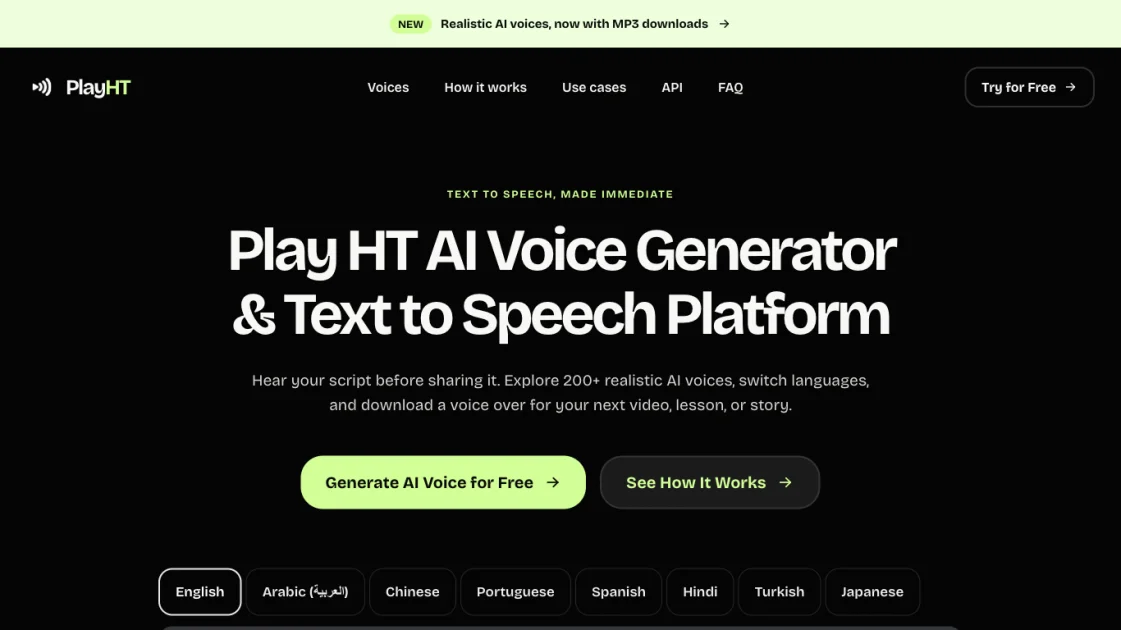
Play HT is a browser-based AI voice generator and text to speech platform that turns written scripts into spoken audio without an account. The editor accepts up to 500 characters, offers more than 200 public voices, and returns an MP3 voice over for a video, lesson, or story. Speech synthesis runs on ElevenLabs technology, with Play HT acting as the front end and proxy so the provider API key stays private. Preview language tabs cover English, Arabic, Chinese, Portuguese, Spanish, Hindi, Turkish, and Japanese, while the public catalog lists 371 voices across 18 languages and accents such as american, british, australian, and indian. Voices carry name, accent, gender, and a character descriptor like conversational, documentary, or customer care. Audio starts playing while it is still being generated, and the finished clip downloads as MP3. Voice choice, preview, and export sit on one page, which is where video editors, course authors, and developers check narration before committing to a paid pipeline.
How does Play HT work
The editor sends the text, selected voice ID, and language code to the Play HT server, which forwards the request to ElevenLabs; the provider API key stays server side. ElevenLabs synthesizes the speech and returns an MP3 stream, so browsers with MP3 streaming support start playing as chunks arrive while others wait for the finished clip. New shared voices can take longer to prepare, and a shared voice leaves the list if its owner removes it. Requests are checked against three limits before synthesis: 500 characters per call, three generations per network address daily at 00:00 UTC, and a site-wide 6,000-character daily capacity. Cancelling a generation counts as one attempt. Limit tracking stores daily network hashes, character counts, and request status, cleared after seven days.
Benefits of Play HT
Play HT lets a script be heard out loud in one visit, before it goes into a recording, a course, or a product video. No sign-up, no installation, and no API key mean one pasted sentence is enough for a first listen. With 371 catalog voices, pace, accent, and character can be matched to the audience instead of settling for a default. Audio streams while it generates, replay costs nothing, and nothing is kept after the download. The ceiling is capacity: a short character limit per call, three generations per network address a day, and one shared site-wide allowance, which suits previews and drafts better than finished narration runs.
Pros and Cons of Play HT
Pros
- No account or installation required
- 371 public voices across 18 languages
- Streaming playback with free unlimited replay
- MP3 download at no cost
- Neither script nor audio stored
Cons
- Only 500 characters per generation
- Three generations per network address daily
- Shared 6,000-character site capacity daily
- Clips lost after refresh, no library
- Independent project, not the original Play.ht
Core Features of Play HT
Text to speech editor with streaming playback
Paste up to 500 characters and press Generate. Browsers that support MP3 streaming can start playback while audio is still being generated, so a preview arrives before the clip is fully rendered.
Public voice catalog of 200+ voices
The catalog lists 371 voices with metadata for name, language, accent, and gender, including 186 English voices. Each entry shows a character descriptor, for example Newsreader and Educator or Warm, Reassuring, and Round.
Multi-language and accent selection
Language tabs switch the voice list between English, Arabic, Chinese, Portuguese, Spanish, Hindi, Turkish, and Japanese, with accents such as american, british, canadian, australian, indian, latin american, and brazilian.
Voice search by name or accent
A search field filters the voice list by name or accent, useful when a project needs a specific tone such as a documentary narrator or a customer support agent.
MP3 download and session replay
Completed clips can be replayed as many times as needed and downloaded as MP3 files for an editing workflow, without using another generation quota.
Public preview API for developers
GET https://playht.app/api/voices returns the voice catalog as JSON, and POST https://playht.app/api/tts accepts text, voiceId, and language, responding with an MP3 audio stream for short previews.
No account and no clip storage
Generation works without registration. Play HT does not save generated text or audio and keeps no audio library; only daily network hashes and character counts are recorded for limits.
Use Cases of Play HT
- Narration: read a story or documentary opening aloud to check pacing and pauses before recording the final take.
- Product demos: voice a short welcome or onboarding line to test how first-run copy sounds to a new user.
- Learning content: check pronunciation of names and technical terms in a lesson passage, one idea at a time.
- Video and podcast drafts: hear a script excerpt in several voices to settle tone, accent, and character.
- Developers: fetch the JSON voice catalog and stream a preview MP3 from the TTS endpoint inside a prototype.
FAQs of Play HT
What is Play HT?
Play HT is a free online AI voice generator and text to speech platform. It converts a written script into spoken audio using ElevenLabs technology, with more than 200 public voices available in the browser editor and no account required to generate a first clip.
How does the free Play HT AI voice generator work?
Enter a script, choose a language and voice, and press Generate. Play HT sends the text to ElevenLabs and returns an MP3. Supported browsers play audio as it arrives, others play the completed clip, and replaying an existing clip uses no extra generation.
Which languages and accents are available?
English is the default tab. Pick from English, Arabic, Chinese, Portuguese, Spanish, Hindi, Turkish, or Japanese. Each tab lists matching voices from the public catalog, which currently returns 371 voices with accents including american, british, australian, indian, latin american, and brazilian.
Can the generated audio be downloaded?
Yes. Choose Download MP3 after generation finishes. Replay and download do not consume additional quota. Save the file before leaving or refreshing the page, because Play HT does not store generated clips or maintain an audio library.
What are the free preview limits?
Up to 500 characters per generation and three generations per network address daily, resetting at 00:00 UTC. The site also shares a daily capacity of 6,000 characters. Starting or cancelling a generation counts as one attempt, and clips stay available for replay and download within the current session.
Is this the same as the archived Play.ht service?
No. PlayHT and Play.HT refer to the earlier Play.ht brand. Play HT at playht.app is an independent implementation built on ElevenLabs technology, and earlier accounts, subscriptions, projects, and API credentials do not transfer.
Where does the submitted text go?
ElevenLabs processes the script. Play HT does not save text or audio; daily network hashes, character counts, and request status are kept to enforce limits, and records older than seven days are removed on the next generation. Provider processing follows the ElevenLabs privacy policy.
How to use Play HT
- Open the editor at https://playht.app/ and choose Generate AI Voice for Free. No account, download, or API key is required to start.
- Paste the script into the message box, staying within the 500-character counter shown next to the editor field.
- Select a language tab, from English, Arabic, Chinese, Portuguese, Spanish, Hindi, Turkish, or Japanese, to filter voices.
- Pick a voice from the list, or type a name or accent in the search field to find a specific tone quickly.
- Press Generate and listen. Supported browsers start playing the MP3 while the clip is still being produced.
- Revise the wording or switch voices, then replay the finished clip as often as needed without extra quota.
- Choose Download MP3 and save the file before closing or refreshing the page, since clips are not stored.
- For programmatic previews, call GET https://playht.app/api/voices, then POST https://playht.app/api/tts with text, voiceId, and language.
Play HT Alternatives
LOVO AI turns scripts into MP3 voiceovers in the browser, with 21 voice previews, permission-based voice cloning, 74-language speech, and a video editor.

MixVio runs 21 video, image and audio models in one browser workspace, plus 11 creator tools, with exact credit cost shown before every generation.
PodcastorAI turns PDFs, URLs, notes, and audio into studio-quality video podcasts with AI hosts, voices, and scripts for YouTube, Spotify, and TikTok.
Jev is TypeSafe AI's System One model that returns typed decisions with calibrated confidence for automation. Fast, cheap, zero hallucinations.
Use GPT, Claude, Gemini and Grok through one OpenAI-compatible API. Compare model rates, create a key, and make your first request in minutes.
Git-native task management for AI coding agents: track intent, status, blockers, dependencies, history, and commit evidence in Git.
SJolt is an AI model API platform aggregating top image, video, and audio generation models behind one unified request flow for developers and teams.
Tokenhot is a unified LLM API gateway delivering OpenAI, Claude, Gemini and DeepSeek models through a single endpoint, cutting API costs by up to 90%.
DSH Hub catalogs verified DeepSeek Harness plugins and clients. Browse open-source repositories with source inspection before installation.
Always free browser that shares your logged-in Chrome state with AI agents like Claude Code and Codex, running browser automation up to 3.45x faster.
Formpost is a free contact form to email API delivering submissions to your inbox with AI spam filtering, webhooks, file uploads and a REST API.
KidVoice is an AI kid voice generator that creates natural child and teen voice audio from text with multilingual support and voice cloning.