
AtAt: Your AI Agent in Any Mac App, No App-Switching

What is AtAt
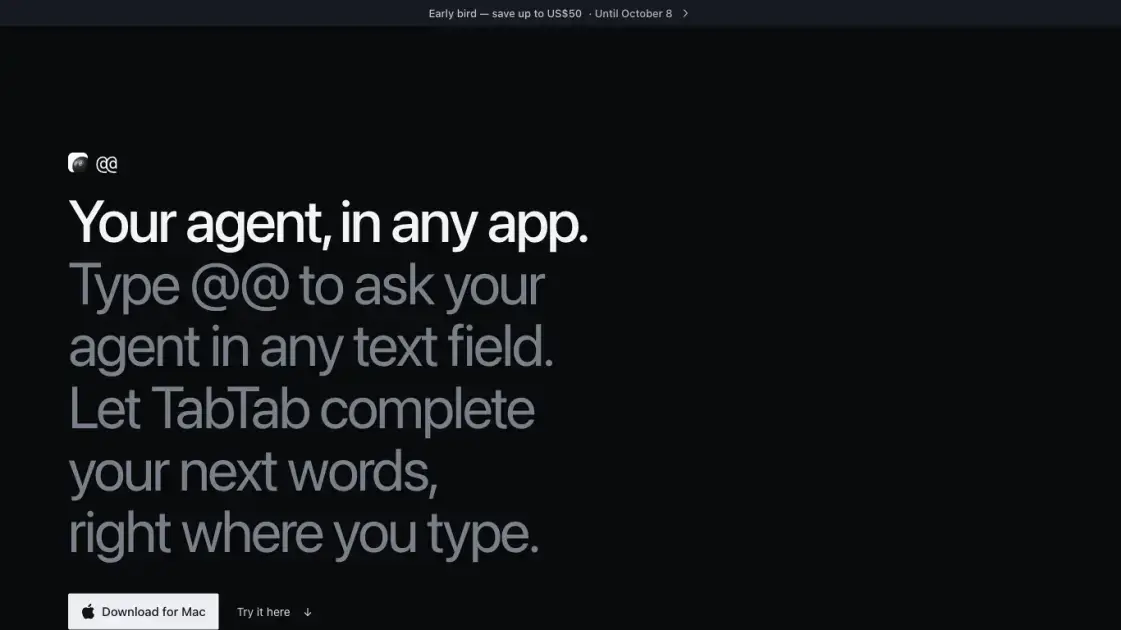
AtAt is a native macOS app for Apple silicon Macs that brings AI agents out of dedicated chat windows and into the text fields where work actually happens. Type @@ in any editable field, describe what you need, and the answer lands at your cursor, with the current screen, clipboard, and Finder selection as context. It ships built-in support for Claude Code, Codex, Grok, Cursor, OpenCode, and Antigravity, accepts your own OpenRouter, OpenAI, Anthropic, or DeepSeek API key, and can run local models through Ollama or Apple's on-device Siri AI. Without an agent, it still works as a screenshot tool with OCR, a searchable clipboard history on ⌘⇧V, and TabTab, a type-ahead autocomplete that suggests your next words in apps, terminals, and code editors. History stays on the Mac by default; optional iCloud Sync is opt-in and uses the user's own private container.
How does AtAt work
AtAt listens for the @@ keystroke in whatever editable field currently has focus, then gathers context from the visible screen, the clipboard, and any Finder selection. It sends that context to the agent provider you choose, whether a local CLI like Claude Code, a hosted API key, an Ollama model, or Apple's on-device Siri AI, and never routes your work through an AtAt server. The provider's response comes back to the original cursor position and is inserted in place. TabTab works on the same focus signal, but instead of waiting for a trigger, it offers next-word suggestions as you type. Selection actions watch for mouse text selection in apps that expose it to macOS, and screenshot shortcuts capture pixels for OCR or direct hand-off to the agent.
Benefits of AtAt
AtAt keeps Mac-native performance and no Electron overhead, and it does not build a cloud layer around your prompts, clipboard, or captures; everything stays on the Mac unless you explicitly enable iCloud Sync or send work to a remote agent provider. The @@ trigger works in almost any editable, non-secure field, including browser text boxes and terminals, which means it slots into existing tools instead of replacing them. A 7-day trial needs no account or payment card, pricing is flat, and a 30-day money-back guarantee covers purchases. The main trade-off is hardware: AtAt requires an Apple silicon Mac on macOS 15 or later, so Intel machines are out.
Pros and Cons of AtAt
Pros
- Native macOS app without Electron
- Agents run locally or via your own API key
- Works in almost any editable text field
- Data stays on the Mac by default
- No account or card needed for the trial
Cons
- Apple silicon Mac only, no Intel support
- Siri AI requires macOS 26
- Some features need multiple system permissions
- No built-in model; you must bring one
- Paid plans required after the 7-day trial ends
Core Features of AtAt
Ask an agent in any text field
Type @@ in Messages, Mail, browser replies, docs, or terminals to call your agent with on-screen and clipboard context, then insert the answer back at the cursor.
TabTab autocomplete
Your next words appear as suggestions in the same field you are already typing in, including terminals and code editors, so drafts stay where they started.
Bring your own agent
Run Claude Code, Codex, Cursor, or other CLIs, point AtAt at your own OpenRouter, OpenAI, Anthropic, or DeepSeek API key, or stay local with Ollama and Siri AI.
Selection actions
Select a passage anywhere it is readable, then rewrite, explain, summarize, or hand the selected text to your agent without re-typing it.
Screenshot and screen recording
Capture areas, windows, or scrolling regions with ⌘⇧3/⌘⇧4/⌘⇧5, record with optional audio, run OCR on the result, and edit or share it from the same tool.
Clipboard history
Browse, search, and paste back earlier copies with ⌘⇧V. Favorites and image attachments can sync through optional iCloud sync, but everything stays local by default.
Use Cases of AtAt
- Writers: reply to editorial messages in Mail or Messages without switching to a chat app, and let TabTab draft the next sentence.
- Developers: paste a selected error or code snippet into Claude Code or Codex via @@, then continue the session in your terminal.
- Researchers: capture a window or scroll region, run OCR, and hand the text to a local Ollama model for a summary.
- Marketers: turn a scattered thought into polished feedback in a Google Doc or X reply box, using the on-screen context already loaded.
- General Mac users: keep a searchable clipboard history on ⌘⇧V and quickly paste back an address, link, or image attached to a session.
FAQs of AtAt
Which AI agents work with AtAt?
Claude Code, Codex, Grok, Cursor, Pi, Hermes, OpenCode, and Antigravity are supported out of the box, and another CLI can be added as a custom provider. AtAt also accepts your own OpenRouter, OpenAI, Anthropic, or DeepSeek API key, plus local models through Ollama and, when available, Apple's on-device Siri AI.
Do I need an agent to use AtAt?
No. Without an agent, AtAt still functions as a complete screenshot tool: ⌘⇧3, ⌘⇧4, and an all-in-one ⌘⇧5 with area, window, and scrolling capture, screen recording, and OCR, plus a searchable clipboard history on ⌘⇧V and a small action bar for any selected text.
Which apps does AtAt work in?
The @@ trigger works in any editable, non-secure text field on the Mac, including native apps and browser text boxes such as Google Docs or a reply field on X. Password and other secure fields are never read, so the trigger stays quiet there. TabTab suggestions work in the same fields, terminals and code editors included.
What stays on my Mac?
History, clipboard data, copied attachments, and settings all remain on the Mac by default. Optional iCloud Sync is off until enabled separately on each Mac, and it uses the user's private iCloud container and iCloud Keychain rather than an AtAt server.
Does my work go through an AtAt server?
No. Prompts and context go directly from the Mac to the chosen CLI, API provider, Ollama service, or Apple on-device model. A remote provider still handles what is sent under its own privacy policy, but AtAt itself never sits between the user and the agent.
How do I install AtAt on my Mac?
Open https://atatapp.com/download and the disk image starts downloading on its own, then drag AtAt into Applications and launch it. The one-line Homebrew alternative is brew install --cask xinyao27/tap/atat. Neither path requires an account or a payment card to start the 7-day trial.
How to use AtAt
- Download AtAt from https://atatapp.com/download or run
brew install --cask xinyao27/tap/atat, drag it into Applications, and launch it. The 7-day trial does not require an account or card. - Grant only the macOS permissions your chosen features need: Input Monitoring for the @@ trigger, Accessibility for inserting results, Screen Recording for captures, and microphone, camera, or Finder access when used.
- Pick an agent provider: connect a CLI such as Claude Code or Codex, add your own OpenRouter, OpenAI, Anthropic, or DeepSeek API key, or use Ollama / Siri AI locally.
- In any text field, type @@ and describe the task, then let the answer land at the cursor. Let TabTab offer next words, select text for quick actions, and use ⌘⇧V to revisit copied items.
- To pay later, sign in at https://atatapp.com with email, Google, or GitHub, choose monthly, yearly, or lifetime, and unlock the same account on up to three Macs.
AtAt Website Traffic Analysis
Latest traffic information
- Monthly Visits265
- Bounce Rate53.82%
- Pages Per Visit1.46
- Visit Duration00:00:42
- Global Rank--
- Country/Region Ranking--
Top Keywords
| Keyword | Traffic | Volume | Cost Per Click |
|---|---|---|---|
| atatapp | 130 | 240 | -- |
AtAt Alternatives
Free invoice maker for freelancers and small businesses on Web, iOS and Android. Create unlimited PDF invoices, manage clients and companies, and bill from AI assistants via MCP.

Relay App turns plain-language instructions into AI workflows that connect 200+ apps, run reliable automations, and pause for human approval.
Play HT is a free AI voice generator that turns text into speech with 200+ public voices, streams previews in the browser, and exports MP3 files.
Dash is an AI teammate in Slack and Microsoft Teams that connects 3,000+ tools, automates workflows and completes tasks in your channel.
Jev is TypeSafe AI's System One model that returns typed decisions with calibrated confidence for automation. Fast, cheap, zero hallucinations.
Use GPT, Claude, Gemini and Grok through one OpenAI-compatible API. Compare model rates, create a key, and make your first request in minutes.
Git-native task management for AI coding agents: track intent, status, blockers, dependencies, history, and commit evidence in Git.
SJolt is an AI model API platform aggregating top image, video, and audio generation models behind one unified request flow for developers and teams.
Tokenhot is a unified LLM API gateway delivering OpenAI, Claude, Gemini and DeepSeek models through a single endpoint, cutting API costs by up to 90%.
DSH Hub catalogs verified DeepSeek Harness plugins and clients. Browse open-source repositories with source inspection before installation.
Always free browser that shares your logged-in Chrome state with AI agents like Claude Code and Codex, running browser automation up to 3.45x faster.
Formpost is a free contact form to email API delivering submissions to your inbox with AI spam filtering, webhooks, file uploads and a REST API.