
DSH Hub: Verified DeepSeek Harness Plugins and Clients

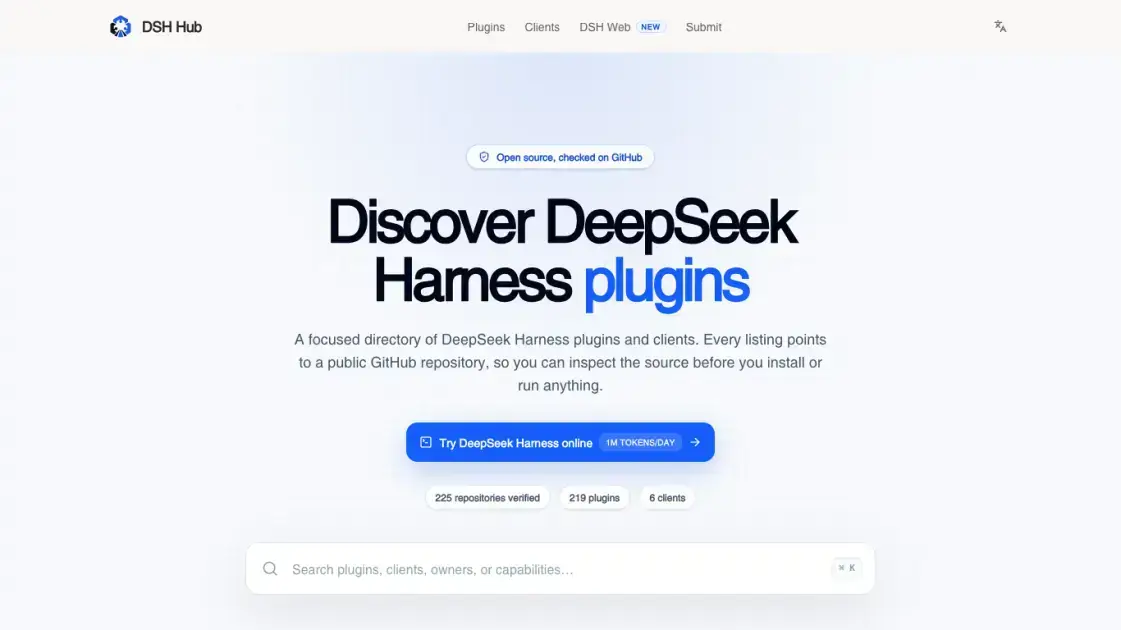
What is DSH Hub
DSH Hub is a curated directory of verified DeepSeek Harness plugins and clients, hosting 219 GitHub repositories that cover extensions, themes, vision tools, memory systems, and terminal interfaces. Every listing links directly to a public repository, allowing users to inspect source code before installation. The directory spans categories from marketplace plugins and UI enhancements to voice input, browser automation, and AI agent workflows, making it a central reference point for the DeepSeek Harness ecosystem. Plugins can be installed through the built-in DSH Market or cloned from GitHub, offering both convenience and transparency for developers evaluating community-built tools.
How does DSH Hub work
DSH Hub operates as a web directory that aggregates verified DeepSeek Harness plugin repositories from GitHub. Each listing links to a public repository, and the DSH Market plugin enables one-click installation directly from the Harness Settings interface. Users browse the directory at dsh-hub.org, identify plugins matching their needs, and install them through the built-in marketplace or by cloning the repository manually. Source inspection happens through the GitHub link before any installation step.
Benefits of DSH Hub
DSH Hub centralizes the DeepSeek Harness plugin ecosystem by providing verified, source-inspectable listings, eliminating the need to search across scattered GitHub repositories. The directory covers a wide range of categories including vision, voice, memory, billing, themes, and automation, so users can find and install extensions without leaving the Harness environment. Since every repository is public, developers can review code quality and security before installation, which reduces trust friction for adopting community-built tools.
Pros and Cons of DSH Hub
Pros
- 219 verified repositories with direct GitHub links
- Wide plugin coverage across vision, voice, memory, and themes
- Source inspection before installation for every listing
- Built-in marketplace integration for one-click install
- Free directory with no access restrictions
Cons
- Quality varies across community-contributed plugins
- No centralized review ratings or user feedback system
- Some plugins may lack documentation or maintenance
Core Features of DSH Hub
Plugin Marketplace
DSH Market provides a built-in marketplace within Harness Settings, offering search, one-click installation, updates, theme management, diagnostics, and guarded source checks for verified plugins.
Vision Tools
DSH Vision Toolkit and Vision Router deliver image Q&A, long-screenshot OCR, UI restoration, grounding, pixel diffing, and SVG trace capabilities without requiring Python, enabling text-only agents to process visual input.
Terminal UI
DSH TUI offers a full-screen terminal interface with a whale header, live status display, streaming thought output, rollback controls, and context metrics, providing a Claude Code-style experience in the terminal.
Theme and Skin System
The theme plugin ecosystem includes Firefly, Dream Skin, and other customizable skins for the DSH Web UI, along with a status rotator and whale animation for personalized workspace aesthetics.
Billing and Usage Tracking
Multiple billing plugins such as DSH Cost Meter, Balance Meter, and Spend provide per-session and daily API cost breakdowns, budget alerts, peak/off-peak pricing support, and usage heatmaps across day, week, month, and year views.
Memory and Context Management
Plugins like DSH Memory, Unified Agent Memory, and Context Vista offer context lifecycle management with categorized composition, content details, evolution trends, compaction and injection events, and donut chart visualizations of token usage.
Voice and Input
Voice input plugins including webspeech integration and microphone input enable hands-free interaction with DeepSeek Harness, complemented by a reasoning effort slider for fine-tuning model output depth.
Automation and Agent Tools
DSH Automation, Agent Teams, and Task Planner extend DeepSeek Harness with workflow automation, multi-agent coordination, and task DAG management for complex multi-step projects.
Use Cases of DSH Hub
- Developers: Browse and install verified DeepSeek Harness plugins for vision, voice, and workflow automation needs
- Power users: Explore terminal UI alternatives and theme customizations to personalize the Harness workspace
- Teams: Discover agent coordination and task planning plugins for multi-step project management workflows
- Plugin authors: List public GitHub repositories in a centralized directory to increase visibility and adoption
- Security-conscious users: Inspect plugin source code before installation to verify code quality and safety
FAQs of DSH Hub
What is DSH Hub?
DSH Hub is a directory of verified DeepSeek Harness plugins and clients, hosting 219 GitHub repositories that extend the Harness environment with vision tools, terminal interfaces, themes, memory systems, and automation workflows.
Who should use DSH Hub?
Developers and power users working with DeepSeek Harness who want to discover, evaluate, and install community-built extensions, themes, or utility plugins for their workspace.
How do I install a plugin from DSH Hub?
Browse the directory at dsh-hub.org, locate the desired plugin, and use the DSH Market plugin within Harness Settings for one-click installation, or clone the linked GitHub repository directly.
Are the repositories on DSH Hub verified?
Yes, every listing on DSH Hub points to a public GitHub repository, allowing users to inspect the source code before installation and verify that the plugin meets their quality and security standards.
What categories of plugins are available?
DSH Hub covers plugins across vision and OCR, terminal UI, themes and skins, billing and usage tracking, memory and context management, voice input, browser automation, and agent workflow tools.
Is DSH Hub free to use?
Yes, browsing the DSH Hub directory and accessing repository links is completely free. Individual plugins may have their own licensing terms, which are specified in their respective GitHub repositories.
Can I contribute a plugin to DSH Hub?
Plugin authors can submit their repositories for inclusion by ensuring they are public GitHub projects, and the DSH Hub team reviews and verifies listings before adding them to the directory.
How to use DSH Hub
- Visit the DSH Hub website at https://dsh-hub.org/ to browse the full directory of verified DeepSeek Harness plugins and clients
- Use the search or category filters to locate plugins matching your specific needs, such as vision tools, themes, or memory systems
- Click on a plugin listing to view its GitHub repository and inspect the source code, documentation, and installation instructions
- Install the plugin using the DSH Market plugin within Harness Settings for a one-click setup, or clone the repository manually from GitHub
- Configure the installed plugin through the DSH Web UI or terminal settings, adjusting options like themes, keybindings, or billing dashboards as needed
DSH Hub Website Traffic Analysis
Latest traffic information
- Monthly Visits2.55K
- Bounce Rate36.94%
- Pages Per Visit2.43
- Visit Duration00:00:42
- Global Rank5.46M
- Country/Region Ranking2.48M
Top Keywords
| Keyword | Traffic | Volume | Cost Per Click |
|---|---|---|---|
| dsh плагины агрегаторы | 90 | -- | -- |
| dsh hub | 70 | 460 | -- |
| dshhub | 70 | 260 | -- |
| vibeinging/dsh-desktop dsh-wsl-workspace | 60 | 60 | -- |
| dsh-univer-office | 20 | 310 | -- |
Top Regions
| Region | Percentage |
|---|---|
| United States | 84.71% |
| United Kingdom | 7.95% |
| India | 7.34% |
DSH Hub Alternatives
SeedRouter puts image, video, language and audio models from OpenAI, Google and Anthropic behind one key, billing per request and never for failed calls.
Open-source AI coworker for Slack and Lark that runs Claude Code, Codex or Pi on your own machine with the plan or API key you already pay for.
Ordalin is an AI tool directory for comparing reviewed tools by category, goal, pricing and platform, with facts checked against makers’ official websites.
AtAt runs Claude Code, Codex, or local models in the text field you are typing in, no app-switching. It adds TabTab autocomplete, screenshots, and clipboard history.
Play HT is a free AI voice generator that turns text into speech with 200+ public voices, streams previews in the browser, and exports MP3 files.

Jev is TypeSafe AI's System One model that returns typed decisions with calibrated confidence for automation. Fast, cheap, zero hallucinations.
Use GPT, Claude, Gemini and Grok through one OpenAI-compatible API. Compare model rates, create a key, and make your first request in minutes.
Gamified SaaS & AI tools directory with an interactive launch map. Browse launches, vote, and earn a DR 61+ dofollow backlink free with your badge.
Git-native task management for AI coding agents: track intent, status, blockers, dependencies, history, and commit evidence in Git.
SJolt is an AI model API platform aggregating top image, video, and audio generation models behind one unified request flow for developers and teams.
Tokenhot is a unified LLM API gateway delivering OpenAI, Claude, Gemini and DeepSeek models through a single endpoint, cutting API costs by up to 90%.
Always free browser that shares your logged-in Chrome state with AI agents like Claude Code and Codex, running browser automation up to 3.45x faster.