
openTag — Open Source AI Coworker for Slack and Lark

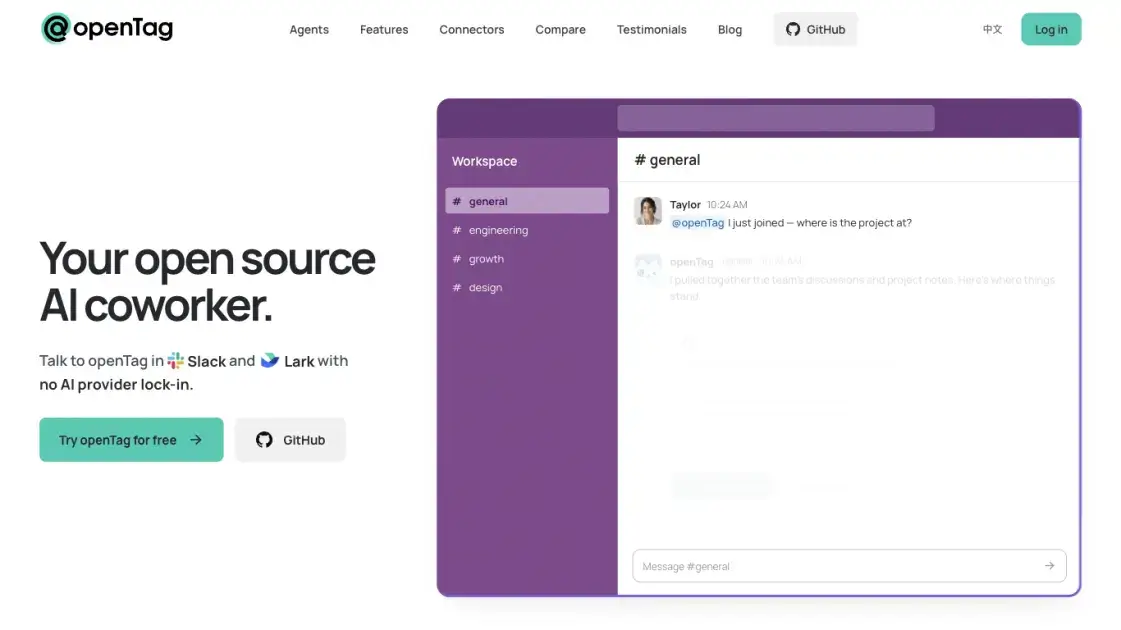
What is openTag
openTag is an open source AI coworker that lives inside team chat: you mention it in a Slack or Lark thread with a task, and a coding agent on a machine you control does the work and answers in the same thread. It drives the agent harness already installed there — Claude Code, Codex or Pi — and bills to the model plan or API key the team already holds, so no second subscription is needed for intelligence. Because openTag's servers handle sign-in and routing only, conversations, code and memory stay off them by default and the whole stack can be self-hosted. It suits teams whose work arrives in chat channels but whose agents, files and credentials live on a local Mac or Linux box.
How does openTag work
openTag splits into three parts: the team chat where people talk to a worker in a channel or DM, an openTag server that receives those messages and tracks workers, tasks and sessions before routing each one to the right machine, and a small daemon on the connected computer that holds a connection to the server. When a task arrives, the daemon starts a session with the local agent harness, passes in the thread's context, and posts the result back to chat. Follow-up messages in the same thread continue the same session, so a conversation with the worker can iterate the way one with a colleague does. The server can be the hosted one or a self-hosted instance, since it is fully open source.
Benefits of openTag
The case for openTag rests on not paying twice for intelligence: the harness and model subscription a team already holds become the worker's engine, so switching provider later does not mean rebuilding the setup. Running on a machine the team controls keeps source code, credentials and session files off third-party infrastructure, and the approval card puts a person in the loop before anything risky executes. Memory being plain markdown in a repository the team owns means it can be read, edited, diffed and rolled back with normal git tooling instead of living inside a vendor's database. Add Apache 2.0 licensing with a self-hostable server, and teams that later need policy control have a path that does not depend on a vendor roadmap.
Pros and Cons of openTag
Pros
- Apache 2.0 licensed, with the whole stack including the server available to self-host.
- Any agent harness and model the team already pays for can drive it.
- Source code, credentials and sessions stay on hardware the team owns.
- Shared memory is portable markdown in a git repository under team control.
- Free to use, with billing going to the model provider rather than per seat.
Cons
- Pre-alpha, so behaviour and the command-line surface are still moving.
- Needs a Mac or Linux machine kept awake, or a paid cloud sandbox instead.
- Teams and Discord are not supported yet; only Slack and Lark are wired up.
- Org-level permissions and admin controls are not built.
- Third-party use of consumer subscription plans depends on each provider's terms.
Core Features of openTag
Bring your own agent harness
openTag does not ship a new agent loop or model wrapper; it drives an existing local installation of Claude Code, Codex or Pi, so a worker inherits whatever models that harness supports, including switching providers per worker.
One agent shared by a channel
A single worker serves a whole channel, and everyone in it can mention it. Teammates see what it is doing, pick up where someone else stopped, and hand work between agents that check on each other's progress.
Local runs with approval cards
Workers execute on a machine you own — a laptop, a Mac mini or a Linux box — reaching the same files, repositories and CLIs you do. When a risky action comes up, the person who started the task gets a private card with Approve and Deny buttons, and only that person can decide.
Context Tree memory
Team knowledge sits in markdown files inside a git repository in your own GitHub organization, readable, versioned and reviewable like code. Agents propose updates after a task and a person reviews them before they land.
MCP connectors and skills
openTag ships a catalogue of MCP servers covering docs, chat, projects, web search, design, data and payments, and agents can reach whatever else the local machine already has credentials for. It also accepts standard Agent Skills written as markdown files, which can be committed and reviewed in a pull request.
Standing, proactive work
Beyond one-off requests, a worker can watch a channel, run a job on a schedule, and follow up on threads that stalled.
Use Cases of openTag
- Engineering teams: triage repo issues, open pull requests and query a database from a channel without leaving the chat.
- Solo maintainers: let a worker watch incoming reports and respond to them overnight.
- Product and operations staff: pull metrics and status answers from shared team context rather than digging through notes.
- Sales and design owners: look up customer records, calendar availability or Figma layouts through an agent wired to those services.
- Teams without spare hardware: place always-on workers in a cloud sandbox while keeping file-sensitive ones local.
FAQs of openTag
Do I need a paid API key to use openTag?
No. It accepts a Claude or Codex plan as well as an API key, though shared workspaces are advised to use a key, and each provider's terms govern whether a subscription may be used this way.
What hardware has to be running?
A Mac or Linux computer kept on and online with Claude Code, Codex or Pi installed, or a cloud sandbox worker from openTag Cloud if keeping a machine awake is inconvenient.
Where are conversations and code stored?
Not on openTag's servers by default. Sessions and working files stay on the connected computer, and team memory lives in a git repository hosted in your own GitHub organization.
Can several people share one worker?
Yes. One agent serves a channel and anyone in it may mention it, hand tasks to other agents and check their progress.
Does it work with Teams or Discord?
Not today. Slack and Lark are the messengers wired up, and both Teams and Discord appear on the roadmap.
How much does the software cost?
The software is free and Apache 2.0 licensed; running workers yourself means paying only the model provider and any hosting costs.
How to use openTag
- Sign in at app.opentag.build and create a worker, choosing an agent name and a runtime such as Codex, Claude Code or Pi.
- Copy the connection command shown in the dashboard and paste it into a terminal on the Mac or Linux machine that will host the worker.
- Wait for that computer to report as connected, then continue to the messaging step.
- Add the worker to a Slack or Lark workspace, picking the messaging app the team already uses.
- Mention the worker in a channel or thread with a task and read the answer where it is posted.
- Optional: connect MCP servers and Agent Skills from the dashboard, or ask the worker in chat to install them for itself.
openTag Alternatives
SeedRouter puts image, video, language and audio models from OpenAI, Google and Anthropic behind one key, billing per request and never for failed calls.
Wery is a virtual AI studio that routes one goal to specialist agents for video, images, music and documents, keeping characters and project assets consistent.

Free invoice maker for freelancers and small businesses on Web, iOS and Android. Create unlimited PDF invoices, manage clients and companies, and bill from AI assistants via MCP.
Relay App turns plain-language instructions into AI workflows that connect 200+ apps, run reliable automations, and pause for human approval.
AtAt runs Claude Code, Codex, or local models in the text field you are typing in, no app-switching. It adds TabTab autocomplete, screenshots, and clipboard history.
Play HT is a free AI voice generator that turns text into speech with 200+ public voices, streams previews in the browser, and exports MP3 files.
Dash is an AI teammate in Slack and Microsoft Teams that connects 3,000+ tools, automates workflows and completes tasks in your channel.
Jev is TypeSafe AI's System One model that returns typed decisions with calibrated confidence for automation. Fast, cheap, zero hallucinations.
Use GPT, Claude, Gemini and Grok through one OpenAI-compatible API. Compare model rates, create a key, and make your first request in minutes.
Git-native task management for AI coding agents: track intent, status, blockers, dependencies, history, and commit evidence in Git.
SJolt is an AI model API platform aggregating top image, video, and audio generation models behind one unified request flow for developers and teams.
Tokenhot is a unified LLM API gateway delivering OpenAI, Claude, Gemini and DeepSeek models through a single endpoint, cutting API costs by up to 90%.