
Pocket Invoice
Pocket Invoice: Free Invoice Maker & Invoicing App
| Added on: | Oct 7, 2026 |
| Monthly Visits: | 3.23K |
| Social & Email: | -- |

What is Pocket Invoice
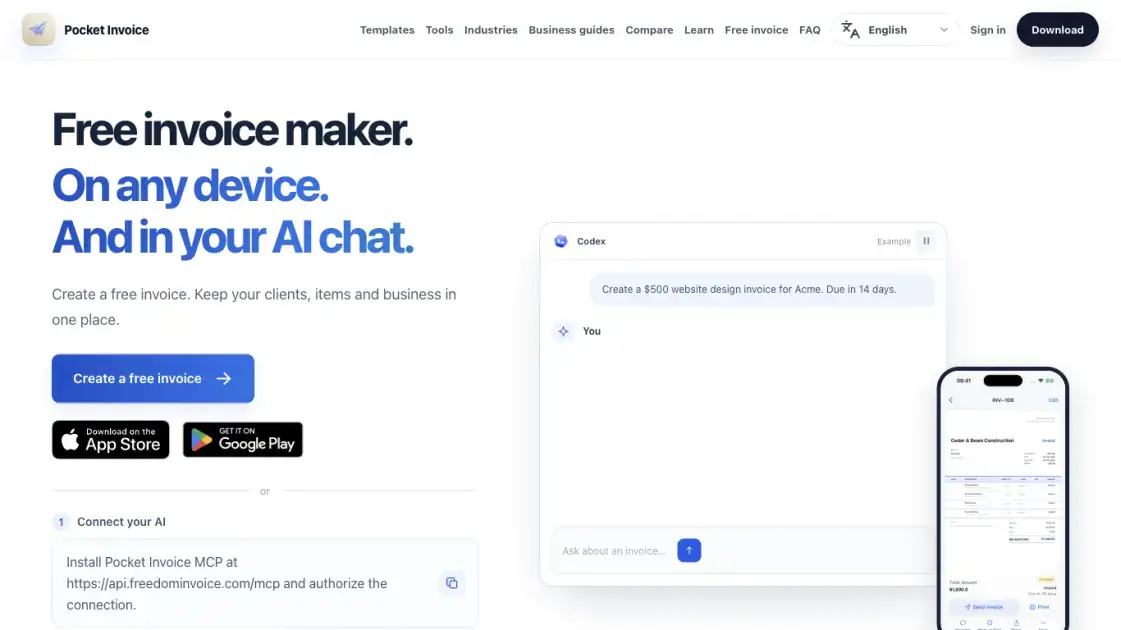
Pocket Invoice is a free invoice maker and invoicing app for freelancers, contractors and small businesses, available as a no-sign-up browser creator and as iOS and Android apps. It keeps companies, clients, items and stock in one account so repeat billing does not mean re-entering the same details. An MCP server lets an AI assistant create invoices, estimates and purchase orders and produce a PDF from a plain-language request in chat. Its template library covers general business, freelance and trade work, with a Learn library and free calculators supporting the pricing and record-keeping behind each document.
How does Pocket Invoice work
The AI assistant integration runs through a Model Context Protocol server exposed at a single Streamable HTTP endpoint, with OAuth authorization tying the connection to the existing Pocket Invoice account. The assistant sends the document request it received in chat — an amount, a customer, a due date — to the server, which applies the company details, numbering and PDF template already stored in the account. It calculates the total from the line items, assigns the document number, saves the record and returns a download link and Web preview. Documents land in the same account and company records as the Web, iOS and Android apps. Emails are sent only after the recipient is confirmed, and payment records added by the assistant update an invoice balance without charging or refunding a customer.
Benefits of Pocket Invoice
Pocket Invoice removes the cost and setup that usually stand between independent businesses and a professional invoice. The browser creator needs no account and no credit card, so a first document can be produced in one sitting, while the mobile apps carry the same records for work away from a desk. Because there is no invoice cap and no watermark, the free access does not push users toward a paid tier to finish a job. Stored clients, items and company profiles mean repeat billing costs less time each month, and the dashboard keeps revenue, outstanding amounts and expenses visible without a separate bookkeeping subscription. The MCP integration extends the same records into an AI assistant, so a conversation can produce a document that is already numbered and saved.
Pros and Cons of Pocket Invoice
Pros
- Free access with unlimited invoices and no PDF watermark
- No sign-up needed for the browser invoice creator
- Web, iOS and Android access to the same account records
- Client, inventory and multi-company records reused across documents
- Custom PDF templates covering general, freelance and trade work
- MCP server for creating and querying documents from an AI assistant
Cons
- No card payments, transfers or refunds; the assistant can only record payments received
- Email sending requires confirming the recipient in chat first
Core Features of Pocket Invoice
Invoice creation without an account
The public Web creator opens into one of seven visual styles. Business and customer details, line items, quantities, rates, taxes and discounts are entered before export, and the file leaves as a custom PDF with the business logo.
Unlimited invoices and multiple companies
Pocket Invoice does not cap invoice numbers, and the published free access carries no monthly ceiling or PDF watermark. Separate company profiles keep names, addresses and records apart for users billing under more than one identity.
Clients, items and inventory
Saved client records turn repeat invoicing into selecting an existing entry. Inventory management holds products and services reused across documents and updates stock levels as they are billed, and expenses sit alongside the work they belong to.
Business overview and supporting tools
A dashboard summarizes revenue, outstanding amounts and client totals. Seventeen free calculators cover markup, break-even, margins and tax, and the template library adds editable Word, Excel and fillable PDF files.
AI assistant connection via MCP
The MCP server connects Pocket Invoice to a capable assistant, so invoices, estimates and purchase orders can be drafted or edited by describing the work in ordinary language.
Use Cases of Pocket Invoice
- Freelancers: billing fixed fees or hours and needing a professional PDF without accounting software.
- Contractors and trades: separating labor, materials and equipment across jobs and reusing stored items.
- Construction and field teams: recording expenses and approved work documents from a phone on site.
- Service businesses: cleaning, landscaping, roofing and similar work priced from job measurements before invoicing.
- Multi-brand operators: running several company profiles from one account without mixing client lists.
- Small teams: keeping clients, inventory and invoices in shared records attached to the right business.
- AI-assistant users: creating and querying invoices, estimates and payment records from chat instead of a browser form.
FAQs of Pocket Invoice
Is Pocket Invoice free to use?
Yes. Free access includes unlimited invoices, multiple companies, client and inventory management and custom PDF exports, with no credit card required for the Web creator.
Do I need an account to create an invoice?
No. The public Web creator works without sign-up; an account is only needed for the mobile apps and for keeping records across sessions.
Does it work on iOS, Android and the Web?
All three are available. The browser handles quick one-off documents, while the apps store repeat billing information on phones and tablets.
Can I customize the PDF invoices?
Yes. The seven styles range from simple and minimal to industry-specific designs, and the business logo and details are applied to the exported PDF.
How does the AI assistant connection work?
The MCP server is added as a Streamable HTTP connector in the assistant's settings, authorized against the existing account, then used to create, convert or query documents in chat.
How to use Pocket Invoice
- One-off invoice: open the Web creator, pick a style, enter business and customer details, itemize quantities, rates, taxes and discounts, then export the PDF without signing up.
- Repeat billing: sign in or install the mobile app, save company profiles, clients and inventory, then select stored records for each new document.
- Multiple businesses: create a separate company profile per identity so records stay unmixed.
- Document conversion: draft an estimate, quote or purchase order and convert or copy it into the invoice that follows.
- Through an AI assistant: add the MCP server in the assistant's settings, authorize it against the existing account, then describe the customer, items and prices in chat.
- Pricing work: use the free calculators for markup, break-even, margins or tax before setting a price.
Pocket Invoice Website Traffic Analysis
Latest traffic information
- Monthly Visits3.23K
- Bounce Rate41.87%
- Pages Per Visit1.19
- Visit Duration00:00:00
- Global Rank5.9M
- Country/Region Ranking4.57M
Top Keywords
| Keyword | Traffic | Volume | Cost Per Click |
|---|---|---|---|
| invoice | 30 | 239.97K | $5.46 |
| receipt maker | -- | 7.22K | $3.94 |
| 電子発票 | -- | 1.05K | -- |
| invoice number example | -- | 800 | $8.36 |
| resit online | -- | 560 | -- |
Top Regions
| Region | Percentage |
|---|---|
| Cambodia | 97.59% |
| Mexico | 2.41% |
Pocket Invoice Alternatives
Relay App turns plain-language instructions into AI workflows that connect 200+ apps, run reliable automations, and pause for human approval.

AtAt runs Claude Code, Codex, or local models in the text field you are typing in, no app-switching. It adds TabTab autocomplete, screenshots, and clipboard history.
Dash is an AI teammate in Slack and Microsoft Teams that connects 3,000+ tools, automates workflows and completes tasks in your channel.
ScanPDF AI is a free online PDF scanner that turns photos and scans into clean PDFs, OCR searchable text, and receipt-to-Excel data in your browser.
Always free browser that shares your logged-in Chrome state with AI agents like Claude Code and Codex, running browser automation up to 3.45x faster.
Ritto AI learns from one real demonstration of your work, finds the repeated tasks, and completes them the same way. Join the beta for early access.
Fuu AI is an AI presentation maker that turns text, PDFs, and documents into professional PPT slides in minutes, powered by Claude Opus 4.7.
AI-powered PDF to Markdown converter with OCR for scanned pages. Get clean, structured Markdown from any PDF in seconds online.
Taskly is an AI-native task manager where teams describe work in plain English and Otto drafts, prioritizes, and organizes tasks with your approval every step.
Ottermind is an AI workspace where you describe your vision and it builds the architecture, code, and deployment. Work with files, memory, and tools across devices.
Convert PPT to Keynote-ready PPTX online. Free PPT to Keynote converter for Apple Keynote imports with secure processing and no installs.
1Scholar is an AI academic toolbox for scholars and researchers, offering citation verification, source discovery, and AI‑generated text humanization to streamline manuscript preparation and reduce errors.