
Fuu AI Presentation Maker - AI PPT Generator & Slides Maker

What is Fuu AI
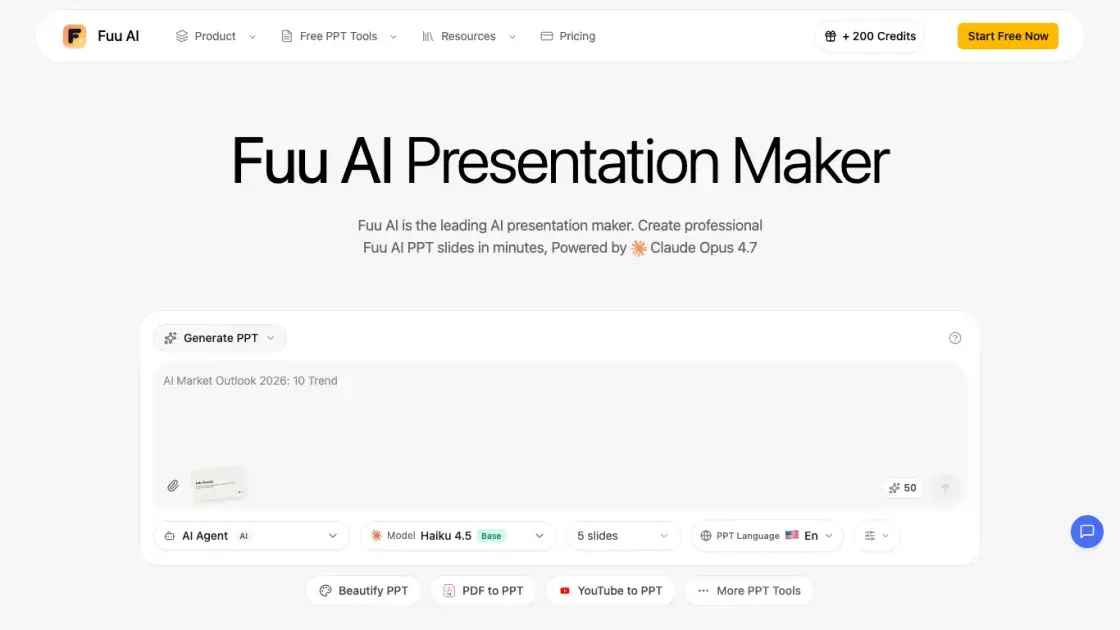
Fuu AI is an AI presentation maker that turns ideas, text, PDFs, and other documents into professional PPT slides in minutes. It is powered by Claude Opus 4.7, which handles content structure, layout selection, typography, and visual design automatically, so users do not need design skills. Fuu AI offers several modes: Generate creates decks from scratch, Beautify enhances existing slides, Speech adds speaker notes, and document-to-PPT conversion covers formats such as PDF, Word, and Excel. The platform targets business professionals, educators, marketers, and startup founders. Presentations can be previewed in the browser, edited on the fly, and exported as PPTX or PDF compatible with PowerPoint, Google Slides, and Keynote. The dedicated text-to-slides entry point is available at the AI Generate PPT tool.
How does Fuu AI work
Fuu AI works in three steps. Users first describe the presentation in natural language, entering the topic, audience, and preferences. The AI, powered by Claude Opus 4.7, then generates a complete slide deck, handling content structure, layout selection, typography, charts, and visual elements automatically, usually within 2 to 5 minutes. Finally, users preview the slides in the browser, edit text and adjust content on the fly, then export the finished presentation as a standard PPTX file compatible with PowerPoint, Google Slides, and Keynote.
Benefits of Fuu AI
Fuu AI removes most of the manual work from slide creation. A complete deck is generated in minutes, and the site reports that the AI PPT maker produces slides about 10x faster than manual creation. Because Claude Opus 4.7 handles structure, layout, and typography, users do not need design skills or template-hunting. Web search keeps content current, and PPTX/PDF export keeps results compatible with common tools. One limitation worth noting: subscription credits reset monthly without rollover, and entry-level plans run on Claude Sonnet 4.6 rather than Opus 4.7.
Pros and Cons of Fuu AI
Pros
- True AI generation via Claude Opus 4.7, not template filling
- Multi-language support with proper typography and formatting
- 150 free credits for new users
- Converts PDF, Word, Excel, Markdown, HTML, and YouTube sources
- PPTX and PDF export compatible with major slide software
Cons
- Monthly subscription credits expire and do not roll over
- Claude Opus 4.7 and 4K images only on Premium tier
- Web search and AI enhancement locked to Standard tier
- 150 free credits cover only three presentations
- Credit-based pricing, standard PPT costs 50 credits
Core Features of Fuu AI
True AI Generation
Powered by Claude Opus 4.7 rather than template filling, so each deck is generated from scratch with unique structure, copy, and design that match the input topic.
Smart Layout Selection
The AI picks the best layout for every slide based on content type, applying effective design patterns without manual formatting.
Chart and Data Visualization
Fuu AI transforms raw data into professional charts and graphs automatically, turning numbers into readable visuals for reports and pitches.
Web Search Enhancement
The tool researches current information online and merges up-to-date facts into the deck, which helps when a topic depends on recent data or news.
AI Illustrations
Each slide can use free stock images, Nano Banana Pro AI-generated illustrations at 1K resolution, or no images at all, depending on the desired look.
Real-time Preview and Edit
Slides render in the browser with live editing, so text can be changed on the fly before the final export.
PPTX and PDF Export
Finished decks download as standard PowerPoint files that open cleanly in Microsoft PowerPoint, Google Slides, and Keynote, with PDF export also available.
Multi-language Support
Presentations can be generated in several languages with correct formatting and typography, which makes the tool usable by international teams working in different markets.
Customizable Slide Count
Users set a deck size from 5 to 30 slides, and the AI distributes the content across that range intelligently.
Use Cases of Fuu AI
- Business Professionals: Sales decks, investor pitches, internal reports, and client proposals generated from notes or documents.
- Marketing Teams: Campaign presentations and brand-consistent decks produced quickly from briefs and content drafts.
- Educators and Students: Lecture slides, course materials, and research presentations created with proper structure and formatting.
- Startup Founders: Pitch decks, fundraising materials, and product launch presentations prepared before investor meetings.
- Content Creators: YouTube videos and blog posts turned into slide decks, plus data-driven reports with automatic charts.
FAQs of Fuu AI
How does Fuu AI work?
Users describe a presentation topic in natural language, and Fuu AI analyzes the input, creates an outline, selects layouts, and generates formatted content in 2 to 5 minutes. The generation runs on Claude Opus 4.7, and users preview, edit, and export the result as PPTX.
Can I edit the generated presentations?
Yes. Every deck opens in a real-time in-browser preview where text and content can be adjusted before export. Finished files download as standard PPTX, which stays fully editable in PowerPoint or Google Slides for further changes.
What makes Fuu AI different from other AI PPT tools?
Fuu AI relies on true AI generation powered by Claude Opus 4.7 instead of template filling, so each deck gets a custom layout and design. It also supports web search for up-to-date content and offers flexible PPTX and PDF export, while tools like Gamma, Beautiful.ai, and Canva depend more heavily on templates.
What file formats can I convert to PPT?
Fuu AI converts PDF, Word, Excel, Markdown, text, and HTML files into presentations, and it can also turn YouTube videos into slide decks. This covers several common document and web formats, which is useful for teams working with mixed source material.
Do credits expire?
One-time purchase credits never expire, while subscription credits refresh monthly and unused credits do not roll over. The distinction matters for planning, because heavy users on monthly plans should track consumption against the included credit allowance.
Is there a free trial?
Yes. New users receive 150 free credits upon registration, enough to generate roughly 3 presentations. Standard PPT generation (10 to 20 pages) costs 50 credits, so the free allocation also covers testing extra features such as web search before committing to a paid plan.
Do you offer enterprise plans?
Yes. Custom enterprise plans are available by contacting support@fuu.ai, with dedicated support, higher limits, API priority access, and volume discounts. Team bulk purchases are also offered at 10x scale with up to 60% bonus credits.
How to use Fuu AI
- Register an account at fuu.ai. New users receive 150 free credits on signup, enough for about three presentations, so no payment is required to try the tool.
- Choose a mode: Generate creates a deck from scratch, Beautify enhances existing slides, Speech adds speaker notes, and document-to-PPT converts uploaded files into presentations.
- For Generate mode, describe the topic, audience, and preferences in natural language. The AI handles content structure, layout selection, typography, and visual design automatically.
- Specify options such as slide count between 5 and 30, target language, and image preferences. AI-generated illustrations, free images, or no images are all supported.
- Wait while Claude Opus 4.7 generates the deck, typically within 2 to 5 minutes. Optional web search lets the AI research current information to enrich the content.
- Preview slides in the browser and edit text or content on the fly. Adjustments apply before export, so the final deck matches what is reviewed on screen.
- Export the finished presentation as PPTX or PDF. PPTX files work with PowerPoint, Google Slides, and Keynote, allowing further editing in other software.
Fuu AI Website Traffic Analysis
Latest traffic information
- Monthly Visits1.59K
- Bounce Rate37.88%
- Pages Per Visit1.51
- Visit Duration00:00:18
- Global Rank10.27M
- Country/Region Ranking4.06M
Top Keywords
| Keyword | Traffic | Volume | Cost Per Click |
|---|---|---|---|
| html to ppt converter | 30 | 1.54K | $0.1 |
| ppt to word | -- | 15.17K | $0.22 |
| ppt merger | -- | 10.32K | $0.31 |
| html to ppt | -- | 3.42K | $0.11 |
| ppt to image converter | -- | 1.73K | $0.21 |
Top Regions
| Region | Percentage |
|---|---|
| United States | 100% |
Fuu AI Alternatives
Free invoice maker for freelancers and small businesses on Web, iOS and Android. Create unlimited PDF invoices, manage clients and companies, and bill from AI assistants via MCP.

ScanPDF AI is a free online PDF scanner that turns photos and scans into clean PDFs, OCR searchable text, and receipt-to-Excel data in your browser.
Pi is an AI presentation generator that turns ideas into polished slides. One-click generation, smart layouts and templates make decks fast and easy.
Convert PPT to MP4 video online with AI. Upload slides, set duration, resolution and sound, then generate a polished cinematic video with narration and music.
Turn JPG, PNG, and WebP images into editable PowerPoint slides. Upload up to 10 images, set the order, and let AI rebuild each image as a real slide.
Gamma AI is an AI presentation generator that turns text, PDF, and Word into slides with structured outlines, in-browser editing, and editable PPTX export.
AI-powered PDF to Markdown converter with OCR for scanned pages. Get clean, structured Markdown from any PDF in seconds online.
Convert PPT to Keynote-ready PPTX online. Free PPT to Keynote converter for Apple Keynote imports with secure processing and no installs.
NeoDrop is an AI‑driven content production platform for creators, allowing them to set up channels where the system continuously generates articles, images, audio and video, automating the content workflow.
Temso AI is an AI‑search platform for brands and lean marketing teams, offering visibility monitoring, competitor intel, prompt analysis and an execution agent that creates and publishes content to capture high‑intent traffic across ChatGPT, Gemini, Claude and other models.
PDF Translate is an AI PDF translator for professionals and students, providing free, fast multilingual translation of PDFs while keeping fonts, tables and images intact.
PDF2Word is an online PDF to Word converter that creates editable DOCX files, preserves layout, supports scanned PDFs, and processes files securely with size limits for free and paid users.