
PDF2Word – Free online PDF to Word conversion tool

What is PDF2Word
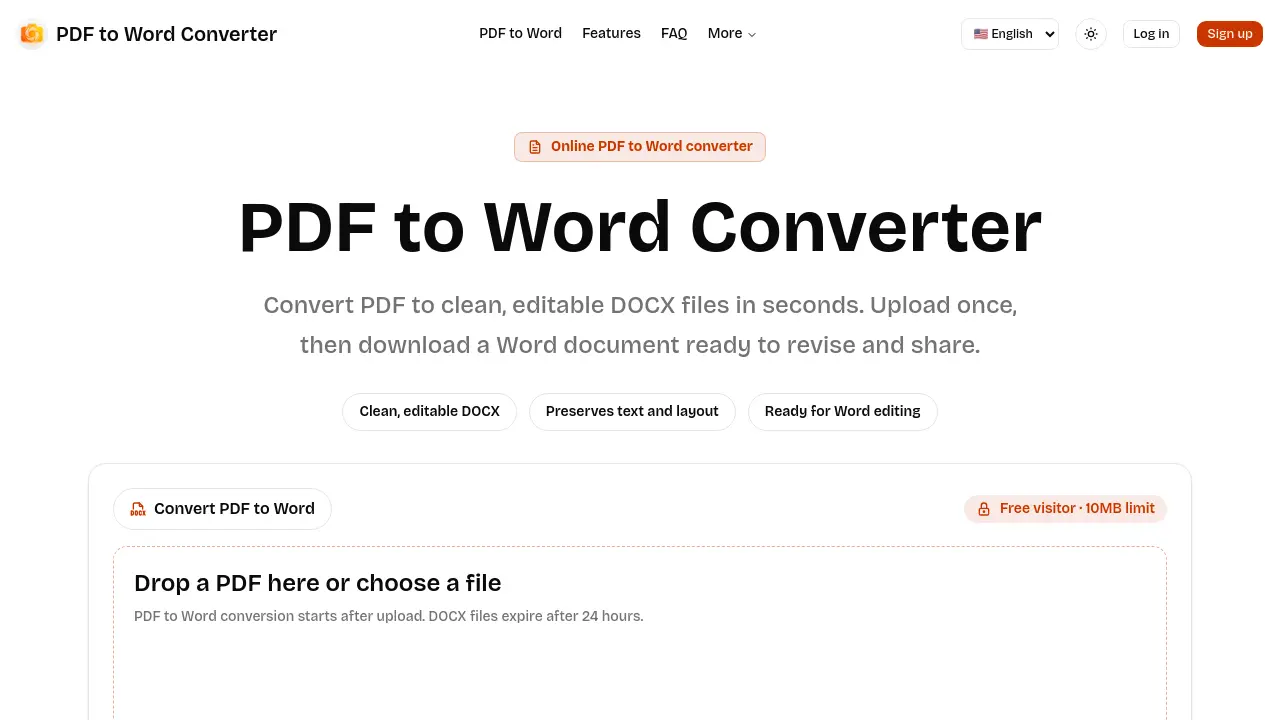
PDF2Word is an online PDF‑to‑Word converter that transforms PDF documents into editable DOCX files within seconds. Users upload a PDF (up to 10 MB for free visitors, 20 MB for logged‑in users, and 100 MB for paid plans), the service processes the file asynchronously, and a downloadable Word document is provided once conversion completes. The output preserves the original text and layout, supporting both native text PDFs and scanned files through built‑in OCR handling. Security‑focused design ensures that uploads and downloads remain private and are automatically deleted after a 24‑hour retention window. Real‑time status updates guide users through the three‑step workflow—upload, conversion, download—making PDF2Word suitable for quick edits, content reuse, and collaboration across Microsoft Word, Google Docs, or Apple Pages.
How does PDF2Word work
PDF2Word operates as an online PDF‑to‑Word converter that transforms uploaded PDF files into editable DOCX documents through a three‑step workflow. First, the user selects a PDF (up to 10 MB for free visitors, larger limits for logged‑in or paid accounts); the file is then securely uploaded to a processing server. An asynchronous conversion engine extracts text, layout, and images, handling both native text PDFs and scanned files via OCR, and generates a DOCX file. The service polls the job status, updates the interface in real time, and finally provides a download link; the files are automatically deleted after a 24‑hour retention window. This approach ensures private, efficient PDF to Word conversion suitable for everyday document editing.
Benefits of PDF2Word
PDF2Word provides a straightforward online workflow for converting PDFs into editable DOCX files. Users upload a PDF (up to 10 MB for free visitors, 20 MB for logged‑in users, and 100 MB for paid plans), the service processes the file asynchronously, and a clean Word document is ready for download within minutes. The converter handles both text‑based PDFs and scanned images, preserving most text and layout while producing a file that can be opened in Microsoft Word, Google Docs, or Pages. All uploads are treated as private tasks and automatically deleted after 24 hours, ensuring temporary, secure processing.
Pros and Cons of PDF2Word
Pros
- Free conversion up to 10 MB.
- Supports both text‑based and scanned PDFs.
- Editable DOCX output, not image snapshots.
- Asynchronous processing prevents page blocking.
- Files auto‑deleted after 24 hours for privacy.
Cons
- Upper size limits require login or paid plan.
- Complex layouts may need manual correction.
- No batch‑upload feature mentioned.
- Retention window limited to one day.
- No offline desktop version offered.
Core Features of PDF2Word
PDF Upload and Size Management
Accepts PDF files via drag‑and‑drop or file picker, enforcing tiered limits (10 MB for guests, 20 MB for logged‑in users, 100 MB for paid plans).
Asynchronous Conversion Engine
Processes PDFs in the background, polling job status to keep the interface responsive and displaying real‑time queue, processing, and completion indicators.
Editable DOCX Generation
Produces clean, editable Word documents that preserve text and layout, enabling users to modify, reorganize, and reuse content without manual retyping.
Scanned Document OCR Support
Handles image‑based PDFs through built‑in optical character recognition, converting scanned pages into searchable and editable DOCX text where scan quality permits.
Secure Temporary File Handling
Treats each conversion as a private task; uploaded PDFs and resulting DOCX files are stored temporarily and automatically deleted after a 24‑hour retention window.
Use Cases of PDF2Word
- Students: Convert lecture PDFs to editable DOCX files for quick note taking and citation management.
- Researchers: Transform scanned journal PDFs into searchable Word documents for streamlined literature review.
- Professionals: Use the online PDF to Word converter to revise contract drafts without retyping.
- Small businesses: Generate lightweight DOCX invoices from PDF templates, preserving layout for client communication.
- Content creators: Export PDF ebooks to Word for easy content repurposing and SEO optimization.
FAQs of PDF2Word
Is this PDF to Word Converter free?
Yes. The service allows free visitors to convert PDF files up to 10 MB without creating an account. Logged‑in users receive a 20 MB limit, and paid subscribers can upload files as large as 100 MB. All conversions remain free of charge within the respective size restrictions.
Will the DOCX match my original PDF exactly?
The converter strives to produce a practical, editable DOCX that preserves the original text and basic layout. Simple text‑based PDFs generally convert cleanly, while complex elements such as multi‑column tables, unusual fonts, or intricate graphics may require manual tweaking after the PDF to Word conversion.
Can it convert scanned PDF files?
Yes. Scanned PDFs are supported through built‑in OCR processing. Conversion quality depends on the clarity of the scan, page orientation, contrast, and overall image quality; clearer scans produce more accurate editable Word documents.
How long are my files stored?
All uploaded PDFs and resulting DOCX files are treated as temporary assets. They are automatically deleted after a 24‑hour retention window, ensuring that no long‑term storage of potentially sensitive documents occurs on the platform.
How does PDF2Word protect user privacy?
PDF2Word processes files in a private, isolated environment. Uploaded documents are never shared publicly, and both the PDF and the generated DOCX are removed from the server after the 24‑hour expiration period, minimizing exposure of confidential information.
What file formats can I upload for conversion?
The tool accepts standard PDF files as input. Output is generated exclusively in the Microsoft Word DOCX format, which can be opened by Word, Google Docs, Apple Pages, and other compatible editors.
How quickly does the conversion complete?
Conversion typically starts within seconds after upload and finishes in real time for small files (under 10 MB). Larger documents, especially those requiring OCR for scanned pages, may take longer but the interface provides live status updates until the DOCX is ready for download.
Can I use PDF2Word on mobile devices?
Yes. The web‑based interface is responsive and works on modern smartphones and tablets. Users can upload PDFs from their mobile device, wait for processing, and download the resulting DOCX directly to their device or cloud storage.
Is there an API available for automated PDF to Word conversion?
PDF2Word currently offers a web interface only; an official public API is not listed in the documentation. Organizations requiring programmatic access should contact the company through the Contact page to discuss potential enterprise solutions.
How to use PDF2Word
PDF2Word converts uploaded PDF files into editable DOCX documents, preserving text layout and supporting both native and scanned PDFs for quick revision.
Open the converter page, drag‑and‑drop a PDF or click Choose PDF; free users may select files up to 10 MB, logged‑in users up to 20 MB.
After selection, the system securely uploads the file, initiates background processing, and displays a real‑time status indicator for the conversion queue.
Wait for the processing step to complete; the interface updates to “Completed” once the DOCX file has been generated and is ready for download.
Click the Download button to retrieve the Word document; the file opens in Microsoft Word, Google Docs, or any compatible editor for immediate editing.
Review the downloaded DOCX, checking text fidelity and layout accuracy; simple PDFs should match closely, while complex elements may require manual adjustment.
Use the edited Word file to reorganize content, extract quotations, or integrate into other projects, achieving the intended workflow efficiency.
Remember that all files expire after 24 hours; the service automatically deletes both the original PDF and the generated DOCX for privacy compliance.
