
PDFtoMD — Free Online AI PDF to Markdown Converter Tool

What is PDFtoMD
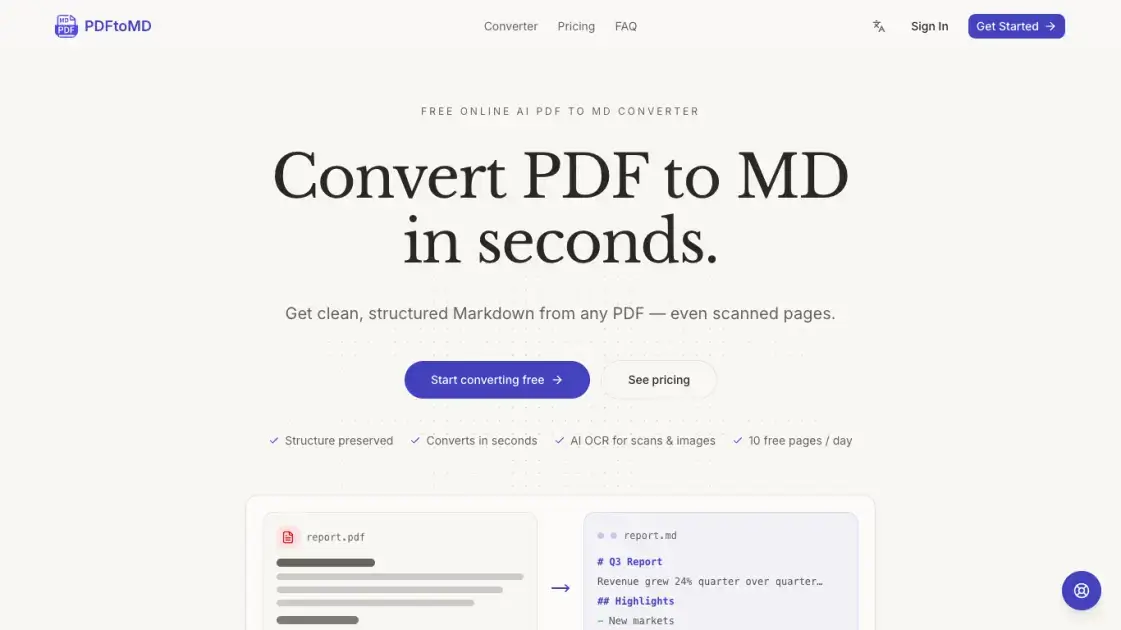
PDFtoMD is an AI-powered converter that transforms PDF documents into clean, structured Markdown format in seconds. The tool handles both digital PDFs and scanned documents, using state-of-the-art OCR and vision models to extract text, headings, lists, and tables accurately. Users can upload files directly in the browser without installing software, and the conversion preserves original document structure including headings, paragraphs, and bullet points. The platform offers a free tier with 10 pages daily, with paid plans providing higher page limits and advanced Vision mode for complex documents containing formulas, charts, and seals.
How does PDFtoMD work
PDFtoMD processes documents through a multi-step pipeline. Digital PDFs are read directly from the text layer for exact fidelity, while scanned pages undergo OCR processing. The system detects document structure including headings, paragraphs, lists, and tables, then converts these elements into corresponding Markdown syntax. For scanned documents on paid plans, a vision model analyzes page images to reconstruct complex elements like formulas, charts, and seals. The final output is clean, portable Markdown that preserves the original document's organization and content.
Benefits of PDFtoMD
PDFtoMD eliminates manual copy-pasting and reformatting by automatically converting PDF structure into clean Markdown. The tool handles both digital and scanned documents, making it suitable for various document types. Users get immediate results without software installation, and the free tier provides sufficient capacity for occasional use. The output integrates directly with popular tools like Obsidian, Notion, GitHub, and static-site generators, streamlining document workflows for researchers, developers, and content creators.
Pros and Cons of PDFtoMD
Pros
- Free tier with 10 pages daily, no credit card required
- Handles both digital PDFs and scanned documents
- Preserves document structure including headings and lists
- No software installation needed, works in browser
- Conversion history saved to account
Cons
- Free plan limited to 10 pages per day
- Scanned PDF accuracy depends on image quality
- Vision mode only available on paid plans
- No batch processing for multiple files
Core Features of PDFtoMD
Accurate Text Extraction
Digital PDFs are processed through the document's native text layer, ensuring correct reading order and exact character reproduction without OCR noise or formatting errors.
Structure Preservation
The converter automatically detects headings, paragraphs, lists, and other structural elements, converting them to proper Markdown syntax for clean, portable output.
AI-Powered OCR for Scans
Scanned pages and image-based PDFs are processed using advanced OCR technology that reads every page image and reconstructs content as structured Markdown.
Vision Mode for Complex Documents
Paid plans include Vision mode, an AI model that reconstructs tables, formulas, charts, and seals from scanned documents into formatted Markdown.
Conversion History
Every conversion is saved to the user's account, allowing re-copying or re-downloading of Markdown output from any device at any time.
Fast Processing Speed
Most documents convert from PDF to Markdown within seconds, with results ready to copy directly into editors, note-taking apps, or version control systems.
Use Cases of PDFtoMD
- Researchers: Convert academic papers and reports to Markdown for note-taking in Obsidian or Notion
- Developers: Transform technical documentation into format suitable for GitHub wikis and static-site generators
- Content creators: Extract text from PDF ebooks or whitepapers for editing and repurposing
- Students: Convert lecture notes and study materials from PDF to editable Markdown format
- Teams: Process scanned contracts and reports into searchable, version-controlled documents
FAQs of PDFtoMD
What file formats does PDFtoMD support?
PDFtoMD accepts PDF files as input and outputs Markdown format. The tool processes both digitally-created PDFs and scanned documents, converting them to clean, structured .md files.
Is there a limit on file size?
The free plan supports up to 10 pages per file. Paid plans increase this limit: Starter allows 20 pages per file, Professional up to 100 pages, and Enterprise up to 200 pages per file.
How accurate is the conversion for scanned documents?
Digital PDFs convert with highest fidelity from the native text layer. Scanned PDFs use OCR for plain text on free plans, while paid Vision mode reconstructs tables, formulas, and charts using AI vision models.
Can I use the converted Markdown in note-taking apps?
Yes. The Markdown output works with Obsidian, Notion, Logseq, VS Code, and any tool that supports Markdown format. You can paste directly or download the .md file.
What happens to my conversion history?
Every conversion is saved to your account. You can re-copy or re-download the Markdown output anytime from any device with internet access.
Are there usage limits on the free plan?
Free accounts get 10 pages of conversion per day, resetting at midnight UTC. No credit card is required to use the free tier, and you can upgrade anytime for higher limits.
How does the pricing work?
PDFtoMD offers a free tier with daily limits, plus paid monthly subscriptions. Starter costs $15.9/month for 1,000 pages, Professional $19.9/month for 3,000 pages, and Enterprise $99.9/month for 30,000 pages with dedicated support.
How to use PDFtoMD
- Visit the PDFtoMD website and navigate to the converter page
- Upload your PDF file by dragging and dropping or clicking to browse
- Wait a few seconds while the AI processes and converts your document
- Copy the Markdown output to your clipboard or download the .md file
- Access your conversion history to re-download results anytime
PDFtoMD Alternatives
Free invoice maker for freelancers and small businesses on Web, iOS and Android. Create unlimited PDF invoices, manage clients and companies, and bill from AI assistants via MCP.

ScanPDF AI is a free online PDF scanner that turns photos and scans into clean PDFs, OCR searchable text, and receipt-to-Excel data in your browser.
Gamma AI is an AI presentation generator that turns text, PDF, and Word into slides with structured outlines, in-browser editing, and editable PPTX export.
Fuu AI is an AI presentation maker that turns text, PDFs, and documents into professional PPT slides in minutes, powered by Claude Opus 4.7.
Tenderbolt uses AI to automate RFP and tender responses. It analyzes documents, completes security questionnaires, and generates tailored proposals.
1Scholar is an AI academic toolbox for scholars and researchers, offering citation verification, source discovery, and AI‑generated text humanization to streamline manuscript preparation and reduce errors.
PixPin is a cross‑platform app for capturing screenshots, recordings and extracting text via OCR, with pinning and annotation features for developers, designers and support teams.
PDF Translate is an AI PDF translator for professionals and students, providing free, fast multilingual translation of PDFs while keeping fonts, tables and images intact.
PDF2Word is an online PDF to Word converter that creates editable DOCX files, preserves layout, supports scanned PDFs, and processes files securely with size limits for free and paid users.
MiroFish is an AI simulation chat platform that converts text, PDF, MD or TXT inputs into graph building, scenario simulation, and structured reports, offering continuous chat‑driven prediction for analysts and decision‑makers.
EZ-Estimates uses AI to generate line-item quotes, manage change orders, and collect e-signatures, helping contractors build professional estimates in under 60 seconds.
eety.ai is an AI-powered patent drafting assistant that works like a brilliant colleague, amplifying your expertise through a 10-phase pipeline that analyzes disclosures, drafts claims, generates drawings, and maintains your unique writing style.