
PPT to Keynote Converter - Free Online PPT Tool | Tome App

What is Tome App AI
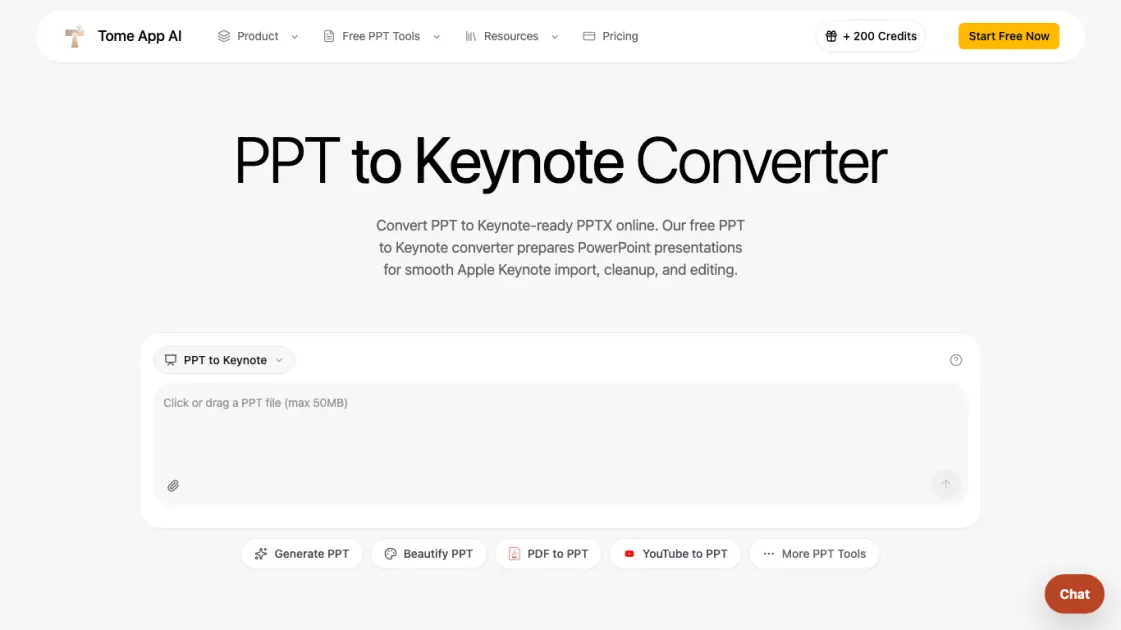
Tome App AI offers a free online PPT to Keynote converter that turns PowerPoint files into Keynote-ready PPTX documents. Users upload PPT or PPTX files up to 50MB, the tool rebuilds them with LibreOffice for compatibility, and the output opens cleanly in Apple Keynote on Mac, iPad, or iCloud. The converter handles both modern and legacy PowerPoint formats, making it useful for teams and individuals who work across Windows and Apple ecosystems without installing Microsoft Office on a Mac.
How does Tome App AI work
When a user uploads a PPT or PPTX file, Tome App AI transmits it to a secure sandbox where LibreOffice rebuilds the presentation as a modern PPTX file. This process normalizes legacy formatting, updates the file container, and strips incompatible PowerPoint-specific elements. The resulting PPTX opens in Apple Keynote as an editable presentation, allowing users to refine layouts, fonts, transitions, and notes before saving a native .key document.
Benefits of Tome App AI
The PPT to Keynote converter removes the need to install Microsoft PowerPoint on a Mac or rebuild slides manually. It handles legacy PPT files that often import inconsistently into Keynote, normalizes them through LibreOffice, and delivers a clean starting point for editing. The online workflow works from any browser, files are processed in a secure sandbox, and the final result stays editable in Keynote so users can polish transitions, typography, and presenter notes.
Pros and Cons of Tome App AI
Pros
- Free online conversion without software installation
- Handles both legacy PPT and modern PPTX formats
- Secure sandbox processing for confidential files
- Preserves slide text, images, tables, and layouts
- Output stays editable in Apple Keynote
Cons
- Does not generate native .key files directly
- Requires sign-in for web conversion
- Native Keynote saving requires Apple Keynote app
- File size limited to 50MB per upload
Core Features of Tome App AI
Keynote-Ready PPTX Output
The converter creates modern PPTX files that open smoothly in Apple Keynote for editing and native .key saving.
Format Cleanup for Apple Keynote
Legacy PPT files are normalized and rebuilt with LibreOffice before download, reducing old compatibility issues.
Fast Online Conversion
Upload a file and download a Keynote-compatible presentation in seconds without installing Microsoft PowerPoint.
Secure Sandbox Processing
Uploaded files are converted in an isolated environment and are not reused for training or public galleries.
File Size Support
The tool accepts PPT and PPTX files up to 50MB, covering business decks, presentations, and design proposals.
Use Cases of Tome App AI
- Mac-based teams: Convert PowerPoint decks from Windows colleagues into Keynote-ready files for editing and presenting on Apple devices.
- Founders and sales teams: Turn investor and customer PPTX decks into Keynote-compatible presentations for live pitches from a Mac.
- Teachers and students: Convert lecture slides and group project PowerPoint files into Keynote for iPad or Mac presentation and annotation.
- Designers and creatives: Transform client PowerPoint files into Keynote-ready decks for final visual refinement without manual rebuilding.
FAQs of Tome App AI
Can this tool convert PPT to a native .key file?
No, the tool converts PPT files to Keynote-ready PPTX, not native .key files. Apple's .key format is proprietary and cannot be generated in a browser. Users open the PPTX in Apple Keynote on Mac, iPad, or iCloud and save it as a native .key document from within the Keynote app.
Does PPT to Keynote conversion preserve formatting?
Yes, the conversion preserves slide text, images, tables, charts, and common layouts. The tool rebuilds the presentation using LibreOffice to normalize legacy formatting and minimize compatibility issues before the file reaches Keynote.
Is PPT to Keynote conversion free?
Yes, the online PPT to Keynote converter is free to use. Users upload their PowerPoint files and download Keynote-ready PPTX output without any charges. Tome App AI offers premium subscription plans for additional features and higher usage limits.
Is my PowerPoint file secure during conversion?
Yes, uploaded files are processed in an isolated sandbox environment. They are used only for conversion and are not stored, reused for training, or displayed in public galleries. The tool is designed for confidential pitch decks, client proposals, and internal materials.
Do I need Apple Keynote installed to use the converted file?
Yes, you need Apple Keynote to open the converted PPTX file as a full Keynote presentation. Keynote is free on Mac, iPad, and iCloud. The converter produces a Keynote-compatible PPTX that opens cleanly in the app for editing, annotation, and native format saving.
How to use Tome App AI
- Upload your PPT or PPTX file by dragging it into the converter or clicking to browse from your device.
- Click the convert button and wait a few seconds while the tool rebuilds the presentation as a Keynote-ready PPTX.
- Download the converted file and open it in Apple Keynote on Mac, iPad, or iCloud for final editing.
- Save the presentation as a native .key document inside Keynote when you need the proprietary Apple format.
Tome App AI Website Traffic Analysis
Latest traffic information
- Monthly Visits119.39K
- Bounce Rate37.11%
- Pages Per Visit3.39
- Visit Duration00:01:51
- Global Rank287.02K
- Country/Region Ranking42.01K
Visits Over Time
Traffic Sources
- Organic Search: 79.04%
- Direct: 11.05%
- Referrals: 6.17%
- Mail: 1.6%
- Generative AI: 1.57%
- Organic Social: 0.56%
Top Keywords
| Keyword | Traffic | Volume | Cost Per Click |
|---|---|---|---|
| tome ai | 13.62K | 30.47K | $0.6 |
| tome app | 5.75K | 10.88K | $0.13 |
| tome.app | 760 | 1.56K | -- |
| tome | 650 | 180.22K | $1.3 |
| tome presentation | 510 | 1.13K | $1.91 |
Top Regions
| Region | Percentage |
|---|---|
| India | 16.81% |
| United States | 12.92% |
| Indonesia | 6.67% |
| Russia | 5.26% |
| Brazil | 4.97% |
