
ego (lite) Browser for AI Agents to Run Web Automation

What is ego (lite)
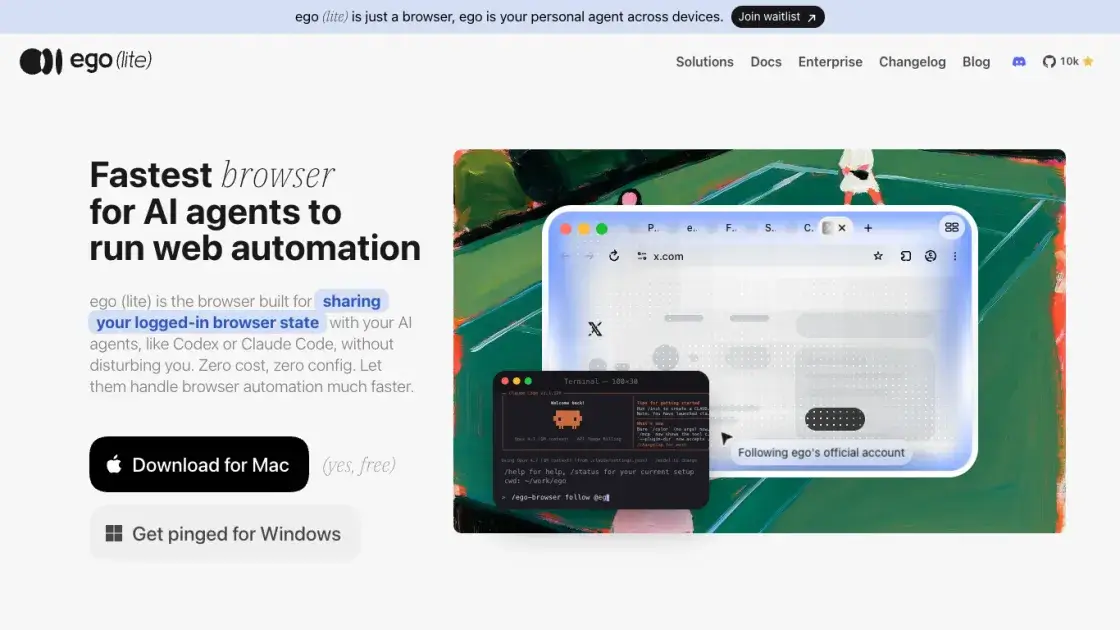
ego (lite) is a free, Chromium-based browser designed specifically for AI agents to run web automation. It shares your logged-in browser state with agents like Claude Code, Codex, and Cursor, so they can click, fill, and read pages without hitting captchas, 2FA, or SSO redirects. The product pairs the browser with ego-browser, a skill that turns it into an agent browser: any agent that can run a shell command drives it directly through in-page JavaScript tools. Tasks run in isolated Spaces, keeping the agent's work separate from your own tabs. Its custom Chromium engine builds semantic snapshots that reach into cross-origin iframes, shadow DOM, and third-party SDK widgets, letting complex automation finish up to 3.45x faster than agent-browser while consuming fewer tokens.
How does ego (lite) work
ego (lite) is a Chromium browser paired with the ego-browser skill. Onboarding imports your Chrome tabs, bookmarks, passwords, cookies, and extensions, so the browser carries your logged-in state. The skill exposes the browser to agents as in-page JavaScript tools: snapshot, fill, click, wait, navigate, and capture. Instead of one tool call at a time, the agent writes a short JavaScript snippet that composes several steps, and ego-browser runs them on the page in one pass. Tasks execute inside Space, an isolated workspace, keeping agent work separate from your tabs. Snapshots built into the custom engine keep refs stable.
Benefits of ego (lite)
ego (lite) costs nothing and needs zero configuration, removing the usual setup barrier of browser automation frameworks. Because it inherits your real Chrome logins through one-click migration, agents rarely get stuck on captchas, 2FA, or SSO redirects. Semantic snapshots and parallel in-page actions finish complex tasks up to 3.45x faster than agent-browser, on fewer tokens. Data stays local, answering the privacy concerns cloud-based agents raise. The only real trade-off is platform: it ships for Mac only, with Windows support pending.
Pros and Cons of ego (lite)
Pros
- Free with no subscription required
- Uses your real Chrome logins, avoiding captchas and 2FA
- Parallel in-page actions finish tasks up to 3.45x faster
- Data stays local and private
- Works with Claude Code, Codex, Cursor, and other agents
Cons
- Mac only, Windows support not yet available
- Reusable skills feature still in development
- Requires installing the ego-browser skill into each agent
- No SDK for integrating Playwright or Puppeteer scripts
Core Features of ego (lite)
Space Workspace
Spaces are isolated workspaces where AI agents run their browser automation in private, without touching your tabs, logins, or open projects.
ego-browser Skill
A connection layer installed once into your agent's skill directory, letting Claude Code, Codex, Cursor, or any shell-capable agent drive the browser directly.
Parallel Multitasking
Runs multiple in-page actions in a few lines of JavaScript instead of one tool call at a time, completing complex tasks up to 3.45x faster.
Semantic Snapshot
Built inside a custom Chromium engine, snapshots return faster and reach into cross-origin iframes, shadow DOM, and third-party SDK widgets.
Chrome Data Import
Onboarding migrates tabs, bookmarks, passwords, extensions, cookies, and profiles from Chrome in one click, inheriting your logged-in state.
Local Data Storage
Bookmarks, history, cookies, and passwords stay on your computer; the browser records nothing beyond your setup choices.
Use Cases of ego (lite)
- Social media managers: reply to tweets, queue posts, and monitor mentions across X, LinkedIn, Threads, and more.
- Real estate, finance, and shopping professionals: automate logged-in research and scraping that public APIs cannot cover.
- Booking operators: let agents fill forms, compare availability, and confirm reservations using your existing logged-in sessions.
- SaaS back-office teams: delegate repetitive admin work in internal tools and dashboards to agents running in isolated Spaces.
- Individual developers: offload browser chores to Claude Code or Codex while continuing to browse normally in your own window.
FAQs of ego (lite)
What is ego (lite)?
ego (lite) is an agent browser built to share with AI agents like Codex or Claude Code. It costs nothing and needs no setup, letting agents handle web automation while reusing the browser you already use daily.
What is an agent browser?
An agent browser is a browser designed to be driven by an AI agent rather than only a human. The agent gets a real window, tabs, and your logins instead of a blank headless instance it must configure from scratch.
How is ego (lite) different from Playwright or Puppeteer?
Playwright and Puppeteer drive pages through CSS selectors that break when a site changes its DOM. ego (lite) pairs a real browser with ego-browser, which exposes snapshot, fill, click, wait, navigate, and capture as in-page JavaScript tools that compose several steps in one pass.
How is ego (lite) different from Browser Use or agent-browser?
Browser Use bundles its own LLM loop and drives a separate browser instance, with its own pricing tier. Vercel's agent-browser ships no browser of its own, so your real logins are unavailable. ego (lite) is a daily-use browser where agents share your logged-in state in an isolated Space.
Does ego (lite) work with Claude Code, Codex, and Cursor?
Yes. Any agent that can run a shell command can drive ego (lite) through ego-browser, including Claude Code, Codex, Cursor, Continue, Gemini CLI, Hermes Agent, OpenClaw, and custom agents.
Can ego (lite) replace Chrome as my main browser?
Yes. It is built on Chromium, so address bar, tab groups, bookmarks, profiles, extensions, downloads, and incognito mode behave like Chrome, with the added Space for agent tasks.
Is my data safe when an AI agent uses ego (lite)?
Yes. ego (lite) does not upload your browsing data. History, cookies, login sessions, and anything the agent reads stay on your computer; the only thing recorded during setup is whether you opted into Chrome data migration.
How to use ego (lite)
- Download and install: Get ego (lite) for Mac from the official website; the download is free and requires no account setup.
- Import Chrome data: Run the one-click onboarding wizard to migrate your existing tabs, bookmarks, passwords, extensions, and cookies from Chrome.
- Install the skill: Complete onboarding so the ego-browser skill is added to your agent's skill directory, ready for any agent on your Mac.
- Start a task: Type /ego-browser inside Claude Code, Codex, Cursor, or any other shell-capable agent, then describe what you want done.
- Monitor in Space: Watch the agent work in its own Space, or keep browsing in your main window while the task runs.
ego (lite) Website Traffic Analysis
Latest traffic information
- Monthly Visits194.39K
- Bounce Rate60.89%
- Pages Per Visit2.27
- Visit Duration00:01:55
- Global Rank--
- Country/Region Ranking--
Top Keywords
| Keyword | Traffic | Volume | Cost Per Click |
|---|---|---|---|
| ego lite | 51.03K | 46.67K | -- |
| egolite | 7.54K | 8.51K | -- |
| ego browser | 6.15K | 7.71K | -- |
| ego-lite | 2.86K | 3.51K | -- |
| ego lite browser | 1.27K | 1.47K | -- |
Top Regions
| Region | Percentage |
|---|---|
| China | 27.49% |
| South Korea | 23.33% |
| United States | 15.16% |
| Taiwan | 6.04% |
| Singapore | 5.87% |
ego (lite) Alternatives
SeedRouter puts image, video, language and audio models from OpenAI, Google and Anthropic behind one key, billing per request and never for failed calls.
Open-source AI coworker for Slack and Lark that runs Claude Code, Codex or Pi on your own machine with the plan or API key you already pay for.
Wery is a virtual AI studio that routes one goal to specialist agents for video, images, music and documents, keeping characters and project assets consistent.

Free invoice maker for freelancers and small businesses on Web, iOS and Android. Create unlimited PDF invoices, manage clients and companies, and bill from AI assistants via MCP.
Relay App turns plain-language instructions into AI workflows that connect 200+ apps, run reliable automations, and pause for human approval.
AtAt runs Claude Code, Codex, or local models in the text field you are typing in, no app-switching. It adds TabTab autocomplete, screenshots, and clipboard history.
Play HT is a free AI voice generator that turns text into speech with 200+ public voices, streams previews in the browser, and exports MP3 files.
Dash is an AI teammate in Slack and Microsoft Teams that connects 3,000+ tools, automates workflows and completes tasks in your channel.
Jev is TypeSafe AI's System One model that returns typed decisions with calibrated confidence for automation. Fast, cheap, zero hallucinations.
Use GPT, Claude, Gemini and Grok through one OpenAI-compatible API. Compare model rates, create a key, and make your first request in minutes.
Git-native task management for AI coding agents: track intent, status, blockers, dependencies, history, and commit evidence in Git.
SJolt is an AI model API platform aggregating top image, video, and audio generation models behind one unified request flow for developers and teams.