
LOVO AI: Free AI Voice Generator & Text to Speech Studio

What is LOVO AI
LOVO AI is a browser-based AI voice generator that turns written scripts into spoken audio, aimed at creators who need a usable voiceover without recording equipment. The studio accepts up to 2,000 characters per request, lists 21 named voices with traits such as "Warm, Captivating Storyteller" or "Energetic, Social Media Creator", and returns an MP3 that can be replayed and downloaded in the same tab. Speech generation runs on ElevenLabs models, which the connected version reports as supporting 74 languages. Beyond stock voices, verified users can clone a voice they have permission to use, keeping up to three clones per account, and pair the finished audio with a video in the built-in browser video editor that exports WebM files. New verified accounts start with 10 free credits, so the whole text to speech workflow can be tested before any commitment.
How does LOVO AI work
Text goes to ElevenLabs, the speech provider behind LOVO AI, together with the ID of the selected voice, and the finished MP3 arrives back in the same browser tab for playback and download. Length sets the price: one credit per 100 characters, rounded up, computed before the request leaves the studio, so a script generates only while the balance covers it. Delivery comes out of the writing itself, punctuation, sentence length, and word choice steer pacing, while pronunciation of proper nouns depends on how well that voice covers the language. A cloned voice simply substitutes its provider voice ID in the same request, with only the clone ID and a display name kept on the account.
Benefits of LOVO AI
Voice previews do the filtering before credits get spent. Homepage samples and instant MP3 playback expose an unsuitable accent or a flat rhythm early, which matters more than a long voice list when a script is full of proper nouns. The credit figure appears next to the character count before generate, and a request that yields no audio is refunded, so budgeting stays arithmetic rather than guesswork. Media never leaves the machine in the video editor, where files stay local and export simply replays the timeline. Limits are equally concrete: cloning needs a permission confirmation per sample, generation stops at zero credits, scripts and MP3 files are not kept as a project library, and self-service credit purchase is still not open.
Pros and Cons of LOVO AI
Pros
- Real voice previews before generating a full take
- Credit cost displayed before each generation
- Browser video editor mixes voiceover without uploads
- Voice cloning gated by an explicit rights confirmation
- Failed generations refunded automatically in the app
Cons
- Self-service credit purchases not available yet
- Generation pauses after free credits are exhausted
- Pronunciation of proper nouns still needs review
- No saved project library for scripts or MP3 files
- Editor export depends on browser codec support
Core Features of LOVO AI
Text to speech studio
Paste a script of up to 2,000 characters, choose a voice, and generate an MP3 take directly in the browser, with a live character counter while typing.
Voice library with real previews
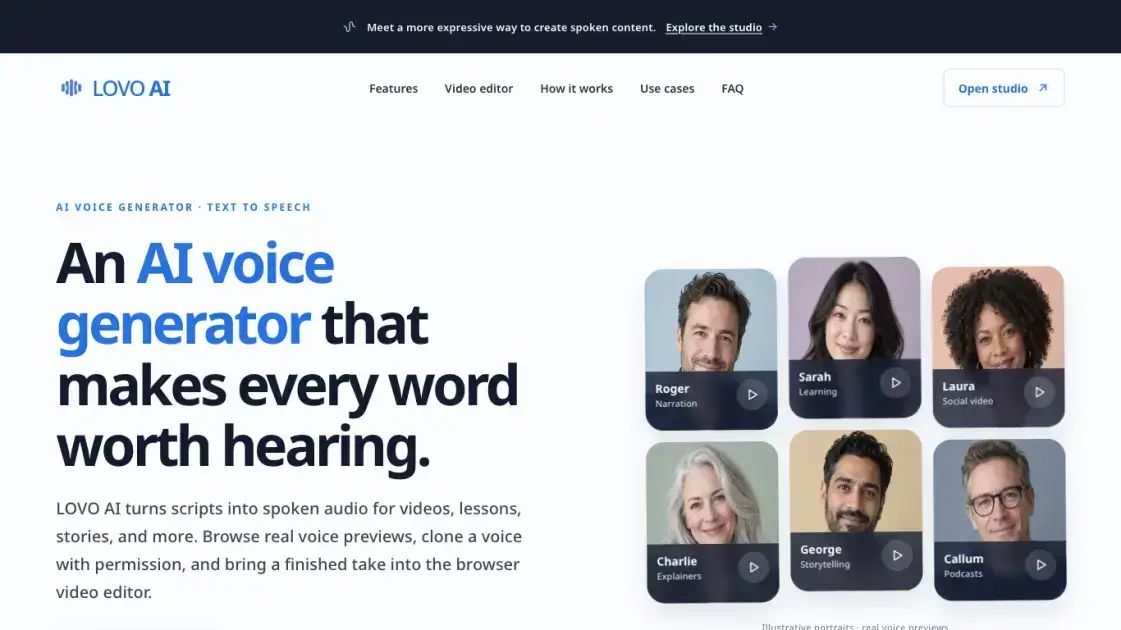
Twenty-one curated voices are listed with personality traits, and short samples on the homepage let listeners compare narration, learning, and social-video reads before generating.
Permission-based voice cloning
Upload a clear recording of a single speaker as MP3, WAV, WebM, or M4A up to 10 MB, confirm the speaker's rights, and keep up to three cloned voices.
Credit cost shown upfront
One credit covers each 100 characters, rounded up, and the studio displays the character count plus the exact credit cost before a generation request is submitted.
Multilingual speech output
Generation uses ElevenLabs models whose current version lists 74 languages, so the same studio handles scripts in many languages, subject to each voice's accent.
In-browser video editor
A separate editor combines a video file with a generated MP3, sets voiceover and original-audio levels independently, previews the mix, and exports a WebM file.
Local file handling in the editor
Video and audio files stay on the user's device during editing, and export plays the timeline from start to finish rather than uploading media to a server.
Use Cases of LOVO AI
- Video creators: give walkthroughs, short films, and social clips a voice track after comparing several readings.
- Training teams: turn lesson scripts and onboarding material into revisitable audio with alternate pacing.
- Podcasters and writers: prototype an opening or test a character voice before a studio recording.
- Explainer producers: paste a 2,000-character script, compare narrators, and export the MP3 for editing.
- Repeat presenters: clone a permitted voice once, then reuse it across lessons for consistent delivery.
FAQs of LOVO AI
What is an AI voice generator?
An AI voice generator converts written text into spoken audio. With LOVO AI, you pick a voice, enter a script, generate a take, listen in the browser, and download the MP3, while a human review remains useful for names, specialist terms, and emotional nuance.
Can I try LOVO AI for free?
Yes. A newly verified account receives 10 free credits, and no card is needed to try the studio. Each generation consumes one credit per 100 characters, rounded up, with the cost shown before you submit. Once credits run out, generation pauses.
Which languages can the text to speech support?
Available languages depend on the current ElevenLabs speech model and the submitted text. The connected model currently lists 74 languages. A voice can carry an accent in a language it was not designed for, so listening to the output is still recommended.
Can I download and edit the generated audio?
Generated speech arrives as an MP3 that can be previewed and downloaded directly. The LOVO AI video editor at https://lovoai.app/video-editor combines that file with a video, adjusts both volume levels, and exports a WebM file in the browser.
Can I clone someone else's voice?
Only with the speaker's permission and the rights needed for the recording. The studio requires an explicit confirmation checkbox before an audio sample is uploaded, and the terms prohibit imitating someone to deceive, harass, or infringe their rights.
Does LOVO AI store my scripts and audio files?
The studio does not keep generated scripts or MP3 files as a project library on its servers, and cloned voice samples are not retained in LOVO AI's own storage. Scripts and voice samples are sent to ElevenLabs for processing, under that provider's terms.
How much text fits in one generation?
Each request accepts up to 2,000 characters, with a live counter in the studio. Shorter, complete sentences are easier to review, and the character count determines the credit cost shown before generation runs.
How to use LOVO AI
- Open https://lovoai.app/studio and create an account, then verify it so the 10 free credits are added to the balance.
- Paste narration, a lesson segment, or a scene into the script box, keeping sentences short and the request within the 2,000-character limit.
- Check the live counter and the credit estimate shown under the generate button, then pick a voice from the 21 options or select a cloned voice.
- Start generation and listen to the returned MP3 in the preview panel, reviewing names, pauses, and emphasis before accepting the take.
- Revise wording or punctuation and generate a fresh take if the pacing feels wrong, since each attempt costs credits based on length.
- Download the accepted MP3 for an external editor, or open https://lovoai.app/video-editor to add it to a video, set volume levels, and export WebM.
- To clone a voice, upload a clear single-speaker sample of up to 10 MB, confirm the rights checkbox, and create the clone before selecting it.
LOVO AI Alternatives
Play HT is a free AI voice generator that turns text into speech with 200+ public voices, streams previews in the browser, and exports MP3 files.

MixVio runs 21 video, image and audio models in one browser workspace, plus 11 creator tools, with exact credit cost shown before every generation.
PodcastorAI turns PDFs, URLs, notes, and audio into studio-quality video podcasts with AI hosts, voices, and scripts for YouTube, Spotify, and TikTok.
KidVoice is an AI kid voice generator that creates natural child and teen voice audio from text with multilingual support and voice cloning.
Generate expressive AI voiceovers and dialogue with Seed Audio. An ElevenLabs-powered text-to-speech tool with performance tags, multi-voice selection, and fast MP3 preview.
Miso One AI is an AI voice generator that lets creators and development teams produce expressive dialogue audio, test cloning, review prompts, and download speech samples with credit tracking.
CAVN AI is an AI music platform for creators, offering text‑to‑song, voice cloning, stem separation, mastering and 4K video creation, free for commercial use.
Petti Chat is an AI-powered web tool that lets pet owners capture short pet sounds, interpret likely intent in human language, and reply with calm, pet‑friendly audio, ensuring privacy and real‑time interaction.
GPT Realtime 2 is an AI voice generator for developers and product teams, offering realtime speech‑to‑speech interaction, low‑latency audio, prompt control, tool handoffs and downloadable session recordings.
GPT Realtime is an AI voice generator platform for developers and product teams, offering low‑latency speech‑to‑speech, image‑aware prompts, SIP call support, API workflow planning and reusable cache for rapid voice‑app prototyping.
This online PDF voice reader uses AI to convert documents, including scanned files via OCR, into natural speech in 142+ languages, supporting all PDF formats.
AnySpeech is a professional AI text to speech platform offering 100+ realistic voices across 50+ languages, designed for content creators, YouTubers, and podcasters worldwide.