
GPT Realtime 2 – Low‑Latency AI Voice Generator for Teams

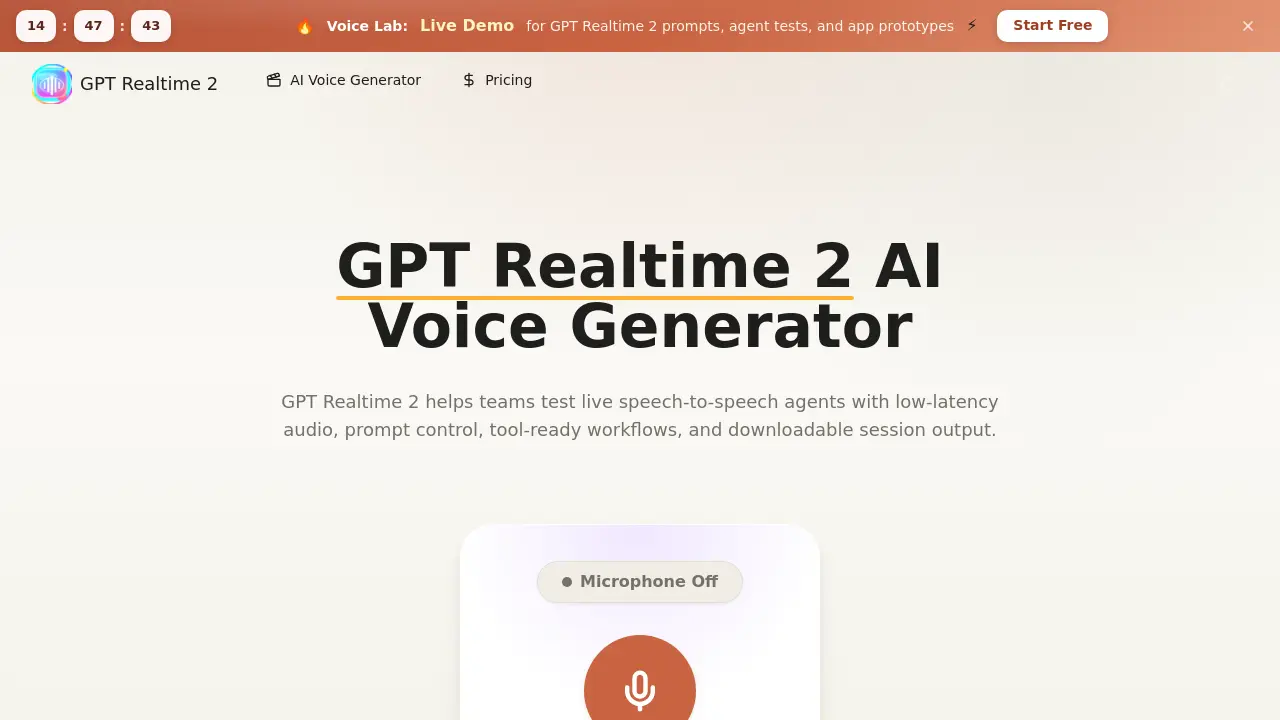
What is GPT Realtime 2
GPT Realtime 2 is a browser‑based workspace that lets teams prototype and evaluate speech‑to‑speech agents with low‑latency audio. Users define persona, boundaries, and escalation rules in a single prompt, then run live voice sessions to test greetings, pacing, interruptions, and pronunciation. The platform supports multimodal context—including text notes, visual references, and scorecards—so each test can be reviewed with transcripts and downloadable recordings. Built‑in tooling enables planning of function calls, app actions, and human handoffs, while export features capture session logs for launch documentation. Ideal for developers, support engineers, educators, and product managers, GPT Realtime 2 accelerates the iteration cycle for voice‑first applications such as support bots, tutoring assistants, sales demos, and internal training simulations.
How does GPT Realtime 2 work
GPT Realtime 2 operates as a browser‑based workspace that converts spoken input into contextual spoken replies in real time. Users enter a prompt that defines persona, boundaries and tool‑call rules, then the platform streams audio through a low‑latency speech‑to‑speech model, preserving pauses, interruptions and pacing for accurate evaluation. During the session the system can invoke functions, collect fields or defer to a human, while simultaneously logging transcripts, notes and scorecards. After the exchange, recordings and session data are downloadable, enabling teams to compare prompt versions, refine tool handoffs and prepare launch‑ready voice AI flows.
Benefits of GPT Realtime 2
GPT Realtime 2 provides a browser‑based workspace for designing, testing, and reviewing real‑time speech‑to‑speech agents. Its low‑latency audio engine lets teams evaluate greetings, pacing, interruptions, and pronunciation while preserving contextual information such as visual references and scorecards. Prompt control consolidates persona, boundaries, and escalation rules, and the tool‑ready flow supports function calls, confirmations, and human handoffs within a single session. Transcripts, notes, and downloadable recordings enable systematic comparison of prompt variants and generate launch‑ready documentation. The platform is suited for support bots, tutoring apps, sales assistants, and internal training simulations before committing to production code.
Pros and Cons of GPT Realtime 2
Pros
- Low‑latency speech‑to‑speech testing.
- Browser‑based workspace, no local setup.
- Integrated prompt control and tool handoffs.
- Exportable transcripts and session recordings.
- Supports multimodal context (text, visuals, notes).
Cons
- Requires credits; cost may rise with longer sessions.
- No native mobile app, limited to browsers.
- Advanced analytics not included out‑of‑the‑box.
- Dependency on internet connectivity for real‑time audio.
- Limited customer support information on site.
Core Features of GPT Realtime 2
Low‑latency Voice Sessions
Enables near‑real‑time speech‑to‑speech exchanges, allowing teams to evaluate greetings, pacing, interruptions, and edge‑case handling within live audio flows.
Prompt Control
Centralizes persona definition, boundaries, goals, escalation rules, and response style, ensuring consistent agent behavior across test iterations.
Realtime Voice Testing
Provides an interactive environment to assess pronunciation, response clarity, and conversational smoothness while speakers interact with the AI in real time.
Tool‑Ready Conversation Flow
Supports planning and execution of function calls, app actions, confirmations, permissions, and human handoffs within a single agent brief.
Multimodal Agent Context
Integrates text prompts, visual references, transcripts, scorecards, and launch notes to enrich testing scenarios and improve iterative refinement.
Review Workflow
Captures transcripts, notes, and scorecards, enabling side‑by‑side quality comparison of different prompt versions and facilitating stakeholder alignment.
Exports and Records
Allows downloading of session audio, transcripts, and structured notes, turning test outcomes into actionable documentation for product launch.
Use Cases of GPT Realtime 2
- Product managers: Evaluate voice agent greetings, pacing, and interruption handling in low‑latency sessions before development.
- Support engineers: Test real‑time tool handoffs and confirmation flows, then export transcripts for quality review.
- Educators: Prototype tutoring dialogues with multimodal context, capture audio recordings, and iterate on persona prompts.
- Sales developers: Simulate phone‑style product demos, compare response clarity across prompt versions, and generate launch notes.
- QA analysts: Conduct side‑by‑side voice prompt comparisons, annotate scorecards, and archive session outputs for compliance testing.
FAQs of GPT Realtime 2
What is GPT Realtime 2?
GPT Realtime 2 is a browser‑based workspace designed for planning, testing, and reviewing realtime AI voice experiences. It lets teams create prompts, adjust settings, run live speech‑to‑speech sessions, and download recordings for later analysis.
What can I build with GPT Realtime 2?
Users can prototype voice‑first applications such as support agents, tutoring assistants, sales bots, training simulators, product demos, and other interactive phone‑style experiences. The platform supports end‑to‑end testing of greeting style, pacing, interruptions, and tool handoffs.
How does the GPT Realtime 2 API fit into a product?
The API enables developers to automate session setup, prompt design, tool invocation, transcript capture, and realtime audio handling before shipping code. Teams typically prototype in the browser, export the workflow, and then integrate the refined specifications into their production stack.
Is GPT Realtime 2 different from GPT Realtime 1.5?
Yes. GPT Realtime 2 focuses on newer low‑latency voice workflows, improved prompt compliance, and richer session metadata compared with the earlier 1.5 version, which was primarily a proof‑of‑concept for audio testing.
What does “GPT Realtime 2 model” refer to?
The phrase denotes the realtime speech model that processes live audio input, generates spoken output, and follows the structured prompt rules defined by the user. It governs latency, pronunciation, pause handling, and the ability to maintain context over multiple turns.
Are gpt-2-realtime, gpt-realtime-2, and realtime 2.0 gpt the same search intent?
These variations generally point to the same user intent: finding a fast, browser‑based voice AI workspace for testing spoken conversations, prompt quality, and integration readiness.
What are GPT‑Realtime‑Translate, GPT Realtime Whisper, and related terms?
These names refer to adjacent use cases such as live translation and transcription that can be layered on top of the core GPT Realtime 2 engine. While the core product focuses on speech generation, separate modules handle real‑time translation or whisper‑style transcription.
Can GPT Realtime 2 use tools during a conversation?
Yes. Prompts can be structured to trigger tool calls, data look‑ups, appointment scheduling, order verification, or human handoffs. The platform records when a tool is invoked, allowing teams to evaluate the timing and phrasing of those interactions.
Who should use GPT Realtime 2?
Founders, product managers, developers, support engineers, educators, and agency teams benefit from GPT Realtime 2 when they need to evaluate voice AI behavior before committing to full‑scale development. It is especially useful for multi‑stakeholder reviews of tone, policy limits, and handoff logic.
How do credits work?
Credits are deducted based on session length, selected quality settings, model routing, and any additional generation options. Short test runs consume fewer credits, while longer, higher‑fidelity sessions use more, enabling teams to scale usage according to their testing phase.
How can I export session recordings and transcripts?
After completing a realtime voice session, users can download audio files, transcript text, and accompanying notes or scorecards directly from the workspace. These exports serve as documentation for stakeholder reviews and as launch‑ready reference material.
What steps are involved in creating a test with GPT Realtime 2?
First, type a clear prompt describing the desired interaction. Next, adjust settings such as latency, voice style, and tool integration. Finally, start the session, listen to the live exchange, and save any useful recordings or notes for later analysis.
How to use GPT Realtime 2
GPT Realtime 2 provides a browser workspace for designing, testing, and reviewing low‑latency speech‑to‑speech agents, supporting prompt control, tool handoffs, and downloadable session records.
Open the GPT Realtime 2 interface, locate the “Enter your idea” field, and type a concise prompt describing the desired voice interaction scenario.
Click the “Adjust settings” panel, select appropriate latency, persona, and tool‑call options, then confirm the configuration before initiating the live audio test.
Press the “Start” button; speak into the microphone while the system generates contextual spoken responses, allowing real‑time observation of greetings, pacing, and interruption handling.
After the session ends, use the “Export” feature to download the audio file, transcript, and scorecard for later analysis and documentation.
Review the transcript and scorecard, compare multiple prompt versions, and note differences in response clarity, tool activation timing, and overall user experience.
Apply the insights to refine prompt wording, adjust persona parameters, or modify tool‑call logic, then re‑run the test to validate improvements.
Repeat the cycle until the voice agent meets the target performance criteria, ensuring the final configuration aligns with product launch requirements.
GPT Realtime 2 Website Traffic Analysis
Latest traffic information
- Monthly Visits447
- Bounce Rate39.8%
- Pages Per Visit1.04
- Visit Duration00:00:00
- Global Rank--
- Country/Region Ranking--
Visits Over Time
Top Keywords
| Keyword | Traffic | Volume | Cost Per Click |
|---|---|---|---|
| gpt-realtime-2 | 10 | 19.04K | -- |
| gpt realtime 2 | -- | 11.77K | -- |
| gpt realtime | -- | 7.54K | $6.27 |
| gpt realtime 2.0 | -- | 680 | -- |
| realtime 2 | -- | 640 | -- |
Top Regions
| Region | Percentage |
|---|---|
| United States | 100% |
