
Voicss AI Vocal Remover – Instant Online Karaoke Tracks

What is Voicss
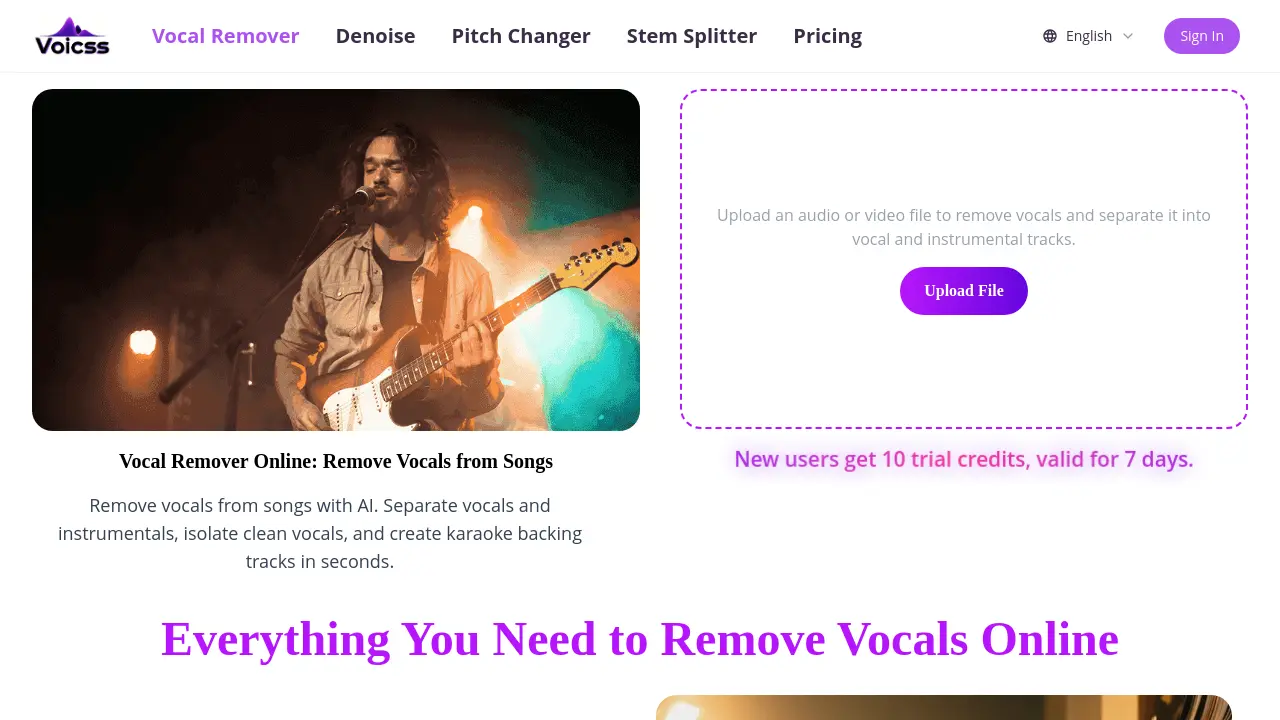
Voicss is an AI‑powered, browser‑based vocal remover that isolates vocals and instrumentals in seconds. Users upload an MP3, WAV, FLAC, or other common audio format, then the platform instantly separates the tracks, producing a clean karaoke backing or an isolated vocal file ready for remixing, sampling, or practice. Because the service runs entirely online, no software installation or technical expertise is required; the workflow consists of upload, processing, and download. The tool supports high‑quality results across a variety of languages and music styles, making it suitable for singers, producers, and educators alike. A free trial provides ten credits for new users, and the pricing page outlines affordable plans for frequent creators. Voicss therefore delivers a fast, secure, and beginner‑friendly solution for anyone needing quick audio stem separation without the overhead of traditional DAW software.
How does Voicss work
Voicss operates as a browser‑based AI vocal remover that processes uploaded audio or video files entirely online. When a user submits a file, the platform’s server‑side neural network analyzes the spectral content, separates the vocal component from the instrumental background, and generates two distinct tracks—one containing isolated vocals and the other a clean accompaniment. The workflow requires no local installation, supports common formats such as MP3, WAV, M4A and FLAC, and delivers the split files within seconds, allowing creators to produce karaoke backs, remixes, or practice tracks without additional software.
Benefits of Voicss
Voicss provides a fully browser‑based vocal remover that isolates vocals and instrumentals in seconds using AI. Users simply upload an MP3, WAV, FLAC, or other common format, wait for processing, then download clean karaoke tracks or isolated vocal stems without installing software. The interface is designed for beginners, requiring no audio editing experience, while delivering results comparable to desktop tools. Voicss supports instant, high‑quality output for practice, remixing, and content creation, and offers a free trial of ten credits for new users, making the service both accessible and cost‑effective.
Pros and Cons of Voicss
Pros
- AI separates vocals and instrumentals instantly.
- Fully browser‑based, no software download required.
- Supports MP3, WAV, FLAC, M4A and other common formats.
- Free trial credits available for new users.
- Simple UI enables fast uploads and downloads.
Cons
- Free tier limited to 10 trial credits.
- Output may contain occasional separation artifacts.
- Lacks advanced editing features (e.g., stem mixing controls).
- Requires constant internet connection.
- No offline or desktop application offered.
Core Features of Voicss
AI Vocal Remover
Separates vocals from background music using AI algorithms, delivering clean instrumental and vocal stems for karaoke, remixing, or practice within seconds.
Stem Splitter
Divides uploaded audio into multiple isolated tracks (vocals, drums, bass, other instruments), enabling precise editing or sampling for music production.
Pitch Changer
Adjusts the pitch of isolated vocal or instrumental tracks without affecting tempo, supporting key transposition for covers or creative experimentation.
Denoise Processor
Reduces background noise and unwanted artifacts in uploaded files, improving clarity of both vocal and instrumental outputs.
Karaoke Track Generator
Creates ready‑to‑use backing tracks by removing vocals, allowing singers to perform without additional software or editing expertise.
Use Cases of Voicss
- Music students: Generate clean karaoke backing tracks instantly for practice without installing additional software.
- Amateur producers: Isolate vocal stems from mixed songs for remixing or sampling using the browser‑based AI vocal remover.
- Language teachers: Create instrument‑only versions of songs to facilitate pronunciation drills and listening exercises.
- Content creators: Produce royalty‑free instrumental clips for video backgrounds by separating vocals in seconds.
- Podcast editors: Remove background music from interview recordings to obtain clear spoken audio for post‑production.
FAQs of Voicss
What is Voicss and how does its AI vocal remover work?
Voicss is an entirely browser‑based service that uses artificial intelligence to separate vocal tracks from instrumental accompaniment. Users upload an audio or video file, and the AI model analyses frequency and temporal patterns to isolate the singing voice, producing separate vocal and instrumental files within seconds, without requiring any software installation.
Which audio and video formats are supported by Voicss?
Voicss accepts all common media types, including MP3, WAV, M4A, FLAC, as well as video containers such as MP4 and MOV. The platform automatically detects the file type, processes it in the cloud, and returns high‑quality vocal and instrumental stems compatible with standard playback devices and editing software.
How accurate are the vocal and instrumental outputs, and what quality can users expect?
The AI algorithm is trained on a large dataset of mixed recordings, enabling it to achieve clean separation with minimal artifacts. While results can vary depending on the source mix, most users report instrumentals that are sufficiently free of vocal bleed for karaoke, remixing, and practice purposes, delivering near‑studio quality within a few seconds of processing.
Is there a cost to use Voicss, and what are the trial limitations?
Voicss offers a free trial that grants new users ten credits, valid for seven days. Each credit typically corresponds to one file split. After the trial, users can purchase additional credits or subscribe to a paid plan, which provides higher throughput and priority processing, though the basic functionality remains accessible without a mandatory sign‑up.
How does Voicss ensure user privacy and data security during processing?
All uploads are transmitted over encrypted HTTPS connections and processed on secure servers that do not retain the files longer than necessary to complete the separation. Voicss deletes the original and generated audio tracks after the download link expires, aligning with its privacy policy and protecting user content from unauthorized access.
How to use Voicss
- The AI‑driven Voicss platform separates vocals from instrumental tracks, enabling karaoke creation, remixing, and clean vocal isolation without installing any software.
- Navigate to voicss.com, locate the “Upload File” button under the Vocal Remover section, and select an MP3, WAV, FLAC, or other supported audio/video file from your device.
- After the file uploads, the system automatically processes it using AI vocal removal; progress is indicated by a brief loading animation and estimated time remaining.
- Once processing completes, two downloadable files appear: one containing the isolated instrumental track and another containing the extracted vocal track, each labeled clearly.
- Download the instrumental file to use as a karaoke backing track, or download the vocal file for remixing, sampling, or practice, then store them in your preferred audio library.
- Evaluate the results by listening for residual vocal bleed or artifact noise; if necessary, re‑upload a higher‑quality source or adjust post‑processing with an external editor for optimal clarity.
Voicss Website Traffic Analysis
Latest traffic information
- Monthly Visits8.38K
- Bounce Rate38.05%
- Pages Per Visit1.62
- Visit Duration00:00:12
- Global Rank2.49M
- Country/Region Ranking390.75K
Top Keywords
| Keyword | Traffic | Volume | Cost Per Click |
|---|---|---|---|
| iina 去除视频杂音 | 450 | 530 | -- |
| 音轨分离在线免费 | 370 | -- | -- |
| voicss ai | 130 | 140 | -- |
| https/www.voicss.com | 80 | 80 | -- |
| bpm changer | 10 | 6.46K | $2.42 |
Top Regions
| Region | Percentage |
|---|---|
| United States | 23.75% |
| Russia | 21.74% |
| Brazil | 19.97% |
| Philippines | 17.59% |
| Mexico | 8.84% |
Voicss Alternatives
MusicDesk offers AI vocal removal, stem splitting, reference-based mastering and noise cleanup in the browser, plus free trim, join, convert and speed tools.

Miso One AI is an AI voice generator that lets creators and development teams produce expressive dialogue audio, test cloning, review prompts, and download speech samples with credit tracking.
Weke AI is a browser‑based AI creative platform for designers, marketers and content creators, providing text‑to‑image, text‑to‑video and audio generation, editing tools, and unified access to 20+ leading AI models via a single credit balance.
LiveTalk Translate offers AI-powered two-way voice translation with low latency, supporting 50+ languages directly in your browser without any app download.
AnySpeech is a professional AI text to speech platform offering 100+ realistic voices across 50+ languages, designed for content creators, YouTubers, and podcasters worldwide.
Audjust AI helps creators edit audio and generate music with AI by shortening songs, lengthening audio, finding loops, and creating tracks from text.
AI Add Audio to Video auto‑detects video scenes and inserts realistic sound effects from a large library, cutting manual editing time for creators.
kirkify instantly creates marketing videos, cinematic images, and audio, enabling marketers and creators to produce visuals quickly with editing and export.
This in-browser tool accurately analyzes song tempo, musical key, and Camelot code using Essentia.js for DJs and producers.
This platform provides AI voice cloning to generate lifelike voices from text or audio samples, suitable for videos, podcasts, and diverse content creation needs.
Eleven Music provides an advanced AI music generator, transforming text prompts into professional, royalty-free songs instantly, with multi-language vocal options.
Describe Music analyzes music, audio, and voice files with advanced AI, generating detailed descriptions, identifying instruments, analyzing emotions, and providing SEO-friendly tags for content creators.