
LiveTalk Translate
Real-time AI voice translation in 50+ languages online.

What is LiveTalk Translate
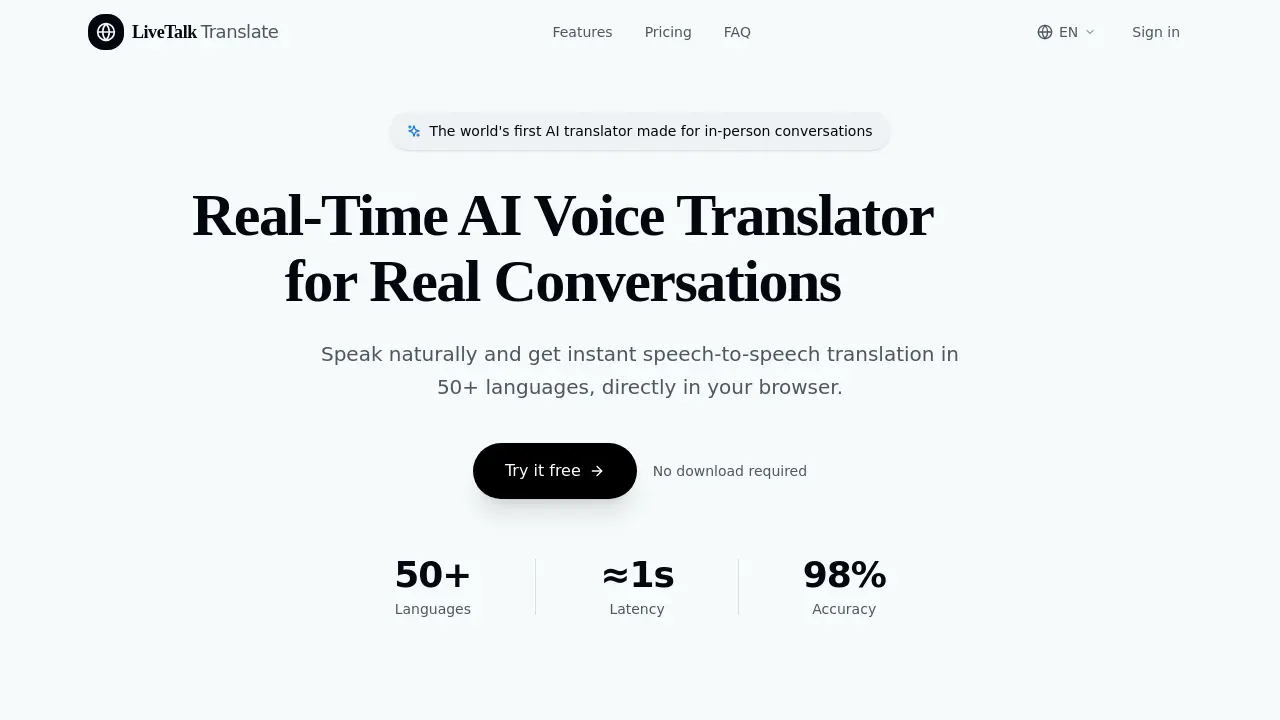
LiveTalk Translate is a real-time AI voice translator designed for in-person conversations. It offers instant speech-to-speech translation in over 50 languages, directly in your browser. With a latency of approximately 1 second and 98% accuracy, it enables seamless communication across language barriers. The platform features push-to-talk functionality, real-time voice output, and readable transcripts for easy review. No app download is required, as it runs on modern browsers across desktop and mobile devices. LiveTalk Translate prioritizes privacy and security, ensuring conversations are encrypted and not stored on servers. Simple, transparent pricing plans cater to travelers, professionals, and enterprises, with a free tier offering 180 seconds monthly.
How does LiveTalk Translate work
LiveTalk Translate operates as a browser-based real-time AI voice translator, enabling seamless in-person conversations across 50+ languages. Users select their desired languages, then press and hold the microphone button to speak, releasing it when finished. The system instantly processes the speech using advanced AI models, providing both audio playback and readable transcripts of the translation. Built for accessibility, it requires no downloads and works on modern browsers across desktop and mobile devices. The platform prioritizes privacy by encrypting conversations and not storing audio or transcripts on its servers. With features like push-to-talk functionality, natural-sounding voices, and support for natural speech patterns, LiveTalk Translate facilitates smooth communication for travel, business meetings, and personal connections.
Benefits of LiveTalk Translate
LiveTalk Translate offers real-time AI voice translation in 50+ languages, enabling seamless in-person conversations directly in your browser. With instant speech-to-speech translation and ≈1s latency, it delivers 98% accuracy for natural communication. The platform supports travel, business meetings, and personal connections, featuring real-time voice output, readable transcripts, and natural-sounding AI voices. No app download is required, ensuring privacy and security with encrypted conversations. Simple pricing plans include a free tier and affordable monthly options, making LiveTalk Translate an accessible and efficient solution for breaking language barriers.
Pros and Cons of LiveTalk Translate
Pros
- Real-time translation in 50+ languages.
- No app required, works in browser.
- High accuracy with 98% claimed accuracy.
Cons
- Monthly usage limits on free and paid plans.
- Requires microphone access for functionality.
- Paid plans can be expensive for heavy users.
Core Features of LiveTalk Translate
Real-Time Voice Translation
Provides instant speech-to-speech translation in 50+ languages, enabling seamless in-person conversations without downloads or apps.
Browser-Based Operation
Runs directly in modern browsers on desktop and mobile devices, eliminating the need for app installations or software downloads.
Push-to-Talk Functionality
Allows users to hold the microphone button to speak and release to translate, mimicking natural conversation flow and controlling when translation occurs.
Multi-Language Support
Offers translation between over 50 languages with support for major world languages and regular additions of new language pairs.
Privacy and Security
Processes conversations in real-time without storing full audio or transcript history, ensuring user privacy through encryption and minimal data retention.
Use Cases of LiveTalk Translate
- Travelers: Navigate foreign countries with ease using real-time speech-to-speech translation in 50+ languages.
- Business professionals: Conduct international meetings and negotiations without language barriers using AI-powered voice translation.
- Personal connections: Bridge language gaps with loved ones through instant, natural-sounding voice translation.
- Tourists: Order food, ask for directions, and chat with locals naturally using the browser-based translator.
- Conference attendees: Follow presentations and participate in discussions across multiple languages with minimal latency.
FAQs of LiveTalk Translate
What is LiveTalk Translate?
LiveTalk Translate is the world's first AI translator designed specifically for in-person conversations. It provides real-time speech-to-speech translation in 50+ languages directly in your browser, allowing you to speak naturally and get instant translations without any downloads required.
How does LiveTalk Translate work?
LiveTalk Translate uses advanced AI models to process your speech in real-time. Simply select two languages, press and hold the microphone button to speak, then release when finished. The system instantly translates your speech and plays it back in the target language while displaying both the original and translated text for easy review.
What languages are supported by LiveTalk Translate?
LiveTalk Translate currently supports over 50 languages including Chinese, English, Japanese, Korean, Spanish, French, German, Portuguese, Italian, Arabic, Hindi, and many more. The platform regularly adds new languages to expand its global coverage.
How accurate is the translation?
LiveTalk Translate uses state-of-the-art AI models that achieve over 98% accuracy for most language pairs. The system is continuously improving and can handle natural speech patterns, including pauses, filler words, and varying accents, making it suitable for authentic conversations.
Do I need to download anything to use LiveTalk Translate?
No, LiveTalk Translate works entirely in your browser. There's no need to download any apps or software. It runs on Chrome, Safari, Firefox, and Edge on both desktop and mobile devices, making it accessible wherever you need it.
How much does LiveTalk Translate cost?
LiveTalk Translate offers a free tier with 180 seconds of usage per month. Paid plans start at $9.99/month (billed yearly) for the Starter plan with 100 minutes per month, $19.99/month (billed yearly) for the Pro plan with 240 minutes per month, and custom Enterprise plans starting at $299/month for teams needing shared usage and additional features.
Is my conversation data private and secure?
Your audio is processed in real-time and transmitted to model providers to generate translations and transcripts. LiveTalk Translate is not designed to store full conversation audio or transcript history as a persistent user archive. All conversations are encrypted and handled with privacy in mind.
Can I use LiveTalk Translate for business meetings?
Yes, many users rely on LiveTalk Translate for international business meetings, client calls, and conferences. The Starter and Pro plans offer features specifically designed for professional use, including priority voice processing and support to ensure smooth communication during important business interactions.
What devices are compatible with LiveTalk Translate?
LiveTalk Translate works on modern browsers including Chrome, Safari, Firefox, and Edge on both desktop and mobile devices. As long as you have a compatible browser and microphone access, you can use LiveTalk Translate without any additional hardware or software requirements.
What happens if I reach my monthly usage limit?
When you reach your monthly usage limit on your current plan, you'll need to upgrade to continue using the service. You can view paid plans on the pricing page to choose a plan that better fits your needs, or contact the support team for enterprise solutions if you require more extensive usage.
How to use LiveTalk Translate
LiveTalk Translate is an AI-powered voice translation tool designed for real-time, in-person conversations. It supports 50+ languages with instant speech-to-speech translation directly in your browser. No downloads are required, and it's ideal for travel, business meetings, and personal connections.
- Open LiveTalk Translate in your browser. No installation needed.
- Select your source and target languages from the dropdown menus.
- Click the microphone button or press Space to start speaking.
- Hold the button while speaking, then release to trigger translation.
- Listen to the translated audio and read the transcript displayed below.
- Review both original and translated text for accuracy and context.
- Use the tool continuously for seamless multi-turn conversations.
- Check your usage limit in the dashboard; upgrade if needed.
- Ensure microphone permissions are enabled in your browser settings.
LiveTalk Translate Website Traffic Analysis
Latest traffic information
- Monthly Visits916
- Bounce Rate50%
- Pages Per Visit3
- Visit Duration00:01:41
- Global Rank--
- Country/Region Ranking--
Top Keywords
| Keyword | Traffic | Volume | Cost Per Click |
|---|---|---|---|
| thai to english mic | 110 | -- | -- |
| deepl voice | -- | 4.46K | $1.53 |
| life translation from vietnamese | -- | 160 | -- |
| i want to tal translate | -- | 100 | -- |
LiveTalk Translate Alternatives
Translate raw manga, manhwa, manhua and webtoons into 50+ languages with AI, keeping artwork, speech bubbles and panel layout intact across full chapters.
Free AI caption and subtitle generator that transcribes speech in 100+ languages, styles every word and exports MP4, SRT, VTT or TXT files in the browser.
MusicDesk offers AI vocal removal, stem splitting, reference-based mastering and noise cleanup in the browser, plus free trim, join, convert and speed tools.

Translate Now is a browser-based AI voice translator for real-time speech translation, live transcription, and replayable bilingual audio transcripts.
OpenSubs is a free in-browser AI subtitle generator that transcribes speech with Whisper, translates into 20 languages and burns captions into video.
MeeLang is a Chrome extension that provides real-time AI translation subtitles for Google Meet, supporting over 30 languages with sub-second latency.
MenuForma turns any PDF, photo, or website menu into a digital QR menu with online ordering, 70+ languages, and AI food photos for restaurants.
Memo Card turns live or recorded lectures into AI lecture notes with transcription, real-time translation, bilingual captions, quizzes, and replay.
TranslateImage AI translates images to 70+ languages while preserving font, layout, and style. Free online AI image translator for photos and manga.
AI Image Text Editor lets users replace, remove, translate, and redact text inside finished images while preserving the original font, background, and layout.
VoiceScriber turns speech into text in 100+ languages using on-device AI on your iPhone. Works completely offline with no uploads for total privacy.
Voicss is an online AI vocal remover that separates vocals and instrumentals, creates karaoke backing tracks, and isolates vocals for remixing, serving singers and creators with a fast, no‑download interface.