
Memo Card: AI Lecture Notes & Real-Time Translation
| Added on: | Aug 4, 2026 |
| Monthly Visits: | -- |
| Social & Email: | -- |

What is Memo Card
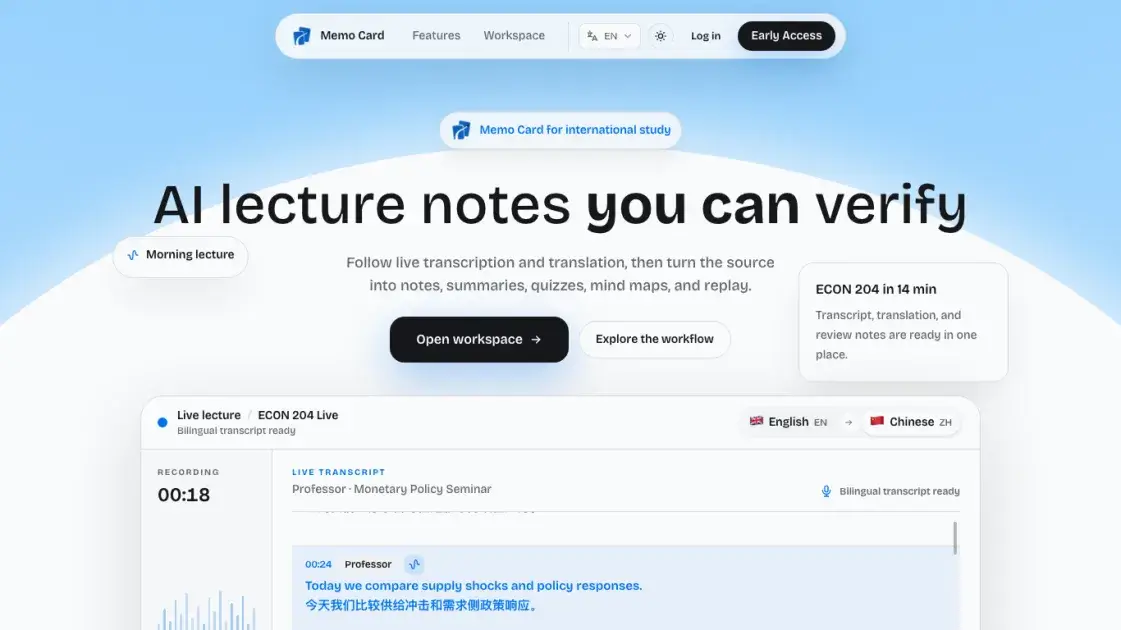
Memo Card is an AI lecture notes tool built for international students studying in English-taught classes where the language is not their first language. It provides live transcription and real-time translation, keeping the original speech and the translated meaning aligned while the lecture is happening. From that same source, it generates AI lecture notes, keyword summaries, a mind map of the lesson structure, course quizzes, and AI Tutor answers, all linked to timestamps so every point can be verified against the recording. Search and replay let students find a specific moment and listen again. Transcripts, translations, and review notes stay in one workspace, and lectures can be imported, exported, or reviewed with full control. The service positions privacy as a priority and markets itself with the tagline "AI lecture notes you can verify."
How does Memo Card work
Memo Card processes live or recorded lectures through a sequential pipeline: real-time transcription captures speech while simultaneous translation produces bilingual captions aligned to the audio; the timestamped transcript is then structured into searchable, keyword-organized notes with source-linked branches for lesson navigation; an AI Tutor answers questions by citing specific timestamps as verifiable evidence tied to the original content; finally, automated quiz generation and mind-map creation support active recall and spaced review. The system operates privacy-first, keeping all processing linked to the source audio for full traceability.
Benefits of Memo Card
Memo Card delivers AI-powered lecture notes with live transcription and real-time bilingual translation, removing language barriers for international students. The platform structures content into timestamped, source-linked notes, mind maps, and quizzes, while an AI Tutor provides verifiable answers backed by timestamped evidence from the original lecture. Searchable replay and visual recaps support recall. A privacy-first design includes data deletion paths, scoped access controls, and expiring share links. The service operates on a paid-only model ($299 annually or credit packs), which may limit accessibility for budget-conscious students.
Pros and Cons of Memo Card
Pros
- Real-time transcription with bilingual translation
- AI notes verifiable via timestamped AI Tutor answers
- Keyword summaries with timestamped replay navigation
- Privacy-first design with data deletion controls
Cons
- No free tier, subscription or credit packs required
- Credits expire after 3 to 12 months
- Requires internet connection and microphone access
- Early Access invite-only with workspace login
Core Features of Memo Card
Real-time transcription
Memo Card captures live lecture audio and converts speech to text instantly, displaying synchronized transcripts that update as the professor speaks, enabling students to follow along without missing content.
Live translation
The platform translates lecture content in real time, presenting source language and target language side by side, so international students can understand complex academic material during class.
Bilingual notes
Generated notes maintain both original and translated text aligned by timestamp, creating searchable study materials that preserve the professor's exact wording alongside accurate translations.
AI Tutor with timestamped quizzes
An AI tutor answers questions using lecture content as evidence, while auto-generated quizzes include precise timestamps linking each question back to the relevant lecture segment for verification.
Keyword summaries
The system extracts key terms and concepts from each lecture, producing concise summaries that highlight essential topics and their relationships, helping students prioritize review efficiently.
Mind mapping
Linear transcripts transform into interactive visual maps with timestamped branches, allowing students to navigate lesson structure, explore concept connections, and jump to specific moments instantly.
Search and replay
Full-text search across transcripts, translations, and notes lets students locate any topic in seconds, with one-click playback from the exact timestamp where the concept was discussed.
Import, export, and access control
Users can upload recorded lectures, export notes in multiple formats, and manage sharing through scoped links with expiration, supporting privacy-first workflows for academic content.
Use Cases of Memo Card
- Non-native English students: follow English lectures live with real-time bilingual translation that keeps original and translated text aligned.
- International students: review recorded lectures with keyword summaries and timestamped branches, replaying the exact moment behind each note.
- Exam candidates: practice with AI-generated course quizzes derived from the transcribed lecture, then verify answers against source timestamps.
- Students with course questions: ask the AI Tutor and get answers that cite precise moments in the lecture for verification.
- Students with recorded classes: upload lecture audio for batch speaker-aware transcription and organize everything into bilingual notes, summaries, and mind maps.
FAQs of Memo Card
What is Memo Card?
Memo Card is an AI study tool that turns live or recorded lectures into transcription, translation, structured notes, summaries, mind maps, quizzes, and source-linked replay. Students follow a lecture in real time with live captions, then review the same material later through searchable bilingual notes and AI Tutor answers. Everything stays connected to the original recording, so each note or answer can be traced back to its timestamp in the lecture.
Does Memo Card work for in-person lectures?
Yes. Students can start a live session during class or upload a recording later, and Memo Card processes both the same way. Results depend on audio quality, room noise, accents, and network conditions, so a quiet classroom with a clear microphone gives better transcription than a noisy lecture hall. Speaker-aware recording transcription is included with every recording, which helps separate different voices even in live sessions.
Can Memo Card create bilingual notes?
Yes. Original speech and translated text stay together in one workspace, with summaries, keywords, search, replay, and export all working on the bilingual content. For example, a lecture in English can be followed with Chinese captions while the source transcript remains visible beside the translation. Students can also listen to real-time simultaneous interpretation audio at three credits per minute when reading subtitles would interrupt a fast lecture, though caption translation is the lower-cost option.
Can I verify an AI-generated answer?
Yes. Every AI answer stays connected to the lecture and its timestamps, so students can reopen the transcript or replay the exact source moment behind the answer. This verification loop matters for classroom content, where a summary or quiz question is only useful if it can be checked against what the professor actually said. The same timestamp linking applies to summaries, keywords, and notes, making the whole workflow auditable rather than a black box.
Can I export or delete my material?
Yes. Students can export or delete recordings, transcripts, summaries, AI lecture notes, and exported files whenever they no longer need them. Account deletion is available in settings, and Memo Card applies scoped access and short-lived links to audio, transcripts, notes, and exports, with clear access and retention boundaries for private lecture content. This privacy-first design keeps classroom material under the student's control.
How do Memo Card credits work?
Memo Card uses prepaid credits that bill per started time block, with different rates per feature. Recordings use 1 credit per started 5-minute block, so a 47-minute lecture costs about 10 credits. Realtime transcription uses 1 credit per 3-minute block, bilingual caption translation uses 1 credit per 2-minute block, and live interpreter audio uses 3 credits per minute. Credits come in a 200-credit pack for $29.90 valid for 3 months and a 2,000-credit pack for $199 valid for 1 year, with failed processing jobs refunded.
How long do credits and unlimited access last, and what is the refund policy?
Credit packs are valid for a set period after purchase: the 200-credit pack lasts 3 months and the 2,000-credit pack lasts 1 year, so the larger pack covers a full academic year at roughly $0.10 per credit. The Annual Unlimited plan costs $299 for one year, about $0.82 per day, with unlimited transcription, translation, captions, and interpretation, and it does not renew automatically. Failed processing jobs are refunded, and checkout runs through Stripe, which handles card details directly without storing full card numbers on Memo Card servers.
How to use Memo Card
- Sign in to the workspace. Users sign in to the browser-based workspace, access is granted through an Early Access invitation, and no app installation is required to start a session.
- Choose a paid plan. Users select a prepaid credit pack or the annual unlimited plan, checkout runs through Stripe, and payment is a one-time purchase without automatic renewal.
- Capture or upload a lecture. Users start a live session in the browser before class or upload a recorded lecture afterward, and either path feeds audio into the same workflow.
- Follow live transcription and translation. Translated text appears beside the original speech in real time, so students can follow fast lectures while the context is still fresh.
- Organize into study material. Memo Card cleans punctuation, identifies keywords, summarizes sections, and builds bilingual study notes with timestamps linked to the original audio.
- Review and practice. Users search any term, jump to the matching timestamp, replay the exact moment, ask the AI Tutor questions with source evidence, and take generated quizzes or mind maps.
- Export and control data. Users export study material for revision or collaboration and delete recordings, transcripts, and notes when no longer needed, with account deletion available in settings.
Memo Card Alternatives
Translate raw manga, manhwa, manhua and webtoons into 50+ languages with AI, keeping artwork, speech bubbles and panel layout intact across full chapters.
Translate Now is a browser-based AI voice translator for real-time speech translation, live transcription, and replayable bilingual audio transcripts.

OpenSubs is a free in-browser AI subtitle generator that transcribes speech with Whisper, translates into 20 languages and burns captions into video.
MeeLang is a Chrome extension that provides real-time AI translation subtitles for Google Meet, supporting over 30 languages with sub-second latency.
MenuForma turns any PDF, photo, or website menu into a digital QR menu with online ordering, 70+ languages, and AI food photos for restaurants.
TranslateImage AI translates images to 70+ languages while preserving font, layout, and style. Free online AI image translator for photos and manga.
Viblo AI YouTube MP3 Downloader inspects public videos and lists available M4A or WebM audio formats with size, duration, and temporary direct links.
Turn public Instagram Reels and videos into clean transcripts with NanoPhoto.AI. Copy, read, and download spoken text with one credit.
AI Image Text Editor lets users replace, remove, translate, and redact text inside finished images while preserving the original font, background, and layout.
LectMate is a web SaaS that captures live or recorded lectures, delivering real-time transcription, translation and bilingual notes for overseas students.
PDF Translate is an AI PDF translator for professionals and students, providing free, fast multilingual translation of PDFs while keeping fonts, tables and images intact.
AI Subtitle Translator is a subtitle translation tool for creators and educators, providing batch processing in 100+ languages, multi-format support and exact timestamp alignment for fast global video localization.