
AI Subtitle Translator
AI Subtitle Translator – Fast, Accurate Bulk Translation

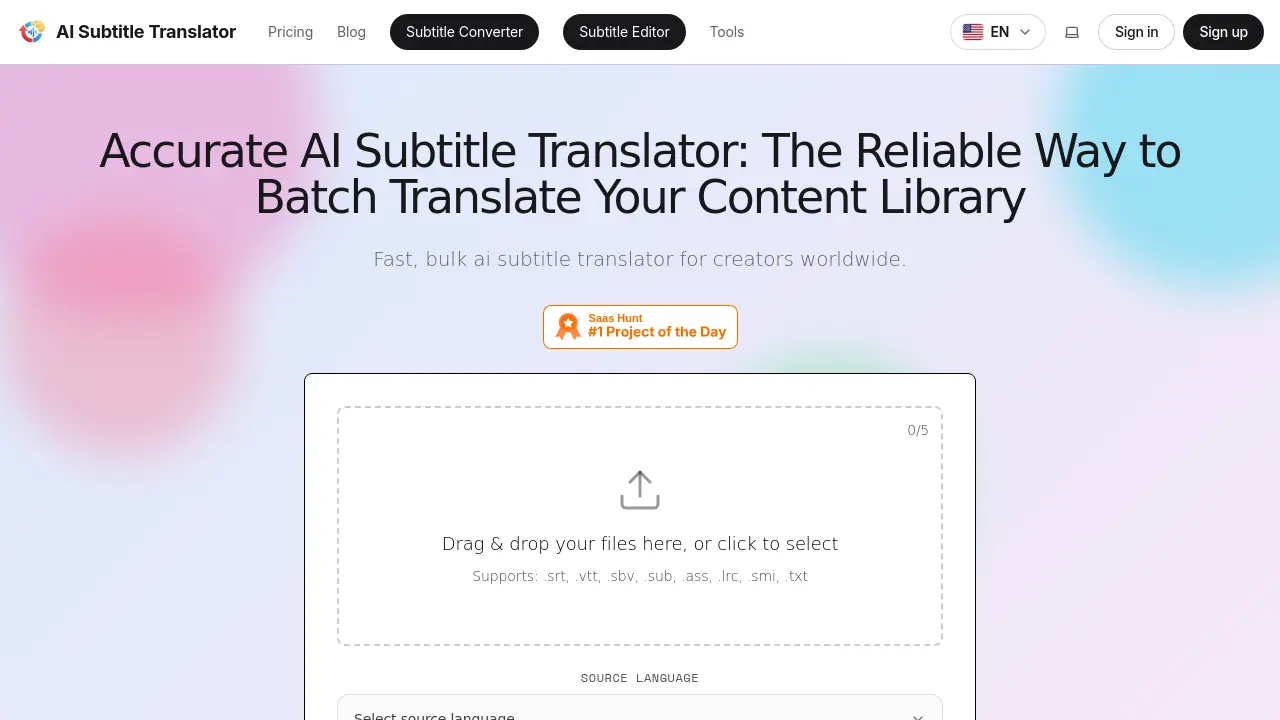
What is AI Subtitle Translator
AI Subtitle Translator is a cloud‑based service that batch‑processes subtitle files into more than 100 target languages. Users upload supported formats (SRT, VTT, SBV, SUB, ASS, LRC, SMI, TXT), select source and destination languages, and the platform applies a context‑aware AI model (Basic, Pro, or Custom) to generate translations with precise timestamp alignment. Bulk mode handles hundreds of files simultaneously, while single‑file uploads can produce up to five language versions at once. The built‑in editor allows post‑translation tweaks, preserving formatting and ensuring linguistic nuance. Pricing tiers range from a free trial with limited credits to an Ultra plan offering 5,000 monthly credits for high‑volume creators, agencies, and educators. Data is encrypted, stored temporarily, and never used to train the underlying models, providing a secure workflow for global video localization.
How does AI Subtitle Translator work
AI Subtitle Translator processes subtitle files through a three‑step workflow: users upload an SRT, VTT, ASS or similar file, the platform’s AI engine automatically detects the source language, then applies a context‑aware large‑language model to generate translations in any of the 100+ supported target languages. Batch processing handles hundreds of files concurrently, while a built‑in editor allows post‑translation adjustments and timestamp alignment. File integrity is preserved during format conversion, and results are delivered for download within minutes, making the service suitable for creators, educators and marketers needing rapid, accurate bulk subtitle translation.
Benefits of AI Subtitle Translator
AI Subtitle Translator streamlines multilingual video localization by allowing creators to batch‑process hundreds of subtitle files in over 100 languages. It supports major formats such as SRT, VTT, ASS, and TXT, while preserving timestamps for precise audio sync. The platform combines a fast, context‑aware AI engine with an intuitive editor, so users can review and fine‑tune translations before download. Flexible pricing includes a free tier with 10 credits and paid plans that scale credits for larger volumes. Data remains encrypted and is not used for model training, ensuring privacy for both personal and corporate content.
Pros and Cons of AI Subtitle Translator
Pros
- Bulk translates hundreds of files simultaneously.
- Supports over 100 languages and multiple subtitle formats.
- Automatic timestamp alignment maintains sync accuracy.
- Integrated editor allows post‑translation adjustments.
- Free tier provides 10 credits for trial use.
Cons
- Free plan limits files to 500 KB and 14‑day storage.
- Multiple‑file batch limited to one target language per job.
- Advanced models require paid subscription.
- No offline or self‑hosted option available.
- Complex technical jargon may need manual review.
Core Features of AI Subtitle Translator
Bulk Batch Translation
Processes hundreds of subtitle files simultaneously, allowing creators to translate large video libraries in minutes, reducing manual effort and accelerating content rollout.
Multi‑Language Support
Translates subtitles into over 100 languages, with single‑file uploads capable of outputting up to five target languages at once for global audience reach.
Multi‑Format Compatibility
Accepts and exports major subtitle formats (SRT, VTT, SBV, ASS, LRC, etc.), preserving file integrity and enabling seamless integration across diverse video platforms.
Automatic Timestamp Alignment
Synchronizes translated lines with original audio automatically, ensuring precise cue timing and consistent viewing experience for all languages.
Integrated Subtitle Editor
Provides a built‑in editor for post‑translation adjustments, allowing users to refine text, edit timings, and customize phrasing before final download.
Use Cases of AI Subtitle Translator
- YouTubers: Batch‑translate SRT files into multiple languages to expand channel reach and increase subscriber growth.
- Online educators: Localize lecture subtitles across 100+ languages, preserving technical terminology for international students.
- Marketing teams: Generate accurately timed captions for global ad campaigns, improving conversion rates in target markets.
- News agencies: Quickly translate breaking‑news subtitle files for real‑time multilingual broadcasting.
- Independent filmmakers: Produce festival‑ready subtitles with precise timestamp alignment, maintaining narrative nuance.
FAQs of AI Subtitle Translator
What is AI Subtitle Translator and what does it do?
AI Subtitle Translator is an online tool that automatically translates subtitle files into multiple languages. It supports batch processing, maintains timestamp alignment, and offers an integrated editor for post‑translation adjustments, making multilingual video publishing faster and more reliable.
Who is AI Subtitle Translator designed for?
The service targets content creators, educators, marketers, corporate communication teams, independent filmmakers, and news outlets. Anyone who needs to localize video captions—whether for YouTube, TikTok, e‑learning platforms, or internal training—can benefit from its bulk translation and editing features.
How do I start a translation with AI Subtitle Translator?
First, drag and drop or upload a supported subtitle file (e.g., SRT, VTT, ASS). The system auto‑detects the source language, you then select one or more target languages, and click Translate. After processing, preview the result in the built‑in editor and download the translated file.
How fast does AI Subtitle Translator process files?
The platform is optimized for speed, typically completing a standard subtitle file within a few minutes. Processing time varies with file size and the number of target languages, but the cloud infrastructure ensures rapid turnaround even during peak usage.
What makes the translation quality reliable?
AI Subtitle Translator leverages advanced large‑language models that understand context, idioms, and domain‑specific terminology. Continuous model updates and language‑specific fine‑tuning help produce natural‑sounding translations that closely resemble native‑speaker output.
Can I edit subtitles after they are translated?
Yes. Every translated file opens in the integrated subtitle editor, where you can modify text, adjust timestamps, and customize styling before exporting. This hybrid AI‑human workflow ensures final captions meet precise brand or style guidelines.
Which subtitle file formats are supported for import and export?
The service accepts a wide range of formats, including .srt, .vtt, .sbv, .sub, .ass, .lrc, .smi, and plain .txt. Export options mirror the input formats, preserving compatibility with platforms like YouTube, Vimeo, and custom video players.
Does the tool support over 100 languages, and are some languages better optimized?
AI Subtitle Translator offers translation into more than 100 languages, with strong performance for widely spoken languages such as Spanish, Chinese, Japanese, French, and German. Each language model is regularly refined to capture regional nuances and idiomatic expressions.
Are there any limitations or usage caps on the free plan?
The free tier provides 10 free credits (≈1,000 characters per credit) and caps each file at 500 KB, with a 14‑day storage limit. Larger files, higher character counts, or multiple target languages require a paid subscription.
How does the pricing structure work and what credits represent?
Plans are subscription‑based (Free, Starter $9.90/mo, Pro $19.90/mo, Ultra $49.90/mo) and include a monthly credit allowance (e.g., 300 credits for Starter). One credit equals 1,000 characters of translated text; unused credits do not roll over, but higher‑tier plans reset credits each month.
What is the data privacy policy for uploaded files?
Uploaded subtitle files are encrypted in transit and stored temporarily only for processing and optional 14‑day access. Files are never used to train the AI models, and the platform complies with standard privacy regulations to protect intellectual property.
How can I obtain a refund or contact support if I encounter issues?
Refunds are available under the terms outlined in the Refund policy page; users can request a refund via the support contact form. For technical help, pricing questions, or general inquiries, email support@aisubtitletranslator.org or submit a ticket through the website’s support portal.
How to use AI Subtitle Translator
AI Subtitle Translator provides bulk subtitle translation, supporting over 100 languages and multiple formats, enabling creators to localize video captions quickly and accurately.
Drag and drop or click to upload a subtitle file; the system auto‑detects the source language and validates file integrity before processing.
Choose one or more target languages from the dropdown, optionally selecting the translation model (Basic, Pro, Custom) to match quality requirements.
Press “Translate”; the AI engine processes the file, preserving timestamps and formatting while generating translated subtitle tracks in the chosen languages.
Once translation completes, preview the output using the built‑in editor to verify alignment, adjust phrasing, or edit timing as needed.
Download the translated files in the original format (SRT, VTT, ASS, etc.) or export to a different compatible format for seamless platform integration.
Compare original and translated captions to assess linguistic accuracy, ensuring cultural nuance and terminology suitability for the intended audience.
Deploy the translated subtitles to YouTube, Vimeo, or LMS platforms, expanding global reach and improving viewer engagement across multilingual markets.
AI Subtitle Translator Website Traffic Analysis
Latest traffic information
- Monthly Visits534
- Bounce Rate34.92%
- Pages Per Visit1.09
- Visit Duration00:00:00
- Global Rank11.41M
- Country/Region Ranking--
Top Keywords
| Keyword | Traffic | Volume | Cost Per Click |
|---|---|---|---|
| subtitle | -- | 41.66K | $0.78 |
| subtitles translator | -- | 3.97K | $0.28 |
| sub translate | -- | 3.13K | $0.42 |
| jav english subtitles generator | -- | 1.45K | -- |
| sub to srt | -- | 1.22K | -- |
Top Regions
| Region | Percentage |
|---|---|
| United States | 52.78% |
| Brazil | 47.22% |
AI Subtitle Translator Alternatives
Seedance 3.0 preview page: planned multi-shot continuity, scene editing and audio-visual sync for AI video, while the on-page generator runs Seedance 2.5.
Browser workspace for AI image generation, reference photo editing, and short video drafts, aimed at creators, marketers, and product teams.
Black Forest Labs' multimodal model with a web generator for text-to-video, image-to-video and image editing with native audio, for creators and marketers.
Wan API is an independent platform for Wan and Seedance video models. Compare specs and rates, generate clips in the Playground, or call them through one API.
Seedance 3.0 turns text, images, video clips, and audio into videos with sound, and edits one part of a clip without regenerating the rest.
Scribix is an AI video clipper that cuts podcasts and interviews into captioned vertical shorts, then publishes them to YouTube, TikTok and LinkedIn.
Translate raw manga, manhwa, manhua and webtoons into 50+ languages with AI, keeping artwork, speech bubbles and panel layout intact across full chapters.
Wery is a virtual AI studio that routes one goal to specialist agents for video, images, music and documents, keeping characters and project assets consistent.

AI video and image studio with text-to-video, image-to-video and keyframe control across Seedance, Kling, Wan and Vidu — all on one credit balance.
Browser studio for AI video, image and music generation with Grok Imagine, Kling and GPT Image models. Free daily credits, no sign-up required.
SeaMove AI is an AI video and image generation platform offering Seedance 2.0 and Seedance 2.5 models for text-to-video, image-to-video, and reference-based creation. Features multi-shot continuity, director-level control, and audio-visual sync for creators and studios.
Free AI caption and subtitle generator that transcribes speech in 100+ languages, styles every word and exports MP4, SRT, VTT or TXT files in the browser.