
RepoClip: AI-Powered Demo Video Generator for GitHub Repos

What is RepoClip
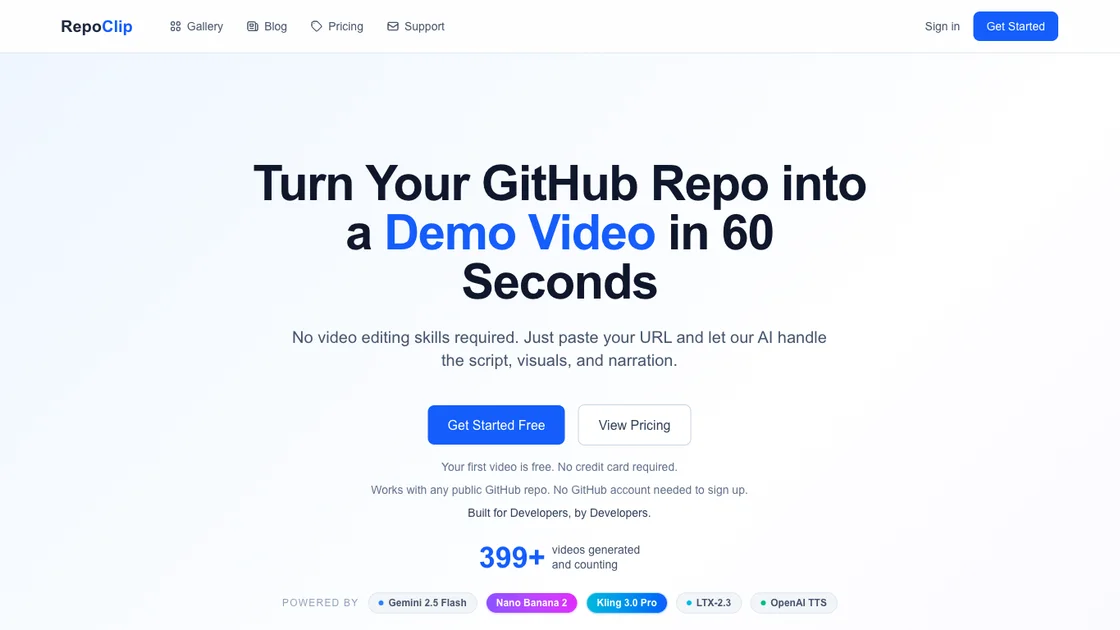
RepoClip is an AI-powered demo video maker designed for developers and teams who need to showcase their GitHub repositories. It automatically analyzes code structure, generates scripts, creates visuals, and produces professional narrated videos without requiring any video editing skills. The platform supports both public and private repositories, offering features ranging from AI-generated video clips to natural-sounding narration powered by OpenAI TTS. With support for multiple AI models including Gemini 2.5 Flash, Nano Banana 2, and Kling 3.0 Pro, RepoClip turns codebases into compelling product demonstrations in approximately five minutes.
How does RepoClip work
RepoClip operates in three straightforward steps. First, users enter a GitHub repository URL, either public or private. The AI then analyzes the code structure, identifies key features and functionality, and automatically generates a video script. Finally, it produces a professional demo video complete with AI-generated visuals, cinematic clips, and natural narration. The entire process takes approximately five minutes, delivering a ready-to-use video without any manual editing work.
Benefits of RepoClip
RepoClip eliminates expensive video production by generating professional demo videos from GitHub repositories in minutes. It saves over $500 per video compared to hiring freelancers while delivering professional output with zero manual effort. The platform supports both public and private repositories, making it suitable for individual developers and teams. With built-in AI narration, multiple AI models for visuals, and flexible pricing including a free tier, RepoClip makes demo video creation accessible to developers at any budget.
Pros and Cons of RepoClip
Pros
- Generates demo videos automatically from GitHub repos
- No video editing skills required
- Multiple AI models for high-quality output
- Supports both public and private repositories
- Free tier available for testing
Cons
- Limited to GitHub repositories only
- Customization options may be basic
- Premium features require paid plans
Core Features of RepoClip
AI Video Clips
Generate cinematic video scenes with dynamic camera movements and animations. Pro plans use Kling 3.0 Pro for cinema-quality results.
AI Code Analysis
Powered by Gemini 2.5 Flash to understand code structure deeply and create accurate, compelling video scripts.
AI-Generated Images
Create stunning still images using Nano Banana 2 for vivid, high-quality scene backgrounds without manual design work.
Professional Narration
Natural-sounding voiceover delivered through OpenAI's standard preset voices, safe and ethical without voice cloning.
Private Repository Support
Connect your GitHub account via OAuth to access and generate videos from private repositories securely.
Fast Generation
Videos ready in minutes thanks to an optimized AI pipeline that processes code, script, and visuals concurrently.
Use Cases of RepoClip
- Feature announcements: Show new features with professional videos that explain complex changes in seconds.
- Investor pitches: Impress investors with polished product demos that highlight technical strengths.
- Social media content: Create engaging videos for Twitter, LinkedIn, and YouTube to grow audience reach.
- Open source promotion: Attract contributors with compelling showcases that make projects stand out.
FAQs of RepoClip
Is my code safe?
RepoClip only reads source code for the purpose of generating video scripts and visuals. Code is not stored long-term or shared with third parties. The platform uses secure OAuth for private repository access.
What types of repos are supported?
Any public GitHub repository works without authentication. Private repositories are supported on paid plans through GitHub OAuth integration. All programming languages are supported on the platform.
How long does it take to generate a video?
The average generation time is about five minutes. The AI pipeline processes code analysis, script generation, visual creation, and narration in an optimized concurrent workflow.
Can I customize the video?
Yes, RepoClip allows basic customization of the video script and style. Users can adjust the narrative focus and select from different visual styles before final generation.
Does RepoClip use voice cloning?
No, RepoClip uses OpenAI standard preset voices for narration. It does not perform voice cloning, making the audio generation safe and ethically sound.
What programming languages are supported?
All programming languages hosted on GitHub are supported. The AI analyzes repository structure and code patterns regardless of the specific language used.
Do you have an API or CI/CD integration?
Yes, RepoClip offers API documentation and a GitHub Action for integrating video generation directly into development workflows and CI/CD pipelines.
How to use RepoClip
- Sign up or sign in to RepoClip using the web dashboard at repoclip.io.
- Paste a GitHub repository URL, either public or private, into the input field.
- Let the AI analyze the code and automatically generate a script with visuals and narration.
- Preview the generated video and download it in your preferred format and resolution.
