
Flux 3 — AI Video Generator with Native Audio and Image Editing

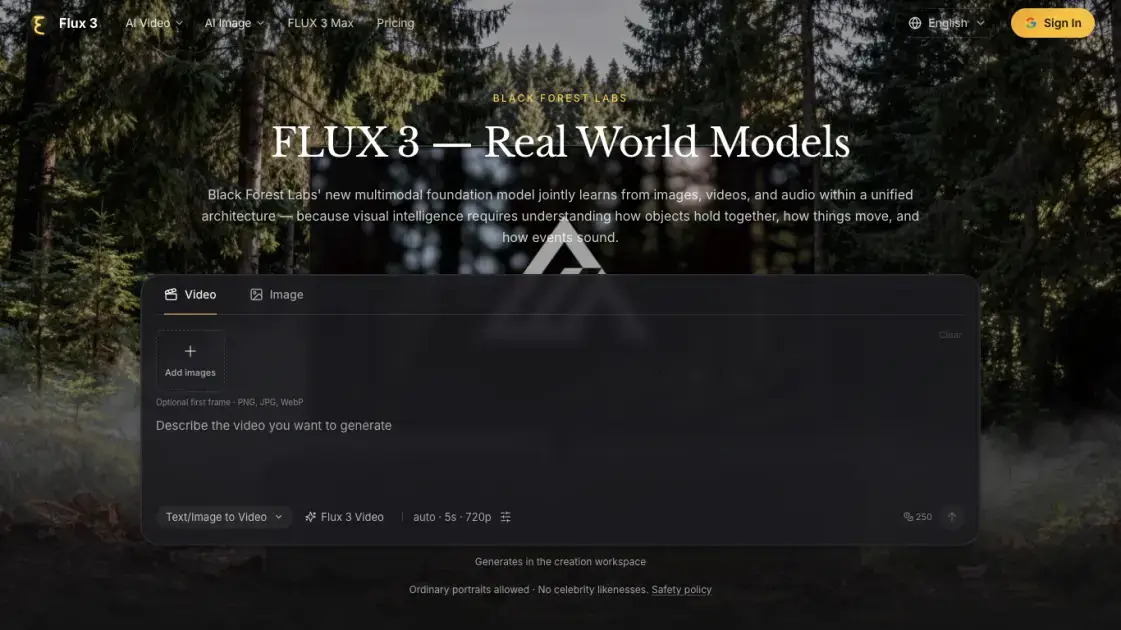
What is Flux 3
flux3.dev hosts browser-based generators for FLUX 3, the multimodal foundation model from Black Forest Labs that treats video, image and audio as one system. Visitors run text-to-video, image-to-video and image editing jobs without installing anything, then review results in a personal creations panel. The platform is aimed at filmmakers, marketers, designers and robotics teams that need audio-synced clips or fast still-image variations. Access rolls out in phases, so video work is live in early access while the image tool and open weights follow. The site states plainly that it is not affiliated with Black Forest Labs and sets its own credit-based price list.
How does Flux 3 work
The model rests on Self-Flow, an approach that aligns generation and understanding inside one architecture instead of training separate specialists per medium. Images, video and audio are treated as readings of the same world, so shared training lets sound line up with impact, motion follow mass, and later frames follow plausibly from earlier ones. Black Forest Labs scaled compute and data across the three sensors at once, which is reported to lift both output quality and downstream task scores. Because that same backbone predicts dynamics, it also supports action prediction and the robotics-tuned FLUX-mimic model. On flux3.dev each run is quoted in credits before submission, and failed tasks return what they charged.
Benefits of Flux 3
One shared backbone means a single credit wallet and one interface cover both moving and still images, so teams avoid stitching three unrelated subscriptions together. Reference images keep a character consistent while clips grow into longer sequences, which matters for narrative work that spans multiple shots. Audio arrives with the picture rather than in a separate pass, shortening the distance between a prompt and a watchable cut. The phased plan also exposes open weights and a robotics variant later, so research groups can grow into the same ecosystem. Credit packs never expire, which suits occasional projects better than a monthly commitment.
Pros and Cons of Flux 3
Pros
- Video and audio generated together in one pass
- Clips up to 20 seconds at 720p or 1080p
- Optional end frame for guided motion
- Reference images hold characters together across shots
- Credit packs never expire
Cons
- Sign-in required before any generation
- No permanent free plan is published
- Video tooling limited to early access
- 20-second ceiling per single generation
- Independent site, not affiliated with Black Forest Labs
Core Features of Flux 3
Video with synchronized native audio
Clips run 5, 10 or 20 seconds at common aspect ratios, and the audio switch stays on while dialogue, effects or ambience are generated alongside the picture. Turning audio off produces a silent shot for later sound work.
Image-to-video with keyframe and reference control
A single still becomes the opening frame, and an optional second image defines where the motion should land. Video-to-video reference transfer carries characters, styles and context from existing footage into new scenes.
Image generation and editing
Text-to-image output covers 1K, 2K and 4K at adaptive or fixed ratios. Image Edit accepts uploaded references and follows natural-language instructions to change them.
Multilingual dialogue and typography
Facial expression, physical sound association and speech in several languages are handled in the same run, and typography-heavy designs render with high text accuracy.
Multi-shot chaining
Individual clips chain into longer sequences, with visual references keeping a character recognizable across scattered scenes.
FLUX 3 Max variant
A fal Research post-trained version of the video model targets lower latency and refined visual quality, offering 5–20 second durations in one-second steps plus 720p and 1080p output.
Use Cases of Flux 3
- Filmmakers and storytellers: block out an establishing shot, test a camera move or build a visual treatment before a larger production.
- Brands and creative teams: turn a campaign direction into motion studies and compare moods, compositions and scenes side by side.
- Designers and independent creators: give an illustration or concept image movement, then adapt the framing for the final project.
- Robotics and physical AI teams: use the world understanding for action prediction, with FLUX-mimic finetuned for dexterous manipulation.
- Social and short-form editors: render vertical or square clips with dialogue and ambience already attached, ready for feed placement.
FAQs of Flux 3
What is FLUX 3?
Black Forest Labs built it to learn from images, videos and audio simultaneously, using the Self-Flow method to align generation with understanding in one architecture.
Is FLUX 3 available today?
Video generation is open in early access. The image model is scheduled to follow within weeks, while open weights and the FLUX-mimic action model go to selected partners.
Do generated clips include sound?
Yes, when the audio toggle is on: speech, effects and ambience are produced with the frames. Switching it off yields a silent clip for custom scoring.
How long can one clip be?
The video tools offer 5, 10 and 20 second durations, and FLUX 3 Max allows one-second increments inside the 5–20 second range.
What is the difference between FLUX 3 Video and FLUX 3 Max?
Max is a fal Research post-trained variant focused on prompt following, visual quality and shorter model time, with 1080p upscaling and optional final-frame guidance.
How are credits handled?
Each run shows its credit price before submission, plans unlock annual quotas on day one, and failed tasks refund the charge.
Is flux3.dev the official Black Forest Labs site?
No. It summarises public FLUX 3 information and states no affiliation; official access and documentation sit with Black Forest Labs.
How to use Flux 3
- Sign in first, since credits are mandatory before any run starts.
- Pick a tool from the menu — Text to Video, Image to Video, Video Edit, Image to Image or Text to Image.
- Optionally drop a PNG, JPG or WebP still into the first-frame slot, and add an end frame when the motion needs a destination.
- Type the scene into the prompt box, describing subject, camera movement, atmosphere and any speech or effects.
- Adjust duration, resolution, aspect ratio and the audio toggle, then check the credit figure printed beside the generate button.
- Collect the finished file from My Creations and refine the prompt or references for another attempt.
Flux 3 Alternatives
Wan API is an independent platform for Wan and Seedance video models. Compare specs and rates, generate clips in the Playground, or call them through one API.
Seedance 3.0 turns text, images, video clips, and audio into videos with sound, and edits one part of a clip without regenerating the rest.
Wery is a virtual AI studio that routes one goal to specialist agents for video, images, music and documents, keeping characters and project assets consistent.

AI video and image studio with text-to-video, image-to-video and keyframe control across Seedance, Kling, Wan and Vidu — all on one credit balance.
Browser studio for AI video, image and music generation with Grok Imagine, Kling and GPT Image models. Free daily credits, no sign-up required.
SeaMove AI is an AI video and image generation platform offering Seedance 2.0 and Seedance 2.5 models for text-to-video, image-to-video, and reference-based creation. Features multi-shot continuity, director-level control, and audio-visual sync for creators and studios.
Turns two separate portraits into a 15-second vertical rap duet video on an orange stage with a shared microphone and the original soundtrack. Free 480P preview available.
Mareel is an all-in-one AI video and image generation workspace giving creators, marketers, and ecommerce teams 40+ leading models and one shared credit balance.
Kinovi is a REST API that runs published video, image, and audio AI models from one endpoint. Send a model ID to createTask, poll recordInfo, and pay per use from one shared credit balance.
An AI cartoon video generator that turns a script or prompt into an animated video with the same character in every scene, AI voiceover and soundtrack, and commercial rights included.
Gemini Omni is an online AI video generator and editor that turns a text prompt or reference image into a video, then refines each shot through conversational edits while keeping characters and the scene consistent.
Kling 4.0 turns text, images, and up to 15 Omni Reference assets into cinematic AI video, with 30-second multi-shot scenes, 10 keyframes, and 4K HDR.