
SeaMove AI: AI Video & Image Generator Platform - Text to Video, Image to Video

What is SeaMove AI
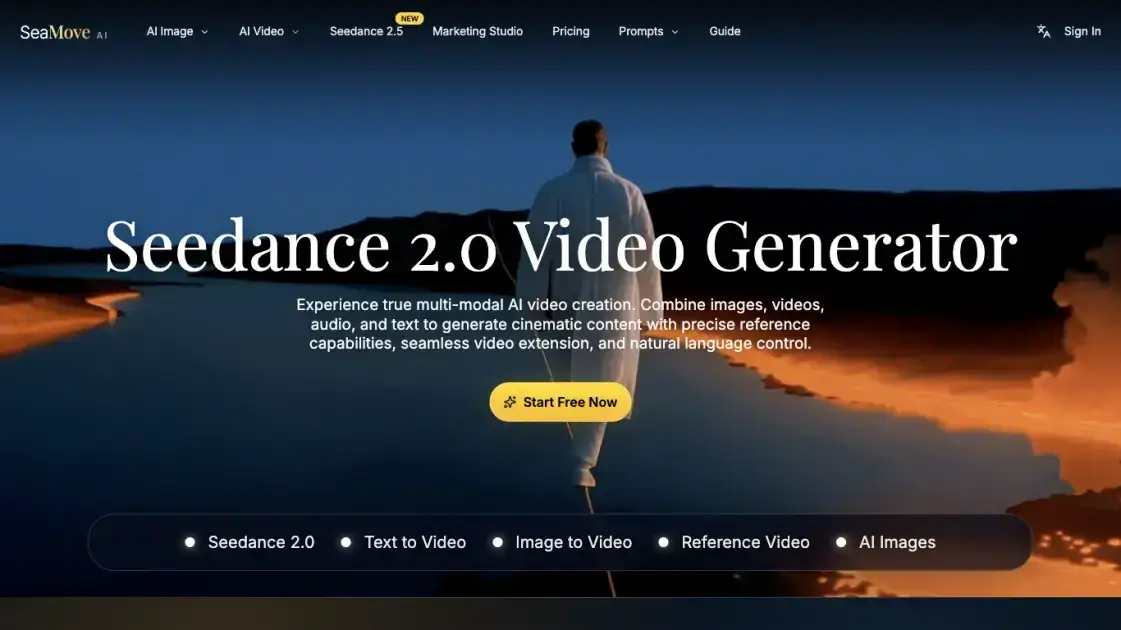
SeaMove AI is a multimodal AI video and image generation platform that provides access to Seedance 2.0 and Seedance 2.5 video models. It lets creators turn text prompts, reference images, and video clips into cinematic output with precise reference control, seamless scene extension, and natural language direction. The platform is built for brand teams, filmmakers, designers, and studios that need consistent visual quality and faster iteration across modern video workflows.
How does SeaMove AI work
SeaMove AI accepts a text prompt describing the desired video along with optional @Image and @Video references that define characters, environments, and camera movement. Users first pick a model — Seedance 2.5 or Seedance 2.0 — then select a resolution from 480p up to 1080p (4K on higher-tier plans). The platform processes these multimodal inputs to generate video output, with optional synchronized audio and batch generation of up to four variations per prompt for comparison. The engine maintains visual consistency across extended scenes and multi-shot sequences, preserving character identity and environmental details without requiring regeneration from scratch.
Benefits of SeaMove AI
SeaMove AI stands out by offering multiple video models — Seedance 2.5 and Seedance 2.0 — letting users trade output quality against credit cost to match their budget. The multi-shot continuity engine maintains consistent characters and environments across scene cuts, which is uncommon in general-purpose AI video tools. Scene editing and extension features let creators refine footage iteratively without restarting from scratch, preserving creative momentum. Resolution options up to 4K and optional audio synchronization make the output suitable for both social media campaigns and professional post-production pipelines.
Pros and Cons of SeaMove AI
Pros
- Multiple video models: Seedance 2.5 and Seedance 2.0
- Multi-modal input combining text, images, and video references
- Multi-shot continuity with consistent characters and environments
- Scene extension without restarting generation from scratch
- Batch generation for exploring multiple variations per prompt
- Resolution support up to 4K on higher-tier plans
Cons
- Output limited to 30 seconds per generation
- 1080p and 4K resolution only available on paid plans
- No public API documented on the website
- Limited social media presence — no Twitter, YouTube, or Discord links found
Core Features of SeaMove AI
Multiple Video Models
Choose between Seedance 2.5 and Seedance 2.0. Seedance 2.5 offers 1080p resolution, multimodal references, and up to 30-second output at 30 credits per second, while Seedance 2.0 provides a lower-cost option for standard generations.
Multi-Format Generation
Create from text prompts, animate still images, or transform existing video clips within the same workspace. Switch between text-to-video, image-to-video, and reference modes without restarting.
All-in-One Reference System with @ Tags
Define creative direction using @Image and @Video references. Lock in characters, guide camera movements, and build multi-shot sequences by tagging references directly inside the workflow.
Cinematic Multi-Shot Continuity
Produce one-take tracking shots and structured multi-shot sequences while preserving consistent characters, environments, and visual rhythm across every cut.
Advanced Scene Editing
Extend scenes, insert new shots, and refine footage while keeping projects visually coherent from the first frame through final delivery.
Audio-Visual Synchronization
Generate video with synchronized sound and pacing that matches the visuals, keeping text, image, motion, and audio direction in sync through every generation pass.
Use Cases of SeaMove AI
- Brand teams and content marketers: Creating polished campaign visuals, launch videos, and social-ready edits with consistent brand identity at scale.
- Filmmakers and video editors: Previsualizing scenes, testing camera movement, and building multi-shot sequences with strong continuity before final production.
- Designers and visual storytellers: Turning reference images into stylized motion concepts and exploring new visual directions for production-ready outputs.
- Product marketing teams: Transforming product narratives into premium visual experiences that align with positioning and proof points.
FAQs of SeaMove AI
What is SeaMove AI?
SeaMove AI is an AI video and image generation platform that provides access to the Seedance 2.0 and Seedance 2.5 video models with text-to-video, image-to-video, and reference-based generation.
Which video models does SeaMove AI offer?
The platform offers Seedance 2.5 (supporting 1080p, multimodal references, and up to 30-second output) and Seedance 2.0 (a lower-cost option), selectable from the model picker.
Can I use my own images and videos as references?
Yes, the platform supports an @Image and @Video reference system that lets you tag your own images and clips to guide character appearance, environments, and camera movement during generation.
What video resolutions are supported?
Resolutions range from 480p, 720p, and 1080p across plans, with 4K available on Plus and Pro yearly plans.
Is there a free option?
The platform offers a "Start Free Now" entry point, but the pricing page shows paid yearly plans starting at $14.95 per month. The free tier likely provides limited credits for trial use.
What is the maximum video length?
Generations cap at 30 seconds per output, with an adjustable duration slider in the generation interface.
How do credits and pricing work?
SeaMove AI operates on a credit system: Seedance 2.5 costs 30 credits per second, while a standard generation costs around 130 credits. Plans range from Basic ($14.95 per month, 30,000 credits) to Pro ($64.95 per month, 180,000 credits), with annual billing offering a 50% discount.
How to use SeaMove AI
- Open the SeaMove AI workspace and select a generation model and mode (text, image, or reference).
- Describe the desired video in the prompt field — up to 30,000 characters — with optional @Image and @Video references.
- Set output preferences: resolution (480p, 720p, or 1080p), aspect ratio (16:9), duration, and audio on/off.
- Generate the video; optionally enable batch generation to produce up to four variations with the same settings.
- Review the output and refine by extending scenes, inserting new shots, or adjusting the prompt and references.
SeaMove AI Website Traffic Analysis
Latest traffic information
- Monthly Visits338
- Bounce Rate41.83%
- Pages Per Visit1.01
- Visit Duration00:00:00
- Global Rank--
- Country/Region Ranking--
Top Keywords
| Keyword | Traffic | Volume | Cost Per Click |
|---|---|---|---|
| seadance | -- | 23.42K | $2.92 |
Top Regions
| Region | Percentage |
|---|---|
| Chile | 100% |
SeaMove AI Alternatives
Wery is a virtual AI studio that routes one goal to specialist agents for video, images, music and documents, keeping characters and project assets consistent.

AI video and image studio with text-to-video, image-to-video and keyframe control across Seedance, Kling, Wan and Vidu — all on one credit balance.
Browser studio for AI video, image and music generation with Grok Imagine, Kling and GPT Image models. Free daily credits, no sign-up required.
Turns two separate portraits into a 15-second vertical rap duet video on an orange stage with a shared microphone and the original soundtrack. Free 480P preview available.
Mareel is an all-in-one AI video and image generation workspace giving creators, marketers, and ecommerce teams 40+ leading models and one shared credit balance.
Kinovi is a REST API that runs published video, image, and audio AI models from one endpoint. Send a model ID to createTask, poll recordInfo, and pay per use from one shared credit balance.
An AI cartoon video generator that turns a script or prompt into an animated video with the same character in every scene, AI voiceover and soundtrack, and commercial rights included.
Gemini Omni is an online AI video generator and editor that turns a text prompt or reference image into a video, then refines each shot through conversational edits while keeping characters and the scene consistent.
Kling 4.0 turns text, images, and up to 15 Omni Reference assets into cinematic AI video, with 30-second multi-shot scenes, 10 keyframes, and 4K HDR.
Gemini Omni is a chat-based multimodal AI video generator and editor. It combines text, images, video, and audio to create cinematic clips with native audio.
Kling 4.0 turns text prompts and reference images into cinematic AI video, with native audio, flexible model options and a credit-based HTTP API for developers.
SongScene turns any MP3, Suno, or Spotify track into an AI music video with beat-synced cuts and auto lyric captions, exporting 9:16, 16:9, or 1:1 clips.