
Seedance 2.5 AI - 4K AI Video Generator with Reference Control
| Added on: | Jun 30, 2026 |
| Monthly Visits: | -- |
| Social & Email: | -- |

What is Seedance 2.5
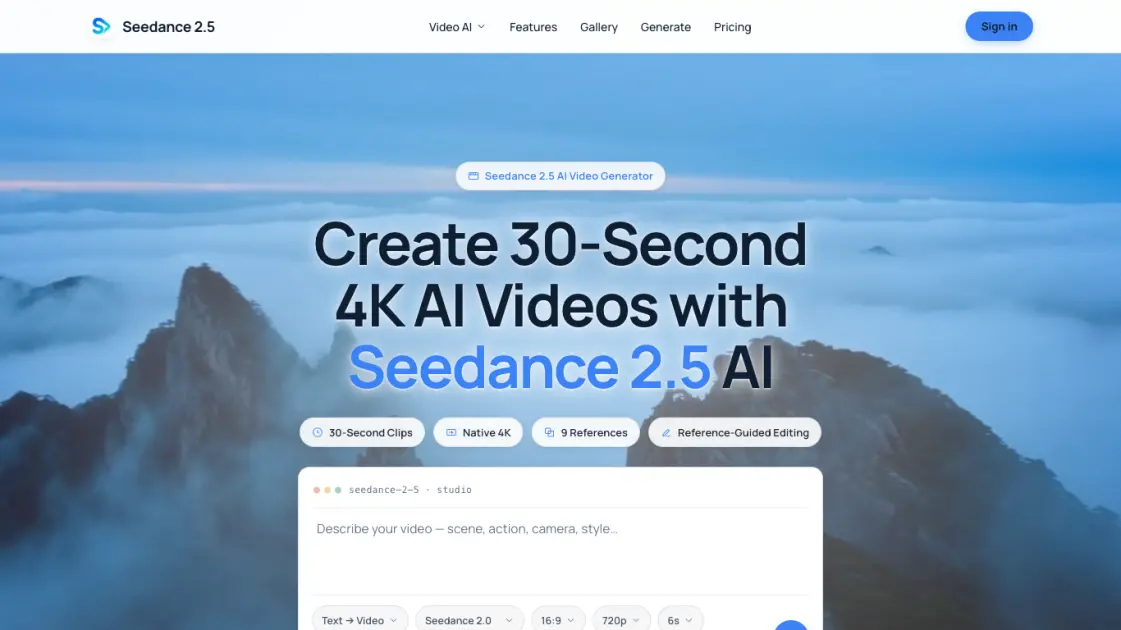
Seedance 2.5 AI converts text prompts or photos into native 4K video clips without watermarks. The platform supports up to nine reference images per generation, enabling consistent visual output across subjects, color palettes, and settings. Three creation modes—text-to-video, image-to-video, and reference-to-video—cover different starting points. Each clip runs up to 30 seconds at native 4K resolution. A credit-based freemium model allows testing before committing to a paid plan, with yearly subscriptions offering up to 77% savings. The system is designed for users who need short, high-quality video assets without visible branding or resolution compromises.
How does Seedance 2.5 work
To generate a video with Seedance 2.5, select a creation mode—text-to-video, image-to-video, or reference-to-video—based on the available input. In reference-to-video mode, upload up to nine images and assign each to a control category: subject, color palette, or setting. The system analyzes these references to build a coherent video that preserves the assigned visual characteristics. Set the desired resolution, aspect ratio, and clip length. The platform processes the request and deducts credits from the account balance. Completed videos can be downloaded or regenerated with adjusted parameters.
Benefits of Seedance 2.5
Native 4K output with no watermarks means generated videos are publishable directly without additional processing. The multi-reference system with up to nine images provides granular control over subject appearance, color, and setting. Three distinct creation modes cover different starting materials and workflows. The freemium pricing model lowers the barrier to initial testing, and yearly subscriptions reduce per-unit cost by up to 77%. 30-second clip length matches common short-form content standards across social media and advertising.
Pros and Cons of Seedance 2.5
Pros
- Native 4K resolution without watermarks
- Up to nine reference images per generation
- Three distinct creation modes available
- Yearly plan saves up to 77%
- Freemium model allows free testing
Cons
- Maximum clip length is 30 seconds
- Credit costs can accumulate quickly
- No API for programmatic integration
- Limited to visual input references only
Core Features of Seedance 2.5
Native 4K Output
Generates video at true 4K resolution without watermarks, suitable for professional publishing and broadcast workflows.
Multi-Reference Support
Accepts up to nine reference images per generation to maintain consistency in subject appearance, color palette, and scene setting.
Text-to-Video
Turns written prompts into cinematic video clips with no source image required, supporting descriptive and stylistic input.
Image-to-Video
Animates a single photo into a moving video clip, preserving the original composition and visual elements of the source.
Reference-to-Video
Combines subject, color, and setting references to produce coherent multi-shot sequences that maintain visual continuity.
30-Second Clips
Each generation produces clips up to thirty seconds in length, covering common short-form content requirements.
Use Cases of Seedance 2.5
- Social media managers: Generate short branded clips with consistent visual identity across posts.
- Independent filmmakers: Produce reference footage or concept visuals before committing to full production.
- E-commerce sellers: Create product demonstration videos from catalog photos without reshoots.
- Content creators: Turn written blog posts into accompanying video snippets for multi-platform distribution.
- Advertisers: Test multiple visual directions by swapping subject and color references in parallel.
FAQs of Seedance 2.5
What is the maximum output resolution?
Seedance 2.5 generates video at native 4K resolution with no watermarks, making the output ready for professional use without additional post-processing.
How many reference images can I use per generation?
The system accepts up to nine reference images in a single generation. These can be assigned to different control categories including subject, color palette, and setting.
How long can each generated clip be?
Each clip can run up to 30 seconds. The actual credit cost depends on the selected resolution, aspect ratio, and duration of the generation.
Does Seedance 2.5 add watermarks to generated videos?
No. Output from Seedance 2.5 is completely free of watermarks at all resolution levels, including the 4K option.
What is the credit cost for a typical generation?
A 16:9, 720p, 6-second clip consumes approximately 195 credits. Higher resolutions and longer durations require proportionally more credits.
What are the differences between the three creation modes?
Text-to-video starts from a written prompt. Image-to-video animates a single photo. Reference-to-video uses up to nine images to control subject, color, and setting simultaneously.
How to use Seedance 2.5
- Choose a creation mode: text-to-video, image-to-video, or reference-to-video depending on your starting material and desired output.
- Upload source content. For reference mode, assign up to nine images to subject, color palette, and setting categories individually.
- Configure output parameters including resolution, aspect ratio, and clip duration within the available credit budget.
- Run the generation and review the result. Credits are deducted based on the selected resolution and length of the clip.
- Download the completed video or adjust parameters and regenerate to refine the output further.