
TapVid AI Explainer Video Generator with Motion Graphics

What is TapVid
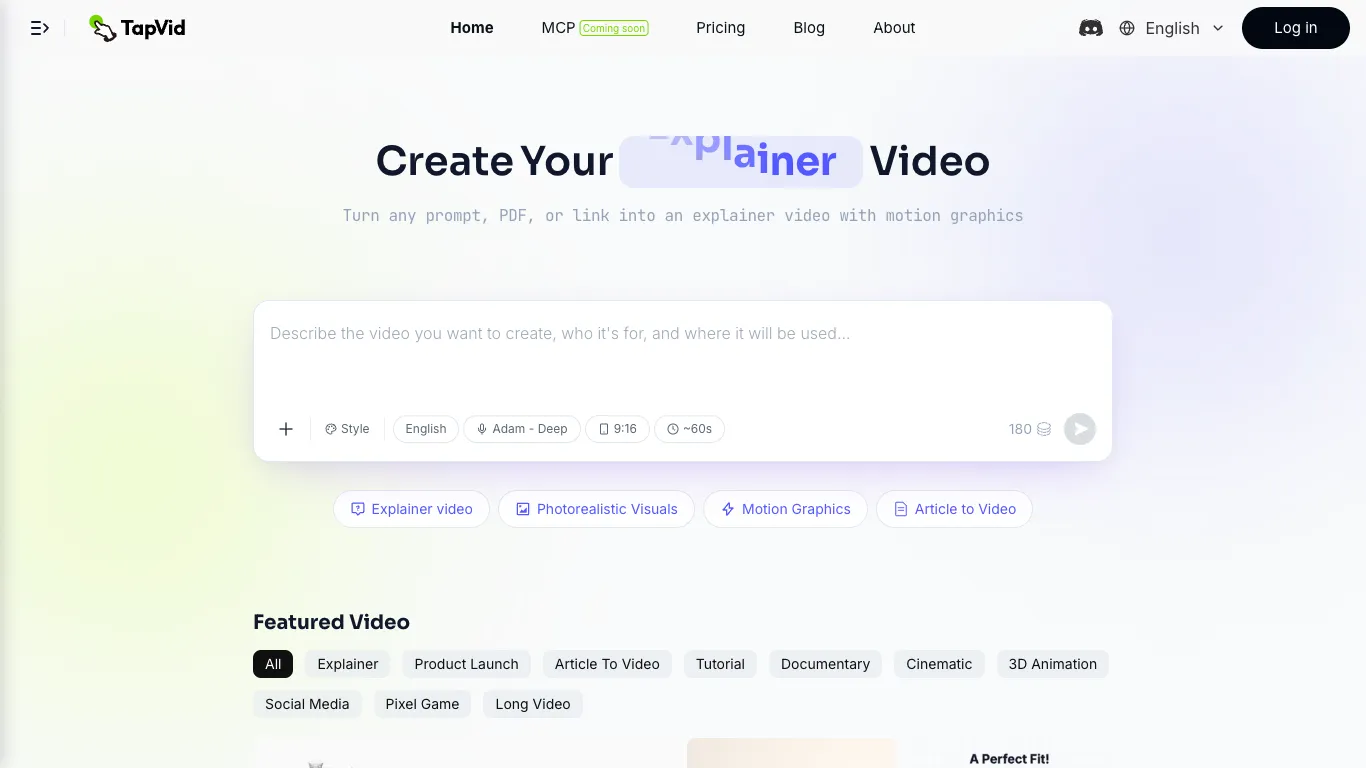
TapVid is an AI-powered video generation platform that transforms prompts, documents, and scripts into production-ready explainer videos with motion graphics. Built by SigmaZ AI Company, the platform targets product marketing teams, content creators, and educators who need professional video content without traditional editing or design skills. Users describe their video concept through a text prompt, upload a PDF or document, or provide a script, and TapVid generates structured animated content with voiceover and subtitles. The platform supports multiple video styles including explainer videos, photorealistic visuals, motion graphics, and article-to-video conversions, with output resolutions up to 1080p and clip lengths ranging from 1 to 5 minutes depending on the subscription tier.
How does TapVid work
TapVid operates through a three-stage process that transforms text inputs into finished video content. First, the system analyzes the user's prompt, document, or script to extract narrative structure, key concepts, and visual opportunities. Next, the AI generates motion graphics sequences, applies appropriate animation styles, and synchronizes voiceover narration with visual timing. Finally, the platform renders the complete video with subtitles, transitions, and audio at the user's chosen resolution and aspect ratio, delivering a production-ready file suitable for social media, educational content, or marketing distribution.
Benefits of TapVid
TapVid eliminates the production bottleneck between idea and finished video, reducing what traditionally takes weeks of agency collaboration down to minutes of AI generation. The platform removes the need for specialized editing skills, motion graphics expertise, or production crew coordination, making professional video accessible to teams without dedicated video departments. Credit-based pricing means users only pay for successfully rendered content, avoiding wasted spend on failed takes or incomplete projects. The system supports rapid iteration, allowing creators to generate multiple video concepts from the same source material and refine outputs without starting from scratch.
Pros and Cons of TapVid
Pros
- Eliminates need for video editing skills or production expertise
- Converts documents and scripts directly into finished videos
- Credit-based pricing only charges for successfully rendered content
- Multiple video styles available from a single platform
- MCP integration enables programmatic video generation
Cons
- Free tier limited to 1-minute clips with watermark
- Maximum clip length capped at 5 minutes even on highest plan
- No refunds for partially used billing periods
- Credit system may feel complex for occasional users
- Requires internet connection for all video generation tasks
Core Features of TapVid
Text to Video Generation
TapVid converts written prompts into animated explainer videos with motion graphics. Users describe their concept in natural language, and the AI generates structured video content with visual elements, transitions, and timing that match the narrative flow.
Document and Link Import
The platform accepts PDF documents, web links, and uploaded scripts as source material. TapVid extracts key information from these inputs and transforms them into video format, eliminating the need to manually write scripts or storyboard content.
Voiceover and Subtitles
TapVid includes built-in voiceover generation with multiple voice options and automatic subtitle creation. Videos come with synchronized audio narration and text overlays, making them ready for distribution across social platforms and educational channels.
Multiple Video Styles
Users can choose from several video formats including explainer videos, photorealistic visuals, motion graphics, and article-to-video conversions. Each style uses different animation techniques and visual approaches to match the content type and audience expectations.
MCP Integration
TapVid is available via Model Context Protocol, allowing developers to integrate video generation capabilities directly into their existing tools and workflows. This enables programmatic video creation from within development environments and automation pipelines.
Credit-Based Rendering
The platform uses a credit system where video length determines credit consumption at a rate of 3 credits per second. Unused monthly credits roll over for one billing cycle, and users only pay for successfully rendered content, avoiding charges for failed generation attempts.
Use Cases of TapVid
Product Marketing Teams: Generate explainer videos for new product launches, feature announcements, and competitive comparisons without scheduling production shoots or coordinating with external agencies.
Educational Content Creators: Transform course slides, lecture notes, and tutorial scripts into engaging motion graphics videos that improve student completion rates and learning outcomes.
Content Marketing Departments: Produce motion graphics at volume for social media channels, landing pages, and email campaigns while maintaining consistent brand quality across all video outputs.
Course Instructors: Convert educational materials into video format with voiceover narration and subtitles, creating multimedia learning resources from existing written content.
Startup Founders: Create investor pitch videos, product demo clips, and marketing materials quickly during early-stage growth when budget and timeline constraints limit traditional video production options.
FAQs of TapVid
What is TapVid and who is it for?
TapVid is an AI video generation platform that converts text prompts, documents, and scripts into explainer videos with motion graphics. It targets product marketing teams, content creators, educators, and course creators who need professional video content without traditional editing skills or production crews.
How does the credit system work?
TapVid uses credits as the billing unit for video generation, with a consumption rate of 3 credits per second of video produced. A 30-second clip requires approximately 90 credits, while a one-minute video uses about 180 credits. Unused monthly credits roll over for one billing cycle when you maintain an active subscription.
Can I cancel my subscription anytime?
Yes, TapVid subscriptions can be canceled at any time. Your plan remains active until the end of the current billing period, then automatically downgrades to the free tier. There are no partial refunds for unused time within a billing cycle.
What video formats and styles does TapVid support?
TapVid generates multiple video styles including explainer videos, photorealistic visuals, motion graphics, and article-to-video conversions. The platform supports various aspect ratios and resolutions up to 1080p, with clip lengths ranging from 1 minute on the free plan to 5 minutes on the Ultra tier.
Is there a watermark on exported videos?
Free tier exports include a TapVid watermark. All paid plans (Flex, Pro, Max, and Ultra) export videos without watermarks, providing clean output suitable for professional distribution across marketing channels and social platforms.
How does TapVid compare to traditional video production?
TapVid reduces video production time from weeks of agency collaboration to minutes of AI generation. The platform eliminates the need for specialized editing skills, motion graphics expertise, and production crew coordination, making professional video accessible to teams without dedicated video departments.
Can I use TapVid for team collaboration?
Yes, TapVid offers team features on higher-tier plans. The Ultra plan includes team seats and shared credits, allowing multiple users to collaborate on video projects while pooling their credit allocations for maximum production efficiency.
How to use TapVid
Sign up for a TapVid account and select a subscription plan that matches your video production needs and budget.
Choose your video input method by typing a descriptive prompt, uploading a PDF document, or pasting a link to existing content you want to convert.
Configure video settings including style (explainer, motion graphics, photorealistic), language, voiceover selection, aspect ratio, and target duration.
Review the generated video preview and make adjustments to timing, transitions, or visual elements if needed before final rendering.
Export the finished video in your chosen resolution and download the file for distribution across social platforms, websites, or educational channels.
TapVid Website Traffic Analysis
Latest traffic information
- Monthly Visits46.88K
- Bounce Rate35.25%
- Pages Per Visit2.31
- Visit Duration00:00:15
- Global Rank648.4K
- Country/Region Ranking365.31K
Top Keywords
| Keyword | Traffic | Volume | Cost Per Click |
|---|---|---|---|
| tapvid | 500 | 810 | -- |
| tapvid ai | 250 | 390 | -- |
| tapvid studion review | 150 | 160 | -- |
| ai documentory vidio makes | 110 | 120 | -- |
| 各大ai产品的launch发布视频 | 100 | 130 | -- |
Top Regions
| Region | Percentage |
|---|---|
| Nigeria | 15.65% |
| United States | 14.06% |
| Spain | 6.71% |
| Germany | 6.53% |
| India | 5.83% |
TapVid Alternatives
Seedance 3.0 preview page: planned multi-shot continuity, scene editing and audio-visual sync for AI video, while the on-page generator runs Seedance 2.5.
Browser workspace for AI image generation, reference photo editing, and short video drafts, aimed at creators, marketers, and product teams.
Black Forest Labs' multimodal model with a web generator for text-to-video, image-to-video and image editing with native audio, for creators and marketers.
Wan API is an independent platform for Wan and Seedance video models. Compare specs and rates, generate clips in the Playground, or call them through one API.
Seedance 3.0 turns text, images, video clips, and audio into videos with sound, and edits one part of a clip without regenerating the rest.
Wery is a virtual AI studio that routes one goal to specialist agents for video, images, music and documents, keeping characters and project assets consistent.

AI video and image studio with text-to-video, image-to-video and keyframe control across Seedance, Kling, Wan and Vidu — all on one credit balance.
Browser studio for AI video, image and music generation with Grok Imagine, Kling and GPT Image models. Free daily credits, no sign-up required.
SeaMove AI is an AI video and image generation platform offering Seedance 2.0 and Seedance 2.5 models for text-to-video, image-to-video, and reference-based creation. Features multi-shot continuity, director-level control, and audio-visual sync for creators and studios.
Turns two separate portraits into a 15-second vertical rap duet video on an orange stage with a shared microphone and the original soundtrack. Free 480P preview available.
Mareel is an all-in-one AI video and image generation workspace giving creators, marketers, and ecommerce teams 40+ leading models and one shared credit balance.
Kinovi is a REST API that runs published video, image, and audio AI models from one endpoint. Send a model ID to createTask, poll recordInfo, and pay per use from one shared credit balance.