
Muse Video: Free AI Video Generator with Native Audio

What is Muse Video
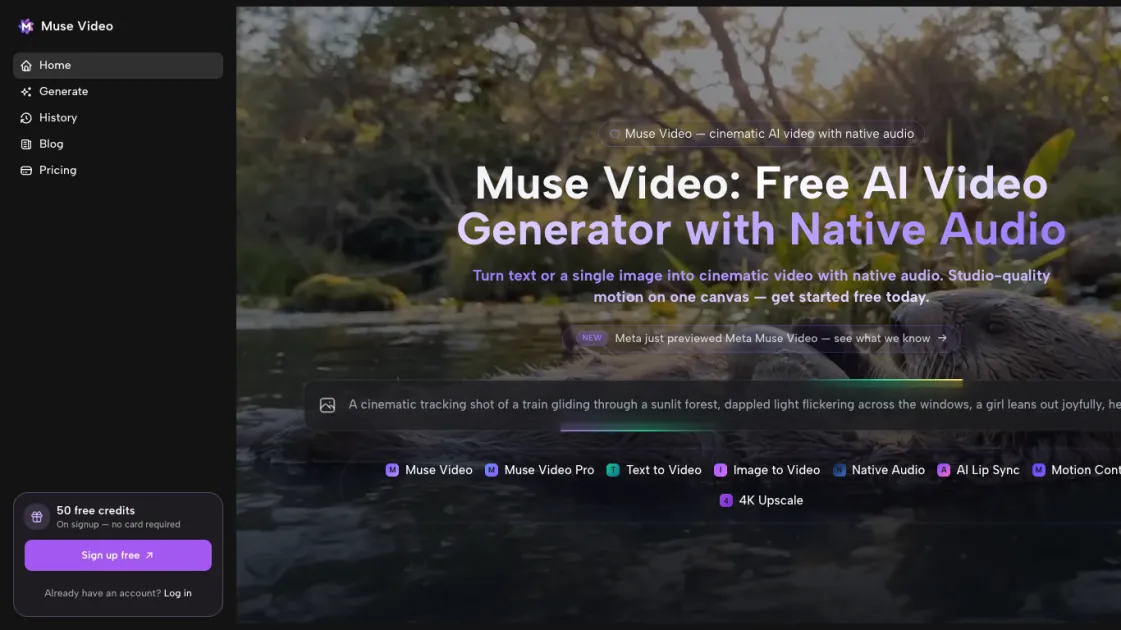
Muse Video is a free, open-source AI video generator that turns text prompts into high-quality videos of up to 30 seconds. It supports three main creation modes: pure text-to-video, image-to-video with style transfer, and lip-sync, letting you choose the best workflow for your idea. Each text prompt produces four variations for quick iteration, while the image mode adds motion, music, and dialogue to still images. The lip-sync feature keeps mouth movements synchronized with spoken audio, delivering polished results without complex editing. Muse Video runs locally to keep your footage private and is optimized for speed, making it easy for creators and teams to move from concept to video fast.
How does Muse Video work
Muse Video starts by letting you choose text-to-video, image-to-video, or lip-sync. For text prompts, the AI analyzes your description and produces four distinct video variations so you can compare styles quickly. In image-to-video mode, it adds motion, music, and dialogue to the uploaded visual. For lip-sync, it matches mouth movements to the chosen audio. Throughout the workflow, Muse Video runs locally to keep your content private and accelerate rendering. You review the generated options, pick the best fit, and download the finished clip for immediate use.
Benefits of Muse Video
Muse Video gives creators a private, fast way to turn ideas into video because it runs locally instead of sending footage to the cloud. It supports text-to-video, image-to-video, and lip-sync workflows, and each text prompt produces four variations so you can compare styles quickly. The tool is free and open source, making advanced AI video generation accessible without subscription fees or usage limits. Its straightforward interface helps people move from concept to finished clip without deep editing experience, while local rendering keeps projects under your control. This combination of privacy, flexibility, and speed benefits solo creators, small teams, and organizations that want high-quality results without complex infrastructure.
Pros and Cons of Muse Video
Pros
- Free and open source with no subscription fees.
- Supports text-to-video, image-to-video, and lip-sync workflows.
- Runs locally to keep footage private.
- Generates four variations per prompt for quick iteration.
Cons
- Requires capable hardware for smooth local generation.
- May not match the polish of premium commercial video suites.
- Local setup is less convenient than cloud-only services.
Core Features of Muse Video
Text to Video
Create videos directly from text prompts, with four unique variations generated for every input so you can pick the best result.
Image to Video
Upload an image and let Muse Video add motion, music, and dialogue, turning static visuals into engaging clips.
Lip Sync
Keep mouth movements in sync with chosen dialogue or audio, making character scenes look natural without manual edits.
Local Generation
Run the entire workflow on your own machine, keeping footage private and avoiding cloud uploads.
Optimized Performance
Leverage Muse Video's speed-focused architecture to produce high-quality videos faster than many cloud-based tools.
Use Cases of Muse Video
- Content creators: Turn written ideas into short promo videos quickly.
- Marketers: Convert product images into short ad clips with motion and audio.
- Educators: Build lesson visuals that explain concepts through simple video scenes.
- Indie studios: Prototype story concepts and character moments before full production.
- Social media teams: Create scroll-stopping clips without heavy editing workflows.
FAQs of Muse Video
What is Muse Video and who is it for?
Muse Video is a free, open-source AI video generator aimed at creators, marketers, and teams who want to turn text or images into polished video content without specialized editing skills.
How do I use Muse Video?
Choose a creation mode, provide your text or image, let the AI generate results, review the variations, and download the final video for your project.
How does Muse Video differ from other AI video tools?
It runs locally for privacy, offers text-to-video, image-to-video, and lip-sync modes, and generates multiple variations per prompt for faster creative iteration.
What does Muse Video cost?
Muse Video is free and open source, so you can run it on your own machine without paying for cloud credits or subscriptions.
Are there system requirements?
Yes. Muse Video is optimized for speed but still needs a capable machine with enough memory and graphics horsepower to handle local AI video generation.
Where can I get help or contribute?
Visit the Muse Video website and community channels for documentation, updates, and ways to contribute to the open-source project.
How to use Muse Video
- Install the Muse Video app on your machine and make sure your system meets the requirements for local AI video generation.
- Open Muse Video and choose the creation mode that fits your idea: text-to-video, image-to-video, or lip-sync.
- Enter your text prompt, upload an image, or provide dialogue and audio depending on the selected mode.
- Let Muse Video generate results, review the variations, and download the video that best matches your creative goal.
Muse Video Website Traffic Analysis
Latest traffic information
- Monthly Visits1.96K
- Bounce Rate37.67%
- Pages Per Visit1.07
- Visit Duration00:00:00
- Global Rank9.73M
- Country/Region Ranking5.87M
Top Keywords
| Keyword | Traffic | Volume | Cost Per Click |
|---|---|---|---|
| moise video creater | 40 | 40 | -- |
| make video with muse | 20 | 20 | -- |
| muse video | -- | 1.65K | $0.51 |
Top Regions
| Region | Percentage |
|---|---|
| United States | 100% |
Muse Video Alternatives
Seedance 3.0 preview page: planned multi-shot continuity, scene editing and audio-visual sync for AI video, while the on-page generator runs Seedance 2.5.
Browser workspace for AI image generation, reference photo editing, and short video drafts, aimed at creators, marketers, and product teams.
Black Forest Labs' multimodal model with a web generator for text-to-video, image-to-video and image editing with native audio, for creators and marketers.
Wan API is an independent platform for Wan and Seedance video models. Compare specs and rates, generate clips in the Playground, or call them through one API.
Seedance 3.0 turns text, images, video clips, and audio into videos with sound, and edits one part of a clip without regenerating the rest.
Wery is a virtual AI studio that routes one goal to specialist agents for video, images, music and documents, keeping characters and project assets consistent.

AI video and image studio with text-to-video, image-to-video and keyframe control across Seedance, Kling, Wan and Vidu — all on one credit balance.
Browser studio for AI video, image and music generation with Grok Imagine, Kling and GPT Image models. Free daily credits, no sign-up required.
SeaMove AI is an AI video and image generation platform offering Seedance 2.0 and Seedance 2.5 models for text-to-video, image-to-video, and reference-based creation. Features multi-shot continuity, director-level control, and audio-visual sync for creators and studios.
Turns two separate portraits into a 15-second vertical rap duet video on an orange stage with a shared microphone and the original soundtrack. Free 480P preview available.
Mareel is an all-in-one AI video and image generation workspace giving creators, marketers, and ecommerce teams 40+ leading models and one shared credit balance.
Kinovi is a REST API that runs published video, image, and audio AI models from one endpoint. Send a model ID to createTask, poll recordInfo, and pay per use from one shared credit balance.