
Bimg AI - AI Image Editing, Upscaler, and Video Platform

What is Bimg AI
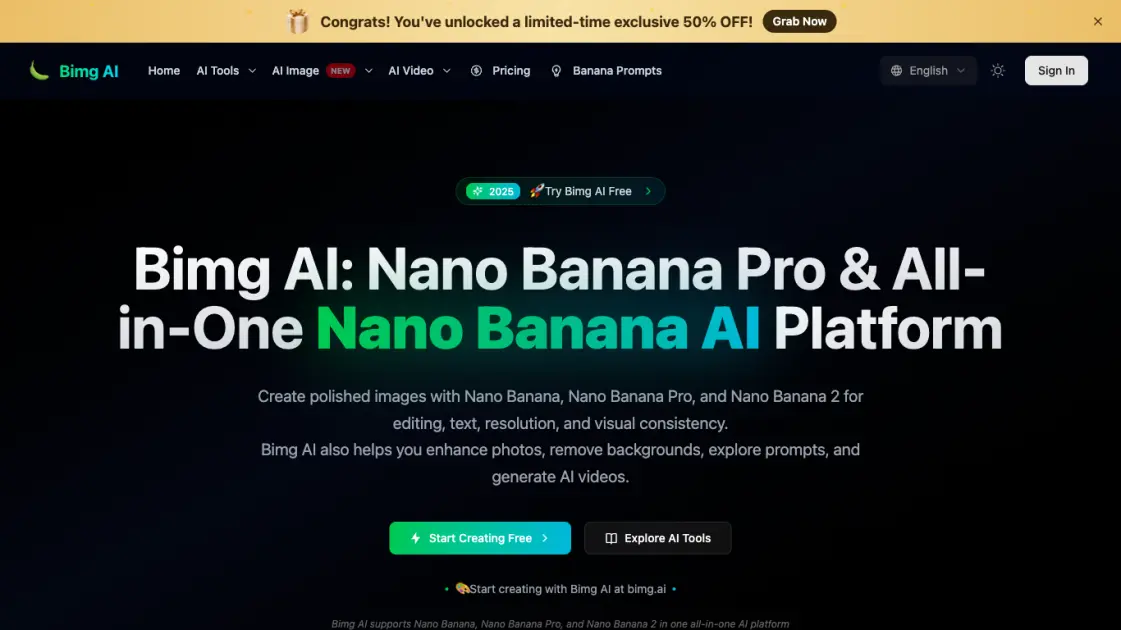
Bimg AI is an all-in-one platform that combines AI image editing, video generation, and photo enhancement tools under one roof. It offers several AI models including Nano Banana Pro, Nano Banana 2, Seedream 4.5, and GPT Image 2 for image tasks, alongside video generation models like Veo 3.1, Sora 2, and Kling 3. Users can edit images, generate visuals from text, remove backgrounds, upscale photos, restore old pictures, and sharpen blurry images. The platform supports up to 4K resolution output and provides a browser extension for convenient access. Bimg AI positions itself as a comprehensive creative toolkit for individuals and teams working with visual content.
How does Bimg AI work
Bimg AI works by routing user requests through a selection of AI models hosted on the platform. Users choose an image or video model based on their task, then provide input in the form of text prompts, reference images, or both. The selected model processes the input and generates the output, with options for up to 4K resolution. For video generation, models like Veo 3.1 support first and last frame control, while Seedance 2.0 can accept text, images, video clips, and audio as references simultaneously.
Benefits of Bimg AI
Bimg AI brings together a broad selection of image and video models in one place, saving users from switching between different tools. The platform supports high-resolution output up to 4K, which is useful for professional work. Its free tier allows testing without upfront commitment, and the browser extension makes it easy to access from anywhere. The variety of video models with different capabilities gives users flexibility in how they approach video generation. The platform covers the full range from basic photo fixes to advanced creative generation.
Pros and Cons of Bimg AI
Pros
- Free tier available with no credit card required
- Supports up to 4K resolution output
- Wide selection of both image and video models
- Browser extension for quick access
- Multiple video models with different capabilities
Cons
- Limited publicly available pricing details
- Relatively new platform with less community presence
- No mobile app available
Core Features of Bimg AI
Nano Banana Pro AI Image Editing
Advanced AI-powered image editing with support for 2K and 4K output resolution, suitable for professional-grade visual work and detailed creative projects.
Text-to-Image Generation
Generate images directly from text descriptions using multiple AI models including GPT Image 2 for near-perfect text rendering and Seedream 4.5 for poster design.
AI Video Generation
Create HD videos with models like Veo 3.1 for first and last frame control, Sora 2 for 10s and 15s clips, and Kling 3 for native 4K video output.
Image Upscaler and Enhancer
AI-powered upscaling that enhances image resolution significantly, with additional tools to restore old photos and sharpen blurry images automatically.
Background Remover
Instantly remove and replace image backgrounds using AI detection, eliminating the need for manual masking or selection work.
Browser Extension
A browser extension that brings Nano Banana capabilities directly into your browsing workflow for quick access to AI editing tools.
Use Cases of Bimg AI
- Content creators: Generate consistent visual assets with style transfer and text-to-image features.
- Photographers: Restore old photos and upscale low-resolution images for printing or digital use.
- Marketing teams: Create high-quality posters and social media visuals using Seedream 4.5 or GPT Image 2.
- Video producers: Generate short video clips from text prompts with Veo 3.1 or Sora 2 for social media content.
- E-commerce sellers: Remove product image backgrounds quickly and replace them with clean or styled backgrounds.
FAQs of Bimg AI
What is Bimg AI?
Bimg AI is a platform that provides access to multiple AI models for image editing, generation, upscaling, background removal, and video creation. It includes proprietary Nano Banana models as well as third-party models like GPT Image 2, Veo 3.1, and Sora 2.
Is Bimg AI free to use?
Bimg AI offers a free tier that lets users try its features without a credit card. The free plan includes access to basic models and standard resolution output. A Pro tier unlocks higher resolution and advanced models like Nano Banana Pro.
What AI models are available on Bimg AI?
The platform offers image models including Nano Banana Pro, Nano Banana 2, Seedream 4.5, and GPT Image 2. For video, it provides Veo 3.1, Sora 2, Seedance 2.0, Kling 3, and Happy Horse. Each model has different strengths in resolution, style, and output quality.
Can I use Bimg AI for commercial projects?
The platform is designed for creators and teams, making it suitable for commercial use. Specific licensing terms depend on the model used and the subscription plan. Users should review the platform's terms of service for commercial usage details.
How does Bimg AI compare to other AI image tools?
Bimg AI differentiates itself by offering a wider range of models in one platform, supporting both image and video generation. The inclusion of Nano Banana models for high-resolution output and multiple video generation models makes it a more comprehensive option compared to single-purpose tools.
How to use Bimg AI
- Sign up for a free account on the Bimg AI website — no credit card is required to get started with basic features and models.
- Choose an AI model that matches your task, such as Nano Banana Pro for image editing or Veo 3.1 for video generation.
- Provide your input by writing a text description, uploading a reference image, or both depending on the selected model's capabilities.
- Adjust output settings like resolution and style references, then start the generation process with a single click.
- Preview the result and download it, or adjust settings and regenerate to refine the output further before exporting.