
AI Subtitle Translator FAQs
AI Subtitle Translator is a subtitle translation tool for creators and educators, providing batch processing in 100+ languages, multi-format support and exact timestamp alignment for fast global video localization.

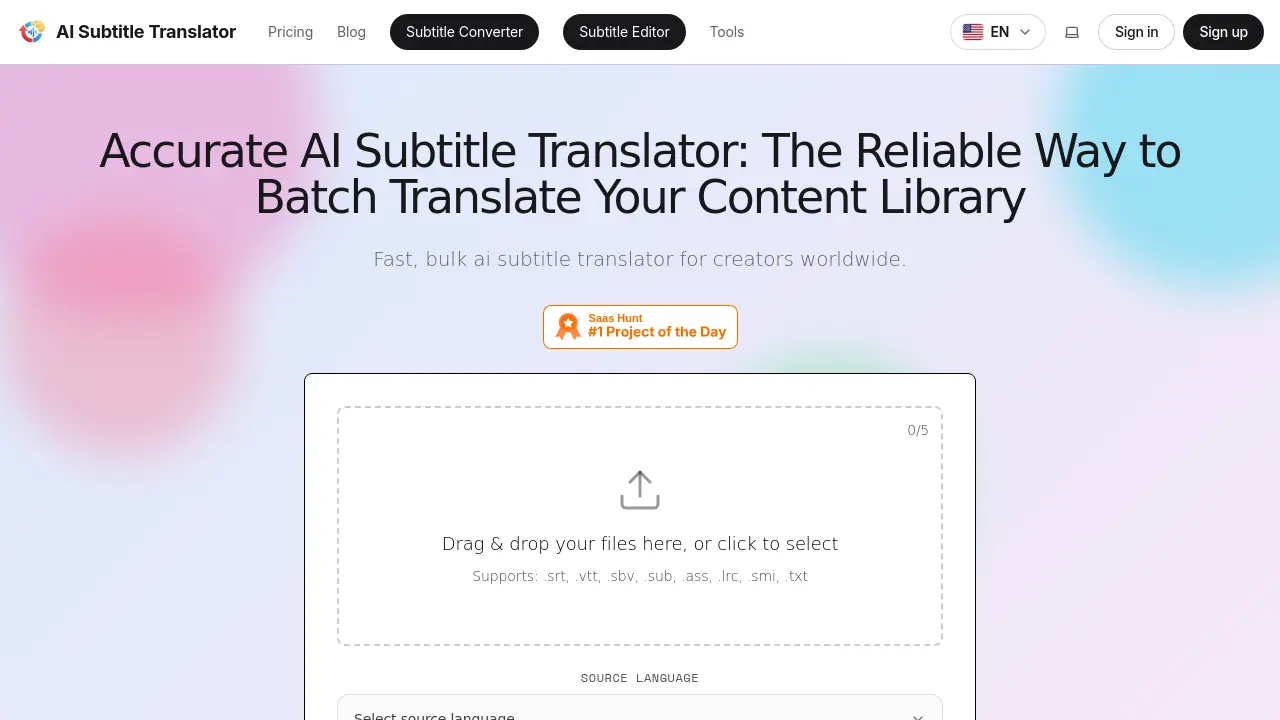
FAQs of AI Subtitle Translator
What is AI Subtitle Translator and what does it do?
AI Subtitle Translator is an online tool that automatically translates subtitle files into multiple languages. It supports batch processing, maintains timestamp alignment, and offers an integrated editor for post‑translation adjustments, making multilingual video publishing faster and more reliable.
Who is AI Subtitle Translator designed for?
The service targets content creators, educators, marketers, corporate communication teams, independent filmmakers, and news outlets. Anyone who needs to localize video captions—whether for YouTube, TikTok, e‑learning platforms, or internal training—can benefit from its bulk translation and editing features.
How do I start a translation with AI Subtitle Translator?
First, drag and drop or upload a supported subtitle file (e.g., SRT, VTT, ASS). The system auto‑detects the source language, you then select one or more target languages, and click Translate. After processing, preview the result in the built‑in editor and download the translated file.
How fast does AI Subtitle Translator process files?
The platform is optimized for speed, typically completing a standard subtitle file within a few minutes. Processing time varies with file size and the number of target languages, but the cloud infrastructure ensures rapid turnaround even during peak usage.
What makes the translation quality reliable?
AI Subtitle Translator leverages advanced large‑language models that understand context, idioms, and domain‑specific terminology. Continuous model updates and language‑specific fine‑tuning help produce natural‑sounding translations that closely resemble native‑speaker output.
Can I edit subtitles after they are translated?
Yes. Every translated file opens in the integrated subtitle editor, where you can modify text, adjust timestamps, and customize styling before exporting. This hybrid AI‑human workflow ensures final captions meet precise brand or style guidelines.
Which subtitle file formats are supported for import and export?
The service accepts a wide range of formats, including .srt, .vtt, .sbv, .sub, .ass, .lrc, .smi, and plain .txt. Export options mirror the input formats, preserving compatibility with platforms like YouTube, Vimeo, and custom video players.
Does the tool support over 100 languages, and are some languages better optimized?
AI Subtitle Translator offers translation into more than 100 languages, with strong performance for widely spoken languages such as Spanish, Chinese, Japanese, French, and German. Each language model is regularly refined to capture regional nuances and idiomatic expressions.
Are there any limitations or usage caps on the free plan?
The free tier provides 10 free credits (≈1,000 characters per credit) and caps each file at 500 KB, with a 14‑day storage limit. Larger files, higher character counts, or multiple target languages require a paid subscription.
How does the pricing structure work and what credits represent?
Plans are subscription‑based (Free, Starter $9.90/mo, Pro $19.90/mo, Ultra $49.90/mo) and include a monthly credit allowance (e.g., 300 credits for Starter). One credit equals 1,000 characters of translated text; unused credits do not roll over, but higher‑tier plans reset credits each month.
What is the data privacy policy for uploaded files?
Uploaded subtitle files are encrypted in transit and stored temporarily only for processing and optional 14‑day access. Files are never used to train the AI models, and the platform complies with standard privacy regulations to protect intellectual property.
How can I obtain a refund or contact support if I encounter issues?
Refunds are available under the terms outlined in the Refund policy page; users can request a refund via the support contact form. For technical help, pricing questions, or general inquiries, email support@aisubtitletranslator.org or submit a ticket through the website’s support portal.
How to use AI Subtitle Translator
AI Subtitle Translator provides bulk subtitle translation, supporting over 100 languages and multiple formats, enabling creators to localize video captions quickly and accurately.
Drag and drop or click to upload a subtitle file; the system auto‑detects the source language and validates file integrity before processing.
Choose one or more target languages from the dropdown, optionally selecting the translation model (Basic, Pro, Custom) to match quality requirements.
Press “Translate”; the AI engine processes the file, preserving timestamps and formatting while generating translated subtitle tracks in the chosen languages.
Once translation completes, preview the output using the built‑in editor to verify alignment, adjust phrasing, or edit timing as needed.
Download the translated files in the original format (SRT, VTT, ASS, etc.) or export to a different compatible format for seamless platform integration.
Compare original and translated captions to assess linguistic accuracy, ensuring cultural nuance and terminology suitability for the intended audience.
Deploy the translated subtitles to YouTube, Vimeo, or LMS platforms, expanding global reach and improving viewer engagement across multilingual markets.
