
Viblo AI: AI Video, Image & Music Creation with 250+ Models
| Added on: | Jul 16, 2026 |
| Monthly Visits: | -- |
| Social & Email: | -- |

What is Viblo AI
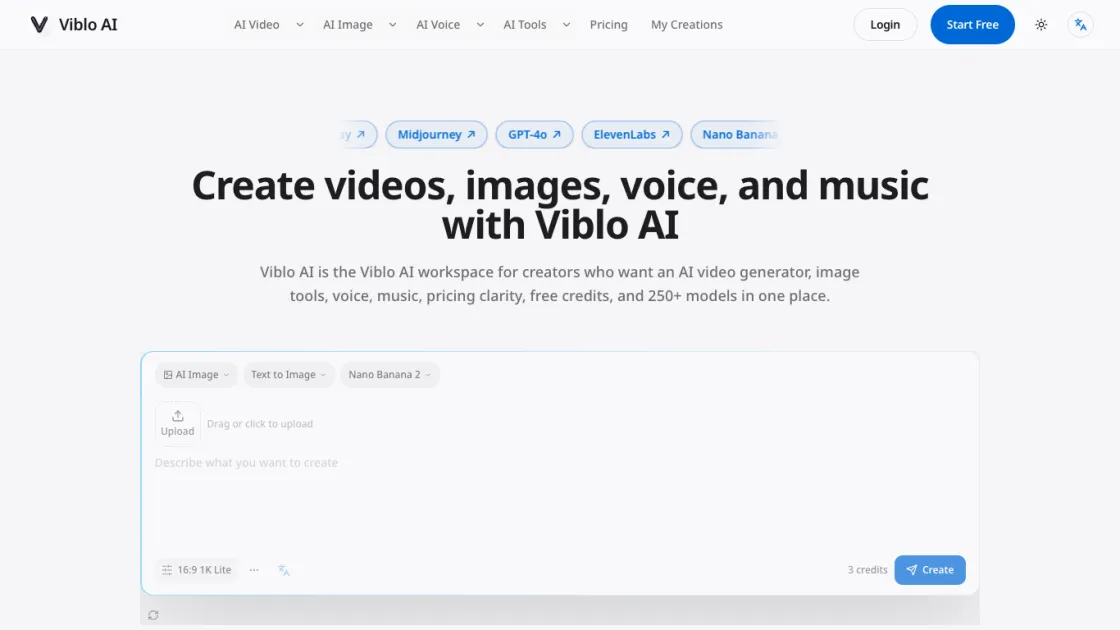
Viblo AI is a comprehensive AI creation workspace that brings together video generation, image creation, voice synthesis, and music composition in one platform. With access to over 250 AI models from leading providers like Sora, Kling, Midjourney, and ElevenLabs, creators can produce professional-quality content without switching between multiple tools. The platform supports text-to-video, text-to-image, text-to-speech, and text-to-music workflows, allowing users to draft prompts, compare model outputs side by side, and refine their creative direction within a single integrated workspace.
How does Viblo AI work
Viblo AI operates as a cloud-based workspace that connects users to multiple AI models through a unified interface. Users select a creation type (video, image, voice, or music), choose from available AI models, and enter text prompts describing their desired output. The platform sends these prompts to the selected AI model's API, processes the generated content, and returns the results for review and download. The workspace maintains context between different creation steps, allowing users to refine outputs by adjusting prompts, switching models, or combining results from different AI tools into a cohesive project.
Benefits of Viblo AI
Viblo AI consolidates multiple AI creation tools into a single workspace, eliminating the need to manage separate subscriptions and switch between different platforms. The credit-based pricing model with free starter credits allows users to test models and workflows before committing to paid plans. With 250+ models available, creators can access cutting-edge AI technology for video, image, voice, and music production without technical expertise. The platform's model comparison feature helps users find the optimal balance between output quality and credit consumption for their specific use cases.
Pros and Cons of Viblo AI
Pros
- Access to 250+ AI models in a single workspace
- Free starter credits for testing before purchase
- Integrated workflow across video, image, voice, and music
- Side-by-side model comparison for quality and cost optimization
- Credit-based pricing with flexible plan options
Cons
- Credit consumption varies significantly between models and quality settings
- Higher quality outputs require more credits, increasing costs for professional projects
- Limited offline functionality as all generation happens in the cloud
- Some advanced features may require higher-tier subscription plans
Core Features of Viblo AI
AI Video Generation
Viblo AI provides access to multiple video generation models including Sora 2 Pro, Kling 3, Veo 3.1, Hailuo, and Runway. Users can generate videos from text prompts or convert existing images into animated content with motion controls and camera settings.
AI Image Creation
The platform supports text-to-image generation through models like Nano Banana Pro, Midjourney, and GPT-4o. Users can create images in various styles, from photorealistic to artistic, with options for aspect ratio and quality settings.
AI Voice and Speech
Viblo AI integrates ElevenLabs and other voice models for text-to-speech synthesis. Users can generate natural-sounding voiceovers in multiple languages and tones for videos, presentations, and audio content.
AI Music Composition
The platform includes Suno v5 and other music models for generating original music tracks. Users can create background music, sound effects, and complete musical compositions from text descriptions.
Multi-Model Comparison
Creators can compare outputs from different AI models side by side to evaluate quality, style, and credit cost before committing to a final generation. This helps optimize both creative results and resource usage.
Integrated Workflow
The workspace maintains prompt context across different creation steps, allowing users to start with an image, convert it to video, add voice, and compose background music without losing their creative direction or re-entering prompts.
Use Cases of Viblo AI
- Content creators: Generate social media videos, images, and audio for platforms like YouTube, TikTok, and Instagram without specialized production skills or equipment.
- Marketing teams: Create promotional videos, product images, and voiceover content for advertising campaigns, landing pages, and email marketing materials.
- Small businesses: Produce professional-quality visual and audio content for websites, presentations, and customer communications at a fraction of traditional production costs.
- Educators: Develop instructional videos, interactive presentations, and multimedia learning materials using AI-generated visuals and voice narration.
- Independent artists: Explore creative workflows by combining AI-generated images, videos, music, and voice into mixed-media projects and experimental art pieces.
FAQs of Viblo AI
What is Viblo AI?
Viblo AI is an AI creation workspace that provides access to over 250 AI models for generating videos, images, voice, and music. It combines multiple AI tools into a single platform, allowing creators to produce professional content without switching between different applications or managing separate subscriptions.
How do I use Viblo AI to create an AI video?
Start by selecting the video generation tool and choosing a model like Sora 2 Pro or Kling 3. Enter a text description of your desired video, adjust settings for aspect ratio and quality, then click create. The platform generates the video and allows you to compare outputs from different models before downloading or using the result in your project.
What is the best AI video generator for creators?
The best AI video generator depends on your specific needs. Viblo AI provides access to multiple top-tier models including Sora 2 Pro for cinematic quality, Kling 3 for motion control, and Hailuo for fast generation. The platform's comparison feature lets you evaluate different models side by side to find the optimal match for your creative vision and budget.
Can I turn images into videos with Viblo AI?
Yes, Viblo AI supports image-to-video conversion through models like Kling with motion controls. Upload an image, describe the desired motion or transformation, and the AI generates an animated video from your static content. This feature is useful for creating dynamic social media content, product demonstrations, and creative animations.
What quality does Viblo AI support?
Viblo AI supports output quality up to 4K resolution for videos and images. The actual quality depends on the selected model and settings. Higher quality outputs typically consume more credits but produce more detailed and professional results suitable for commercial use and large-format displays.
Which AI video models can I compare in Viblo AI?
Viblo AI provides access to major video models including Sora 2 Pro, Kling 3, Veo 3.1, Hailuo, Runway, and others. Users can generate the same prompt across multiple models to compare quality, style, speed, and credit cost, helping them choose the best model for their specific project requirements.
Does Viblo AI also create AI images, voice, and music?
Yes, Viblo AI offers comprehensive AI creation tools beyond video. The platform includes text-to-image generation with models like Midjourney and Nano Banana Pro, text-to-speech with ElevenLabs for voice synthesis, and text-to-music with Suno v5 for audio composition. All these tools are integrated into the same workspace with shared prompt context.
How to use Viblo AI
- Visit viblo.app and create a free account to receive starter credits for testing the platform's AI models and features.
- Select your preferred creation type from the homepage generator: AI Video, AI Image, AI Voice, or AI Music.
- Choose an AI model from the available options, comparing their capabilities, output quality, and credit costs before making a selection.
- Enter a detailed text prompt describing your desired output, using specific language to guide the AI toward your intended result.
- Adjust generation settings such as aspect ratio, quality level, and duration based on your project requirements and available credits.
- Review the generated output and compare it with results from other models to identify the best match for your creative vision.
- Download your final creation or continue refining it by adjusting prompts, trying different models, or combining outputs into a multi-step workflow.
Viblo AI Alternatives
Seedance 3.0 preview page: planned multi-shot continuity, scene editing and audio-visual sync for AI video, while the on-page generator runs Seedance 2.5.
Browser workspace for AI image generation, reference photo editing, and short video drafts, aimed at creators, marketers, and product teams.
Black Forest Labs' multimodal model with a web generator for text-to-video, image-to-video and image editing with native audio, for creators and marketers.
AI co-director that turns an idea or script into shot-by-shot storyboard panels for indie filmmakers, with real film shot references and PDF board export.
Wan API is an independent platform for Wan and Seedance video models. Compare specs and rates, generate clips in the Playground, or call them through one API.
Seedance 3.0 turns text, images, video clips, and audio into videos with sound, and edits one part of a clip without regenerating the rest.
Wery is a virtual AI studio that routes one goal to specialist agents for video, images, music and documents, keeping characters and project assets consistent.

AI video and image studio with text-to-video, image-to-video and keyframe control across Seedance, Kling, Wan and Vidu — all on one credit balance.
Browser studio for AI video, image and music generation with Grok Imagine, Kling and GPT Image models. Free daily credits, no sign-up required.
SeaMove AI is an AI video and image generation platform offering Seedance 2.0 and Seedance 2.5 models for text-to-video, image-to-video, and reference-based creation. Features multi-shot continuity, director-level control, and audio-visual sync for creators and studios.
Turns two separate portraits into a 15-second vertical rap duet video on an orange stage with a shared microphone and the original soundtrack. Free 480P preview available.
Mareel is an all-in-one AI video and image generation workspace giving creators, marketers, and ecommerce teams 40+ leading models and one shared credit balance.