
VioEvo - AI Video & Image Generator for Creators and Teams

What is VioEvo
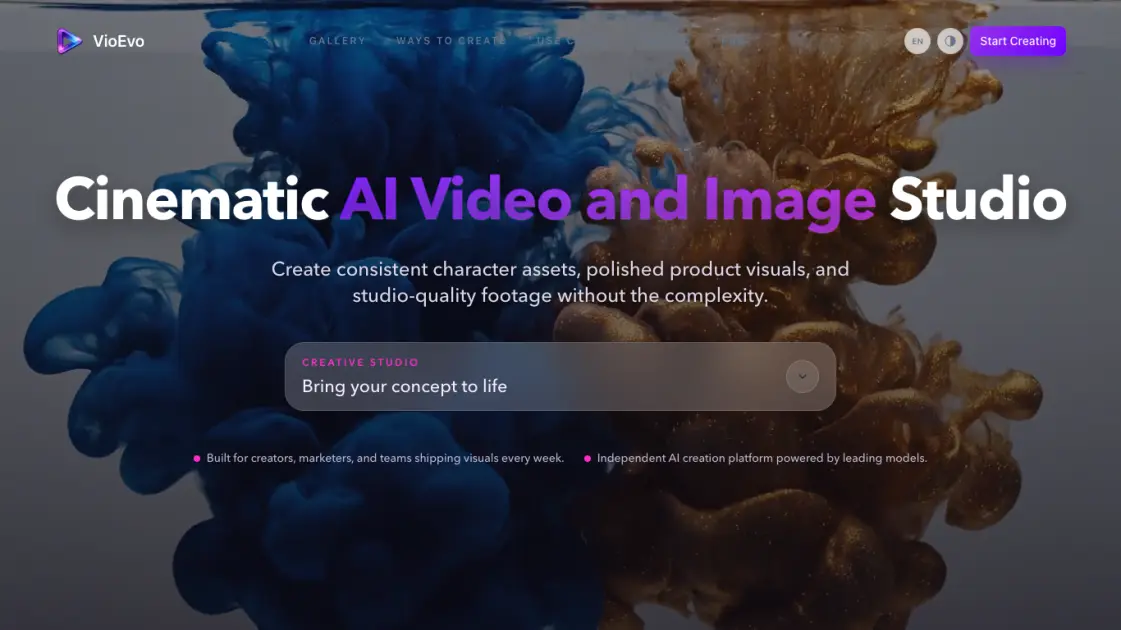
VioEvo is an AI-powered creative studio that generates cinematic videos and images from text prompts, source images, video clips, and reference inputs. Built for brands, creators, and marketing teams, it combines multiple leading models — including Veo 3.1, ChatGPT Image 2, Seedance 2, Wan 2.7, and Kling 3.0 — under a single interface. Users can produce launch-ready visual content across six creation modes: text to video, image to video, video to video, reference to video, text to image, and image to image. VioEvo positions itself as an independent AI creation platform that abstracts away model complexity while keeping creative control straightforward and accessible.
How does VioEvo work
VioEvo operates as a model-agnostic generation layer. Users begin by describing their desired output through a text prompt or by providing source media — an image, a video clip, or a reference video. The platform then routes the request to the most suitable AI model based on the content type and creative goal. Behind the scenes, VioEvo handles resolution, aspect ratio, duration, and style parameters before dispatching the generation job. The finished output is delivered as a downloadable video or image file, ready for use in production workflows.
Benefits of VioEvo
VioEvo removes the need to juggle multiple AI tools by consolidating several leading image and video models under one dashboard. Its model-agnostic design means users can switch between Veo 3.1, Seedance 2, or Grok Imagine without managing separate accounts or learning different interfaces. The straightforward three-step workflow reduces the time from idea to finished visual, and the commercial use license makes the output usable in real marketing and product campaigns. The free credit allowance lowers the barrier for first-time users, while tiered subscriptions provide predictable pricing for regular workloads.
Pros and Cons of VioEvo
Pros
- Access to multiple leading AI models through one interface
- Six creation modes covering both image and video generation
- Commercial use rights included in all plans
- Simple three-step workflow accessible to non-professionals
- Free credits available for first-time evaluation
Cons
- Free credit pool is limited (150 credits) after sign-up
- Full capabilities require a paid subscription
- Independent platform with smaller community compared to established competitors
- Internet connection required, no offline generation capability
Core Features of VioEvo
Six Creation Modes
Covers text to video, image to video, video to video, reference to video, text to image, and image to image — all accessible through a single unified workspace without switching tools.
Multi-Model Access
Routes each task to the best-fit model from a lineup including Veo 3.1, Happy Horse 1.0, ChatGPT Image 2, Seedance 2, Wan 2.7, Grok Imagine, and Kling 3.0.
Simple Three-Step Workflow
Start with a prompt or media, tune style and parameters, then generate. No steep learning curve between idea and output.
Commercial Use License
Generated content can be used in commercial projects without additional licensing fees, suitable for product launches, ads, and brand campaigns.
Credit-Based System
Users start with 150 free credits and choose from tiered subscription plans — Basic ($7.90/mo), Pro ($23.90/mo), and Team ($71.90/mo) — for ongoing access.
Use Cases of VioEvo
- Marketing teams: Generate product demo videos and social media ad creatives from text briefs.
- E-commerce brands: Create product showcase videos from still images and reference clips.
- Content creators: Produce visual assets for channels, thumbnails, and short-form video content.
- Media professionals: Experiment with different AI models for video-to-video style transfer and post-production.
- Small businesses: Build brand assets and promotional materials without hiring a production team.
FAQs of VioEvo
What is VioEvo and who is it for?
VioEvo is an AI video and image generation platform that combines multiple models into one tool. It is designed for brands, creators, marketers, and small businesses who need fast visual content without managing individual AI subscriptions.
What creation modes does VioEvo support?
VioEvo supports six modes: text to video, image to video, video to video, reference to video, text to image, and image to image. Each mode routes to the most suitable underlying AI model for the task.
Which AI models are available on the platform?
The platform includes Veo 3.1, Happy Horse 1.0, ChatGPT Image 2, Seedance 2, Wan 2.7, Grok Imagine, Kling 3.0, and Nano Banana 2. The lineup is updated as new models become available.
How does the pricing and credit system work?
New users receive 150 free credits upon sign-up. Paid plans start at $7.90 per month for Basic, $23.90 for Pro, and $71.90 for Team, all billed annually. Credits are consumed based on generation complexity and output resolution.
Can I use the generated content for commercial purposes?
Yes. All plans include a commercial use license, allowing generated images and videos to be used in marketing, advertising, product campaigns, and other commercial contexts.
Does VioEvo add watermarks to generated content?
No. Generated outputs are delivered without any watermarks across all subscription tiers, including during the free credit trial period for new users.
How does VioEvo compare to using AI models directly?
VioEvo abstracts away the differences between individual AI models — no separate accounts, logins, or API keys are needed. Users work through a unified interface and the platform selects the best model for each type of request.
How to use VioEvo
- Visit the VioEvo website and sign up for an account. The registration process is straightforward and includes granting 150 free credits to explore the platform.
- Choose a creation mode from the available options — text to video, image to video, or any other supported format depending on your goal.
- Provide input: type a descriptive prompt for text-based generation, or upload an image, video clip, or reference video for media-based modes.
- Adjust parameters such as aspect ratio, duration, and style preferences. The platform suggests optimal settings based on the selected model.
- Click generate and wait for the output to process. Once ready, preview the result and download it in your preferred format.
VioEvo Website Traffic Analysis
Latest traffic information
- Monthly Visits1.5K
- Bounce Rate31.82%
- Pages Per Visit1.49
- Visit Duration00:00:49
- Global Rank10.63M
- Country/Region Ranking1.11M
Top Keywords
| Keyword | Traffic | Volume | Cost Per Click |
|---|---|---|---|
| veo api key | 100 | 560 | -- |
| chatgpt 2.5 | -- | 4.63K | $0.16 |
| reference to video | -- | 1.01K | $2.64 |
| who owns seedance | -- | 850 | -- |
| 图生视频 | -- | 530 | $2.54 |
Top Regions
| Region | Percentage |
|---|---|
| United States | 100% |
VioEvo Alternatives
Seedance 3.0 preview page: planned multi-shot continuity, scene editing and audio-visual sync for AI video, while the on-page generator runs Seedance 2.5.
Browser workspace for AI image generation, reference photo editing, and short video drafts, aimed at creators, marketers, and product teams.
Black Forest Labs' multimodal model with a web generator for text-to-video, image-to-video and image editing with native audio, for creators and marketers.
AI co-director that turns an idea or script into shot-by-shot storyboard panels for indie filmmakers, with real film shot references and PDF board export.
Wan API is an independent platform for Wan and Seedance video models. Compare specs and rates, generate clips in the Playground, or call them through one API.
Seedance 3.0 turns text, images, video clips, and audio into videos with sound, and edits one part of a clip without regenerating the rest.
Wery is a virtual AI studio that routes one goal to specialist agents for video, images, music and documents, keeping characters and project assets consistent.

AI video and image studio with text-to-video, image-to-video and keyframe control across Seedance, Kling, Wan and Vidu — all on one credit balance.
Browser studio for AI video, image and music generation with Grok Imagine, Kling and GPT Image models. Free daily credits, no sign-up required.
SeaMove AI is an AI video and image generation platform offering Seedance 2.0 and Seedance 2.5 models for text-to-video, image-to-video, and reference-based creation. Features multi-shot continuity, director-level control, and audio-visual sync for creators and studios.
Turns two separate portraits into a 15-second vertical rap duet video on an orange stage with a shared microphone and the original soundtrack. Free 480P preview available.
Mareel is an all-in-one AI video and image generation workspace giving creators, marketers, and ecommerce teams 40+ leading models and one shared credit balance.