
MagicShot - Create AI Photos, Videos & Kissing Videos Online

What is MagicShot
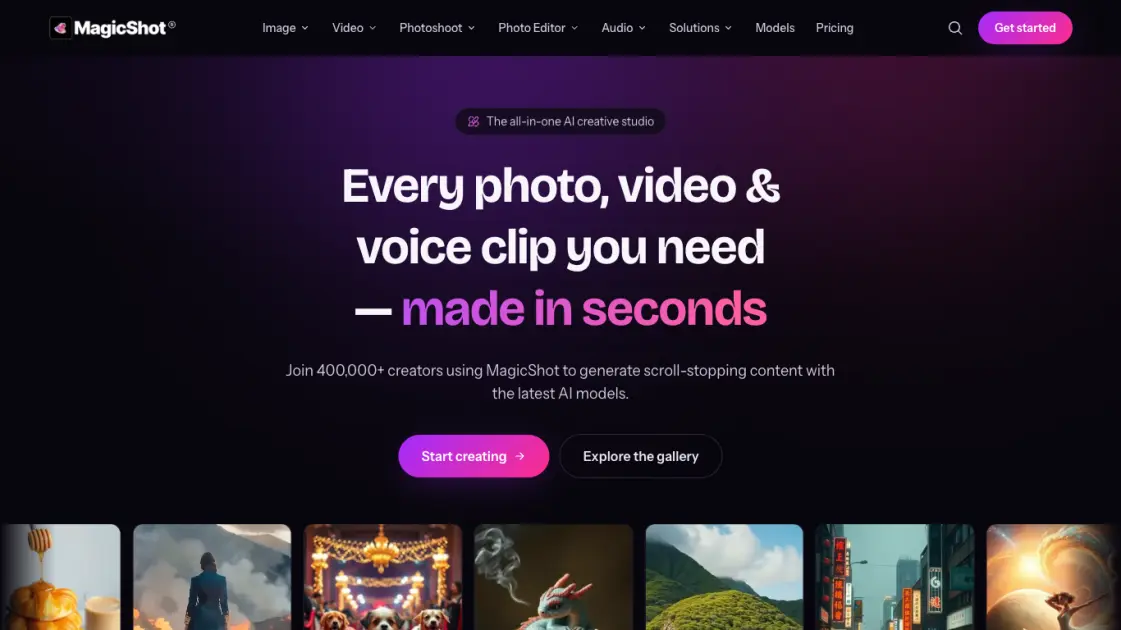
MagicShot is an all-in-one AI creative studio that enables creators, sellers, and small teams to generate photos, videos, and audio clips in seconds. The platform offers over 85 AI tools across five suites: AI Image Generator with 31 tools for creating high-resolution images in over 100 styles, AI Video Generator with 18 tools for producing UGC-style ads and cinematic clips, AI Photoshoot with 11 tools for transforming selfies into professional headshots and fashion imagery, AI Photo Editor with 18 tools for one-click fixes like background removal and 4K upscaling, and AI Audio Generator with 5 tools for realistic voiceovers and original music. Trusted by over 400,000 creators and powering more than 50 million images and 8 million videos, MagicShot provides commercial rights on paid plans and is accessible via web browser and iOS app.
How does MagicShot work
MagicShot operates as a browser-based or iOS studio where users select a tool from over 85 available options, input a text description or upload a photo, and let the AI process the request. The platform routes each task to the appropriate AI model — such as Seedance 2.0 for video generation or GPT Image 2 for photos — and delivers the finished result in seconds. Users can then preview and download the output in high resolution or HD, ready for publishing across social media, e-commerce listings, and other channels without any editing skills required.
Benefits of MagicShot
MagicShot brings over 85 AI tools into a single platform, eliminating the need for multiple subscriptions and reducing content creation workflow complexity. Users can generate professional-grade photos, videos, and audio in seconds without requiring technical skills or specialized studio equipment. The platform provides full commercial rights on paid plans, integration with the latest AI models like Seedance 2.0 and GPT Image 2, and accessibility through both web and iOS apps. With support for over 100 image styles, 4K upscaling, and HD video export, MagicShot serves over 400,000 creators seeking efficient, high-quality content production.
Pros and Cons of MagicShot
Pros
- All-in-one platform with over 85 AI tools
- Commercial rights included on paid plans
- Latest AI models continuously integrated
- Available on web and iOS devices
- No technical skills or equipment required
Cons
- Free plan offers limited monthly credits
- No native desktop application available
- Unused credits do not roll over monthly
- Video export limited to 1080p resolution
Core Features of MagicShot
AI Image Generator
Type text prompts and generate original, high-resolution images in over 100 styles for logos, artwork, product shots, stickers, and wallpapers.
AI Video Generator
Create original videos from text, photos, or scripts — UGC-style ads, cinematic clips, and talking presenters without any camera equipment.
AI Photoshoot
Upload selfies and receive studio-quality professional headshots, on-model fashion imagery, dating photos, and pet portraits in minutes.
AI Photo Editor
Fix existing photos with one click — remove backgrounds and objects, upscale to 4K resolution, and restore damaged or old prints.
AI Audio Generator
Produce realistic voiceovers, cloned narration, and original music from text for reels, ads, and any published content.
Use Cases of MagicShot
- E-commerce sellers: Generate listing-ready product photos without a studio, reshoots, or professional photography equipment.
- Social media creators: Produce UGC-style video ads and cinematic clips that look authentic and engage audiences on any platform.
- Job seekers: Create LinkedIn-ready professional headshots from casual selfies in minutes without booking a photographer.
- Small business owners: Design branded visuals, logos, and marketing materials quickly without hiring a professional designer.
- Content marketers: Generate voiceovers and narration for reels, ads, and video content at scale with consistent audio quality.
FAQs of MagicShot
How much does MagicShot cost?
MagicShot offers three credit-based plans with yearly billing: Essential at $5.25 per month, Premium at $11.50 per month, and Premium+ at $22.50 per month. Each plan includes monthly credits for generating content across all available tools.
What can users create with MagicShot?
Users can create AI images, videos, professional photoshoots, photo edits and enhancements, and realistic audio voiceovers — all within a single platform using over 85 specialized tools across five creative suites.
Do users own the content they create?
Paid plan subscribers receive full commercial rights to all content generated with MagicShot. This allows using outputs for business purposes, social media marketing, product listings, and other commercial applications without restrictions.
Which AI models does MagicShot use?
MagicShot integrates multiple cutting-edge models including Seedance 2.0, GPT Image 2, Veo 3.1, Kling v3 Omni, PixVerse V6, Nano Banana 2, and Happy Horse 1.0 for diverse image, video, and audio generation tasks.
How do credits work on MagicShot?
Each content generation consumes a certain number of credits based on the tool and output type selected. Unused credits do not roll over to the next billing cycle, and users can upgrade or switch plans at any time.
Is there a mobile app for MagicShot?
Yes, MagicShot is available as a free iOS app for iPhone and iPad. The mobile version includes AI photoshoots, headshots, image and video generation, over 100 styles, and HD watermark-free export.
Can users cancel their MagicShot subscription?
Yes, users can cancel their subscription at any time. MagicShot offers flexible monthly or yearly billing options with no long-term lock-in, and switching between plans is straightforward.
How to use MagicShot
- Visit app.magicshot.ai or download the iOS app from the App Store to create a free account and access the MagicShot creative studio.
- Browse available tools organized by category — AI Image Generator, AI Video Generator, AI Photoshoot, AI Photo Editor, or AI Audio Generator.
- Select a desired tool and provide a text description of the output or upload a source photo to use as the starting point.
- Adjust optional settings such as style preset, aspect ratio, or output resolution before submitting the generation request.
- Wait a few seconds for the AI to process the request, then preview the result and download it in high resolution or HD.
MagicShot Website Traffic Analysis
Latest traffic information
- Monthly Visits201.08K
- Bounce Rate34.63%
- Pages Per Visit3.93
- Visit Duration00:00:36
- Global Rank168.68K
- Country/Region Ranking35.21K
Top Keywords
| Keyword | Traffic | Volume | Cost Per Click |
|---|---|---|---|
| ai kissing video generator | 800 | 2.36K | $0.2 |
| kissing ai | 590 | 420 | $0.11 |
| ai kissing generator | 540 | 1.08K | $0.85 |
| magicshot | 500 | 320 | $0.13 |
| ai kiss generator | 490 | 930 | $0.78 |
Top Regions
| Region | Percentage |
|---|---|
| United States | 17.65% |
| India | 7.25% |
| United Kingdom | 4.56% |
| Indonesia | 3.27% |
| Brazil | 3.18% |
MagicShot Alternatives
Seedance 3.0 preview page: planned multi-shot continuity, scene editing and audio-visual sync for AI video, while the on-page generator runs Seedance 2.5.
Browser workspace for AI image generation, reference photo editing, and short video drafts, aimed at creators, marketers, and product teams.
Black Forest Labs' multimodal model with a web generator for text-to-video, image-to-video and image editing with native audio, for creators and marketers.
Wan API is an independent platform for Wan and Seedance video models. Compare specs and rates, generate clips in the Playground, or call them through one API.
Seedance 3.0 turns text, images, video clips, and audio into videos with sound, and edits one part of a clip without regenerating the rest.
Wery is a virtual AI studio that routes one goal to specialist agents for video, images, music and documents, keeping characters and project assets consistent.

AI video and image studio with text-to-video, image-to-video and keyframe control across Seedance, Kling, Wan and Vidu — all on one credit balance.
Browser studio for AI video, image and music generation with Grok Imagine, Kling and GPT Image models. Free daily credits, no sign-up required.
SeaMove AI is an AI video and image generation platform offering Seedance 2.0 and Seedance 2.5 models for text-to-video, image-to-video, and reference-based creation. Features multi-shot continuity, director-level control, and audio-visual sync for creators and studios.
Turns two separate portraits into a 15-second vertical rap duet video on an orange stage with a shared microphone and the original soundtrack. Free 480P preview available.
Mareel is an all-in-one AI video and image generation workspace giving creators, marketers, and ecommerce teams 40+ leading models and one shared credit balance.
Kinovi is a REST API that runs published video, image, and audio AI models from one endpoint. Send a model ID to createTask, poll recordInfo, and pay per use from one shared credit balance.