
Viblo AI YouTube MP3 Downloader
YouTube MP3 Downloader Inspect M4A and WebM Audio Files
| Added on: | Jul 19, 2026 |
| Monthly Visits: | -- |
| Social & Email: | -- |

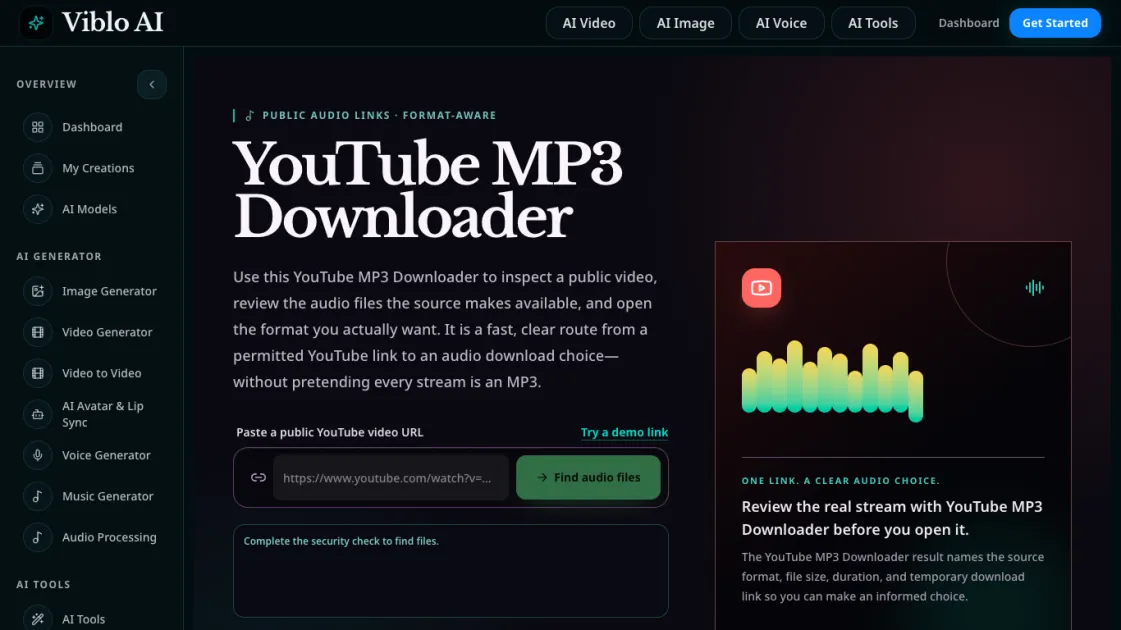
What is Viblo AI YouTube MP3 Downloader
The Viblo AI YouTube MP3 Downloader is a browser-based tool that lets users inspect public YouTube videos and review the audio streams the source actually provides. Rather than promising every download is an MP3, this tool identifies the real format, whether M4A or WebM, and presents file size, duration, and temporary direct links for each available stream. It supports standard YouTube watch URLs, Shorts, live streams, youtu.be short links, and embed links. The tool is designed for users who need a clear, format-aware route from a permitted YouTube video to an audio file, without misleading labels or hidden conversion steps.
How does Viblo AI YouTube MP3 Downloader work
The YouTube MP3 Downloader works by extracting the video ID from a pasted YouTube URL and querying the audio streams that YouTube makes publicly available for that video. Once the streams are identified, the tool presents each option with its format, file size, and duration. A security verification step runs before results are displayed to confirm legitimate access. Temporary direct download links are then generated for each available stream, allowing the user to open or save the file while the link remains valid. The tool does not convert or transcode audio; it simply reports what the source provides and lets the user choose based on compatibility and preference.
Benefits of Viblo AI YouTube MP3 Downloader
The YouTube MP3 Downloader provides format transparency by labeling each audio stream with its actual extension and MIME type, eliminating the common practice of labeling all downloads as MP3 regardless of the real format. It aggregates file size, duration, and format into a single view so users can compare options without opening multiple links. The tool works directly in the browser with no software installation required, and supports a wide range of YouTube URL formats including watch, Shorts, live, and embed links. Temporary download links reduce the risk of stale URLs being shared, while the security check adds a layer of protection against automated abuse.
Pros and Cons of Viblo AI YouTube MP3 Downloader
Pros
- Labels actual audio formats (M4A, WebM) instead of defaulting to MP3
- Shows file size and duration alongside format for quick comparison
- Supports multiple YouTube URL types including Shorts and live streams
- No login or software installation required
- Temporary links reduce stale URL sharing
Cons
- Download links expire quickly, requiring immediate saving
- Does not convert audio to other formats
- Limited to publicly available YouTube videos only
- Security check adds a brief delay before results appear
Core Features of Viblo AI YouTube MP3 Downloader
Format-Aware Audio Inspection
The YouTube MP3 Downloader identifies the exact audio format served by YouTube for each video. M4A files typically contain AAC audio, while WebM files commonly use Opus encoding. The tool labels each format with its MIME type so users can choose based on actual compatibility rather than a generic MP3 label.
Real-Time File Details
Each inspection result includes the source format, file size, duration, and a temporary direct download link. These details appear together so users can compare options before downloading. File sizes help users choose between higher-bitrate streams for quality and smaller files for convenience.
Broad YouTube Link Support
The tool accepts standard watch URLs, youtu.be short links, YouTube Shorts, live streams, and embed links. The video ID is extracted from the URL and used to query the available audio streams. Tracking parameters are stripped automatically.
Security Check Integration
Before displaying results, the tool runs a security verification step. This ensures the request comes from a legitimate source and helps protect against automated abuse. The check is brief and does not require user login or YouTube credentials.
Temporary Direct Links
Download links are generated per request and expire after a limited time. This means users should save files promptly after opening them. The temporary nature of the links prevents outdated URLs from circulating, keeping the workflow focused on immediate, authorized use.
Use Cases of Viblo AI YouTube MP3 Downloader
- Creators: Inspect a permitted audio reference from your own YouTube upload, compare the M4A or WebM streams, and keep the project master separately.
- Learners: Locate a lecture or demonstration stream for offline listening when permitted, keeping the file with its course link and creator name.
- Teams: Use the tool for internal briefs after receiving permission, recording the source URL, review date, format, and rights status with each file.
- Editors: Compare available audio formats by file size and bitrate before choosing which stream to use in a project timeline.
FAQs of Viblo AI YouTube MP3 Downloader
What is this YouTube MP3 Downloader?
It is a web tool that inspects public YouTube videos and lists the audio formats the source provides, including M4A and WebM files, with their size, duration, and temporary download links.
Does it always provide an MP3 file?
No. The tool shows whatever audio format YouTube serves for the video, which is commonly M4A or WebM. An MP3 file is not guaranteed to exist for every video. The tool labels the actual format so users can decide based on compatibility.
Which format should I choose?
M4A files use AAC audio and work well in most phones, desktop players, and editing apps. WebM audio uses Opus encoding and is often compact with good speech quality. The choice depends on the user's playback device and editing workflow.
Which YouTube links does the tool support?
The tool supports standard watch URLs, youtu.be short links, YouTube Shorts, live streams, and embed links. The video ID is extracted from the URL to query available audio streams.
Why do the direct links expire?
Temporary links are generated per request to prevent stale URLs from being reused. This ensures each download references a valid stream from the source. Users should save the file while the link remains active.
Does it require a YouTube login?
No. The tool only inspects public videos and does not require authentication. It reads the publicly available stream information and presents it to the user.
Can I use it legally?
The tool is intended for users who own or have permission to use the content. It does not bypass any restrictions and labels the source format honestly so users can make informed decisions about authorized use.
How to use Viblo AI YouTube MP3 Downloader
- Copy a public YouTube video URL from the browser address bar. The tool accepts watch, short, live, and embed link formats.
- Paste the URL into the YouTube MP3 Downloader input field and click the find audio files button to start the inspection.
- Complete the brief security check that appears before results are shown. This step does not require a login or account.
- Review the returned audio files, checking the format label, file size, and duration for each available stream.
- Click the direct link for the desired format to open or save the file. Save promptly because the links expire after a limited time.
Viblo AI YouTube MP3 Downloader Alternatives
Free AI caption and subtitle generator that transcribes speech in 100+ languages, styles every word and exports MP4, SRT, VTT or TXT files in the browser.
Translate Now is a browser-based AI voice translator for real-time speech translation, live transcription, and replayable bilingual audio transcripts.

OpenSubs is a free in-browser AI subtitle generator that transcribes speech with Whisper, translates into 20 languages and burns captions into video.
talat transcribes meetings, dictation and recordings locally on your Mac or Windows PC, with private AI notes, summaries and speaker identification.
Memo Card turns live or recorded lectures into AI lecture notes with transcription, real-time translation, bilingual captions, quizzes, and replay.
Turn public Instagram Reels and videos into clean transcripts with NanoPhoto.AI. Copy, read, and download spoken text with one credit.
VoiceScriber turns speech into text in 100+ languages using on-device AI on your iPhone. Works completely offline with no uploads for total privacy.
Free to start · Search any podcast, read full transcripts with timestamps, get AI summaries, key takeaways, mind maps and chat every episode.
LectMate is a web SaaS that captures live or recorded lectures, delivering real-time transcription, translation and bilingual notes for overseas students.
Mumble AI is a Mac voice‑first app that captures meeting recordings, voice notes and dictation, offering on‑device privacy or cloud AI for fast transcription, live speaker‑labeled transcripts and automatic summaries.
This AI transcription tool converts video and audio files into text with speaker labels, timestamps, and support for 99 languages, ideal for subtitles, meetings, and content creation.
Blitzcut AI video editor removes silence and adds styled captions automatically for TikTok, Reels, and Shorts with full HDR export in minutes.