
LectMate provides transcription and translation for students
| Added on: | May 27, 2026 |
| Monthly Visits: | -- |
| Social & Email: | -- |

What is LectMate
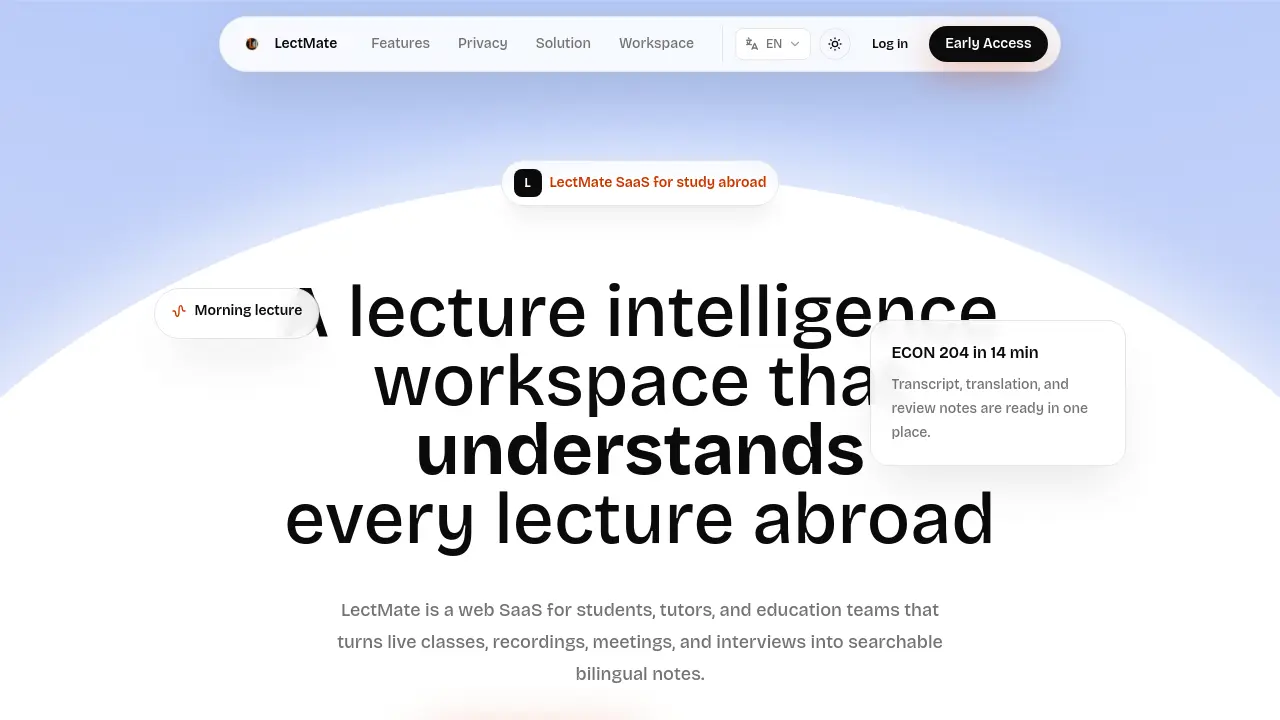
LectMate is a web‑based SaaS that converts live classes, recordings, meetings, and interviews into searchable bilingual notes. The platform streams real‑time transcription, applies simultaneous translation (initially English‑Chinese with broader language support), and aligns the original text with its translation for seamless review. Keyword extraction and summarization condense long sessions, while a built‑in search and replay function lets users jump to any moment and export the results in various formats. Privacy controls give students full ownership of recordings, transcripts, and exported files, with clear deletion pathways and default exclusion from model training. Designed for students, tutors, and education teams, LectMate streamlines the workflow from listening to organized study material, supporting both online and offline lecture environments.
How does LectMate work
LectMate operates as a web‑based SaaS workflow that captures live or uploaded audio, streams it through a low‑latency transcription model (gpt‑realtime‑whisper) and a simultaneous translation model (gpt‑realtime‑translate), then passes the raw text to a stronger language model (gpt‑5.5) for cleaning, keyword extraction, and bilingual note generation. The resulting transcript, translation, speaker tags, and summaries are stored in a searchable workspace, where users can replay specific moments, export notes, or delete data to maintain privacy. This end‑to‑end pipeline supports multilingual study, enabling students and educators to review lectures, meetings, or interviews efficiently.
Benefits of LectMate
LectMate is a web‑based SaaS that converts live or recorded lectures, meetings, and interviews into searchable bilingual notes. It delivers low‑latency real‑time transcription and simultaneous translation, keeping the original text and its translation side‑by‑side for instant review. Keyword extraction and AI‑generated summaries let students jump directly to relevant concepts, while integrated search and replay functions locate any moment in the audio. The platform supports import/export of recordings, granular privacy controls, and multi‑language coverage—including English‑Chinese and numerous European and Asian languages—making it a comprehensive workflow for study‑abroad learners and educators.
Pros and Cons of LectMate
Pros
- Real-time transcription during live classes.
- Simultaneous bilingual translation for English‑Chinese and other languages.
- Keyword extraction and summary generation streamline review.
- Searchable transcript with audio replay at adjustable speed.
- Exportable bilingual notes retain user control over data.
Cons
- Primarily focused on English–Chinese; other language quality varies.
- Requires stable internet connection for live processing.
- No mention of offline desktop application.
- Pricing and billing details are not disclosed.
- Limited information on integration with existing LMS platforms.
Core Features of LectMate
Real-time Transcription
Captures live audio and converts speech to text instantly, allowing students to follow lectures as they occur without waiting for post‑class processing.
Lecture Translation
Provides simultaneous translation of spoken content into multiple languages, enabling comprehension of fast speech, diverse accents, and technical terminology during classes or meetings.
Bilingual Notes
Combines original transcripts with their translations, producing side‑by‑side notes that streamline review for exams, assignments, and collaborative discussions.
Keyword Summaries
Analyzes recordings to extract key terms and main ideas, giving learners concise entry points instead of rereading entire transcripts.
Search and Replay
Indexes every word and sentence, letting users locate specific moments and replay audio at adjustable speeds for efficient revision.
Import, Export, and Control
Allows uploading of existing audio files, exporting of transcripts and bilingual notes, and ensures users retain full ownership and deletion rights over their data.
Use Cases of LectMate
- Students: Capture live lectures, generate bilingual notes, and search key concepts for exam preparation.
- Tutors: Review translated transcripts, annotate speaker turns, and export summarized study materials for group sessions.
- International study teams: Synchronize multilingual recordings, extract keywords, and maintain a searchable knowledge base across courses.
- Researchers: Import recorded interviews, obtain real-time transcription and translation, then export cleaned transcripts for analysis.
- Remote learners: Follow Zoom classes with live captions, replay specific moments, and export notes for offline study.
FAQs of LectMate
What is LectMate?
LectMate is a web‑based SaaS platform that converts live classes, recordings, meetings, and interviews into searchable bilingual notes. It provides real‑time transcription, simultaneous translation, keyword extraction, and export tools within a single online workspace designed for students, tutors, and education teams.
Is LectMate only for online lectures?
No. LectMate works with both online and offline content. It can capture Zoom or other video‑conference streams, record on‑site classroom audio, and even process phone calls, interviews, or travel conversations, turning any spoken material into searchable bilingual study material.
Can LectMate create bilingual notes?
Yes. LectMate keeps the original transcript alongside its translation, typically English‑Chinese but extensible to many other language pairs. The combined view forms bilingual notes that can be edited, summarized, and exported for exam preparation or collaborative review.
Which models power LectMate’s transcription and translation features?
Live audio uses gpt-realtime‑whisper for low‑latency transcription and gpt-realtime‑translate for streaming translation. Recorded files are processed with gpt‑4o‑transcribe (high accuracy) or gpt‑4o‑mini‑transcribe (cost‑effective batch). The study‑intelligence layer relies on gpt‑5.5 to clean text, extract keywords, and generate concise bilingual summaries.
Is LectMate a standalone SaaS?
Yes. LectMate operates as an independent SaaS product with its own web workspace, privacy controls, billing system, and technical stack. Users do not need to integrate external services to access transcription, translation, or export functionality.
How does LectMate ensure user privacy and data security?
LectMate stores audio files, transcripts, and bilingual notes as separate resources with scoped access tokens and short‑lived download links. Users retain full control to delete any content, and by default the platform does not use private lecture or call data for model training without explicit consent. Detailed policies are available in the Privacy Policy and Terms of Service.
What languages are supported for translation and note generation?
The core language pair is English‑Chinese, reflecting common study‑abroad scenarios. Additional support includes major European languages (Spanish, French, German, Italian, Portuguese, Dutch, Polish, Swedish, Ukrainian) and Asian languages (Japanese, Korean, Thai, Vietnamese, Hindi, Bengali, Malay, Tamil, Telugu, Urdu, Cantonese). The model stack can be extended to cover more language pairs as needed.
What export formats does LectMate provide for bilingual notes?
After review, users can export notes in plain text, PDF, or Markdown formats. Exported files retain the original transcript and its translation side‑by‑side, along with any extracted keywords and summaries, making them easy to integrate into existing study workflows or learning management systems.
How can a student start using LectMate’s early‑access program?
Students can join the Early Access workspace by visiting the LectMate homepage and clicking “Open workspace.” After creating an account, they can start a new session, grant microphone permissions, and begin capturing live audio. Early‑access users receive limited free minutes and can upgrade to paid plans for higher usage.
How to use LectMate
LectMate provides real‑time transcription, simultaneous translation, and bilingual note generation, converting live or recorded lectures into searchable, exportable study material for students and educators.
Open the LectMate workspace, start a new session, and either capture live audio through the browser or upload a recorded file; the system begins streaming transcription immediately.
Observe the side‑by‑side display of original text and translated language, while speaker tags and confidence scores help verify accuracy during the lecture.
After the session ends, use the keyword extraction feature to generate concise summaries, then organize transcript segments into review‑ready bilingual notes within the post‑class board.
Search any term or phrase using the workspace’s search bar; click the result to replay the exact audio moment at a comfortable speed for deeper comprehension.
Export the finalized notes, summaries, and keyword lists as PDF or CSV files, then integrate them into personal study logs or collaborative group projects.
Interpret the exported metrics by comparing keyword frequency with lecture objectives, assessing translation fidelity, and identifying gaps for further review or instructor feedback.
LectMate Alternatives
Translate raw manga, manhwa, manhua and webtoons into 50+ languages with AI, keeping artwork, speech bubbles and panel layout intact across full chapters.
Translate Now is a browser-based AI voice translator for real-time speech translation, live transcription, and replayable bilingual audio transcripts.

OpenSubs is a free in-browser AI subtitle generator that transcribes speech with Whisper, translates into 20 languages and burns captions into video.
MeeLang is a Chrome extension that provides real-time AI translation subtitles for Google Meet, supporting over 30 languages with sub-second latency.
MenuForma turns any PDF, photo, or website menu into a digital QR menu with online ordering, 70+ languages, and AI food photos for restaurants.
Memo Card turns live or recorded lectures into AI lecture notes with transcription, real-time translation, bilingual captions, quizzes, and replay.
TranslateImage AI translates images to 70+ languages while preserving font, layout, and style. Free online AI image translator for photos and manga.
Viblo AI YouTube MP3 Downloader inspects public videos and lists available M4A or WebM audio formats with size, duration, and temporary direct links.
Turn public Instagram Reels and videos into clean transcripts with NanoPhoto.AI. Copy, read, and download spoken text with one credit.
AI Image Text Editor lets users replace, remove, translate, and redact text inside finished images while preserving the original font, background, and layout.
PDF Translate is an AI PDF translator for professionals and students, providing free, fast multilingual translation of PDFs while keeping fonts, tables and images intact.
AI Subtitle Translator is a subtitle translation tool for creators and educators, providing batch processing in 100+ languages, multi-format support and exact timestamp alignment for fast global video localization.