
AI Speech Notes
AI Speech Notes generates instant speaker notes from any PPT.
| Added on: | Feb 17, 2026 |
| Monthly Visits: | 91 |
| Social & Email: | -- |

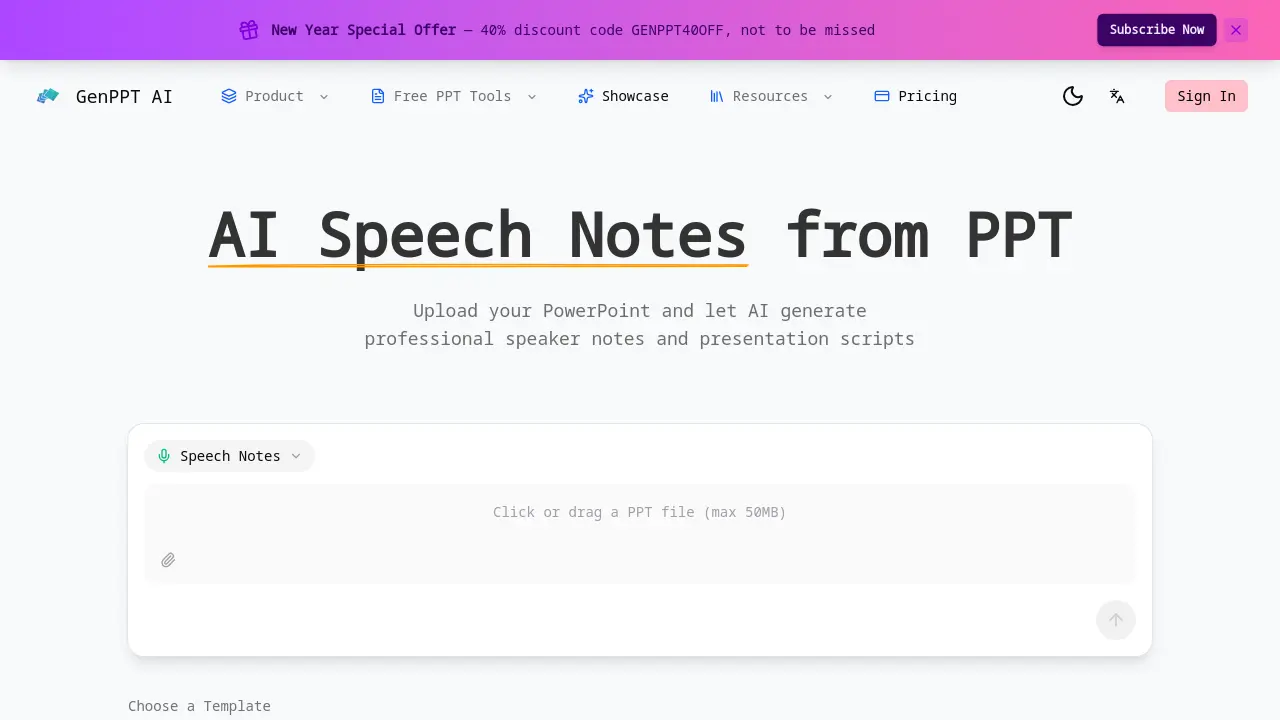
What is AI Speech Notes
AI Speech Notes from PPT is an AI‑driven service that converts PowerPoint files into polished speaker scripts. By uploading a presentation, the tool analyzes each slide, extracting key points, charts, and visual cues to generate natural, conversational talking points. The output includes slide‑by‑slide timing recommendations, smooth transition phrases, and emphasis cues for critical messages, enabling presenters to maintain pacing and audience engagement. Generated notes are downloadable in editable format, allowing users to personalize content with anecdotes or data. The solution supports files up to 50 MB and is designed for business meetings, academic conferences, and workshops, reducing manual note‑writing time and improving presentation quality.
How does AI Speech Notes work
The AI Speech Notes tool processes uploaded PowerPoint files by parsing each slide’s text, images, and charts. An NLP engine extracts key concepts and generates concise speaking cues that align with slide content. The system assigns suggested speaking durations per slide, produces transition phrases, and highlights critical points for emphasis. Output is delivered as editable text, allowing users to add personal anecdotes or audience‑specific details. The workflow requires no sign‑in, supports common PPT formats, and limits uploads to 50 MB, making it suitable for business meetings, academic conferences, and workshops.
Benefits of AI Speech Notes
AI Speech Notes from PPT transforms a PowerPoint file into ready‑to‑use speaker scripts in minutes. The tool analyzes each slide, generating natural, conversational talking points that match charts and visuals. It supplies timing suggestions per slide, smooth transition phrases, and emphasis cues for key messages, helping presenters stay on schedule and maintain audience engagement. Generated notes are downloadable and fully editable, allowing users to add personal anecdotes or data. The service supports up to 50 MB uploads and requires no sign‑in, making it convenient for academic, business, or workshop settings.
Pros and Cons of AI Speech Notes
Pros
- Generates speaker notes automatically from PPT
- Provides timing recommendations per slide
- Adds smooth transition phrases
- Highlights key points for emphasis
- Allows instant download and editing
Cons
- File size limited to 50MB
- No explicit support for non‑PPT formats
- Sign‑in requirement unclear
- Limited information on pricing or subscription
- No guarantee of perfect accuracy
Core Features of AI Speech Notes
Generate Speaker Notes from PowerPoint
Upload a PPT file (max 50 MB) and let the AI produce comprehensive speaker notes, saving hours of manual preparation for your presentation.
Slide‑by‑Slide Analysis
The tool examines each slide individually, generating tailored talking points that align with slide content, charts, and visuals for maximum impact.
Natural, Conversational Scripts
Speaker notes are written in a natural, conversational tone, helping presenters sound confident and engaging for the entire presentation.
Smart Timing Recommendations
Each set of notes includes suggested speaking duration per slide, enabling presenters to pace their talk and stay within allotted time.
Seamless Transition Phrases
Automatically generated transition phrases link slides, ensuring a smooth flow and preventing awkward pauses or abrupt topic changes for your presentation.
Key Point Highlighting
The AI identifies critical slide points and creates emphasis cues, helping audiences retain the main messages and takeaways for your presentation.
Instant Download & Edit
Generated notes can be downloaded immediately and edited freely, allowing users to add personal stories, data points, or audience‑specific details.
Use Cases of AI Speech Notes
- Students: Quickly generate speaker notes for class presentations, ensuring clear key points and timed delivery.
- Business Professionals: Automate slide‑by‑slide scripts with AI, adding smooth transitions and professional tone for client pitches.
- Academic Researchers: Create concise presentation scripts from research slides, highlighting critical data and maintaining audience engagement.
- Conference Speakers: Receive timing recommendations and key point cues, enabling confident delivery and adherence to session limits.
FAQs of AI Speech Notes
How does AI Speech Notes from PPT work?
AI Speech Notes analyzes each slide of an uploaded PowerPoint file, extracting text, charts, and visual cues. It then generates a natural‑conversational script that aligns with the slide content, includes suggested speaking durations, transition phrases, and key‑point highlights, all tailored to help presenters deliver a polished performance.
What format are the speech notes generated in?
The generated notes are delivered as a downloadable text file (e.g., .txt or .docx) that can be opened in any word processor. The format preserves the slide order and includes timestamps, transition markers, and emphasis cues for easy editing.
Can I customize the speech style and tone?
The AI produces a conversational tone by default, but users can edit the script after download to adjust formality, add personal anecdotes, or tailor language to a specific audience. Direct style settings are not currently exposed in the interface.
Do I need to sign in to use this tool?
No sign‑in is required to generate speech notes. Users can upload a PowerPoint file, receive the script, and download it immediately. Signing in is optional and may enable additional features such as saving projects or accessing past outputs.
What file formats are supported for upload?
The tool accepts standard PowerPoint files, including .ppt and .pptx. Files larger than 50 MB are rejected; otherwise, any typical presentation format is supported.
How many slides can this tool handle?
There is no explicit slide limit, but the 50 MB file size cap typically accommodates presentations with dozens of slides. Very large decks may be truncated or require splitting into smaller files.
Are the generated speech notes editable after creation?
Yes. After generation, the script can be downloaded and edited in any text editor or word processor. Users can add personal stories, adjust timing, or refine wording to suit their style.
What makes this better than writing notes manually?
AI Speech Notes saves hours of preparation by automatically producing slide‑by‑slide talking points, timing suggestions, and smooth transitions. The output is consistent, professional, and ready for immediate use, reducing the risk of forgetting key points or exceeding allotted time.
Is my PowerPoint data secure?
All uploads are processed on secure servers, and the tool does not store files after the session ends. Users can review the privacy policy for detailed information on data handling and retention.
What is the pricing for AI Speech Notes?
The service is available under GenPPT’s subscription plans, which start at a monthly fee. A free tier may be available for limited usage, while paid plans offer higher file size limits and additional features such as project saving.
Can I use the tool for commercial presentations?
Yes, the generated scripts can be used for any professional or commercial presentation. Users should review the terms of service to ensure compliance with licensing and usage rights.
Does the tool support multiple languages?
The current implementation focuses on English. Future updates may introduce multilingual support, but for now, the AI generates scripts in English only.
How long does it take to generate speech notes?
Generation typically completes within a few seconds to a minute, depending on the size of the presentation and server load. Users can download the script immediately after processing.
How to use AI Speech Notes
- Upload the PowerPoint file by clicking the upload button or dragging the file into the designated area, ensuring the file size does not exceed 50 MB.
- Select a presentation template from the available options—Insight Blue, Clarity Glass, or Sandstone Pro—to set the visual style for the generated notes.
- Click the “Generate Notes” button; the AI processes each slide, producing speaker notes with talking points, timing suggestions, and transition phrases.
- Examine the generated script, noting slide‑by‑slide talking points, suggested durations, and highlighted key messages for clarity and audience engagement to refine.
- Use the built‑in editor to add personal anecdotes, data references, or audience‑specific details, ensuring the script reflects your unique presentation style.
- Click the download icon to save the finalized speaker notes in PDF or editable text format for offline use or sharing with collaborators.
- Follow the AI‑suggested speaking durations per slide to maintain pacing, keeping the overall presentation within the allotted time for your session.
- Check the automatically generated transition phrases between slides to ensure smooth flow and avoid abrupt topic changes during delivery for.
- Once satisfied, export the script and integrate it into your presentation deck or rehearsal materials for effective delivery sessions and.
- Share the finalized notes with team members or stakeholders via email or cloud storage to align everyone on the presentation narrative.
AI Speech Notes Website Traffic Analysis
Latest traffic information
- Monthly Visits91
- Bounce Rate37.19%
- Pages Per Visit1.07
- Visit Duration00:00:00
- Global Rank3.4M
- Country/Region Ranking--
Top Regions
| Region | Percentage |
|---|---|
| Spain | 100% |
AI Speech Notes Alternatives
Pi is an AI presentation generator that turns ideas into polished slides. One-click generation, smart layouts and templates make decks fast and easy.
Convert PPT to MP4 video online with AI. Upload slides, set duration, resolution and sound, then generate a polished cinematic video with narration and music.

Turn JPG, PNG, and WebP images into editable PowerPoint slides. Upload up to 10 images, set the order, and let AI rebuild each image as a real slide.
Gamma AI is an AI presentation generator that turns text, PDF, and Word into slides with structured outlines, in-browser editing, and editable PPTX export.
Fuu AI is an AI presentation maker that turns text, PDFs, and documents into professional PPT slides in minutes, powered by Claude Opus 4.7.
Memo Card turns live or recorded lectures into AI lecture notes with transcription, real-time translation, bilingual captions, quizzes, and replay.
Convert PPT to Keynote-ready PPTX online. Free PPT to Keynote converter for Apple Keynote imports with secure processing and no installs.
LectMate is a web SaaS that captures live or recorded lectures, delivering real-time transcription, translation and bilingual notes for overseas students.
SlidesGo is an AI-powered PPT generator for businesses, educators and content creators, offering instant slide creation, design beautification, format conversion and automatic speaker notes to streamline presentation development.
CartoMind is a free AI infographic generator that lets marketers, educators and creators turn text, documents or ideas into professional infographics in seconds, using automatic layout, typography and multi‑language design.
Aduvera is an AI medical scribe that ambiently listens to visits and drafts EHR-ready clinical notes, helping clinicians save time and reduce burnout.
Gamma AI is a revolutionary AI PPT maker that transforms ideas into polished presentations, using cutting-edge artificial intelligence to handle design, layout, and content structure for professional results.