
Blitzcut AI Video Editor: Auto-Captions & Silence Removal
| Added on: | Mar 24, 2026 |
| Monthly Visits: | 10.93K |
| Social & Email: | -- |

What is Blitzcut
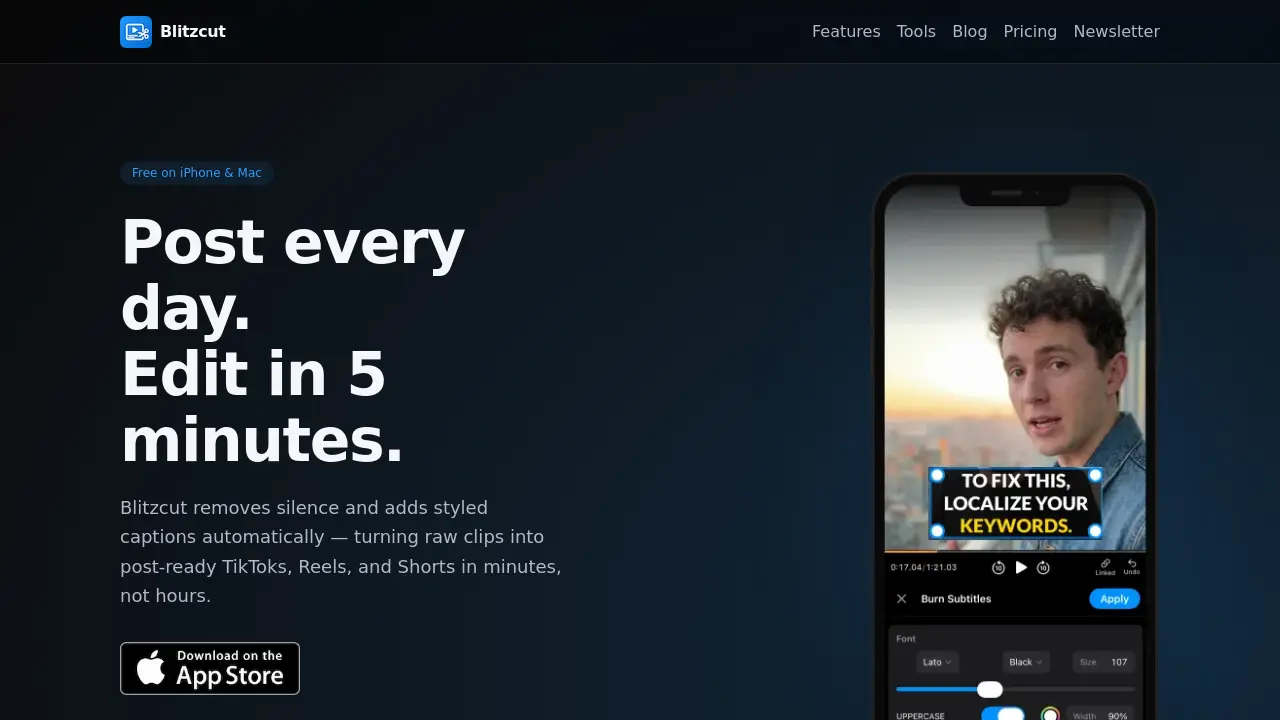
Blitzcut is an AI video editor tailored for TikTok, Reels, and Shorts creation. The application automates two core tasks: removing silent pauses from talking-head footage and generating styled captions. This process transforms raw clips into platform-ready videos in approximately five minutes, significantly reducing manual editing time.
Key functionality operates through a simple three-step workflow: import a video from the camera roll, apply one-tap AI processing for silence removal and captioning, then export in full-quality HDR directly to social platforms. The tool utilizes on-device AI, eliminating upload wait times and requiring no user account for basic use. With reported caption accuracy exceeding 95% and the ability to remove 30-60% of silent segments, Blitzcut targets mobile creators seeking efficient, automated short-form video production.
How does Blitzcut work
Blitzcut operates as an on-device AI video editor for short-form content. Users import raw talking-head clips, after which the app automatically removes silent intervals and generates styled captions in approximately 30 seconds per video, claiming over 95% caption accuracy. The entire workflow—import, one-tap AI processing, and HDR export—takes about five minutes. Processing occurs locally on iPhone or Mac, eliminating upload delays. Supporting tools like the Silence Detector visualize audio gaps, while direct export integrates with platforms such as TikTok and Instagram, streamlining the creation of engaging vertical videos.
Benefits of Blitzcut
Blitzcut is an AI video editor for TikTok, Reels, and Shorts that automates silence removal and styled caption generation. Its on-device processing eliminates upload waits and requires no account. The streamlined three-step workflow—import a raw clip, apply one-tap editing, and export directly to social platforms—reduces editing time to about five minutes per video. With high caption accuracy, it efficiently transforms raw footage into post-ready content. Complementary free tools, including a Silence Detector and Script Duration Calculator, further assist creators in optimizing their workflow before filming.
Pros and Cons of Blitzcut
Pros
- Automates silence removal and caption generation.
- Free download with no account required.
- On-device AI processing ensures privacy.
- Direct export to TikTok, Instagram, YouTube.
- Specialized for short-form vertical videos.
Cons
- iOS and Mac exclusive limits accessibility.
- Lacks advanced editing tools for pro use.
- Silence removal percentage varies by content.
- Caption accuracy claims need external validation.
- Full features may require paid subscription.
Core Features of Blitzcut
Automatic Silence Removal
Uses on-device AI to detect and cut silent pauses from talking-head videos automatically, improving pacing and saving editing time for TikTok, Reels, and Shorts content creators.
Styled Caption Generation
Generates accurate, visually engaging captions synchronized with speech, enhancing accessibility and viewer retention for social media videos without manual transcription effort.
Direct Social Media Export
Allows one-tap export of edited videos in full HDR quality directly to TikTok, Instagram, and YouTube from mobile devices, simplifying the posting workflow for creators.
Use Cases of Blitzcut
- TikTok creators: Automate video editing by removing silent gaps and generating captions for faster TikTok posting.
- Instagram Reels users: Enhance Reels with styled captions and silence removal to improve watch time and engagement.
- YouTube Shorts producers: Edit short-form videos efficiently using on-device AI for silence cutting and HDR export.
- Mobile video editing beginners: Start creating videos without manual skills using Blitzcut's free, no-account-needed app.
- Content creators: Utilize free tools like Silence Detector to visualize and optimize video clips before editing.
FAQs of Blitzcut
What is Blitzcut?
Blitzcut is an AI-powered video editor application designed for creating short-form content like TikTok, Instagram Reels, and YouTube Shorts. It automates the process of editing talking-head videos by removing silent pauses and generating styled captions, significantly reducing the time required to produce polished videos.
How does Blitzcut work?
Blitzcut employs a straightforward three-step workflow. Users first import a raw video clip from their device's camera roll. The application then uses on-device artificial intelligence to automatically detect and remove silence while generating accurate captions. Finally, the edited video can be exported in full quality and shared directly to social media platforms.
What are Blitzcut's key features?
Blitzcut's core features include automatic silence removal to eliminate pauses and maintain viewer engagement, and AI-generated captions with a claimed accuracy exceeding 95%. The app also provides supporting tools such as a Silence Detector for visualizing audio gaps and a Script Duration Calculator to predict video length before recording.
Is Blitzcut free to use?
Blitzcut is free to download on iPhone and Mac devices and does not require users to create an account. The primary editing functions, including silence removal and caption generation, are available at no cost. Information regarding any potential premium subscription tiers or advanced features can be found on the dedicated pricing page.
Which platforms is Blitzcut available on?
Blitzcut is currently available exclusively for iOS and macOS devices, meaning it runs on iPhone and Mac computers. The application is optimized for Apple's ecosystem and utilizes on-device AI processing, which necessitates compatibility with these specific operating systems for its core functionality.
Can Blitzcut be used on Android or Windows devices?
Blitzcut is not available for Android or Windows platforms at this time. The application is developed specifically for the iOS and macOS ecosystem. This focus allows Blitzcut to leverage on-device AI processing efficiently on Apple hardware, ensuring fast performance and local data handling for its users.
How does Blitzcut handle user privacy and video data?
All video processing in Blitzcut occurs locally on the user's iPhone or Mac using on-device AI technology. This design ensures that raw video footage is never uploaded to external servers or cloud services. By keeping data on the device, Blitzcut minimizes privacy concerns and avoids reliance on an internet connection for core editing tasks.
What export quality and formats does Blitzcut support?
Blitzcut exports edited videos in full-quality HDR, preserving the original resolution and color depth. The app supports standard video formats compatible with TikTok, Instagram, and YouTube. Users can save the final video file to their device's camera roll or use direct sharing options to post content to supported social media applications.
Are there any limitations in the free version of Blitzcut?
The free version of Blitzcut provides access to its main editing capabilities without watermarks. This includes automatic silence removal, caption generation, and HDR export. Any potential limitations, such as caps on monthly exports or restricted advanced styling options, would be detailed in the app's terms or on the pricing section of the website.
How accurate are the automatic captions, and can they be modified?
Blitzcut's AI generates captions with an accuracy rate of over 95%. Following the initial automated generation, users have the ability to manually edit the caption text, adjust timing, and change stylistic elements. This combination of automation and manual control allows creators to ensure both speed and precision in their final video output.
How to use Blitzcut
- Blitzcut is an AI-powered mobile video editor for social media creators. It automatically removes silence and adds styled captions to transform raw clips into TikTok, Reels, or Shorts efficiently.
- Launch the Blitzcut app on your iPhone or Mac. Use the import function to select a raw talking-head video from your device's camera roll.
- Initiate processing with a single tap. The on-device AI detects silent intervals and removes them while generating synchronized captions automatically.
- Allow approximately 30 seconds for AI processing to complete. No video upload is necessary, which preserves privacy and reduces wait times.
- Preview the edited video to confirm silence removal and caption accuracy. The system achieves over 95% caption precision, minimizing the need for adjustments.
- Export the final video in full HDR quality directly within the app. Utilize the integrated sharing option to publish immediately to TikTok, Instagram, or YouTube.
- Interpret the results by observing the shortened video duration and the presence of engaging captions. This streamlined output is optimized to improve watch time and algorithmic performance on short-form video platforms.
Blitzcut Website Traffic Analysis
Latest traffic information
- Monthly Visits10.93K
- Bounce Rate53.59%
- Pages Per Visit1.87
- Visit Duration00:01:45
- Global Rank2.18M
- Country/Region Ranking250.81K
Visits Over Time
Traffic Sources
- Direct: 65.61%
- Organic Search: 19.82%
- Organic Social: 9.05%
- Referrals: 5.52%
Top Keywords
| Keyword | Traffic | Volume | Cost Per Click |
|---|---|---|---|
| blitzcut | 300 | 310 | -- |
| blitzcutai | 190 | 330 | -- |
| tiktok subtitle styles | 80 | 90 | -- |
| blitzcut ai | 60 | 90 | -- |
| does capcut not have cut out silences feature anymore | 60 | 60 | -- |
Top Regions
| Region | Percentage |
|---|---|
| France | 58.63% |
| United States | 12.66% |
| Canada | 7.54% |
| India | 6.22% |
| Vietnam | 5.53% |
