
Video Editor AI: Turn Long Videos into Shorts with AI

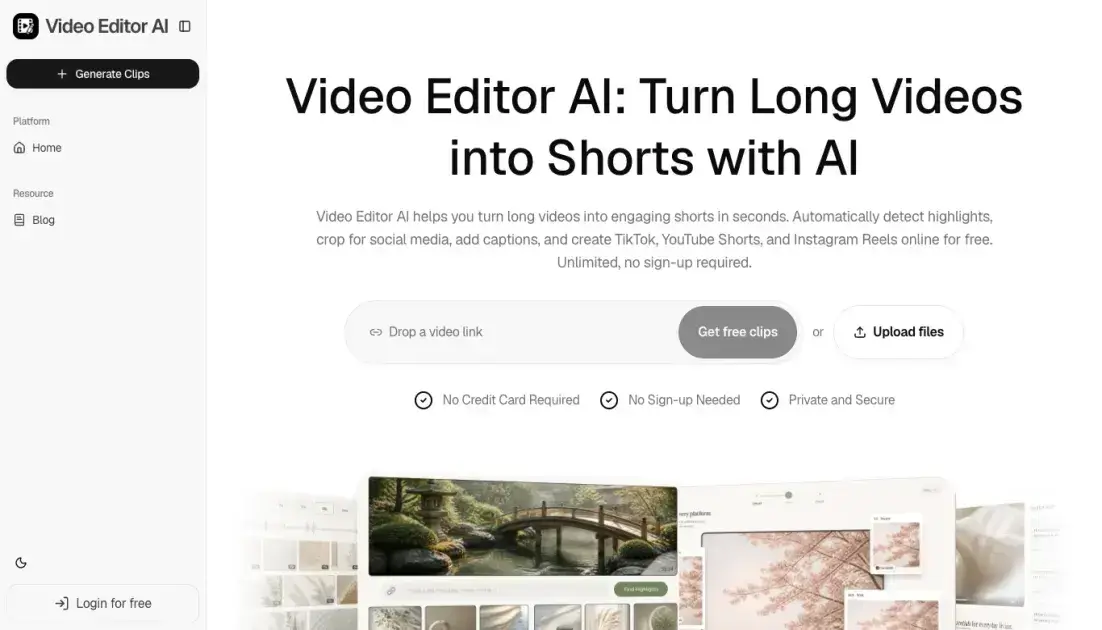
What is Video Editor AI
Video Editor AI is a free, browser-based tool that uses artificial intelligence to turn long-form videos into short, platform-ready clips. The tool automatically detects highlights, generates captions, removes silence and filler words, and reframes footage for vertical, square, or widescreen formats. It is designed for creators, podcasters, educators, and marketers who want to repurpose existing video content for TikTok, YouTube Shorts, and Instagram Reels without manual editing. No sign-up or credit card is required, and the workflow runs entirely online.
How does Video Editor AI work
Video Editor AI works through a four-step automated process. First, the user uploads a long video or pastes a video link. The platform accepts podcasts, webinars, interviews, YouTube videos, and other long-form content. Next, the AI analyzes the footage to detect hooks, highlights, emotions, and valuable moments. It assigns a viral score to each potential clip based on predicted engagement. Then, the editing engine generates short clips, adds captions and subtitles, adjusts framing, and removes silence or filler words. Finally, the user can review the output and publish directly to TikTok, YouTube Shorts, or Instagram Reels.
Benefits of Video Editor AI
Video Editor AI saves creators significant time by automating the most tedious parts of video editing. Highlight detection, caption generation, and aspect ratio conversion happen automatically, reducing hours of manual work to minutes. The tool runs entirely in the browser with no software installation, and the free tier has no usage limits or sign-up requirements. By removing silence and filler words, the output is tighter and more engaging for short-form audiences. The main limitation is that the tool focuses specifically on short-form repurposing and does not offer advanced editing features like transitions, color grading, or multi-track audio mixing.
Pros and Cons of Video Editor AI
Pros
- Free to use with no sign-up or credit card required
- Automatically detects highlights and ranks clips by viral potential
- Generates captions and resizes for multiple platforms in one step
- Runs entirely in the browser, no software installation needed
- Removes silence and filler words automatically
Cons
- No advanced editing features like transitions or color grading
- Limited to short-form repurposing, not full video production
- Quality of AI detection may vary depending on video content type
- No option for custom branding or watermark removal
Core Features of Video Editor AI
AI Highlight Detection
The tool scans long videos and automatically identifies the most engaging moments based on visual and audio cues. This eliminates the need to manually scrub through hours of footage to find shareable clips.
Viral Score
Each detected clip receives a predicted score based on estimated watch-time, shareability, and hook strength. Creators can use this ranking to prioritize which clips to publish first.
Smart Captions
Video Editor AI generates animated, accurate subtitles in one click. Captions improve accessibility and engagement on platforms where users typically watch videos without sound.
Auto Reframe
The tool resizes any video to 9:16, 1:1, or 16:9 aspect ratios while keeping faces and key subjects centered. This is useful for repurposing the same footage across multiple social platforms.
Silence and Filler Removal
Dead air, filler words, and extended pauses are automatically detected and removed. This tightens the final output and improves pacing for short-form content.
AI B-Roll
The tool can insert relevant visuals, overlays, and cutaways to supplement the main footage. This helps maintain viewer retention without requiring manual stock footage searches.
Use Cases of Video Editor AI
- Podcasters: Extract quotable moments from long episodes and publish audiograms with captions across social platforms.
- YouTubers: Generate ready-to-upload Shorts from existing long-form videos to increase views and channel reach.
- Educators: Turn webinars and lectures into a series of digestible tips, reels, and course promotional clips.
- Marketers: Repurpose brand videos, testimonials, and event footage into platform-ready clips for social media campaigns.
- Streamers: Convert VOD recordings into highlight clips with minimal manual effort.
FAQs of Video Editor AI
What is Video Editor AI?
Video Editor AI is a free, browser-based tool that uses artificial intelligence to automatically turn long videos into short, engaging clips suitable for social media platforms like TikTok, YouTube Shorts, and Instagram Reels.
What types of videos can I turn into Shorts?
The tool supports podcasts, webinars, interviews, YouTube videos, and other long-form video content. Any video with substantial runtime can be processed and broken into shorter clips.
How does the AI find the best moments in my videos?
The AI analyzes visual and audio cues to detect hooks, highlights, emotions, and valuable moments. Each potential clip receives a viral score based on predicted watch-time, shareability, and hook strength.
Can Video Editor AI automatically add captions and subtitles?
Yes. The tool generates animated, accurate subtitles in one click. Captions are created automatically during the editing process and can be included in the final output.
Can I use Video Editor AI for TikTok, YouTube Shorts, and Instagram Reels?
Yes. The tool is specifically designed to produce content for these platforms. It automatically reframes videos to the correct aspect ratios and removes silence and filler words to match short-form content expectations.
Who is Video Editor AI designed for?
The tool targets content creators, podcasters, YouTubers, educators, coaches, and marketers who want to repurpose long-form video content into multiple short clips without manual editing skills.
How to use Video Editor AI
- Upload your video: Navigate to video-editor.ai and either paste a video link or click "Upload files" to select a local video file. No account creation is needed.
- Wait for AI analysis: The tool automatically detects highlights, ranks clips by viral potential, and identifies moments worth extracting. Processing time depends on video length.
- Review generated clips: Browse the short clips produced by the AI, each scored for predicted engagement. Select the ones you want to keep.
- Download or publish: Export the finished clips with captions and optimized framing, or share them directly to TikTok, YouTube Shorts, or Instagram Reels.
Video Editor AI Website Traffic Analysis
Latest traffic information
- Monthly Visits1.18K
- Bounce Rate35.8%
- Pages Per Visit1.03
- Visit Duration00:00:00
- Global Rank13.7M
- Country/Region Ranking1.16M
Top Keywords
| Keyword | Traffic | Volume | Cost Per Click |
|---|---|---|---|
| youtube shorts.losing quality | -- | 200 | -- |
| can we post a short in 1440p | -- | 90 | -- |
| how to change yotube shorts quality | -- | 80 | -- |
| best resolution for short videos | -- | 40 | -- |
| short resolution 4k | -- | 10 | -- |
Top Regions
| Region | Percentage |
|---|---|
| India | 100% |
Video Editor AI Alternatives
Scribix is an AI video clipper that cuts podcasts and interviews into captioned vertical shorts, then publishes them to YouTube, TikTok and LinkedIn.
Free AI caption and subtitle generator that transcribes speech in 100+ languages, styles every word and exports MP4, SRT, VTT or TXT files in the browser.
Katto turns long videos and podcasts into scored, captioned 9:16 clips. It ranks clips by viral potential and exports them to 7 platforms from one place.
Gemini Omni is an online AI video generator and editor that turns a text prompt or reference image into a video, then refines each shot through conversational edits while keeping characters and the scene consistent.
OpenSubs is a free in-browser AI subtitle generator that transcribes speech with Whisper, translates into 20 languages and burns captions into video.
Remove image backgrounds, video watermarks, burned-in subtitles and video backgrounds with Rmark AI. Upload a file, preview, then download a clean copy.

AI video production for courses and training. Create editable, reviewable videos from a topic or source material—one video or a chapter-based series.
Faceless Reels creates ready-to-post faceless short videos from a topic, with AI scripts, voiceover, captions, and music for TikTok and Reels.
VidBG Remover uses AI to remove video backgrounds and export transparent footage with an alpha channel. Supports MP4, MOV, WebM with stable edges.
Medeo creates professional AI videos via chat. Supports text, image, and URL inputs with AI editing and character consistency for ads, explainers, and shorts.
Remove hardcoded subtitles from short videos with NanoPhoto.AI. Upload MP4, MOV, or WebM, let AI clean burned-in text, and download a clean subtitle-free MP4.
Image to Video AI is an online AI video generator that enables marketers and content creators to animate product photos, portraits or AI art into short clips by adding simple motion prompts, previewing results, and exporting with free credits.