
Scribix: AI Video Clipper for Podcast and Interview Shorts

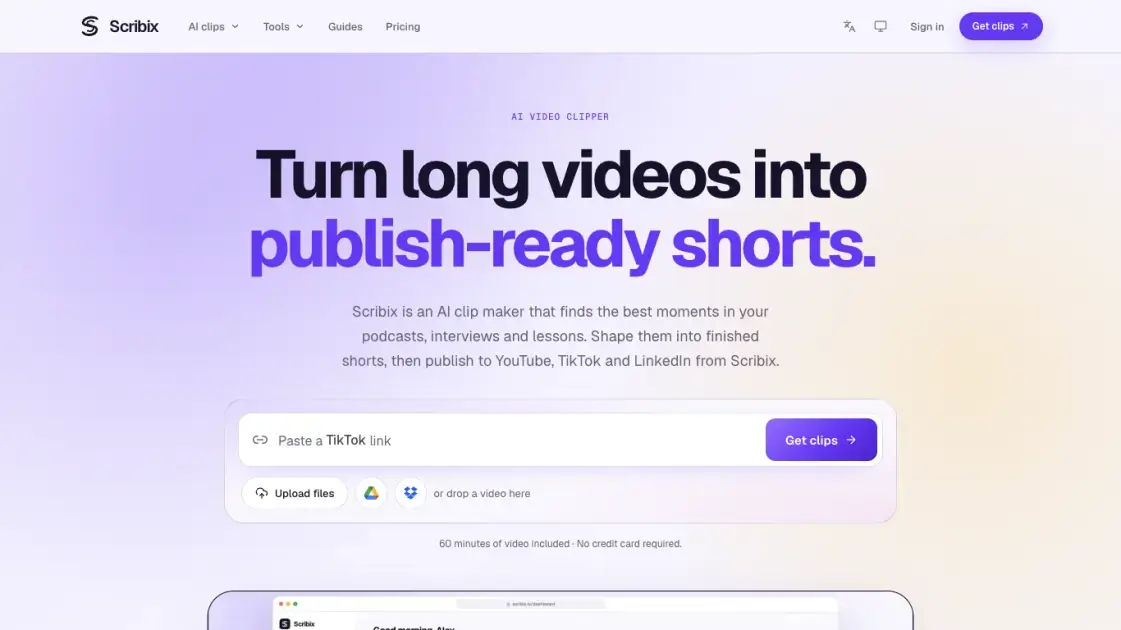
What is Scribix
Scribix converts recorded conversations — podcast episodes, interviews, webinars, lessons and talking-head videos — into short vertical clips ready for social feeds. An AI pass reads the transcript, ranks the moments that stand on their own, and frames each chosen segment at 1080 × 1920 with burned-in captions. Paid tiers extend that first cut into a full editor for trims, caption styling and cover design, then send finished files to YouTube, TikTok and LinkedIn. It suits podcasters, course creators and marketing teams that already own footage and need more placements from it. A separate set of transcription tools covers the cases where only text is wanted.
How does Scribix work
Processing starts with a speech-to-text pass over the uploaded file, which produces a transcript carrying timestamps and, when the audio allows it, speaker turns. The ranking stage then works purely on that text: it looks for stretches where someone opens a thought clearly and closes it before the next topic begins, and returns those stretches as candidate clips with their timecodes and surrounding context. Once a candidate is accepted, its boundaries are cut from the original footage, and the vertical version is produced by cropping around the detected speaker while captions are drawn into the frame. Consumption is measured in minutes of source video, so a thirty-minute upload spends thirty minutes of allowance once, covering the transcript and the initial suggestion pass, and paid accounts can later re-render edited clips without spending more.
Benefits of Scribix
Allowances are counted in minutes of source footage rather than credits, so a team can predict what a month of episodes will cost before uploading, and editing or re-rendering accepted clips does not draw the allowance down further. Exports carry no watermark on any tier, including the free one, which matters when a clip goes out under a client's brand. Because the ranking works from what was said, the tool fits speech-led formats — interviews, lessons, panels — where the interesting content is verbal and a visual editor would add little. The workflow keeps selection and finishing in one place: the same workspace that proposes moments also handles trims, captions, framing, a cover image and the handoff to connected accounts, so a short can travel from raw upload to a scheduled post without another application in the path. Retention is stated per tier up front, with original footage held for seven days on Free and thirty on paid plans.
Pros and Cons of Scribix
Pros
- No watermark on exports at any tier
- Portrait MP4 with burned-in captions from one pass
- Trimming, captioning and framing in the same workspace
- Publishing to several accounts in one submission
- Scheduled posts remain editable until they go live
Cons
- One AI suggestion pass per source video
- Free accounts cannot edit clips or publish
- Visual-led footage such as gameplay or dance is a poor fit
- YouTube links are not accepted as a source
- Instagram is not a publishing destination
Core Features of Scribix
Transcript-driven moment selection
The clipper transcribes the whole recording first, then scores segments that a new viewer could follow without the rest of the episode: a clear opening, one finished idea, no cut mid-thought. A topic can be supplied before analysis to bias the picks toward a subject, or left empty to let the model choose.
Vertical reframing at 1080 × 1920
Every export is a portrait MP4 sized for phone feeds, with captions burned into the picture. The crop follows the speaker instead of letterboxing a wide shot, and on paid tiers it can be nudged section by section, or reverted to the full frame when the wider view carries meaning.
Caption editing and styling
Names, jargon and misheard terms can be corrected before rendering. Position, colour and emphasis are adjustable per clip, so the same source can produce captions matched to a channel's look rather than one fixed template.
Clip length presets
Before processing, a length band is chosen: Auto between 15 and 90 seconds, 15–30, 30–60 or 60–90. The setting steers how the model groups a thought into a single clip, which keeps outputs consistent across a batch.
Multi-platform publishing and scheduling
Lite and higher tiers connect YouTube, TikTok and LinkedIn accounts and push a clip to several of them in one submission, with a separate caption written for each destination. Posts can go out immediately or be queued up to 365 days ahead, and each account reports its own status so a single failure does not mask the rest.
Transcription suite with exports
Beyond clipping, files and captions can be transcribed with speaker labels and word-level timestamps, then exported as TXT, DOCX, SRT, VTT or CSV. Available YouTube captions can be imported directly, and structured AI notes with an overview, key points and action items are produced on the Pro tier.
Use Cases of Scribix
- Podcasters: pull self-contained answers and stories out of a long episode and distribute them as vertical teasers across several channels.
- Course creators and educators: cut one explained concept or a common mistake out of a recorded lesson for promotional use, while keeping the full lecture intact.
- Webinar and event teams: turn a single tip or a Q&A answer into a postable clip without re-editing the whole session.
- Talking-head creators: isolate one opinion, argument or reaction from a commentary video and restyle the captions per platform.
- Teams managing several brand channels: queue one clip for multiple profiles on the same platform and write a separate caption for each destination.
FAQs of Scribix
Does the clipper work on videos with no talking?
No. Selection reads the spoken content, so material driven by music or visuals — gameplay, dance clips, montages — has little for the analysis to work with and is better handled in a conventional editor.
What happens after the single AI pass is used?
The suggestions are not regenerated. Paid accounts can still create fresh clips by highlighting transcript lines or typing exact start and end times, and those renders stay free of extra minute charges.
Can I send one upload to more than one account?
Yes, including several profiles on the same platform. Every destination receives its own caption, and post history lists the outcome per account so a rejection on one does not hide successful deliveries on the others.
Which platforms can receive a clip?
YouTube, including Shorts, plus TikTok and LinkedIn. Instagram is not a destination, so files for it are downloaded and posted by hand. LinkedIn delivers to a personal profile rather than a company page.
Is the free allowance renewed?
No. The initial sixty minutes are granted once for the life of the account, while paid allowances reset with each billing period — monthly even when the year is paid up front — and unused minutes are not carried over.
How long are uploads kept?
Original footage stays available for seven days on the free tier and thirty days on paid ones. Transcripts remain until they are deleted or the account is closed, so text can be revisited after the video is gone.
Do I need the Claude connector to use the tool?
No. It is an optional route for driving the same project from a chat assistant on any tier, but every clipping, editing and publishing action is available through the Scribix web interface.
How to use Scribix
- Sign in with Google and open a new project in the workspace.
- Bring in the source: upload a file of up to 2 GiB on Free or 5 GB on paid plans, or paste a Google Drive, Dropbox or direct video link.
- Set the clip length band and optionally describe the topic you want the analysis to focus on.
- Wait for the transcript and review the suggested moments, keeping the ones that open and close on their own.
- Trim the start and end from the transcript, fix caption text, adjust framing and prepare a title and cover.
- Download the portrait MP4, or pick connected accounts and publish now or schedule the post from the calendar.
Scribix Website Traffic Analysis
Latest traffic information
- Monthly Visits1.84K
- Bounce Rate38.81%
- Pages Per Visit1.14
- Visit Duration00:00:00
- Global Rank10.06M
- Country/Region Ranking3.98M
Top Keywords
| Keyword | Traffic | Volume | Cost Per Click |
|---|---|---|---|
| scribix | 70 | 90 | -- |
| video transcription | -- | 34.57K | $1.34 |
| transcribir video a texto | -- | 27.51K | $0.21 |
| video a texto | -- | 17.51K | $0.12 |
| transcribe video | -- | 13.11K | $2.38 |
Top Regions
| Region | Percentage |
|---|---|
| United States | 100% |
Scribix Alternatives
Free AI caption and subtitle generator that transcribes speech in 100+ languages, styles every word and exports MP4, SRT, VTT or TXT files in the browser.
Katto turns long videos and podcasts into scored, captioned 9:16 clips. It ranks clips by viral potential and exports them to 7 platforms from one place.
Gemini Omni is an online AI video generator and editor that turns a text prompt or reference image into a video, then refines each shot through conversational edits while keeping characters and the scene consistent.
OpenSubs is a free in-browser AI subtitle generator that transcribes speech with Whisper, translates into 20 languages and burns captions into video.
Remove image backgrounds, video watermarks, burned-in subtitles and video backgrounds with Rmark AI. Upload a file, preview, then download a clean copy.

AI video production for courses and training. Create editable, reviewable videos from a topic or source material—one video or a chapter-based series.
Video Editor AI automatically turns long videos into viral shorts with AI highlight detection, smart captions, and auto reframe. Free, no sign-up required.
Faceless Reels creates ready-to-post faceless short videos from a topic, with AI scripts, voiceover, captions, and music for TikTok and Reels.
VidBG Remover uses AI to remove video backgrounds and export transparent footage with an alpha channel. Supports MP4, MOV, WebM with stable edges.
Medeo creates professional AI videos via chat. Supports text, image, and URL inputs with AI editing and character consistency for ads, explainers, and shorts.
Remove hardcoded subtitles from short videos with NanoPhoto.AI. Upload MP4, MOV, or WebM, let AI clean burned-in text, and download a clean subtitle-free MP4.
Image to Video AI is an online AI video generator that enables marketers and content creators to animate product photos, portraits or AI art into short clips by adding simple motion prompts, previewing results, and exporting with free credits.